Of course! Making URL requests in Python is a fundamental task for web scraping, interacting with APIs, and more. The most common and recommended way to do this is by using the requests library.
Here’s a comprehensive guide, starting from the basics to more advanced use cases.
The Easiest Way: The requests Library
The requests library is the de facto standard for making HTTP requests in Python. It's much simpler and more user-friendly than the built-in urllib library.
Step 1: Install the requests library
If you don't have it installed, open your terminal or command prompt and run:
pip install requests
Step 2: Making a Simple GET Request
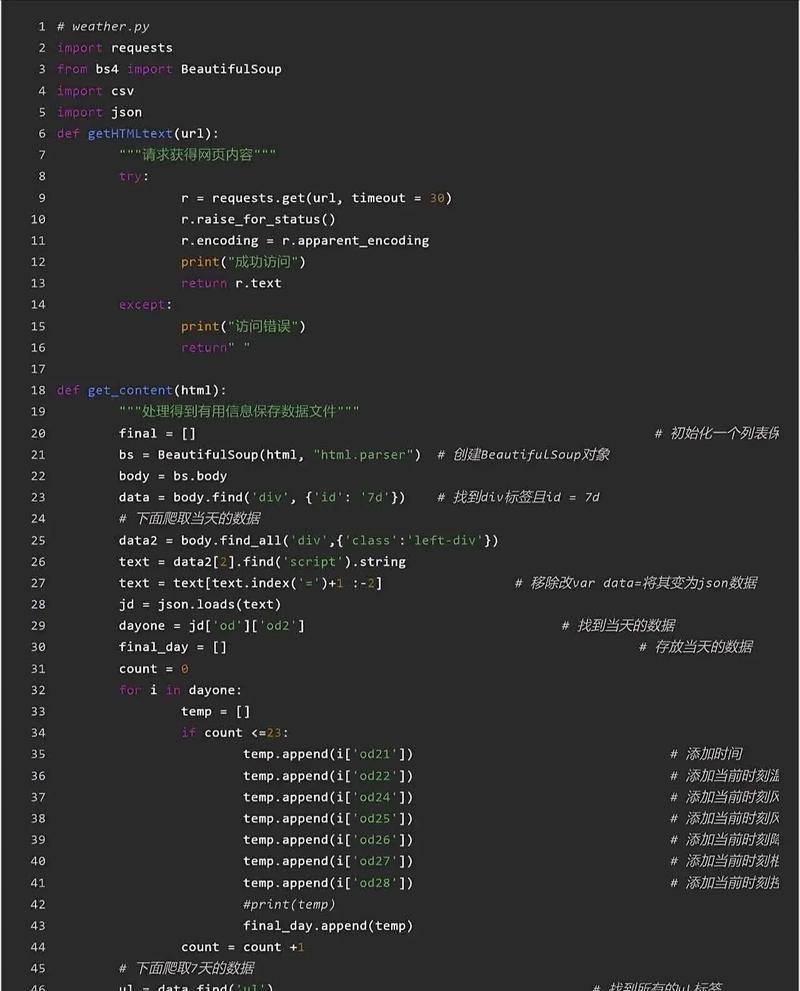
A GET request is used to retrieve data from a server. Let's fetch the content of the JSONPlaceholder API, a free fake API for testing.
import requests
# The URL you want to send a request to
url = "https://jsonplaceholder.typicode.com/posts/1"
try:
    # Send a GET request to the URL
    response = requests.get(url)
    # Raise an exception if the request was unsuccessful (e.g., 404 Not Found, 500 Server Error)
    response.raise_for_status()
    # The .json() method parses the JSON response content into a Python dictionary
    data = response.json()
    # Print the retrieved data
    print("Successfully fetched data!")
    print(data)
    print("\n--- Accessing specific fields ---")
    print(f"User ID: {data['userId']}")
    print(f"Title: {data['title']}")
except requests.exceptions.HTTPError as errh:
    print(f"Http Error: {errh}")
except requests.exceptions.ConnectionError as errc:
    print(f"Error Connecting: {errc}")
except requests.exceptions.Timeout as errt:
    print(f"Timeout Error: {errt}")
except requests.exceptions.RequestException as err:
    print(f"Oops: Something Else: {err}")
Key Points:
requests.get(url): Sends a GET request.response.raise_for_status(): A great way to check if the request was successful. It will raise anHTTPErrorfor bad responses (4xx or 5xx).response.json(): Automatically decodes the JSON response content and returns it as a Python dictionary.response.text: If you want the raw response content as a string.response.status_code: The HTTP status code (e.g., 200 for OK, 404 for Not Found).
Making POST Requests (Sending Data)
POST requests are used to send data to a server, typically to create a new resource. Let's send a new post to the same API.
import requests
import json # To pretty-print the dictionary
url = "https://jsonplaceholder.typicode.com/posts"
# The data you want to send, as a Python dictionary
payload = {: 'foo',
    'body': 'bar',
    'userId': 1
}
# Send the POST request
# The `json` argument automatically sets the Content-Type header to 'application/json'
# and converts the dictionary to a JSON string.
response = requests.post(url, json=payload)
try:
    response.raise_for_status()
    # The response will contain the newly created resource with a new ID
    created_data = response.json()
    print("Successfully created new post!")
    print(json.dumps(created_data, indent=4))
except requests.exceptions.RequestException as err:
    print(f"An error occurred: {err}")
Key Points:
requests.post(url, json=payload): Sends a POST request.- The
json=payloadargument is a convenient shortcut. It does two things:- Serializes the
payloaddictionary into a JSON string. - Sets the
Content-Typeheader toapplication/json.
- Serializes the
- You can also use
data=payloadto send form-encoded data (Content-Type: application/x-www-form-urlencoded).
Common Request Parameters
You can customize your requests in many ways.
Adding URL Parameters (Query Strings)
If you want to add parameters like ?key1=value1&key2=value2, you can either build the URL manually or use the params argument.
import requests
# The base URL
url = "https://jsonplaceholder.typicode.com/posts"
# The parameters to add to the URL
query_params = {
    'userId': 1,
    '_limit': 5
}
# The `params` argument will correctly format the URL
response = requests.get(url, params=query_params)
if response.status_code == 200:
    posts = response.json()
    print(f"Found {len(posts)} posts for user 1:")
    for post in posts:
        print(f"- {post['title']}")
Setting Custom Headers
Some APIs require custom headers, like an API key for authentication.
import requests
url = "https://api.github.com/users/octocat"
# Custom headers, including an API key (this is a fake key, just for example)
headers = {
    'Accept': 'application/vnd.github.v3+json',
    'Authorization': 'token YOUR_GITHUB_API_KEY' # Replace with your actual token
}
response = requests.get(url, headers=headers)
if response.status_code == 200:
    user_data = response.json()
    print(f"User: {user_data['name']}")
    print(f"Public Repos: {user_data['public_repos']}")
Setting Timeouts
It's crucial to set a timeout to prevent your program from hanging indefinitely if the server is unresponsive.
import requests
url = "https://httpbin.org/delay/5" # This URL waits for 5 seconds before responding
try:
    # The timeout is in seconds. If the server doesn't respond in 3 seconds,
    # a requests.exceptions.Timeout will be raised.
    response = requests.get(url, timeout=3)
    print("Request completed successfully!")
except requests.exceptions.Timeout:
    print("The request timed out!")
Handling Binary Content (Images, PDFs, etc.)
For non-text content like images, you should use response.content and write it to a file in binary mode ('wb').
import requests
url = "https://www.python.org/static/community_logos/python-logo-master-v3-TM.png"
try:
    response = requests.get(url, timeout=10)
    response.raise_for_status()
    # The content is in bytes
    image_data = response.content
    # Write the bytes to a file in binary write mode ('wb')
    with open('python_logo.png', 'wb') as f:
        f.write(image_data)
    print("Image downloaded successfully as 'python_logo.png'")
except requests.exceptions.RequestException as err:
    print(f"Failed to download image: {err}")
Alternative: The Built-in urllib Library
Python comes with a built-in urllib library, but it's less intuitive and more verbose. It's good to know it exists, but for almost all cases, requests is the better choice.
from urllib.request import urlopen
from urllib.error import URLError, HTTPError
import json
url = "https://jsonplaceholder.typicode.com/posts/1"
try:
    # urlopen returns a file-like object
    with urlopen(url) as response:
        # Read the response content and decode it from bytes to a string
        body_bytes = response.read()
        body_str = body_bytes.decode('utf-8')
        # Parse the JSON string
        data = json.loads(body_str)
        print("Successfully fetched data with urllib!")
        print(data)
except HTTPError as e:
    print(f"HTTP Error: {e.code} {e.reason}")
except URLError as e:
    print(f"URL Error: {e.reason}")
except Exception as e:
    print(f"An error occurred: {e}")
Summary: requests vs. urllib
| Feature | requests |
urllib |
|---|---|---|
| Ease of Use | Excellent. Simple, intuitive API. | Poor. Verbose, requires manual handling. |
| JSON Handling | Built-in response.json(). |
Requires manual json.loads(). |
| Sessions | Excellent. requests.Session() handles cookies and connection pooling. |
Clunky and manual. |
| Installation | pip install requests (required) |
Built-in (no install needed) |
| Recommendation | Highly recommended for all use cases. | Use only if you cannot install external libraries. |