Of course! Here is a complete, well-commented, and runnable Python implementation of Flappy Bird using the pygame library.
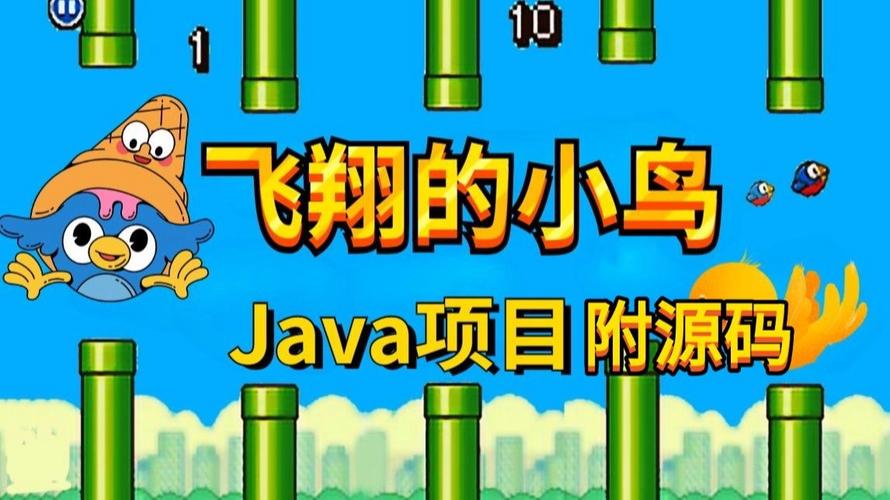
(图片来源网络,侵删)
This code is self-contained and includes all the necessary game mechanics:
- A bird that falls due to gravity and jumps when you press a key.
- Pipes that scroll from right to left.
- Collision detection with the pipes and the ground.
- A score that increases when you pass a pipe.
- A "Game Over" screen with a restart option.
Prerequisites
First, you need to install the pygame library. Open your terminal or command prompt and run:
pip install pygame
The Complete Flappy Bird Code
You can copy and paste the following code into a file named flappy_bird.py and run it.
import pygame
import random
import sys
# --- Constants ---
SCREEN_WIDTH = 400
SCREEN_HEIGHT = 600
FPS = 60
# Colors
WHITE = (255, 255, 255)
BLACK = (0, 0, 0)
SKY_BLUE = (135, 206, 235)
PIPE_GREEN = (0, 200, 0)
BIRD_YELLOW = (255, 255, 0)
GROUND_BROWN = (139, 69, 19)
# Game settings
BIRD_START_X = 50
BIRD_START_Y = SCREEN_HEIGHT // 2
BIRD_RADIUS = 15
GRAVITY = 0.5
JUMP_STRENGTH = -8
PIPE_WIDTH = 50
PIPE_GAP = 150
PIPE_SPEED = 3
PIPE_SPAWN_RATE = 1200  # milliseconds
# --- Classes ---
class Bird:
    def __init__(self, x, y):
        self.x = x
        self.y = y
        self.velocity = 0
        self.radius = BIRD_RADIUS
    def jump(self):
        self.velocity = JUMP_STRENGTH
    def update(self):
        self.velocity += GRAVITY
        self.y += self.velocity
    def draw(self, screen):
        # Draw a simple circle for the bird
        pygame.draw.circle(screen, BIRD_YELLOW, (int(self.x), int(self.y)), self.radius)
        # Draw a simple eye
        eye_x = int(self.x + 5)
        eye_y = int(self.y - 5)
        pygame.draw.circle(screen, BLACK, (eye_x, eye_y), 3)
    def get_rect(self):
        # Return a rectangle for collision detection
        return pygame.Rect(self.x - self.radius, self.y - self.radius, self.radius * 2, self.radius * 2)
class Pipe:
    def __init__(self, x):
        self.x = x
        self.passed = False
        self.height = random.randint(100, SCREEN_HEIGHT - GROUND_HEIGHT - PIPE_GAP - 100)
        self.top_rect = pygame.Rect(self.x, 0, PIPE_WIDTH, self.height)
        self.bottom_rect = pygame.Rect(self.x, self.height + PIPE_GAP, PIPE_WIDTH, SCREEN_HEIGHT - self.height - PIPE_GAP)
    def update(self):
        self.x -= PIPE_SPEED
        self.top_rect.x = self.x
        self.bottom_rect.x = self.x
    def draw(self, screen):
        # Draw the top pipe
        pygame.draw.rect(screen, PIPE_GREEN, self.top_rect)
        # Draw the bottom pipe
        pygame.draw.rect(screen, PIPE_GREEN, self.bottom_rect)
    def is_off_screen(self):
        return self.x + PIPE_WIDTH < 0
    def collides_with(self, bird_rect):
        return bird_rect.colliderect(self.top_rect) or bird_rect.colliderect(self.bottom_rect)
# --- Functions ---
def draw_text(screen, text, size, x, y, color):
    font = pygame.font.Font(None, size)
    text_surface = font.render(text, True, color)
    text_rect = text_surface.get_rect(center=(x, y))
    screen.blit(text_surface, text_rect)
def show_game_over_screen(screen, score, high_score):
    screen.fill(SKY_BLUE)
    draw_text(screen, "Game Over", 50, SCREEN_WIDTH // 2, SCREEN_HEIGHT // 3, BLACK)
    draw_text(screen, f"Score: {score}", 30, SCREEN_WIDTH // 2, SCREEN_HEIGHT // 2, BLACK)
    draw_text(screen, f"High Score: {high_score}", 30, SCREEN_WIDTH // 2, SCREEN_HEIGHT // 2 + 40, BLACK)
    draw_text(screen, "Press SPACE to Restart or ESC to Quit", 25, SCREEN_WIDTH // 2, SCREEN_HEIGHT * 2 // 3, BLACK)
    pygame.display.flip()
# --- Main Game Loop ---
def main():
    pygame.init()
    screen = pygame.display.set_mode((SCREEN_WIDTH, SCREEN_HEIGHT))
    pygame.display.set_caption("Flappy Bird")
    clock = pygame.time.Clock()
    # Game variables
    running = True
    game_active = False
    score = 0
    high_score = 0
    GROUND_HEIGHT = 50
    last_pipe_time = 0
    # Create game objects
    bird = Bird(BIRD_START_X, BIRD_START_Y)
    pipes = []
    # Main loop
    while running:
        current_time = pygame.time.get_ticks()
        # --- Event Handling ---
        for event in pygame.event.get():
            if event.type == pygame.QUIT:
                running = False
            if event.type == pygame.KEYDOWN:
                if event.key == pygame.K_ESCAPE:
                    running = False
                if event.key == pygame.K_SPACE:
                    if not game_active:
                        # Reset game state
                        game_active = True
                        bird = Bird(BIRD_START_X, BIRD_START_Y)
                        pipes = []
                        score = 0
                        last_pipe_time = current_time
                    else:
                        bird.jump()
        # --- Game Logic ---
        if game_active:
            bird.update()
            # Check for ground collision
            if bird.y + bird.radius >= SCREEN_HEIGHT - GROUND_HEIGHT:
                game_active = False
                if score > high_score:
                    high_score = score
            # Spawn new pipes
            if current_time - last_pipe_time > PIPE_SPAWN_RATE:
                pipes.append(Pipe(SCREEN_WIDTH))
                last_pipe_time = current_time
            # Update pipes and check for collisions/scoring
            for pipe in pipes[:]:
                pipe.update()
                # Check for collision
                if pipe.collides_with(bird.get_rect()):
                    game_active = False
                    if score > high_score:
                        high_score = score
                # Update score
                if not pipe.passed and pipe.x + PIPE_WIDTH < bird.x:
                    pipe.passed = True
                    score += 1
                # Remove off-screen pipes
                if pipe.is_off_screen():
                    pipes.remove(pipe)
        # --- Drawing ---
        screen.fill(SKY_BLUE)
        if game_active:
            bird.draw(screen)
            for pipe in pipes:
                pipe.draw(screen)
        else:
            # Show game over screen if not active and score > 0
            if score > 0:
                show_game_over_screen(screen, score, high_score)
            else:
                # Show start screen
                draw_text(screen, "Flappy Bird", 50, SCREEN_WIDTH // 2, SCREEN_HEIGHT // 3, BLACK)
                draw_text(screen, "Press SPACE to Start", 30, SCREEN_WIDTH // 2, SCREEN_HEIGHT // 2, BLACK)
                draw_text(screen, "Press SPACE to Jump", 25, SCREEN_WIDTH // 2, SCREEN_HEIGHT // 2 + 40, BLACK)
        # Draw ground
        pygame.draw.rect(screen, GROUND_BROWN, (0, SCREEN_HEIGHT - GROUND_HEIGHT, SCREEN_WIDTH, GROUND_HEIGHT))
        # Draw score
        draw_text(screen, str(score), 40, SCREEN_WIDTH // 2, 40, BLACK)
        pygame.display.flip()
        # --- Control Frame Rate ---
        clock.tick(FPS)
    pygame.quit()
    sys.exit()
if __name__ == "__main__":
    main()
How to Run the Game
- Save the code: Save the code above into a file named
flappy_bird.py. - Open a terminal: Navigate to the directory where you saved the file.
- Run the script: Execute the file using Python:
python flappy_bird.py
How to Play
- Press
SPACEto make the bird jump. - Press
SPACEagain to restart the game after you've lost. - Press
ESCto quit the game at any time.
The goal is to navigate the bird through the green pipes without hitting them or the ground. Your score increases by one point for each pipe you successfully pass.
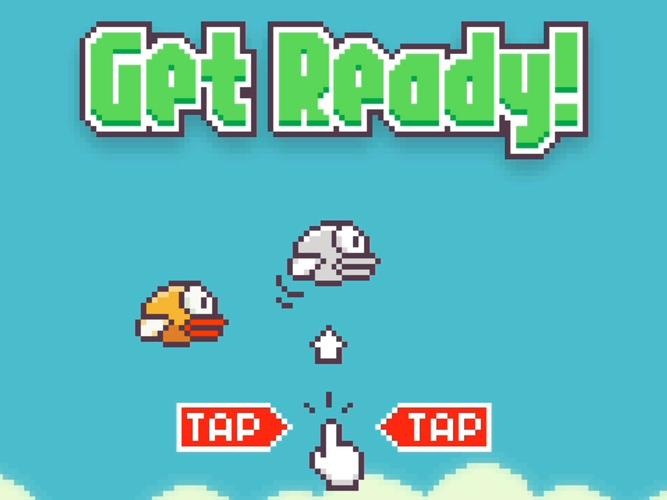
(图片来源网络,侵删)
(图片来源网络,侵删)