Of course! Here is a comprehensive guide to importing and using the time module in Python.
The Basic Import
To use the time module, you first need to import it into your script.
import time
This is the standard and most common way to import the module. It gives you access to all the functions and constants within the time namespace.
Key Functions and Their Uses
The time module provides several functions for working with time. Here are the most important ones, categorized by their primary use case.
A) For Getting the Current Time
These functions are used to get a representation of the current moment.
| Function | What it Returns | Common Use Case |
|---|---|---|
time.time() |
Seconds since the Epoch (a point in time, usually January 1, 1970, 00:00:00 UTC). | Measuring elapsed time, performance benchmarks. |
time.ctime() |
A human-readable string representing the current local time. | Displaying the current time to a user. |
time.localtime() |
A struct_time object representing the current local time. |
Detailed access to year, month, day, hour, etc. |
time.gmtime() |
A struct_time object representing the current time in UTC (Coordinated Universal Time). |
When you need a timezone-agnostic time. |
Example:
import time
# Get seconds since the epoch (a large float)
seconds_since_epoch = time.time()
print(f"Seconds since epoch: {seconds_since_epoch}")
# Get a human-readable string
current_time_str = time.ctime()
print(f"Current time (string): {current_time_str}")
# Get a structured time object for the local time
local_time_struct = time.localtime()
print(f"Current time (struct): {local_time_struct}")
print(f"Year: {local_time_struct.tm_year}")
print(f"Month: {local_time_struct.tm_mon}")
print(f"Hour: {local_time_struct.tm_hour}")
B) For Formatting Time
These functions convert a time representation (like seconds since the epoch or a struct_time) into a formatted string.
| Function | What it Does | Example Format |
|---|---|---|
time.strftime(format) |
Formats a struct_time object into a string. |
"%Y-%m-%d %H:%M:%S" |
time.strptime(string, format) |
Parses a string into a struct_time object based on a format. |
The reverse of strftime. |
Common Format Codes:
%Y: 4-digit year (e.g., 2025)%m: 2-digit month (01-12)%d: 2-digit day (01-31)%H: 2-digit hour (00-23)%M: 2-digit minute (00-59)%S: 2-digit second (00-59)%A: Full weekday name (e.g., Monday)%B: Full month name (e.g., January)
Example:
import time
# Get the current time as a struct_time
now = time.localtime()
# Format it into a custom string
formatted_time = time.strftime("%Y-%m-%d %H:%M:%S", now)
print(f"Formatted time: {formatted_time}")
# Format it with a different style
readable_time = time.strftime("%A, %B %d, %Y", now)
print(f"Readable time: {readable_time}")
# --- The reverse: parsing a string ---
time_string = "2025-10-27 15:30:00"
time_struct = time.strptime(time_string, "%Y-%m-%d %H:%M:%S")
print(f"Parsed struct_time: {time_struct}")
C) For Program Pausing (Sleeping)
This is a very common and simple function.
| Function | What it Does |
|---|---|
time.sleep(seconds) |
Suspends (pauses) the execution of the current thread for the given number of seconds. |
Example:
import time
print("Starting...")
print("Waiting for 2 seconds.")
time.sleep(2)  # Pauses the program here for 2 seconds
print("Done waiting!")
D) For Measuring Elapsed Time
This is one of the most frequent uses of the time module, especially for benchmarking code performance.
Method 1: Using time.time()
import time
start_time = time.time()
# --- Code you want to measure ---
total = 0
for i in range(1000000):
    total += i
# ---
end_time = time.time()
elapsed_time = end_time - start_time
print(f"Elapsed time: {elapsed_time:.6f} seconds")
Method 2: Using time.perf_counter() (Recommended for performance measurement)
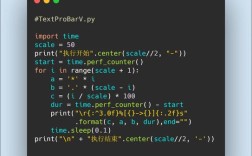
perf_counter() provides a high-resolution monotonic clock, which is perfect for measuring short durations. It's not affected by system clock changes.
import time
start_time = time.perf_counter()
# --- Code you want to measure ---
squares = [i*i for i in range(1000000)]
# ---
end_time = time.perf_counter()
elapsed_time = end_time - start_time
print(f"Elapsed time: {elapsed_time:.6f} seconds")
time vs. datetime Module
You will often see the datetime module used alongside time. It's important to know the difference.
| Feature | time module |
datetime module |
|---|---|---|
| Primary Focus | Low-level time access, performance measurement, C-style time functions. | High-level date and time object manipulation. |
| Core Object | No main object. Works with floats (seconds), and struct_time tuples. |
datetime objects, date objects, time objects. |
| Ease of Use | Can be cumbersome for date arithmetic and formatting. | Much more intuitive for adding days, comparing dates, etc. |
| Timezones | Limited timezone support (requires tzlocal library for easy use). |
Excellent, built-in support for timezones (datetime.timezone). |
When to use which:
- Use
timewhen:- You need to measure the performance of a piece of code (
time.perf_counter()). - You need to pause a script (
time.sleep()). - You are interfacing with low-level system APIs that require timestamps.
- You need to measure the performance of a piece of code (
- Use
datetimewhen:- You need to perform arithmetic on dates (e.g., add 5 days to a date).
- You need to compare two dates or times.
- You need to work with timezones.
- You want a more object-oriented approach to dates and times.
Summary
For quick reference, here is a cheat sheet of the most common time module operations:
import time
# 1. Get current time in different formats
print("--- Getting Time ---")
print(f"Seconds since epoch: {time.time()}")
print(f"Current time (string): {time.ctime()}")
print(f"Current time (struct): {time.localtime()}")
# 2. Format time
print("\n--- Formatting Time ---")
now = time.localtime()
formatted = time.strftime("%H:%M:%S on %A, %B %d, %Y", now)
print(f"Formatted: {formatted}")
# 3. Pause execution
print("\n--- Pausing Execution ---")
print("Starting...")
time.sleep(1)
print("1 second later...")
time.sleep(1)
print("Done.")
# 4. Measure elapsed time
print("\n--- Measuring Elapsed Time ---")
start = time.perf_counter()
# Do some work
sum(range(1000000))
end = time.perf_counter()
print(f"Code took {end - start:.4f} seconds to run.")