Java中使用Redis进行模糊查询
在Java中使用Redis进行模糊查询,通常是指使用Redis的KEYS命令或SCAN命令结合通配符来匹配键名,以下是几种实现方式:
(图片来源网络,侵删)
使用Jedis客户端进行模糊查询
import redis.clients.jedis.Jedis;
import redis.clients.jedis.ScanParams;
import redis.clients.jedis.ScanResult;
public class RedisFuzzySearch {
    public static void main(String[] args) {
        // 连接Redis
        try (Jedis jedis = new Jedis("localhost", 6379)) {
            // 方法1:使用KEYS命令(不推荐,生产环境可能阻塞Redis)
            Set<String> keys1 = jedis.keys("user:*");
            System.out.println("KEYS命令结果: " + keys1);
            // 方法2:使用SCAN命令(推荐,生产环境使用)
            String cursor = "0";
            ScanParams scanParams = new ScanParams();
            scanParams.count(100); // 每次返回的数量
            scanParams.match("user:*"); // 匹配模式
            do {
                ScanResult<String> scanResult = jedis.scan(cursor, scanParams);
                List<String> keys = scanResult.getResult();
                System.out.println("SCAN结果: " + keys);
                cursor = scanResult.getCursor();
            } while (!"0".equals(cursor));
        }
    }
}
使用Lettuce客户端进行模糊查询
import io.lettuce.core.RedisClient;
import io.lettuce.core.RedisURI;
import io.lettuce.core.ScanArgs;
import io.lettuce.core.api.StatefulRedisConnection;
import io.lettuce.core.api.sync.RedisCommands;
import java.util.List;
public class RedisFuzzySearchWithLettuce {
    public static void main(String[] args) {
        RedisClient redisClient = RedisClient.create(RedisURI.create("redis://localhost:6379"));
        try (StatefulRedisConnection<String, String> connection = redisClient.connect()) {
            RedisCommands<String, String> syncCommands = connection.sync();
            // 使用SCAN命令
            String cursor = "0";
            ScanArgs scanArgs = ScanArgs.Builder.matches("user:*").limit(100);
            do {
                List<String> keys = syncCommands.scan(cursor, scanArgs);
                System.out.println("SCAN结果: " + keys);
                cursor = syncCommands.scan().getCursor();
            } while (!"0".equals(cursor));
        }
    }
}
使用Spring Data Redis进行模糊查询
如果你使用的是Spring Boot项目,可以这样实现:
import org.springframework.beans.factory.annotation.Autowired;
import org.springframework.data.redis.core.RedisTemplate;
import org.springframework.data.redis.core.ScanOptions;
import org.springframework.stereotype.Service;
import java.util.Set;
@Service
public class RedisService {
    @Autowired
    private RedisTemplate<String, Object> redisTemplate;
    // 使用KEYS命令(不推荐)
    public Set<String> keysWithPattern(String pattern) {
        return redisTemplate.keys(pattern);
    }
    // 使用SCAN命令(推荐)
    public Set<String> scanKeys(String pattern) {
        return redisTemplate.execute(connection -> {
            Set<String> keys = new HashSet<>();
            Cursor<byte[]> cursor = connection.scan(
                ScanOptions.scanOptions().match(pattern).count(100).build());
            while (cursor.hasNext()) {
                keys.add(new String(cursor.next()));
            }
            return keys;
        }, true);
    }
}
注意事项
-
KEYS vs SCAN:
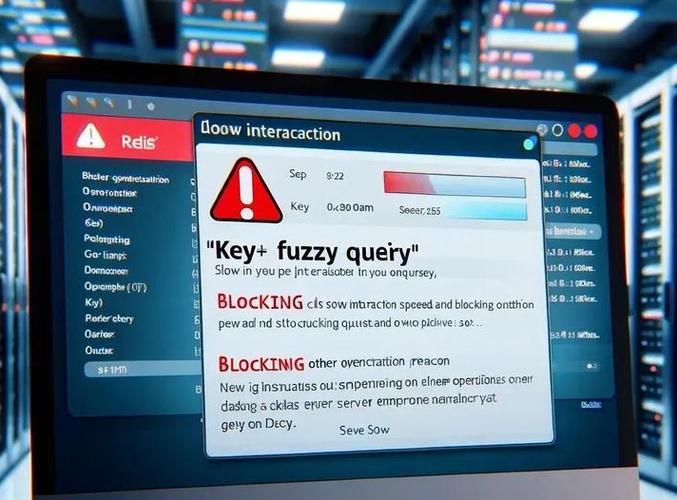
KEYS命令会阻塞Redis服务器,在生产环境中不推荐使用SCAN命令是渐进式的,不会阻塞服务器,但可能需要多次调用才能获取所有结果
-
性能考虑:
- 模糊查询(特别是使用通配符)可能会消耗大量资源
- 尽量避免在键名中使用通配符,考虑使用Redis的Set或SortedSet结构来管理键
-
Redis版本:
 (图片来源网络,侵删)
- SCAN命令在Redis 2.8+版本中可用
- 确保你的Redis客户端支持SCAN命令
-
替代方案:
- 对于频繁的模糊查询需求,考虑使用Redis的Set或SortedSet结构来维护键的集合
- 可以在应用层维护一个索引结构来减少对Redis的直接查询
希望这些示例能帮助你在Java项目中实现Redis的模糊查询功能!

(图片来源网络,侵删)