Of course! Let's dive deep into numpy.mat(), a function that has a specific and sometimes controversial role in the NumPy ecosystem.
What is numpy.mat()?
numpy.mat() is a function that converts an input into a matrix object.
A numpy.matrix is a specialized 2D array subclass. Its main characteristic is that it enforces matrix multiplication rules by default.
The Core Concept: Matrix vs. Array Multiplication
To understand why numpy.mat() exists and why it's often discouraged, you must first understand the difference between matrix multiplication and element-wise multiplication.
Let's use two simple 2x2 arrays, a and b:
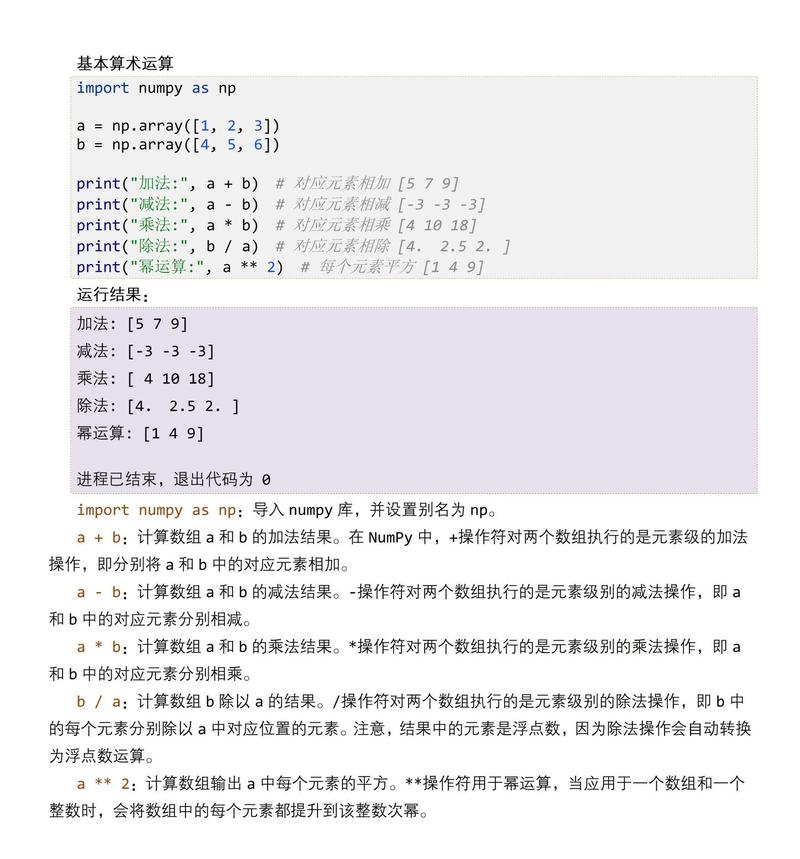
import numpy as np
a = np.array([[1, 2],
              [3, 4]])
b = np.array([[5, 6],
              [7, 8]])
print("Array a:\n", a)
print("\nArray b:\n", b)
Element-wise Multiplication (Hadamard Product)
This is the default behavior when you use the operator on two NumPy arrays. Each element in the first array is multiplied by the corresponding element in the second array.
# Element-wise multiplication with arrays
elementwise_result = a * b
print("Element-wise result (a * b):\n", elementwise_result)
Output:
Element-wise result (a * b):
 [[ 5 12]
 [21 32]]
Calculation: [[1*5, 2*6], [3*7, 4*8]]
Matrix Multiplication (Dot Product)
This is the standard mathematical matrix multiplication you learn in linear algebra. The number of columns in the first matrix must match the number of rows in the second.
- To perform this with NumPy arrays, you must use the operator (Python 3.5+) or the
.dot()method.
# Matrix multiplication with arrays
matrix_result = a @ b
# matrix_result = a.dot(b) # This also works
print("Matrix multiplication result (a @ b):\n", matrix_result)
Output:
Matrix multiplication result (a @ b):
 [[19 22]
 [43 50]]
Calculation: [[1*5 + 2*7, 1*6 + 2*8], [3*5 + 4*7, 3*6 + 4*8]] = [[19, 22], [43, 50]]
How numpy.mat() Changes the Behavior
numpy.mat() takes an input (like a list or an existing array) and returns a matrix object. The crucial part is that *the `operator onmatrix` objects performs matrix multiplication, not element-wise multiplication.**
Let's see it in action:
# Convert the arrays to matrix objects
mat_a = np.mat(a)
mat_b = np.mat(b)
print("Matrix mat_a:\n", mat_a)
print("\nMatrix mat_b:\n", mat_b)
# Now, using * on matrices performs matrix multiplication
matrix_from_star = mat_a * mat_b
print("\nMatrix multiplication using * on matrices (mat_a * mat_b):\n", matrix_from_star)
Output:
Matrix mat_a:
 [[1 2]
 [3 4]]
Matrix mat_b:
 [[5 6]
 [7 8]]
Matrix multiplication using * on matrices (mat_a * mat_b):
 [[19 22]
 [43 50]]
Notice that mat_a * mat_b gave us the same result as a @ b. This is the entire purpose of the matrix class: to make behave like matrix multiplication.
Syntax and Parameters
numpy.mat(data, dtype=None)
data: Input data to be converted to a matrix. This can be a string, a list, a tuple, or another NumPy array.dtype: (Optional) The data type of the output matrix.
A unique feature is that you can pass a string representation of a matrix.
# You can create a matrix directly from a string
string_mat = np.mat('1 2; 3 4')
print("Matrix from string:\n", string_mat)
Output:
Matrix from string:
 [[1 2]
 [3 4]]
(The semicolon denotes a new row).
Important Attributes: .A and .A1
When you have a matrix object, you might sometimes need to get back a standard ndarray. The matrix class provides convenient attributes for this:
.A: Returns the matrix as a 2Dndarray..A1: Returns the matrix as a flattened 1Dndarray(column-major order).
m = np.mat('1 2 3; 4 5 6')
print("Original matrix (type):", type(m))
print("\nOriginal matrix:\n", m)
print("\nAs 2D array (.A):")
print(m.A)
print("Type of .A:", type(m.A))
print("\nAs 1D array (.A1):")
print(m.A1)
print("Type of .A1:", type(m.A1))
The Modern Recommendation: Avoid numpy.matrix
For many years, numpy.matrix was useful, but the NumPy community has strongly discouraged its use in favor of the standard numpy.ndarray.
Here’s why:
- Inconsistency: It creates two parallel systems for handling arrays/matrices. You have to be constantly aware of whether you are dealing with an
ndarrayor amatrixto know what the operator will do. This is a common source of bugs. - Redundancy: The operator (introduced in Python 3.5) and the
.dot()method provide a clear and consistent way to perform matrix multiplication on standardndarrayobjects. - Limited Functionality: The
matrixclass is a subclass ofndarraybut does not support all features or behaviors of a generalndarray. For example, it is strictly 2D, whereasndarrayscan be N-dimensional. - Future Deprecation: The official NumPy documentation states that the
matrixclass is deprecated and will be removed in a future version.
The "NumPy Way" vs. The "Old matrix Way"
| Task | The Old matrix Way (Discouraged) |
The Modern NumPy Way (Recommended) |
|---|---|---|
| Creation | m = np.mat('1 2; 3 4') |
a = np.array([[1, 2], [3, 4]]) |
| Matrix Multiply | result = m1 * m2 |
result = a1 @ a2 |
| Element-wise Multiply | result = m1 * m2 (This was a common pitfall!) |
result = a1 * a2 |
| Get Array Back | arr = m.A |
You are already using an array. |
Summary
| Feature | numpy.ndarray (Standard Array) |
numpy.matrix (from np.mat()) |
|---|---|---|
| Primary Use | General-purpose N-dimensional array. | Specialized 2D array for linear algebra. |
| *`` Operator** | Element-wise multiplication. | Matrix multiplication. |
| Matrix Multiply | a @ b or a.dot(b) |
a * b |
| Dimensions | N-dimensional (0D, 1D, 2D, 3D, ...) | Strictly 2D. |
| Status | Standard and recommended. | Deprecated. Avoid for new code. |
Final Advice: Unless you are working with a legacy codebase that heavily relies on numpy.matrix, you should avoid using numpy.mat(). Embrace the numpy.ndarray and use the operator for clear, readable, and future-proof matrix multiplication.