Of course! The phrase python for in is the foundation of looping in Python. It's used to iterate over items in a sequence, like a list, a string, or, as your question implies, files.
Let's break it down into two main parts:
- The general
for...inloop. - The specific and very common
for...inloop for reading files.
The General for...in Loop
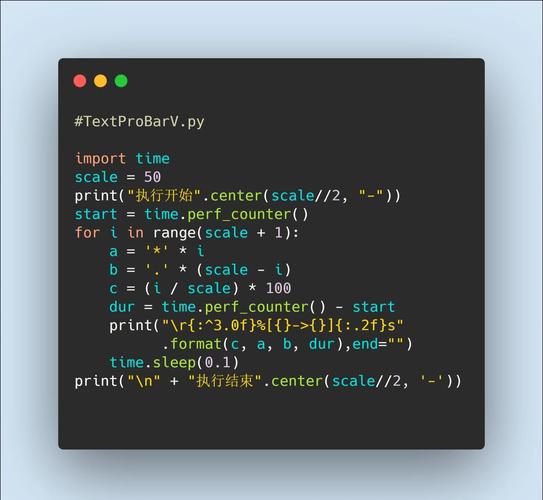
This is the most common way to loop in Python. The syntax is:
for item in iterable_object:
    # Do something with the item
    # This code block runs for each item in the object
forandinare keywords.itemis a variable name you choose. It will hold the current value from theiterable_objectin each iteration.iterable_objectis any object that can be looped over, like a list, tuple, string, dictionary, or set.
Examples:
Looping through a list:
fruits = ["apple", "banana", "cherry"]
for fruit in fruits:
    print(f"I like to eat {fruit}s.")
Output:
I like to eat apples.
I like to eat bananas.
I like to eat cherries.
Looping through a string:
greeting = "Hello"
for character in greeting:
    print(character)
Output:
H
e
l
l
o
for...in for Reading Files
This is where your specific question comes in. When you work with files, you have a few options. The for...in loop is one of the most efficient and Pythonic ways to read a file line by line.
There are two primary methods to use for...in with files.

Method 1: The Most Common & Recommended Way
This method is preferred because it's clean, memory-efficient, and automatically handles closing the file for you using a with statement.
# The 'with' statement is best practice. It automatically closes the file.
with open("my_file.txt", "r") as f:
    # The 'for' loop reads one line from the file at a time
    # and assigns it to the variable 'line'.
    for line in f:
        # 'line' will include the newline character '\n' at the end
        print(line.strip()) # .strip() removes leading/trailing whitespace
How it works:
with open("my_file.txt", "r") as f:opens the filemy_file.txtin read mode ("r") and assigns it to the variablef. Thewithblock ensures the file is closed when the block is exited, even if errors occur.- The
for line in f:loop starts. - On the first iteration, it reads the first line from the file object
fand stores it in thelinevariable. - The code inside the loop (
print(line.strip())) is executed. - This repeats until every line in the file has been read.
Example my_file.txt:
This is line one.
This is line two.
This is the final line.
Output of the code:
This is line one.
This is line two.
This is the final line.
Method 2: Reading the Whole File into a List First
You can also read the entire file into a list of lines and then loop over that list. This is less memory-efficient for very large files but can be useful if you need to access the lines multiple times.
# Read the entire file into a list of lines
with open("my_file.txt", "r") as f:
    all_lines = f.readlines()
# Now loop over the list
for line in all_lines:
    print(line.strip())
Note: f.readlines() reads the entire file into memory at once, which can be a problem for huge files. The first method (for line in f:) is generally better.
Complete, Runnable Example
Let's create a file and then read it using the recommended method.
# 1. Create a sample file
file_content = """First line of the file.
Second line.
Third and final line."""
with open("sample.txt", "w") as f:
    f.write(file_content)
print("--- File created. Now reading it back. ---")
# 2. Read the file line by line using the recommended method
try:
    with open("sample.txt", "r") as file:
        print("Reading file line by line:")
        line_number = 1
        for line in file:
            # The line variable includes the newline character, so we use strip()
            print(f"Line {line_number}: {line.strip()}")
            line_number += 1
except FileNotFoundError:
    print("Error: The file was not found.")
Output:
--- File created. Now reading it back. ---
Reading file line by line:
Line 1: First line of the file.
Line 2: Second line.
Line 3: Third and final line.
Summary
| Method | Pros | Cons | Best For |
|---|---|---|---|
with open(...) as f: for line in f: |
Memory efficient, clean syntax, file auto-closed, highly recommended | None for this task | Almost all cases of reading text files. |
with open(...) as f: for line in f.readlines(): |
Simple if you already have the lines in a list | Reads entire file into memory at once (bad for huge files) | When you need to process the lines multiple times. |
for line in open("file.txt"): |
Shorter syntax | Does not automatically close the file (can lead to resource leaks) | Quick scripts where you don't care about closing the file (not recommended for production code). |