Of course! This is a very common and powerful stack in the big data ecosystem. Let's break down each component and then see how they fit together.
High-Level Overview
Think of this stack as a search and analytics engine (Solr) built on top of a scalable, distributed database (HBase).
-
HBase: The "Data Store". It's where your raw data lives. It's designed for massive scalability, storing billions of rows and petabytes of data. It's a "NoSQL" database that provides fast random read/write access to huge amounts of data. You can think of it as a giant, distributed, versioned hash map or a sparse, multi-dimensional sorted map.
-
Solr: The "Search Engine". It's designed for incredibly fast, full-text search, faceting, and analytics. It indexes data to make it searchable. Solr is not primarily a data store; it's an index over your data.
-
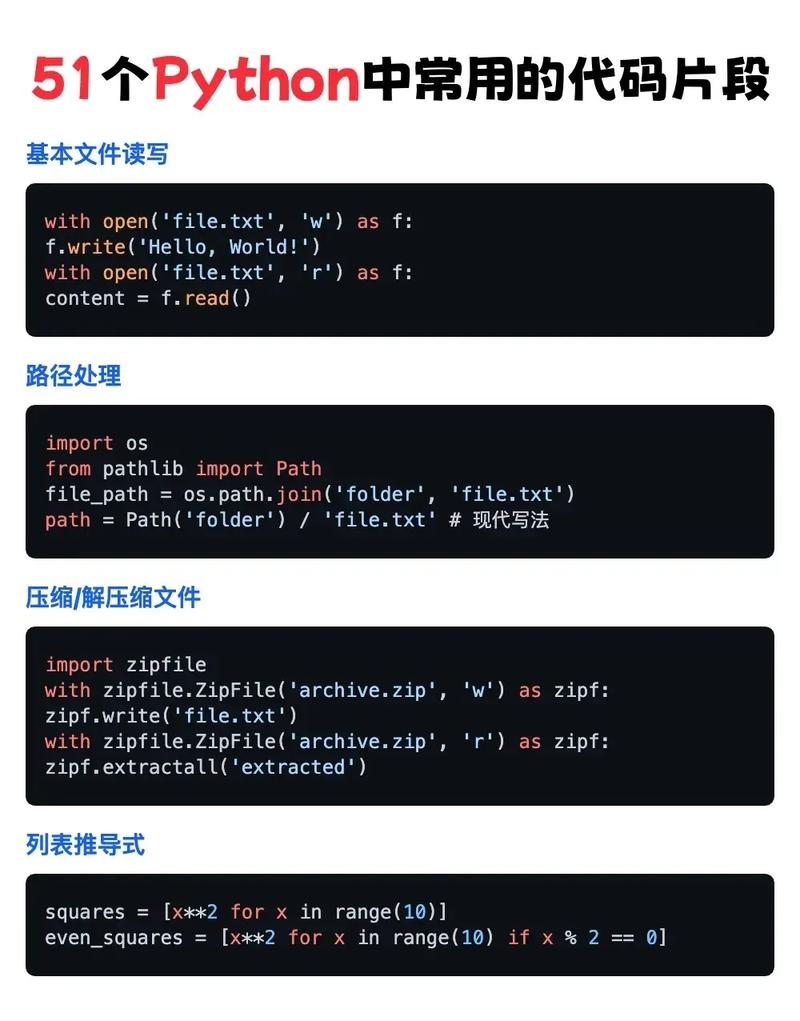
Python: The "Glue". It's the programming language you use to interact with both systems. You'll use Python to:
 (图片来源网络,侵删)
- Ingest data into HBase.
- Extract data from HBase to feed into Solr.
- Query Solr to get search results.
- Manage the entire process.
HBase: The Scalable Data Foundation
HBase is built on top of the Hadoop Distributed File System (HDFS). It provides:
- Massive Scalability: You can add more servers to your cluster to store more data and handle more load.
- Strong Consistency: You get
read-after-writeconsistency, which is crucial for many applications. - Automatic Sharding: Data is automatically partitioned (sharded) across a cluster of machines.
- Column-Oriented: Data is stored by column family, which can be very efficient for certain access patterns.
Core Concepts:
- Table: A collection of rows.
- Row: Identified by a unique
RowKey. Rows are sorted lexicographically by theirRowKey. - Column Family: A logical and physical grouping of columns. You define a few column families per table (e.g.,
user_data,metadata). - Column Qualifier: The name of a specific column within a family (e.g.,
name,email,age). - Cell: The intersection of a row, column family, and column qualifier. It contains a value and a timestamp.
HBase Data Model Example:
Imagine a users table:
RowKey (e.g., user123) |
Column Family: info |
Column Family: activity |
|---|---|---|
name: "Alice" |
last_login: "2025-10-27" |
|
email: "alice@test.com" |
login_count: 15 |
|
city: "New York" |
Python and HBase
You interact with HBase primarily using its Thrift or REST API, or via the native Java API (from a JVM). The most common Python library is happybase.
Installation:
pip install happybase
Example Python Code (happybase):
import happybase
# 1. Connect to HBase
# Assumes HBase Thrift server is running on localhost
connection = happybase.Connection('localhost')
# 2. Create a table (if it doesn't exist)
table_name = 'users'
if table_name not in connection.tables():
    print(f"Creating table: {table_name}")
    # Define column families. 'cf1' is the column family name.
    connection.create_table(table_name, {'cf1': {}, 'cf2': {}})
# 3. Get a handle to the table
table = connection.table(table_name)
# 4. Put data into HBase (create or update a row)
row_key = 'user123'
data = {
    'cf1:name': 'Alice',
    'cf1:email': 'alice@example.com',
    'cf1:city': 'New York',
    'cf2:last_login': '2025-10-27',
    'cf2:login_count': str(15) # HBase values must be bytes
}
table.put(row_key, data)
# 5. Get data from HBase
print("\nGetting row 'user123':")
row = table.row(row_key)
print(row) # Returns a dictionary of {b'cf1:name': b'Alice', ...}
# 6. Scan over a range of rows
print("\nScanning all rows:")
for key, data in table.scan():
    print(f"{key.decode('utf-8')}: {data}")
# 7. Delete the connection
connection.close()
Solr: The High-Speed Search Engine
Solr is a standalone, enterprise-grade search platform. Its main job is to take data, index it, and then provide fast search capabilities on that index.
Core Concepts:
- Core / Collection: A unit of indexing and sharding in Solr. A Collection can be sharded across multiple Solr nodes for scalability.
- Schema (
schema.xml): Defines the fields in your index and their data types (e.g.,text_general,string,pdate,int). This is crucial for how Solr will process and search your data. - Document: A single record in your index, analogous to a row in a relational database.
- Field: A piece of data within a document (e.g.,
title,author,content). - Request Handler: An endpoint in Solr that handles a specific type of request, like the standard
/selecthandler for searching.
Solr Workflow:
- Define Schema: You tell Solr what fields you have and how they should be treated (e.g., should "content" be tokenized for full-text search?).
- Index Data: You send documents to Solr. Solr parses them according to the schema and stores them in an optimized, inverted index.
- Query: You send a query to Solr (e.g., "find me all documents where the 'content' field contains 'python' and the 'author' is 'Guido'"). Solr uses its index to find matching documents extremely quickly.
Python and Solr
The most popular Python library for Solr is pysolr.
Installation:
pip install pysolr
Example Python Code (pysolr):
import pysolr
# 1. Connect to Solr
# Assumes Solr is running on localhost with a core named 'techproducts'
solr = pysolr.Solr('http://localhost:8983/solr/techproducts', timeout=10)
# 2. Add documents to the index (indexing)
# Note: Field names must match the schema defined in Solr.
docs = [
    {
        "id": "doc1",
        "title": "Python Programming",
        "author": "Guido van Rossum",
        "content_text": "Python is an interpreted, high-level, general-purpose programming language.",
        "price": 39.99,
        "in_stock": True
    },
    {
        "id": "doc2",
        "title": "Solr in Action",
        "author": "Trey Grainger",
        "content_text": "Apache Solr is a popular, open source enterprise search platform.",
        "price": 44.99,
        "in_stock": True
    }
]
solr.add(docs) # This sends the docs to Solr to be indexed
print("Indexed 2 documents.")
# 3. Commit changes to make them visible in searches
solr.commit()
# 4. Search for documents
print("\nSearching for 'Python':")
results = solr.search('Python')
print(f"Found {results.hits} results in {results.qtime} ms.")
for result in results:
    print(f" - ID: {result['id']}, Title: {result['title']}")
print("\nSearching for author 'Guido':")
results = solr.search('author:"Guido"')
for result in results:
    print(f" - ID: {result['id']}, Author: {result['author']}")
# 5. Delete a document
# solr.delete(id='doc1')
# solr.commit()
Putting It All Together: The Solr + HBase Stack
This is where the real power comes in. You use HBase as your "system of record" (the primary data store) and Solr as your "search index" over that data.
Why this combination?
- Separation of Concerns: HBase excels at storing and retrieving massive datasets by key. Solr excels at complex text search and analytics. You don't have to force HBase to be good at search.
- Scalability: Both systems are designed to scale horizontally. You can scale your HBase cluster for storage and your Solr cluster for search queries independently.
- Performance: Your search queries don't hit the primary HBase store. They hit the highly optimized Solr index, which is much faster for ad-hoc queries.
The Typical Workflow:
-
Data Ingestion (HBase): Your primary data pipeline writes data directly into HBase. This is fast and scalable. HBase becomes your source of truth.
-
Indexing (HBase -> Solr): A separate process (often a Python script or a tool like Apache NiFi/Kafka Streams) runs periodically.
- It connects to HBase.
- It scans or fetches specific rows/columns that you want to be searchable.
- It transforms this HBase data into a Solr document format.
- It sends this document to Solr to be indexed.
-
Search (Solr): Your application (e.g., a website's search bar) doesn't talk to HBase directly. It sends all search queries to the Solr instance. Solr returns the IDs of the matching documents.
-
Data Retrieval (Solr -> HBase): If your application needs to display the full details of a search result, it uses the ID returned by Solr to fetch the complete data directly from HBase.
Visual Diagram:
[ Data Source ]
       |
       v
[ Ingestion Pipeline ] --> (Writes to) --> [ HBase (Primary Store) ]
                                          |
                                          | <--- [ Indexer (Python Script) ]
                                          |        |
                                          |        v
                                          |      [ Solr (Search Index) ]
                                          |
       [ Application / User ]            |
                  |                      |
                  | (Search Query)       |
                  v                      v
            [ Solr ] <-------------------+
                  |
                  | (Returns Document IDs)
                  v
            [ Application ]
                  |
                  | (Fetches by ID)
                  v
            [ HBase ]
                  |
                  | (Returns Full Data)
                  v
            [ Application ] (Displays Full Result)
Example Python Script for the Indexer:
This script would be the "glue" that moves data from HBase to Solr.
import happybase
import pysolr
import time
# --- Configuration ---
HBASE_HOST = 'localhost'
SOLR_URL = 'http://localhost:8983/solr/my_collection'
TABLE_NAME = 'products'
SOLR_DOC_TYPE = 'product' # The document type in Solr
def index_hbase_to_solr():
    """
    Connects to HBase, fetches data, and indexes it into Solr.
    """
    print("Starting HBase to Solr indexing process...")
    # 1. Connect to HBase and Solr
    hbase_conn = happybase.Connection(HBASE_HOST)
    solr = pysolr.Solr(SOLR_URL, timeout=30)
    table = hbase_conn.table(TABLE_NAME)
    # 2. Scan HBase for new or updated data
    # In a real scenario, you'd track a timestamp to only index recent changes.
    # For this example, we'll scan the whole table.
    print(f"Scanning HBase table: {TABLE_NAME}")
    docs_to_index = []
    for key, data in table.scan(batch_size=100):
        # HBase values are bytes. Decode them.
        # Also, HBase columns are like 'cf:qualifier'. We need to map them to Solr fields.
        doc = {
            'id': key.decode('utf-8'),
            'name': data.get(b'cf1:name', b'').decode('utf-8'),
            'description': data.get(b'cf1:description', b'').decode('utf-8'),
            'price': float(data.get(b'cf2:price', 0)),
            'category': data.get(b'cf2:category', b'').decode('utf-8'),
            'solr_doc_type': SOLR_DOC_TYPE # To differentiate doc types in Solr
        }
        docs_to_index.append(doc)
    # 3. Send documents to Solr
    if docs_to_index:
        print(f"Indexing {len(docs_to_index)} documents into Solr...")
        solr.add(docs_to_index)
        solr.commit() # Commit the changes
        print("Indexing complete.")
    else:
        print("No new documents to index.")
    # 4. Close connections
    hbase_conn.close()
if __name__ == '__main__':
    # Run this script periodically (e.g., via a cron job or a scheduler)
    index_hbase_to_solr()
Summary
| Feature | HBase | Solr |
|---|---|---|
| Primary Role | Scalable, distributed NoSQL database | Fast, enterprise search server |
| Data Model | Column-oriented, sorted map (RowKey, CF:Qualifier) | Document-oriented (JSON-like) |
| Strength | Fast random reads/writes by key, massive horizontal scalability | Blazing-fast full-text search, faceting, analytics, relevance ranking |
| Python Lib | happybase |
pysolr |
| Use Case | Storing event logs, sensor data, user profiles, time-series data | powering website search, log analysis, e-commerce catalogs |
By combining them, you get the best of both worlds: the storage power of HBase and the search power of Solr, all orchestrated with the flexibility of Python.