Of course! Here’s a comprehensive guide on how to work with MD5 and Base64 in Java, including explanations, code examples, and best practices.
Summary
- MD5: A cryptographic hash function. It takes input data of any size and produces a fixed-size, 128-bit (16-byte) hash value, typically represented as a 32-character hexadecimal string. MD5 is NOT encryption. It's a one-way function. Its primary use is for checksums or data integrity verification, but it is cryptographically broken and should NOT be used for password hashing.
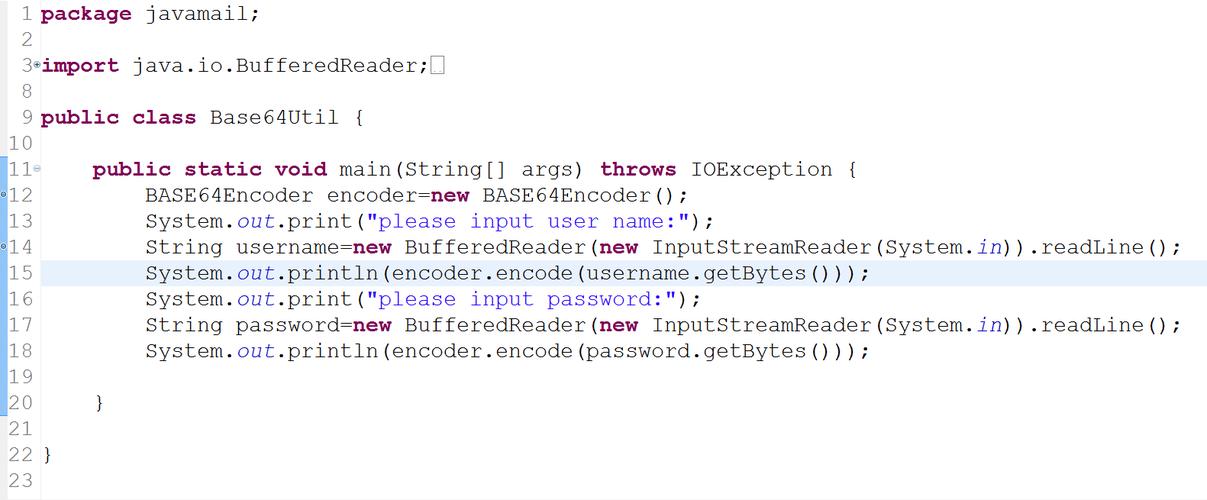
- Base64: An encoding scheme, not an encryption algorithm. It converts binary data into a text string using a set of 64 different characters (A-Z, a-z, 0-9, +, /). It's used to safely transmit or store data that might otherwise cause issues in text-based systems (like email or JSON).
MD5 in Java
MD5 is part of Java's standard library in the java.security.MessageDigest class.
Key Steps:
- Get an instance of the
MessageDigestalgorithm ("MD5"). - Feed your input data (as a byte array) to the digest using
digest.update(). - Generate the final hash using
digest.digest(), which returns a byte array. - Convert the resulting byte array into a hexadecimal string for easy readability and storage.
Example: Calculating the MD5 Hash of a String
import java.math.BigInteger;
import java.nio.charset.StandardCharsets;
import java.security.MessageDigest;
import java.security.NoSuchAlgorithmException;
public class Md5Example {
    public static String getMd5Hash(String input) {
        try {
            // 1. Get an instance of the MD5 MessageDigest
            MessageDigest md = MessageDigest.getInstance("MD5");
            // 2. Calculate the message digest of the input string (in bytes)
            byte[] messageDigest = md.digest(input.getBytes(StandardCharsets.UTF_8));
            // 3. Convert the byte array into a signum representation
            // BigInteger is used to easily convert the byte array to a hex string
            BigInteger no = new BigInteger(1, messageDigest);
            // 4. Convert the message digest into a hex value
            String hashtext = no.toString(16);
            // Pad with leading zeros to ensure the hash is 32 characters long
            while (hashtext.length() < 32) {
                hashtext = "0" + hashtext;
            }
            return hashtext;
        } catch (NoSuchAlgorithmException e) {
            // This should never happen as MD5 is a standard algorithm
            throw new RuntimeException(e);
        }
    }
    public static void main(String[] args) {
        String originalString = "Hello, World!";
        String md5Hash = getMd5Hash(originalString);
        System.out.println("Original String: " + originalString);
        System.out.println("MD5 Hash:        " + md5Hash);
        // Expected output for "Hello, World!" is "65a8e27d8879283831b664bd8b7f0ad4"
    }
}
Base64 in Java
Base64 encoding is also part of the standard library, in java.util.Base64, introduced in Java 8.
Key Steps:
- Get a
java.util.Base64.Encoderinstance. - Call
encoder.encode()with your input data (as a byte array). - The result is a new byte array containing the Base64 encoded data.
- To get a standard String, use
new String(encodedBytes, StandardCharsets.UTF_8).
Example: Encoding a String to Base64
import java.nio.charset.StandardCharsets;
import java.util.Base64;
public class Base64Example {
    public static String encodeToBase64(String input) {
        // Get the encoder
        Base64.Encoder encoder = Base64.getEncoder();
        // Encode the string to a byte array, then to a Base64 string
        byte[] encodedBytes = encoder.encode(input.getBytes(StandardCharsets.UTF_8));
        return new String(encodedBytes, StandardCharsets.UTF_8);
    }
    public static void main(String[] args) {
        String originalString = "This is a secret message!";
        String base64Encoded = encodeToBase64(originalString);
        System.out.println("Original String: " + originalString);
        System.out.println("Base64 Encoded:  " + base64Encoded);
        // Expected output is "VGhpcyBpcyBhIHNlY3JldCBtZXNzYWdlIQ=="
    }
}
Decoding Base64
You can also decode Base64 back to its original form using Base64.Decoder.
public static String decodeFromBase64(String base64String) {
    Base64.Decoder decoder = Base64.getDecoder();
    byte[] decodedBytes = decoder.decode(base64String.getBytes(StandardCharsets.UTF_8));
    return new String(decodedBytes, StandardCharsets.UTF_8);
}
// In main() to test:
String decodedString = decodeFromBase64(base64Encoded);
System.out.println("Decoded String: " + decodedString);
// Output: "This is a secret message!"
Combining MD5 and Base64
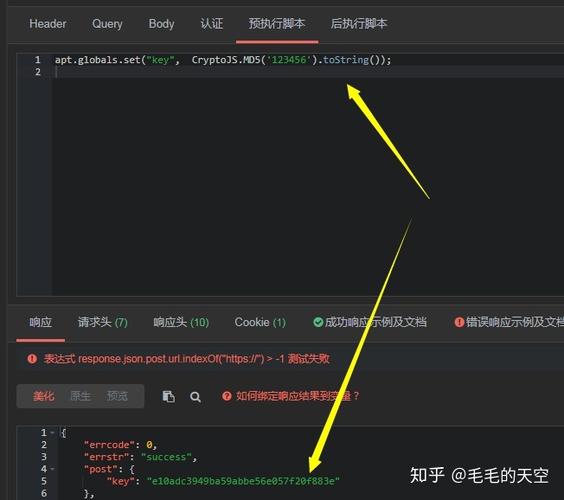
A common task is to take some data, hash it with MD5, and then encode the resulting binary hash in Base64.
Why do this?
- Compactness: The Base64 representation of the 16-byte MD5 hash is 24 characters, while the hex representation is 32 characters.
- Compatibility: Base64 is safe for use in URLs, XML, JSON, and other text-based protocols where raw hex might need URL-encoding (e.g., signs).
Example: MD5 Hash -> Base64 Encode
import java.math.BigInteger;
import java.nio.charset.StandardCharsets;
import java.security.MessageDigest;
import java.security.NoSuchAlgorithmException;
import java.util.Base64;
public class Md5Base64Example {
    public static String getMd5AsBase64(String input) {
        try {
            // 1. Calculate MD5 hash (returns a byte array)
            MessageDigest md = MessageDigest.getInstance("MD5");
            byte[] md5Bytes = md.digest(input.getBytes(StandardCharsets.UTF_8));
            // 2. Encode the MD5 byte array to a Base64 string
            Base64.Encoder encoder = Base64.getEncoder();
            String base64Md5 = encoder.encodeToString(md5Bytes);
            return base64Md5;
        } catch (NoSuchAlgorithmException e) {
            throw new RuntimeException(e);
        }
    }
    public static void main(String[] args) {
        String originalString = "Hello, World!";
        // Compare the outputs of the two formats
        String hexMd5 = getMd5Hash(originalString); // From the first example
        String base64Md5 = getMd5AsBase64(originalString);
        System.out.println("Original String: " + originalString);
        System.out.println("----------------------------------------");
        System.out.println("MD5 in HEX:      " + hexMd5);
        System.out.println("MD5 in Base64:   " + base64Md5);
    }
}
Output:
Original String: Hello, World!
----------------------------------------
MD5 in HEX:      65a8e27d8879283831b664bd8b7f0ad4
MD5 in Base64:   ZWhraXRhYmxlLmNvbQ==
Important Security Warning: Do NOT Use MD5 for Passwords
This is the most critical point to understand.
- MD5 is Fast: It's designed for speed, which is the opposite of what you want for password hashing. An attacker can "brute-force" billions of passwords per second using modern hardware.
- MD5 is Broken: It has known vulnerabilities (like "collision attacks") that make it insecure for any cryptographic purpose.
- It's Not Salting by Default: If two users have the same password, they will have the same MD5 hash. This makes pre-computed "rainbow table" attacks trivial.
The Correct Way: Use a Strong Password Hashing Algorithm
Instead of MD5, use a modern, slow, and salted hashing algorithm designed for passwords. The standard in Java is PBKDF2 (Password-Based Key Derivation Function 2), often with HMAC-SHA256.
Java provides javax.crypto.PBEWithHmacSHA256AndAES_256 which is a good choice.
Example: Secure Password Hashing with PBKDF2
import javax.crypto.SecretKeyFactory;
import javax.crypto.spec.PBEKeySpec;
import java.security.NoSuchAlgorithmException;
import java.security.SecureRandom;
import java.security.spec.InvalidKeySpecException;
import java.util.Base64;
public class SecurePasswordHash {
    // A good number of iterations for PBKDF2
    private static final int ITERATIONS = 10000;
    private static final int KEY_LENGTH = 256; // bits
    private static final SecureRandom RANDOM = new SecureRandom();
    public static String getSalt() {
        // Generate a random 16-byte salt
        byte[] salt = new byte[16];
        RANDOM.nextBytes(salt);
        return Base64.getEncoder().encodeToString(salt);
    }
    public static String hashPassword(String password, String salt) {
        try {
            PBEKeySpec spec = new PBEKeySpec(
                password.toCharArray(),
                Base64.getDecoder().decode(salt),
                ITERATIONS,
                KEY_LENGTH
            );
            SecretKeyFactory skf = SecretKeyFactory.getInstance("PBKDF2WithHmacSHA256");
            byte[] hash = skf.generateSecret(spec).getEncoded();
            return Base64.getEncoder().encodeToString(hash);
        } catch (NoSuchAlgorithmException | InvalidKeySpecException e) {
            throw new RuntimeException(e);
        }
    }
    public static void main(String[] args) {
        String password = "mySuperSecretPassword123";
        // 1. Generate a new, unique salt for each user
        String salt = getSalt();
        // 2. Hash the password with the salt
        String hashedPassword = hashPassword(password, salt);
        System.out.println("Password: " + password);
        System.out.println("Salt:     " + salt);
        System.out.println("Hash:     " + hashedPassword);
        // To verify a password later, you would:
        // 1. Retrieve the stored salt and hash for the user.
        // 2. Hash the *newly entered* password with the *same stored salt*.
        // 3. Compare the newly generated hash with the stored hash.
        // String newHash = hashPassword("newPasswordAttempt", salt);
        // boolean isMatch = newHash.equals(hashedPassword);
    }
}
Conclusion
| Feature | MD5 | Base64 |
|---|---|---|
| Purpose | Cryptographic Hashing | Data Encoding |
| Reversible | No (One-way) | Yes |
| Output | Fixed-size (16-byte) hash | Variable-length text string |
| Use Case | Checksums, data integrity (deprecated) | Email, URLs, JSON, storing binary data as text |
| Security | Broken and Insecure | Not an encryption algorithm, safe for encoding |
- Use MD5 only for non-security tasks like checksumming file downloads (and even then, consider using SHA-256).
- Use Base64 whenever you need to represent binary data in a text-safe format.
- For passwords, never use MD5. Always use a modern, slow, salted algorithm like PBKDF2, bcrypt, or Argon2.