Of course! Here is a comprehensive guide to Python's socket module, structured from the basics to more advanced concepts, complete with examples and explanations.
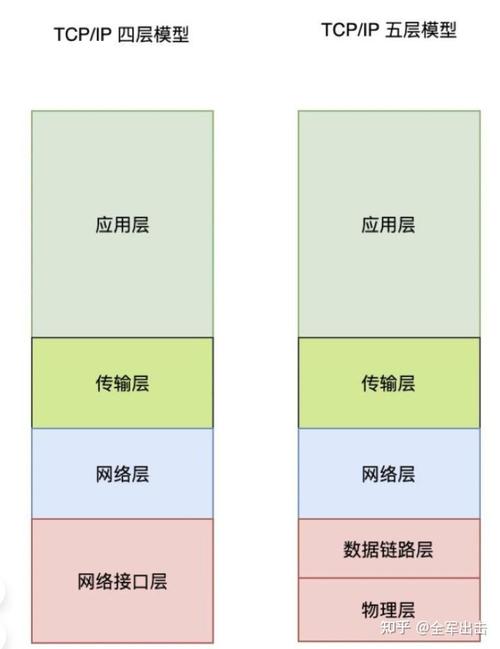
Python socket Module: The Complete Guide
The socket module in Python provides access to the BSD socket interface. It's the fundamental way of performing low-level network operations in Python. You can use it to create both clients and servers for various types of network communication.
What is a Socket?
Think of a socket as an endpoint for sending or receiving data across a computer network. To build a connection, you need two sockets: one on the client side and one on the server side.
- IP Address: The address of the machine on the network (e.g.,
168.1.10or0.0.1for localhost). - Port Number: A number that identifies a specific application or service on that machine (e.g.,
80for HTTP,443for HTTPS). Ports range from 0 to 65535.
A socket is uniquely identified by the combination of an IP address and a port number.
Key Concepts
- Server Socket: A socket that listens for incoming connections from clients. It's like a receptionist at a hotel, waiting for guests.
- Client Socket: A socket that initiates a connection to a server. It's like a guest calling the hotel to request a room.
- Connection-Oriented vs. Connectionless:
- TCP (Transmission Control Protocol): Connection-oriented. It establishes a reliable, ordered, and error-checked connection before data is sent. Like making a phone call. This is the most common type of socket.
- UDP (User Datagram Protocol): Connectionless. It sends datagrams (packets) without establishing a connection first. It's faster but less reliable, as packets can be lost or arrive out of order. Like sending a postcard.
The Basic Server-Client Workflow (TCP)
This is the classic pattern for most network applications.
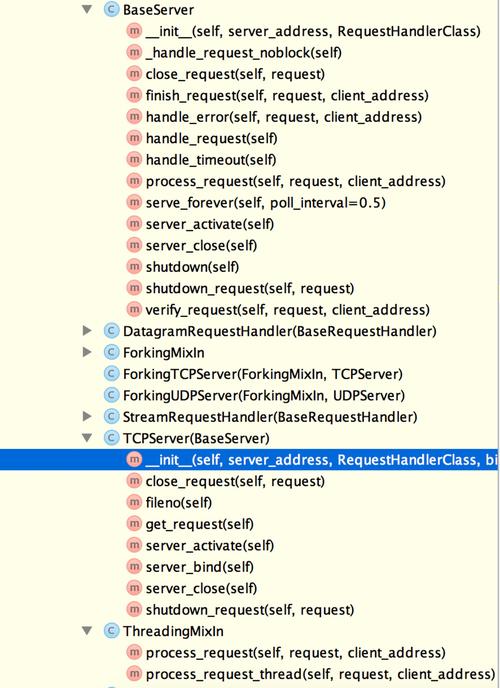
Server Steps:
socket(): Create a socket object.bind(): Associate the socket with a specific network interface and port.listen(): Put the socket into "listening" mode, ready to accept connections.accept(): Block and wait for an incoming connection. When a client connects, it returns a new socket object to communicate with that client, and the client's address.recv()/send(): Use the new socket object to receive data from and send data to the client.close(): Close the sockets.
Client Steps:
socket(): Create a socket object.connect(): Attempt to connect the socket to the server's address and port.send()/recv(): Use the socket to send data to and receive data from the server.close(): Close the socket.
Code Examples
Let's build a simple "Echo Server" and a corresponding client. The server will receive a message from the client and send it back.
The Server (server.py)
This server will listen on localhost (which means "this same machine") on port 65432.
# server.py
import socket
# Use 'with' statements to ensure sockets are closed automatically
# AF_INET is the address family for IPv4
# SOCK_STREAM is the socket type for TCP
with socket.socket(socket.AF_INET, socket.SOCK_STREAM) as s:
    # Bind the socket to an address and port
    # '' means listen on all available interfaces on this host
    # 65432 is the port number (choose one > 1024 to avoid needing root)
    s.bind(('', 65432))
    # Enable the server to accept connections
    # 5 is the number of unaccepted connections that the system will allow
    # before refusing new connections
    s.listen()
    print("Server is listening on port 65432...")
    # accept() blocks execution and waits for an incoming connection.
    # When a client connects, it returns a new socket object (conn)
    # and a tuple representing the address of the client (addr)
    conn, addr = s.accept()
    # Use another 'with' block for the connection socket
    with conn:
        print(f"Connected by {addr}")
        while True:
            # Receive data from the client (up to 1024 bytes)
            data = conn.recv(1024)
            # If recv() returns an empty object, the client has closed the connection
            if not data:
                break
            # Print the received data (it's in bytes, so we decode it to a string)
            print(f"Received from client: {data.decode('utf-8')}")
            # Echo the data back to the client
            conn.sendall(data)
        print("Client disconnected.")
The Client (client.py)
This client will connect to the server running on localhost at port 65432.
# client.py
import socket
HOST = '127.0.0.1'  # The server's hostname or IP address
PORT = 65432        # The port used by the server
with socket.socket(socket.AF_INET, socket.SOCK_STREAM) as s:
    # Connect to the server
    s.connect((HOST, PORT))
    # The message to send to the server (must be encoded to bytes)
    message = b"Hello, server! This is a test message."
    s.sendall(message)
    print(f"Sent: {message.decode('utf-8')}")
    # Wait to receive the echoed data from the server
    data = s.recv(1024)
print(f"Received: {data.decode('utf-8')}")
How to Run It:
- Save the code as
server.pyandclient.py. - Open two terminal windows.
- In the first terminal, run the server:
python server.py
You will see:
Server is listening on port 65432... (图片来源网络,侵删)
 - In the second terminal, run the client:
python client.py
You will see:
Sent: Hello, server! This is a test message. Received: Hello, server! This is a test message. - Back in the server's terminal, you will see:
Connected by ('127.0.0.1', 54321)  # Port number will vary
Received from client: Hello, server! This is a test message.
Client disconnected.
Important Methods and Attributes
| Method/Attribute | Description |
|---|---|
socket(family, type) |
Constructor. Creates a socket object. family: socket.AF_INET (IPv4), socket.AF_INET6 (IPv6) type: socket.SOCK_STREAM (TCP), socket.SOCK_DGRAM (UDP) |
s.bind(address) |
Binds the socket to address. For TCP/IPv4, address is a tuple (host, port). |
s.listen(backlog) |
Enables the server to accept connections. backlog is the maximum number of queued connections. |
s.accept() |
(Server) Accepts a connection. Returns (conn, addr) where conn is a new socket for the connection and addr is the client's address. |
s.connect(address) |
(Client) Connects to a remote socket at address. |
s.sendall(data) |
Sends all data to the connected socket. It continues to send data until all of it has been sent. |
s.send(data) |
Sends data to the socket. May not send all of the data if the network is busy. Returns the number of bytes sent. |
s.recv(bufsize) |
Receives up to bufsize bytes of data from the socket. Returns a bytes object. Returns an empty bytes object if the connection is closed. |
s.close() |
Marks the socket as closed. All future operations on the socket object will fail. |
s.settimeout(seconds) |
Sets a timeout on blocking socket operations. Raises a socket.timeout exception if the operation is not completed within the specified time. |
Handling Errors and Exceptions
Network operations can fail for many reasons (connection refused, network down, etc.). It's crucial to handle these exceptions.
import socket
try:
    with socket.socket(socket.AF_INET, socket.SOCK_STREAM) as s:
        s.connect(('127.0.0.1', 65432))
        s.sendall(b"Hello, world")
        data = s.recv(1024)
except ConnectionRefusedError:
    print("Error: Connection refused. Is the server running?")
except socket.timeout:
    print("Error: The connection timed out.")
except socket.error as e:
    print(f"A socket error occurred: {e}")
else:
    print(f"Received: {data.decode('utf-8')}")
Advanced: Making the Server Handle Multiple Clients
The accept() call is blocking, meaning the server stops and waits for a client. To handle multiple clients simultaneously, you need a more advanced approach.
Here are two common methods:
- Threading: The main server thread accepts a connection and then starts a new thread to handle that client, allowing the main thread to go back to
accept()immediately. selectmodule: A more efficient, single-threaded approach that can monitor multiple sockets for activity, but is more complex to implement.
Here's a simple threaded server example.
Threaded Server (threaded_server.py)
# threaded_server.py
import socket
import threading
def handle_client(conn, addr):
    """Function to handle a single client connection."""
    print(f"[NEW CONNECTION] {addr} connected.")
    try:
        with conn:
            while True:
                data = conn.recv(1024)
                if not data:
                    break # Connection closed by client
                print(f"[{addr}] Received: {data.decode('utf-8')}")
                conn.sendall(data) # Echo back
    except ConnectionResetError:
        print(f"[{addr}] Connection reset by peer.")
    finally:
        print(f"[{addr}] Disconnected.")
def start_server():
    """Main function to start the server."""
    SERVER = "127.0.0.1"
    PORT = 65432
    server = socket.socket(socket.AF_INET, socket.SOCK_STREAM)
    server.bind((SERVER, PORT))
    server.listen()
    print(f"[LISTENING] Server is listening on {SERVER}:{PORT}")
    try:
        while True:
            conn, addr = server.accept()
            # Create a new thread for each new client
            thread = threading.Thread(target=handle_client, args=(conn, addr))
            thread.start()
            print(f"[ACTIVE CONNECTIONS] {threading.active_count() - 1}")
    except KeyboardInterrupt:
        print("\n[SHUTTING DOWN] Server is shutting down.")
    finally:
        server.close()
if __name__ == "__main__":
    start_server()
This server can now handle multiple clients concurrently without getting stuck waiting for one to finish.
Official Documentation
For the most detailed and up-to-date information, always refer to the official Python documentation:
This guide covers the core concepts and patterns you'll need to get started with network programming in Python using the socket module.