bencode 是 BitTorrent 协议中用于数据编码的一种格式,在 Python 中,最常用、最标准的库是 bencode.py,它由 BitTorrent 的原作者 Bram Cohen 编写并被广泛使用。
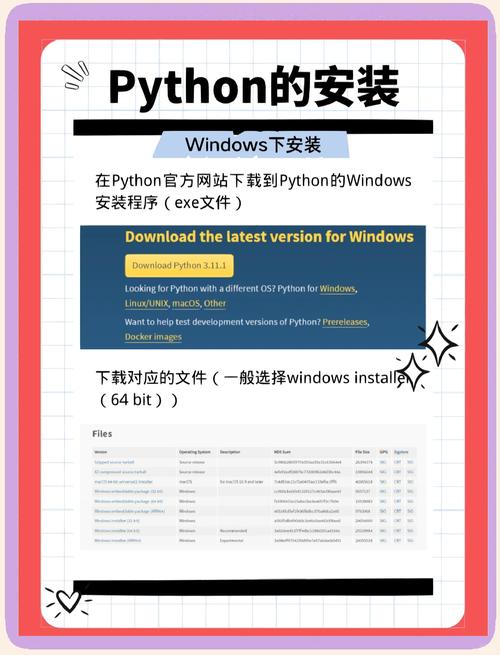
下面我将为您提供几种安装方法,并附上一个简单的使用示例。
使用 pip 安装 (最推荐)
这是最简单、最标准的方法。bencode.py 已经被发布到了 Python Package Index (PyPI) 上,你可以直接使用 pip 来安装。
-
打开你的终端或命令行工具:
- 在 Windows 上,可以打开 "命令提示符" (CMD) 或 "PowerShell"。
- 在 macOS 或 Linux 上,可以打开 "终端" (Terminal)。
-
执行安装命令: 在终端中输入以下命令并按回车:
 (图片来源网络,侵删)
pip install bencode.py
注意:库名是
bencode.py,而不是bencode,如果你只输入pip install bencode,很可能会安装到一个不同的、不相关的库。 -
验证安装: 安装完成后,你可以通过以下命令来验证是否安装成功:
pip show bencode.py
如果看到类似下面的输出,说明安装成功了:
Name: bencode.py
Version: 4.0.0
Summary: A bencode library for Python
Home-page: https://github.com/breezy/bencode.py
Author: The bencode.py Authors
...
从源码安装 (Git)
如果你想获取最新的开发版本或者想深入了解代码,可以从 GitHub 上克隆源码进行安装。
-
克隆仓库: 在终端中执行以下命令,将项目代码下载到本地。
git clone https://github.com/breezy/bencode.py.git
-
进入项目目录:
cd bencode.py
-
安装: 使用
pip在本地安装。 表示安装当前目录下的包。pip install .
手动安装 (适用于没有 Git 或 pip 的环境)
如果你在一个受限的环境中,无法使用 pip 或 git,可以手动下载和安装。
-
下载文件: 访问项目的 GitHub 页面:https://github.com/breezy/bencode.py 点击绿色的 "Code" 按钮,然后选择 "Download ZIP",这会下载一个名为
bencode.py-master.zip的压缩文件。 -
解压文件: 将下载的
.zip文件解压到一个你方便管理的目录,C:\bencode.py。 -
手动安装:
- 简单方法 (不推荐用于生产环境):将解压后的
bencode.py文件(位于bencode.py-master/src/bencode目录下)复制到你的 Python 脚本所在的同一个文件夹里,或者复制到 Python 的安装目录下的Lib\site-packages文件夹中,这种方法简单但容易造成混乱。 - 推荐方法:使用
pip的本地安装功能,打开终端,进入到你解压后的bencode.py-master目录,然后运行:pip install .
这和方法二的效果是一样的。
- 简单方法 (不推荐用于生产环境):将解压后的
如何使用 bencode.py
安装完成后,你就可以在你的 Python 代码中导入并使用它了。bencode 主要有两个核心功能:bencode() 和 bdecode()。
bencode(): 将 Python 的数据结构(如字典、列表、整数、字符串)编码成bencode格式的字节串。bdecode(): 将bencode格式的字节串解码成 Python 的数据结构。
示例代码:
import bencode
# 1. 准备一个 Python 字典 (这是 BitTorrent 文件中常见的数据结构)
torrent_data = {
    'announce': 'http://tracker.example.com/announce',
    'info': {
        'name': 'my-example-file.txt',
        'piece length': 512 * 1024,  # 512 KB
        'pieces': b'\x00\x01\x02...',  # 实际这里是所有文件块的 SHA1 哈希连接起来
        'files': [
            {'length': 1000000, 'path': ['dir1', 'file1.txt']},
            {'length': 2000000, 'path': ['dir2', 'file2.txt']}
        ]
    }
}
# 2. 使用 bencode() 将 Python 字典编码成字节串
encoded_data = bencode.bencode(torrent_data)
print("--- 编码后的 bencode 字节串 ---")
print(encoded_data)
print(f"类型: {type(encoded_data)}")
print("-" * 30)
# 3. 使用 bdecode() 将字节串解码回 Python 字典
decoded_data = bencode.bdecode(encoded_data)
print("--- 解码后的 Python 字典 ---")
print(decoded_data)
print(f"类型: {type(decoded_data)}")
print("-" * 30)
# 4. 验证数据是否一致
print("--- 验证 ---")
if torrent_data == decoded_data:
    print("成功!编码和解码后的数据完全一致。")
else:
    print("失败!数据不一致。")
输出结果:
--- 编码后的 bencode 字节串 ---
b'd6:announce29:http://tracker.example.com/announce4:infod6:filesld6:lengthi1000000e4:pathl4:dir110:file1.txteee6:lengthi2000000e4:pathl4:dir210:file2.txteee6:namei17my-example-file.txt12:piece lengthi524288e6:pieces0:ee'
类型: <class 'bytes'>
------------------------------
--- 解码后的 Python 字典 ---
{'announce': 'http://tracker.example.com/announce', 'info': {'name': 'my-example-file.txt', 'piece length': 524288, 'pieces': b'', 'files': [{'length': 1000000, 'path': ['dir1', 'file1.txt']}, {'length': 2000000, 'path': ['dir2', 'file2.txt']}]}}
类型: <class 'dict'>
------------------------------
--- 验证 ---
成功!编码和解码后的数据完全一致。
常见问题 (FAQ)
问:pip install bencode 和 pip install bencode.py 有什么区别?
答:区别很大。
pip install bencode会尝试安装一个名为bencode的包,这个包可能不是你想要的 BitTorrent 编码库。pip install bencode.py会明确安装由 Bram Cohen 及其团队维护的、标准的bencode库。请务必使用后者。
问:安装时出现 "Permission denied" 错误怎么办?
答:这通常是因为你没有足够的权限将包安装到系统级的 Python 环境中,推荐使用用户级安装:
pip install --user bencode.py
这会将包安装到你的用户主目录下,无需管理员权限。
问:我想在虚拟环境中使用,有什么建议吗?
答:强烈推荐!使用虚拟环境可以隔离项目依赖,避免不同项目之间的库版本冲突。
- 创建虚拟环境 (名为
venv):python -m venv venv
- 激活虚拟环境:
- Windows:
venv\Scripts\activate - macOS/Linux:
source venv/bin/activate
- Windows:
- 激活后,你的命令行提示符前会出现
(venv),此时再安装bencode.py:pip install bencode.py
这个库只会安装在这个虚拟环境中,不会影响你的全局 Python 环境。
希望这份详细的指南能帮助你成功安装和使用 bencode!