Of course! In Python, "format" most commonly refers to two distinct but related concepts:
- The
format()String Method: A built-in method for creating formatted strings. - Formatted String Literals (f-strings): A more modern, readable, and often preferred syntax introduced in Python 3.6.
Let's break down both, starting with the older format() method and then moving to the recommended f-strings.
The format() String Method
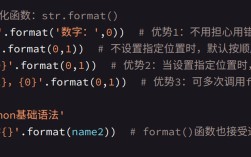
The str.format() method is a powerful way to insert variables and expressions into strings. You use curly braces as placeholders in the string, which are then replaced by the arguments passed to the format() method.
Basic Syntax
template_string = "Hello, my name is {} and I am {} years old."
formatted_string = template_string.format("Alice", 30)
print(formatted_string)
# Output: Hello, my name is Alice and I am 30 years old.
Positional Arguments
You can refer to the arguments by their position (0-indexed) inside the curly braces.
template = "The {} {} the {}."
#          {0} {1} {2}
print(template.format("fox", "jumped over", "lazy dog"))
# Output: The fox jumped over the lazy dog.
# You can repeat arguments by using their index
print(template.format("quick", "brown", "fox", "lazy dog"))
# Output: The quick brown fox the lazy dog.
Keyword Arguments
Using keyword arguments makes your code more readable, especially with many variables.
template = "Hello, {name}. You have {email_count} new emails."
print(template.format(name="Bob", email_count=5))
# Output: Hello, Bob. You have 5 new emails.
Mixing Positional and Keyword Arguments
You can use both, but positional arguments must come before keyword arguments.
# {0} is positional, {name} is keyword
print("User {0} with the username {name} is logged in.".format(123, name="charlie"))
# Output: User 123 with the username charlie is logged in.
Formatted String Literals (f-strings)
Introduced in Python 3.6, f-strings are the modern standard for string formatting in Python. They are prefixed with an f or F and allow you to embed expressions directly inside curly braces . The expressions are evaluated at runtime and formatted using the __format__ protocol.
Basic Syntax
Place an f before the opening quote. Variables and expressions go directly inside .
name = "David"
age = 42
# The expression inside {} is evaluated
sentence = f"Hello, my name is {name} and I am {age} years old."
print(sentence)
# Output: Hello, my name is David and I am 42 years old.
Expressions and Calculations
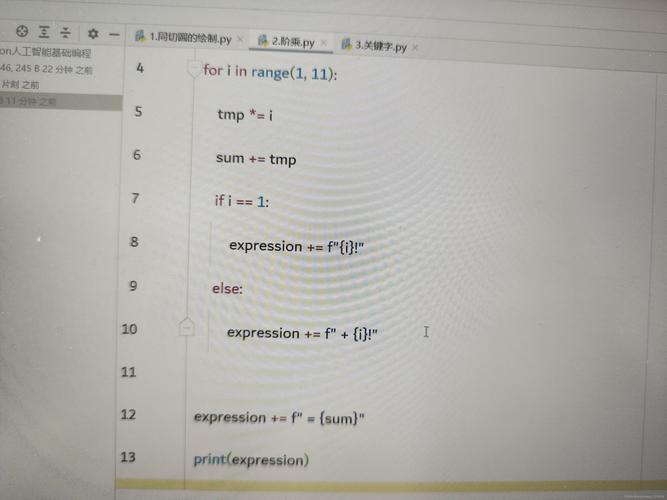
You can put any valid Python expression inside the braces.
a = 10
b = 3
print(f"The sum of {a} and {b} is {a + b}.")
# Output: The sum of 10 and 3 is 13.
print(f"{a} divided by {b} is {a / b:.2f}.") # See formatting spec below
# Output: 10 divided by 3 is 3.33.
Accessing Object Attributes and Items
f-strings are great for accessing data from objects and dictionaries.
# From an object
class Person:
    def __init__(self, name, job):
        self.name = name
        self.job = job
p = Person("Eve", "Developer")
print(f"{p.name} is a {p.job}.")
# Output: Eve is a Developer.
# From a dictionary
data = {"city": "London", "country": "UK"}
print(f"I live in {data['city']}, {data['country']}.")
# Output: I live in London, UK.
Formatting Options (The "Format Spec")
Both format() and f-strings use a powerful formatting specification inside the braces, like {!r:10.2f}. This mini-language allows you to control the final appearance of the data.
The general syntax is: [fill][align][sign][#][0][width][,][.precision][type]
Let's break down the most common parts:
Field Width and Alignment
- Width: Minimum number of characters to use for the field.
- Alignment:
>(right),<(left),^(center).
# Left alignment (default for numbers)
print(f"{'left':<10}|") # 10 characters wide, left-aligned
# Output: left      |
# Right alignment (default for numbers)
print(f"{'right':>10}|") # 10 characters wide, right-aligned
# Output:      right|
# Center alignment
print(f"{'center':^10}|") # 10 characters wide, centered
# Output:   center   |
# Using a fill character
print(f"{'padded':~>10}|") # 10 characters wide, right-aligned, filled with ~
# Output: ~~~~padded|
Number Formatting
- Type:
d: Integerf: Fixed-point float- Percentage
b: Binaryx: Hexadecimal
- Precision: Number of digits after the decimal point for floats.
pi = 3.14159265
# Format as a float with 2 decimal places
print(f"Pi is approximately {pi:.2f}")
# Output: Pi is approximately 3.14
# Format as a percentage
print(f"As a percentage: {pi:.1%}")
# Output: As a percentage: 314.2%
# Format an integer with leading zeros (zero-padding)
num = 42
print(f"The number is {num:05d}") # 5 characters wide, padded with zeros
# Output: The number is 00042
# Format with thousands separator
big_num = 1234567
print(f"With commas: {big_num:,}")
# Output: With commas: 1,234,567
Converting Values
You can add a conversion flag inside the braces before the format spec.
!s:str()- Calls the__str__method.!r:repr()- Calls the__repr__method (often gives a more developer-friendly representation).!a:ascii()- Calls the__ascii__method.
class MyClass:
    def __init__(self, value):
        self.value = value
    def __str__(self):
        return f"MyClass instance with value {self.value}"
    def __repr__(self):
        return f"MyClass(value={self.value!r})"
obj = MyClass(100)
print(f"Using str(): {obj!s}")
# Output: Using str(): MyClass instance with value 100
print(f"Using repr(): {obj!r}")
# Output: Using repr(): MyClass(value=100)
Comparison: format() vs. f-strings
| Feature | format() Method |
f-strings |
|---|---|---|
| Syntax | "text {}".format(var) |
f"text {var}" |
| Readability | Good, but can be clunky with many variables. | Excellent. The variable is placed directly where it's used. |
| Performance | Slower. The string is parsed and variables are looked up at runtime. | Faster. Expressions are evaluated once at runtime and the string is assembled. |
| Dynamic Field Names | Easy. "{0}".format(var) or "{name}".format(name=var) |
More complex. Requires eval() (unsafe) or locals()/globals(), which is not recommended. |
| Recommendation | Still works and is useful for compatibility with older Python versions (pre-3.6). | The standard and recommended approach for modern Python (3.6+). |
Summary
- For new code, you should almost always use f-strings. They are faster, more readable, and the modern standard.
- The
format()method is powerful and necessary if you need to build strings dynamically with variable field names or if you are supporting older Python versions. - The format spec (
width.precisiontype) is a universal tool for controlling the appearance of your data in both methods.