MongoDB Java 驱动程序文档
目录
简介
MongoDB Java 驱动程序是官方提供的用于在 Java 应用程序中与 MongoDB 数据库交互的库,它允许你执行所有标准的数据库操作,如查询、插入、更新和删除,并利用 MongoDB 的独特功能,如聚合、地图-归约和地理空间查询。
前提条件
- Java 开发环境: JDK 8 或更高版本。
- MongoDB 服务器: 一个正在运行的 MongoDB 实例(本地或远程)。
- Maven 或 Gradle: 用于项目依赖管理。
环境搭建
使用 Maven
在你的 pom.xml 文件中添加 MongoDB Java 驱动的依赖,请访问 Maven Central 获取最新版本号。
<dependencies>
    <!-- MongoDB Java Driver 5.x -->
    <dependency>
        <groupId>org.mongodb</groupId>
        <artifactId>mongodb-driver-sync</artifactId>
        <version>5.0.0</version> <!-- 请替换为最新版本 -->
    </dependency>
</dependencies>
使用 Gradle
在你的 build.gradle 文件中添加依赖。
dependencies {
    // MongoDB Java Driver 5.x
    implementation 'org.mongodb:mongodb-driver-sync:5.0.0' // 请替换为最新版本
}
连接 MongoDB
连接到 MongoDB 是所有操作的第一步,驱动程序提供了 MongoClients 类来创建客户端连接。
基本连接
import com.mongodb.client.MongoClient;
import com.mongodb.client.MongoClients;
import com.mongodb.client.MongoDatabase;
import com.mongodb.client.MongoCollection;
import org.bson.Document;
public class QuickStart {
    public static void main(String[] args) {
        // 1. 创建一个 MongoClient 实例
        // 默认连接到 localhost:27017
        String uri = "mongodb://localhost:27017";
        MongoClient mongoClient = MongoClients.create(uri);
        // 2. 获取一个数据库
        // 如果数据库不存在,MongoDB 会在第一次插入数据时自动创建
        MongoDatabase database = mongoClient.getDatabase("mydb");
        // 3. 获取一个集合
        // 如果集合不存在,MongoDB 会在第一次插入数据时自动创建
        MongoCollection<Document> collection = database.getCollection("users");
        // 4. 执行一个简单的查询,验证连接
        // 查询集合中的第一个文档
        System.out.println("Connecting to MongoDB...");
        Document firstDoc = collection.find().first();
        if (firstDoc != null) {
            System.out.println("Found a document: " + firstDoc.toJson());
        } else {
            System.out.println("No documents found.");
        }
        // 5. 关闭连接
        // 非常重要,释放资源
        mongoClient.close();
    }
}
连接字符串
连接 MongoDB 的标准方式是使用连接字符串,它允许你指定服务器地址、认证凭据、连接选项等。
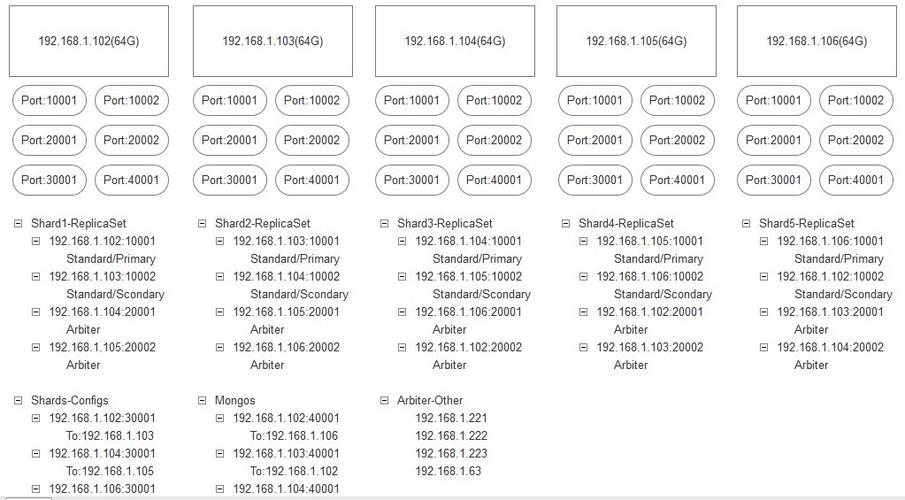
mongodb://- 协议头。[username:password@]- 可选的用户名和密码。host1:port1,host2:port2,...- 服务器地址列表。- - 数据库名称(可选,如果不指定,则需要在后续代码中指定)。
- - 查询参数,用于配置连接选项。
示例:
mongodb://myUser:myPassword@localhost:27017/mydb?authSource=admin
核心概念
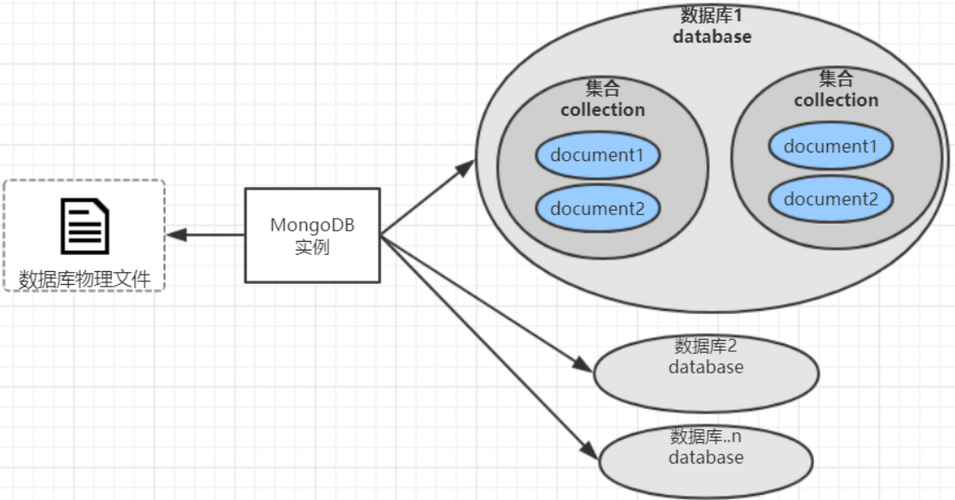
在深入操作之前,理解几个核心对象至关重要:
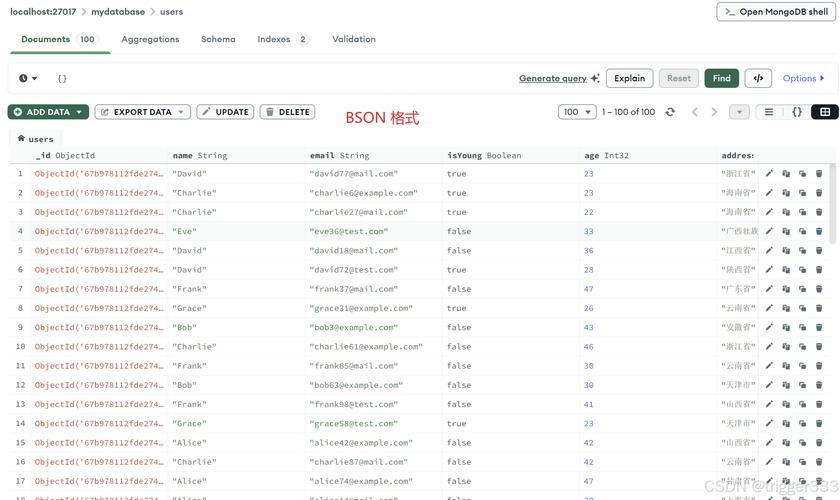
MongoClient: 代表到 MongoDB 服务器的连接池,一个MongoClient实例通常在整个应用程序生命周期中是单例的。MongoDatabase: 代表一个 MongoDB 数据库,通过mongoClient.getDatabase("dbName")获取。MongoCollection: 代表数据库中的一个集合,通过database.getCollection("collectionName")获取,所有针对集合的操作(如find,insertOne)都通过这个对象进行。Document: 代表 MongoDB 中的 BSON 文档,它是一个通用的键值对映射,类似于Map<String, Object>,但更强大,支持嵌套文档和数组,这是 Java 驱动程序中最常用的数据结构。Filters: 一个辅助类,用于构建查询过滤器(Bson对象),它提供了链式调用的方法来创建各种查询条件(如eq,gt,in,and等)。Updates: 一个辅助类,用于构建更新操作符(Bson对象),它提供了链式调用的方法来创建更新语句(如set,inc,push,unset等)。
CRUD 操作 (增删改查)
1 插入文档
插入单个文档 (insertOne)
// 创建一个文档
Document doc = new Document("name", "Alice")
               .append("age", 30)
               .append("city", "New York")
               .append("interests", Arrays.asList("reading", "hiking"));
// 插入文档
collection.insertOne(doc);
System.out.println("Inserted a document with ID: " + doc.get("_id"));
插入多个文档 (insertMany)
List<Document> documents = new ArrayList<>();
documents.add(new Document("name", "Bob").append("age", 25).append("city", "London"));
documents.add(new Document("name", "Charlie").append("age", 35).append("city", "Paris"));
// 插入文档列表
collection.insertMany(documents);
System.out.println("Inserted multiple documents.");
2 查询文档
查询所有文档 (find)
// 获取集合中的所有文档,并将其转换为列表
List<Document> allDocs = collection.find().into(new ArrayList<>());
for (Document cur : allDocs) {
    System.out.println(cur.toJson());
}
使用过滤器进行精确查询 (Filters.eq)
// 查找 name 为 "Alice" 的文档
Document myDoc = collection.find(Filters.eq("name", "Alice")).first();
System.out.println("Found document: " + myDoc.toJson());
复杂查询
// 查找 age 大于 28 且 city 为 "New York" 的文档
// .limit(1) 限制只返回一个结果
Document queryDoc = collection.find(
    and(
        Filters.gt("age", 28),
        Filters.eq("city", "New York")
    )
).limit(1).first();
System.out.println("Found complex query document: " + queryDoc.toJson());
投影 (Projections)
只返回文档中的特定字段。
// 只返回 name 和 city 字段,_id 默认返回
Document projectionDoc = collection.find()
    .projection(Projections.include("name", "city"))
    .first();
System.out.println("Projected document: " + projectionDoc.toJson());
排序 (Sorts)
// 按 age 字段降序排序
List<Document> sortedDocs = collection.find()
    .sort(Sorts.descending("age"))
    .into(new ArrayList<>());
System.out.println("Documents sorted by age (descending):");
for (Document cur : sortedDocs) {
    System.out.println(cur.toJson());
}
3 更新文档
更新单个文档 (updateOne)
updateOne 会更新匹配条件的第一个文档。
// 将 name 为 "Alice" 的文档的 age 更新为 31
// $set 是更新操作符,用于设置字段值
UpdateResult updateResult = collection.updateOne(
    Filters.eq("name", "Alice"),
    Updates.set("age", 31)
);
System.out.println("Matched count: " + updateResult.getMatchedCount());
System.out.println("Modified count: " + updateResult.getModifiedCount());
更新多个文档 (updateMany)
// 将所有 city 为 "New York" 的文档的 city 更新为 "NYC"
UpdateResult updateManyResult = collection.updateMany(
    Filters.eq("city", "New York"),
    Updates.set("city", "NYC")
);
System.out.println("Matched count: " + updateManyResult.getMatchedCount());
System.out.println("Modified count: " + updateManyResult.getModifiedCount());
更新并返回 (findOneAndUpdate)
更新文档并返回更新前的文档(或更新后的文档)。
// 将 name 为 "Bob" 的文档的 age 加 1,并返回更新前的文档
Document bobBeforeUpdate = collection.findOneAndUpdate(
    Filters.eq("name", "Bob"),
    Updates.inc("age", 1),
    new FindOneAndUpdateOptions().returnDocument(ReturnDocument.BEFORE)
);
System.out.println("Bob's age before update: " + bobBeforeUpdate.getInteger("age"));
4 删除文档
删除单个文档 (deleteOne)
删除匹配条件的第一个文档。
// 删除 name 为 "Charlie" 的一个文档
DeleteResult deleteResult = collection.deleteOne(Filters.eq("name", "Charlie"));
System.out.println("Deleted count: " + deleteResult.getDeletedCount());
删除多个文档 (deleteMany)
// 删除所有 age 小于 30 的文档
DeleteResult deleteManyResult = collection.deleteMany(Filters.lt("age", 30));
System.out.println("Deleted count: " + deleteManyResult.getDeletedCount());
索引管理
索引可以极大地提高查询性能,但会占用额外的存储空间并降低写入速度。
创建索引 (createIndex)
// 在 name 字段上创建一个升序索引
collection.createIndex(new Document("name", 1));
System.out.println("Created index on 'name' field.");
获取所有索引 (listIndexes)
collection.listIndexes().forEach(index -> {
    System.out.println(index.toJson());
});
删除索引 (dropIndex)
// 通过索引名称删除
collection.dropIndex("name_1");
// 通过索引键删除
collection.dropIndex(new Document("name", 1));
聚合操作
聚合是 MongoDB 的一个强大功能,用于处理数据记录并返回计算后的结果集,它类似于 SQL 中的 GROUP BY 子句,但功能更强大。
简单聚合示例
计算每个城市的人数。
// 定义聚合管道
List<Bson> pipeline = Arrays.asList(
    // 第一阶段:按 city 字段分组
    Aggregates.group("$city", Accumulators.sum("count", 1)),
    // 第二阶段:按 count 降序排序
    Aggregates.sort(Sorts.descending("count"))
);
// 执行聚合
collection.aggregate(pipeline).into(new ArrayList<>()).forEach(doc -> {
    System.out.println(doc.toJson());
});
高级特性
1 事务
MongoDB 4.0+ 支持多文档事务,在 Java 驱动中,使用 ClientSession 来管理事务。
// 1. 启动一个会话
ClientSession session = mongoClient.startSession();
try {
    // 2. 开始一个事务
    session.startTransaction();
    // 在事务中执行操作
    collection.insertOne(session, new Document("account", "A").append("balance", 1000));
    collection.insertOne(session, new Document("account", "B").append("balance", 1000));
    // 提交事务
    session.commitTransaction();
    System.out.println("Transaction committed successfully.");
} catch (Exception e) {
    // 发生错误时回滚事务
    session.abortTransaction();
    System.err.println("Transaction aborted. Reason: " + e.getMessage());
} finally {
    // 4. 关闭会话
    session.close();
}
2 GridFS
GridFS 是用于存储和检索超过 BSON 16MB 限制的大型文件的规范,它将文件分割成多个块进行存储。
存储文件示例:
import com.mongodb.client.gridfs.GridFSBucket;
import com.mongodb.client.gridfs.GridFSBuckets;
import org.bson.types.ObjectId;
// 1. 获取 GridFSBucket
GridFSBucket gridFSBucket = GridFSBuckets.create(database, "fs");
// 2. 准备要上传的文件内容
String content = "This is the content of my large file.";
InputStream stream = new ByteArrayInputStream(content.getBytes("UTF-8"));
// 3. 上传文件
ObjectId fileId = gridFSBucket.uploadFromStream("my-large-file.txt", stream, new GridFSUploadOptions()
    .chunkSizeBytes(1024) // 设置块大小
    .metadata(new Document("type", "text"))); // 可选的元数据
System.out.println("File uploaded with ID: " + fileId);
检索文件示例:
// 1. 通过文件名查找文件
GridFSDownloadStream downloadStream = gridFSBucket.openDownloadByName("my-large-file.txt");
// 2. 读取文件内容
String retrievedContent = new String(downloadStream.readAllBytes(), StandardCharsets.UTF_8);
System.out.println("Retrieved content: " + retrievedContent);
// 3. 关闭流
downloadStream.close();
最佳实践与注意事项
-
连接管理:
MongoClient是重量级对象,应该作为单例在应用程序中创建一次,并重复使用,不要为每个请求都创建一个新的MongoClient。 -
关闭连接: 应用程序退出时,务必调用
mongoClient.close()来释放所有资源,关闭网络连接和线程池。 -
异常处理: 所有数据库操作都可能抛出
MongoException或其子类(如MongoTimeoutException,MongoWriteException),务必使用try-catch块进行适当的异常处理。 -
批量操作: 对于大量数据的插入或更新,优先使用
insertMany和updateMany,而不是在循环中调用insertOne或updateOne,这能显著提高性能。 -
使用 POJO 代替
Document: 对于复杂的业务逻辑,使用 Plain Old Java Objects (POJO) 通常比使用Document更易于维护,驱动程序提供了Codec和PojoCodecProvider来自动在 BSON 和 POJO 之间进行转换。// 示例:使用 POJO @BsonDiscriminator public class User { private String name; private int age; // getters and setters... } // 在获取 MongoCollection 时指定 POJO 类 MongoCollection<User> userCollection = database.getCollection("users", User.class); User user = userCollection.find(Filters.eq("name", "Alice")).first(); -
异步/反应式编程: Java 5.x 驱动完全支持反应式编程,如果你使用的是 Spring WebFlux 或其他反应式框架,可以使用
mongodb-driver-reactivestreams依赖来获得非阻塞的 I/O 性能。 -
安全性: 在生产环境中,永远不要将连接字符串硬编码在代码中,应使用环境变量、密钥管理服务或配置文件来管理敏感信息(如密码),始终启用 TLS/SSL 来加密客户端和服务器之间的通信。