Of course! This is a very common and important topic for modern applications. Connecting Java to MySQL to handle JSON data involves two main parts:
- MySQL Side: Storing and querying JSON data within the database.
- Java Side: Mapping the JSON data from MySQL into Java objects and vice-versa.
Let's break it down step-by-step.
Part 1: The MySQL Side (Storing and Querying JSON)
MySQL has excellent built-in support for JSON, making it a powerful choice for semi-structured data.
1. Storing JSON in MySQL
You can store JSON data in a column of type JSON. MySQL will validate the JSON format on insert.
Example Table:
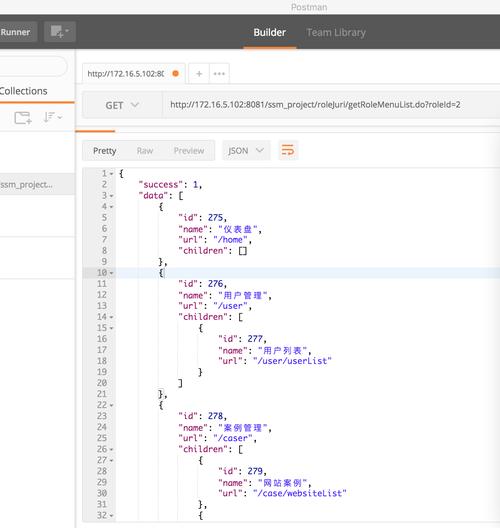
Let's create a table to store user profiles, where the profile column will hold a JSON object.
CREATE TABLE users (
    id INT AUTO_INCREMENT PRIMARY KEY,
    username VARCHAR(50) NOT NULL,
    profile JSON -- This is the JSON column type
);
Inserting JSON Data:
You can insert JSON data as a string. MySQL will parse it and store it in an optimized binary format.
-- Inserting a JSON object
INSERT INTO users (username, profile)
VALUES ('john_doe', '{"age": 30, "city": "New York", "is_active": true, "interests": ["reading", "hiking"]}');
-- Inserting a JSON array
INSERT INTO users (username, profile)
VALUES ('jane_smith', '["admin", "editor", "contributor"]');
2. Querying JSON Data
MySQL provides two sets of functions for working with JSON:
- *`JSON_` functions (Recommended):** These are standard, performant, and work on the optimized binary format.
->and->>operators (Legacy): These are older and convert the JSON to a string or unquoted JSON value, which can be less efficient.
*Common `JSON_` Functions:**
JSON_EXTRACT(json_doc, path): Extracts data from a JSON document. The path uses a dot notation or for the root.JSON_UNQUOTE(json_val): Removes quotes from a JSON string value.JSON_VALID(json_val): Checks if a value is valid JSON.JSON_CONTAINS_PATH(json_doc, one_or_all, path...): Checks if a path exists.JSON_SEARCH(json_doc, one_or_all, needle): Searches for a string within a JSON document.
Query Examples:
-- Get the 'city' for user 'john_doe'
SELECT JSON_UNQUOTE(JSON_EXTRACT(profile, '$.city')) AS city
FROM users
WHERE username = 'john_doe';
-- Result: 'New York'
-- A more readable shorthand for the above is the `->>` operator
-- It combines JSON_EXTRACT and JSON_UNQUOTE
SELECT profile ->> '$.city' AS city
FROM users
WHERE username = 'john_doe';
-- Result: New York (no quotes)
-- Get all users who live in 'New York'
SELECT username, profile ->> '$.city' AS city
FROM users
WHERE JSON_EXTRACT(profile, '$.city') = '"New York"'; -- Note the quotes for string comparison
-- Or using the shorthand:
SELECT username, profile ->> '$.city' AS city
FROM users
WHERE profile ->> '$.city' = 'New York';
-- Get all users who have 'hiking' as an interest
-- This requires a more advanced query using JSON_TABLE (MySQL 8.0+)
-- For older versions, it's more complex.
Part 2: The Java Side (Mapping JSON to Objects)
Now, let's connect Java to this MySQL database. The most common and robust approach is to use an Object-Relational Mapping (ORM) framework like JPA (Jakarta Persistence API) with Hibernate. JPA 2.1+ has excellent support for mapping JSON columns to Java types.
1. Setup Your Project (Maven Dependencies)
You'll need a few dependencies:
- MySQL Connector/J: The JDBC driver.
- Hibernate ORM: The JPA implementation.
- Jakarta Persistence API: The JPA specification.
- (Optional) Jackson: A popular JSON library, useful if you need to handle JSON manually.
<!-- pom.xml -->
<dependencies>
    <!-- MySQL Driver -->
    <dependency>
        <groupId>com.mysql</groupId>
        <artifactId>mysql-connector-j</artifactId>
        <version>8.0.33</version> <!-- Use the latest version -->
    </dependency>
    <!-- Hibernate (JPA Implementation) -->
    <dependency>
        <groupId>org.hibernate</groupId>
        <artifactId>hibernate-core</artifactId>
        <version>6.2.7.Final</version> <!-- Use the latest version -->
    </dependency>
    <!-- Jakarta Persistence API -->
    <dependency>
        <groupId>jakarta.persistence</groupId>
        <artifactId>jakarta.persistence-api</artifactId>
        <version>3.1.0</version>
    </dependency>
    <!-- (Optional) For manual JSON handling -->
    <dependency>
        <groupId>com.fasterxml.jackson.core</groupId>
        <artifactId>jackson-databind</artifactId>
        <version>2.15.2</version>
    </dependency>
</dependencies>
2. The Java Entity Class
This is the crucial step. We'll map the users table to a Java class and configure the profile field to be handled as JSON.
import jakarta.persistence.*;
import java.util.List;
// This annotation marks the class as an entity that can be persisted
@Entity
// Specifies the table name in the database
@Table(name = "users")
public class User {
    @Id
    @GeneratedValue(strategy = GenerationType.IDENTITY)
    private Long id;
    private String username;
    // This is the magic part!
    // @Column tells Hibernate to map this field to the 'profile' column.
    // columnDefinition = "JSON" tells Hibernate the exact column type in the database.
    // This is crucial for DDL generation (creating the table from the entity).
    @Column(name = "profile", columnDefinition = "JSON")
    private String profile; // We store it as a String. Hibernate/JPA will handle the conversion.
    // Getters and Setters
    public Long getId() {
        return id;
    }
    public void setId(Long id) {
        this.id = id;
    }
    public String getUsername() {
        return username;
    }
    public void setUsername(String username) {
        this.username = username;
    }
    public String getProfile() {
        return profile;
    }
    public void setProfile(String profile) {
        this.profile = profile;
    }
    @Override
    public String toString() {
        return "User{" +
                "id=" + id +
                ", username='" + username + '\'' +
                ", profile='" + profile + '\'' +
                '}';
    }
}
Why String for the profile field?
While you can use Object or Map<String, Object>, using a String is the most straightforward and database-agnostic approach. The JPA provider (Hibernate) will automatically convert the JSON string from the database into a String for you, and vice-versa when saving.
3. The Data Access Object (DAO) / Repository
This class will handle the database interactions using Hibernate.
import org.hibernate.Session;
import org.hibernate.SessionFactory;
import org.hibernate.Transaction;
import org.hibernate.cfg.Configuration;
public class UserDao {
    private SessionFactory sessionFactory;
    public UserDao() {
        // A SessionFactory is expensive to create. It's a thread-safe singleton.
        // We create it once and reuse it.
        sessionFactory = new Configuration()
                .configure() // Assumes hibernate.cfg.xml is in the classpath
                .buildSessionFactory();
    }
    public void saveUser(User user) {
        Session session = sessionFactory.openSession();
        Transaction tx = null;
        try {
            tx = session.beginTransaction();
            session.persist(user); // or session.save(user)
            tx.commit();
        } catch (Exception e) {
            if (tx != null) tx.rollback();
            e.printStackTrace();
        } finally {
            session.close();
        }
    }
    public User findUserById(Long id) {
        Session session = sessionFactory.openSession();
        try {
            // session.get will fetch the user by its primary key
            User user = session.get(User.class, id);
            return user;
        } catch (Exception e) {
            e.printStackTrace();
            return null;
        } finally {
            session.close();
        }
    }
    public User findUserByUsername(String username) {
        Session session = sessionFactory.openSession();
        try {
            // Using HQL (Hibernate Query Language)
            String hql = "FROM User WHERE username = :username";
            return session.createQuery(hql, User.class)
                          .setParameter("username", username)
                          .uniqueResult();
        } catch (Exception e) {
            e.printStackTrace();
            return null;
        } finally {
            session.close();
        }
    }
}
4. Hibernate Configuration (hibernate.cfg.xml)
Create this file in your src/main/resources directory.
<!-- hibernate.cfg.xml -->
<!DOCTYPE hibernate-configuration PUBLIC
"-//Hibernate/Hibernate Configuration DTD 3.0//EN"
"http://www.hibernate.org/dtd/hibernate-configuration-3.0.dtd">
<hibernate-configuration>
<session-factory>
<!-- Database connection settings -->
<property name="hibernate.connection.driver_class">com.mysql.cj.jdbc.Driver</property>
<property name="hibernate.connection.url">jdbc:mysql://localhost:3306/your_database_name?useSSL=false&serverTimezone=UTC</property>
<property name="hibernate.connection.username">your_db_user</property>
<property name="hibernate.connection.password">your_db_password</property>
<!-- JDBC connection pool settings (using HikariCP) -->
<property name="hibernate.connection.pool_size">10</property>
<!-- SQL dialect -->
<property name="hibernate.dialect">org.hibernate.dialect.MySQL8Dialect</property>
<!-- Echo all executed SQL to stdout -->
<property name="hibernate.show_sql">true</property>
<property name="hibernate.format_sql">true</property>
<!-- Drop and re-create the database schema on startup -->
<!-- WARNING: This is for development only! -->
<property name="hibernate.hbm2ddl.auto">update</property>
<!-- List of annotated entity classes -->
<mapping class="com.example.User"/>
</session-factory>
</hibernate-configuration>
5. Putting It All Together (Main Application)
public class MainApplication {
    public static void main(String[] args) {
        UserDao userDao = new UserDao();
        // 1. Create and save a new user with a JSON profile
        User newUser = new User();
        newUser.setUsername("test_user");
        // The JSON string must be well-formed
        newUser.setProfile("{\"age\": 42, \"city\": \"San Francisco\", \"is_active\": true, \"interests\": [\"coding\", \"music\"]}");
        userDao.saveUser(newUser);
        System.out.println("Saved new user with ID: " + newUser.getId());
        // 2. Find the user by username
        User foundUser = userDao.findUserByUsername("test_user");
        if (foundUser != null) {
            System.out.println("Found User: " + foundUser);
            System.out.println("User Profile (as JSON String): " + foundUser.getProfile());
            // You can now parse this JSON string into a POJO or Map using a library like Jackson
            // ObjectMapper mapper = new ObjectMapper();
            // UserProfile profileObj = mapper.readValue(foundUser.getProfile(), UserProfile.class);
            // System.out.println("User's city: " + profileObj.getCity());
        }
    }
}
Advanced: Using @TypeDef for Automatic JSON Conversion
If you want to avoid manually handling the JSON String and have Hibernate automatically convert it to/from a Map or a custom POJO, you can use Hibernate's @TypeDef feature.
Define the Custom Type:
import org.hibernate.HibernateException;
import org.hibernate.engine.spi.SharedSessionContractImplementor;
import org.hibernate.type.JsonType;
import org.hibernate.type.Type;
import org.hibernate.usertype.UserType;
import java.io.Serializable;
import java.sql.PreparedStatement;
import java.sql.ResultSet;
import java.sql.SQLException;
import java.sql.Types;
import java.util.Map;
// This class defines how to handle a Map<String, Object> as a JSON column
public class JsonUserType implements UserType {
    @Override
    public int[] sqlTypes() {
        return new int[]{Types.JAVA_OBJECT}; // Or Types.LONGVARCHAR / Types.CLOB for some DBs
    }
    @Override
    public Class returnedClass() {
        return Map.class; // Or your custom POJO class
    }
    @Override
    public boolean equals(Object x, Object y) throws HibernateException {
        return x == y || (x != null && y != null && x.equals(y));
    }
    @Override
    public int hashCode(Object x) throws HibernateException {
        return x == null ? 0 : x.hashCode();
    }
    @Override
    public Object nullSafeGet(ResultSet rs, String[] names, SharedSessionContractImplementor session, Object owner) throws HibernateException, SQLException {
        // This is where you convert the JSON string from DB to a Java object
        String json = rs.getString(names[0]);
        if (json == null) {
            return null;
        }
        // Use a library like Jackson to parse the string
        // For simplicity, this example returns a string. In a real app, you'd parse it.
        // ObjectMapper mapper = new ObjectMapper();
        // return mapper.readValue(json, Map.class);
        return json;
    }
    @Override
    public void nullSafeSet(PreparedStatement st, Object value, int index, SharedSessionContractImplementor session) throws HibernateException, SQLException {
        // This is where you convert the Java object to a JSON string for DB insertion
        if (value == null) {
            st.setNull(index, Types.OTHER);
        } else {
            // Use a library like Jackson to serialize the object
            // ObjectMapper mapper = new ObjectMapper();
            // String json = mapper.writeValueAsString(value);
            // st.setObject(index, json);
            st.setString(index, value.toString()); // Simplified example
        }
    }
    // ... other methods like deepCopy, replace, etc. can be implemented
}
Register the Type in hibernate.cfg.xml:
<hibernate-configuration>
    <session-factory>
        ...
        <property name="hibernate.types.cnf">com.example.JsonUserType</property> <!-- Package to your UserType class -->
        ...
    </session-factory>
</hibernate-configuration>
Use it in your Entity:
@Entity
@Table(name = "users")
public class UserAdvanced {
    @Id
    @GeneratedValue(strategy = GenerationType.IDENTITY)
    private Long id;
    private String username;
    @Type(type = "com.example.JsonUserType") <!-- Use your custom type -->
    @Column(name = "profile", columnDefinition = "JSON")
    private Map<String, Object> profile; // Now you can work with a Map!
    // Getters and Setters...
}
This advanced approach is cleaner for your business logic but adds complexity by requiring you to maintain a custom type class and a serialization/deserialization library (like Jackson) inside it. For most applications, the simple String approach is sufficient and easier to manage.