Of course! "FineReport Java" refers to the integration and use of the FineReport reporting tool within a Java-based application or environment. It's a very common requirement for enterprises that build their systems on the Java platform (like Spring Boot, J2EE, etc.) and need to embed powerful reporting capabilities.
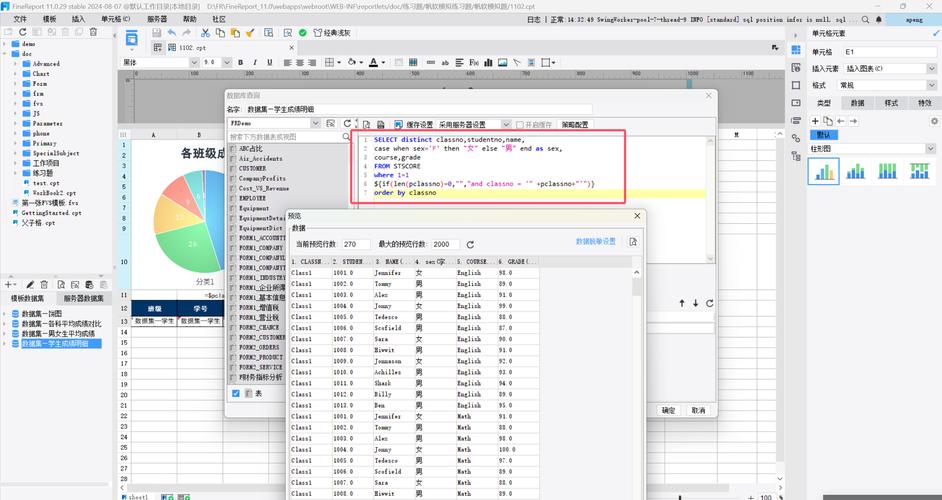
Here’s a comprehensive breakdown covering everything you need to know about FineReport and Java.
What is FineReport?
First, a quick overview. FineReport is a leading enterprise-level reporting tool from the Chinese company Fanruan. It's not just a simple reporting library; it's a full-fledged platform that allows developers and business users to create, manage, and deliver various types of reports.
Key Features:
- Rich Report Types: Supports parameter reports, dynamic charts, complex lists, crosstab reports, and pixel-perfect "form reports" (like invoices).
- Data Connectivity: Can connect to a wide variety of data sources, including databases (MySQL, Oracle, SQL Server), APIs, NoSQL databases, and big data platforms.
- Deployment Options: Can be deployed as a standalone web application (WAR file) or embedded directly into your Java application.
- User-Friendly Designer: A drag-and-drop visual designer for creating templates without writing code.
- Output Formats: Reports can be exported to PDF, Excel, Word, HTML, and many other formats.
The Two Main Ways to Use FineReport with Java
There are two primary integration methods:
Method 1: The Standalone Server (Most Common)
This is the recommended approach for most production environments. You deploy FineReport as a separate web application (using a servlet container like Tomcat) and your Java application communicates with it via its REST API.
How it works:
- You deploy FineReport as a
finereport.warfile on a Tomcat server. - Your Java application (e.g., a Spring Boot app) makes an HTTP request to the FineReport server to generate a report.
- FineReport processes the request, connects to the data source, generates the report (e.g., a PDF), and returns the file as a response in the HTTP request.
- Your Java application receives the file and can either save it to disk or stream it back to the end-user (e.g., for download in a browser).
Pros:
- Decoupling: The reporting engine is separate from your main application. This improves stability and scalability.
- Independent Upgrades: You can upgrade FineReport without needing to re-deploy your entire Java application.
- Shared Resource: Multiple applications or services can use the same FineReport instance.
- High Performance: FineReport has its own caching and optimization mechanisms.
Cons:
- Extra Infrastructure: Requires maintaining a separate server.
Method 2: Embedded Integration
In this approach, you embed the FineReport engine directly into your Java application's JVM. This is less common for complex production systems but can be useful for simpler, self-contained applications.
How it works:
- You include the FineReport Java SDK (JAR files) in your project's classpath.
- You write Java code to initialize the FineReport engine programmatically.
- Your code directly calls the FineReport API to generate reports.
Pros:
- Simplified Deployment: Only one application to deploy.
- Direct Control: You have fine-grained control over the reporting engine from your Java code.
Cons:
- Tight Coupling: A problem in the reporting engine can affect your entire application.
- Complexity: Manages dependencies and resources within your app's JVM.
- Not Recommended for Production: Generally harder to scale and manage.
Practical Guide: Standalone Server Integration (REST API)
This is the most practical and widely used method. Here’s a step-by-step guide.
Step 1: Deploy FineReport Server
- Download FineReport from the official Fanruan website.
- Follow the installation guide to deploy the
finereport.warfile to a Tomcat server. - Start Tomcat. You can access the FineReport designer and portal at
http://localhost:8080/finereport.
Step 2: Create a Report Template
- Log in to the FineReport designer.
- Create a new report template (e.g., a simple list report).
- Design your report by dragging and dropping fields from your data connection.
- Save the template. Let's say you save it as
/doc/ReportTemplate/test.cpt.
Step 3: Make a Java Call to Generate the Report
You can use any Java HTTP client. Here are examples using java.net.HttpURLConnection and the popular OkHttp library.
Example using java.net.HttpURLConnection (Java Standard Library)
This example generates a PDF report and saves it to a local file.
import java.io.FileOutputStream;
import java.io.IOException;
import java.io.InputStream;
import java.net.HttpURLConnection;
import java.net.URL;
public class FineReportJavaExample {
    public static void main(String[] args) {
        // 1. FineReport Server URL
        String reportServerUrl = "http://localhost:8080/finereport";
        // 2. The specific API endpoint for exporting a report
        //    /api/ReportServer?reportlet=/doc/ReportTemplate/test.cpt
        String apiUrl = reportServerUrl + "/api/ReportServer?reportlet=/doc/ReportTemplate/test.cpt";
        // 3. Parameters (optional)
        //    You can add parameters like &__id=...&__outputformat=pdf
        String params = "&__outputformat=pdf&__filename=my-report.pdf";
        apiUrl += params;
        try {
            // 4. Create a URL object
            URL url = new URL(apiUrl);
            // 5. Open a connection
            HttpURLConnection connection = (HttpURLConnection) url.openConnection();
            connection.setRequestMethod("GET");
            // 6. Set request headers (important for authentication)
            connection.setRequestProperty("User-Agent", "MyJavaApp/1.0");
            // 7. Handle authentication (CRUCIAL)
            //    FineReport often requires a session token or basic auth.
            //    The easiest way is to first log in to get a session ID.
            //    Example: String sessionId = loginToFineReport();
            //    connection.setRequestProperty("Cookie", "JSESSIONID=" + sessionId);
            //    For simplicity, we'll assume you've handled this. In a real app, you MUST.
            //    A common way is to use a pre-shared token or basic auth credentials.
            //    connection.setRequestProperty("Authorization", "Basic " + Base64.getEncoder().encodeToString("username:password".getBytes()));
            // 8. Get the response code
            int responseCode = connection.getResponseCode();
            System.out.println("Response Code: " + responseCode);
            if (responseCode == HttpURLConnection.HTTP_OK) { // success
                // 9. Read the input stream (the PDF file)
                InputStream inputStream = connection.getInputStream();
                // 10. Write the stream to a local file
                FileOutputStream outputStream = new FileOutputStream("C:\\temp\\generated-report.pdf");
                byte[] buffer = new byte[1024];
                int bytesRead;
                while ((bytesRead = inputStream.read(buffer)) != -1) {
                    outputStream.write(buffer, 0, bytesRead);
                }
                outputStream.close();
                inputStream.close();
                System.out.println("Report generated successfully and saved to C:\\temp\\generated-report.pdf");
            } else {
                System.out.println("GET request failed. Response Code: " + responseCode);
                // You might want to read the error stream here
            }
        } catch (IOException e) {
            e.printStackTrace();
        }
    }
    // A helper method for login would go here
    // private static String loginToFineReport() { ... }
}
Step 4: Authentication (Very Important)
By default, FineReport is protected. You cannot access the API without proper authentication. Here are the common methods:
-
Session ID (JSESSIONID):
- First, make a
POSTrequest to the login page (/seeyon/login.door similar) with your username and password. - The server will respond with a
Set-Cookieheader containing theJSESSIONID. - Capture this ID and include it in the
Cookieheader of all subsequent API calls.
- First, make a
-
Pre-Shared Token:
- In FineReport's security settings, you can configure a "Token Authentication" mode.
- You generate a token on the server side and pass it as a parameter in your API URL, like
&_token=your_secret_token.
-
Basic Authentication:
- Configure FineReport to allow basic authentication. You then encode your
username:passwordin Base64 and add it to theAuthorizationheader:Authorization: BaseBase64EncodedString.
- Configure FineReport to allow basic authentication. You then encode your
Key API Parameters
When calling the API, you can control its behavior using URL parameters:
reportlet: (Required) The path to your saved template, e.g.,/doc/ReportTemplate/test.cpt.__outputformat: (Optional) The output format. Common values:pdf,excel,word,html. Default ishtml.__filename: (Optional) The suggested name for the output file.__id: (Optional) A unique ID for the request, useful for tracking.- Parameter Passing: If your report has parameters, you can pass them directly. For a parameter named
city, you would add&city=New Yorkto the URL.
FineReport's Java SDK (For Advanced Use)
While the REST API is sufficient for most cases, FineReport also provides a Java SDK. This is useful if you are using the Embedded Integration method or if you need to perform more complex operations like directly manipulating report templates in memory.
Maven Dependency:
<dependency>
    <groupId>com.fr.report</groupId>
    <artifactId>fine-report-engine</artifactId>
    <version><!-- Check the latest version --></version>
</dependency>
Example of using the SDK:
import com.fr.base.FRContext;
import com.fr.report.JWorkBook;
import com.fr.report.ReportUtils;
import com.fr.stable.core.paramfile.Parameter;
import java.io.File;
import java.io.OutputStream;
public class FineReportSDKExample {
    public static void main(String[] args) {
        try {
            // 1. Initialize the FineReport context (sets up environment)
            //    This is crucial and must be done before using the SDK.
            FRContext.setCurrentEnv(new StandaloneEnv("path/to/your/fine-report-installation"));
            // 2. Load a report template from a file
            File cptFile = new File("path/to/your/template.cpt");
            JWorkBook workbook = (JWorkBook) ReportUtils.readReport(cptFile, Parameter.class);
            // 3. Set parameters programmatically
            workbook.getParameters().setParameterValue("param1", "Hello from Java!");
            workbook.getParameters().setParameterValue("param2", 123);
            // 4. Generate the report and write it to an output stream
            File outputFile = new File("output-from-sdk.pdf");
            try (OutputStream outputStream = new FileOutputStream(outputFile)) {
                ReportUtils.exportWorkbook(workbook, outputStream, "pdf");
            }
            System.out.println("Report generated using SDK: " + outputFile.getAbsolutePath());
        } catch (Exception e) {
            e.printStackTrace();
        }
    }
}
Summary: Which Method to Choose?
| Scenario | Recommended Method | Why? |
|---|---|---|
| Enterprise Application | Standalone Server (REST API) | Decoupled, scalable, easy to maintain, and can serve multiple systems. |
| Web Application (Spring Boot, etc.) | Standalone Server (REST API) | The standard architecture. Your app is a client to the reporting service. |
| Simple Desktop Tool | Embedded SDK | Self-contained, no need for a separate server, simpler deployment for a single user. |
| High-Performance Batch Job | Standalone Server (REST API) | Can leverage FineReport's server-side caching and optimization. The SDK can also be used here. |
| Quick Prototyping | Standalone Server (REST API) | Easier to set up and debug without complex SDK configuration. |
For any serious Java project, the Standalone Server with REST API is the way to go. It provides the best balance of power, flexibility, and maintainability.