Of course! These three technologies are often used together in the world of web development and enterprise applications. Let's break down what each one is and how they can be used in conjunction with each other.
Java
- What it is: A high-level, class-based, object-oriented programming language designed to have as few implementation dependencies as possible. It's known for its "write once, run anywhere" (WORA) philosophy, thanks to the Java Virtual Machine (JVM).
- Key Concepts:
- Platform Independent: Java code is compiled into bytecode, which can run on any device with a JVM.
- Object-Oriented (OOP): Organizes code around "objects" that contain data (fields) and methods (functions).
- Strongly Typed: Variables must be declared with a specific data type, which helps prevent errors.
- Ecosystem: Has a vast ecosystem of libraries (via Maven/Gradle) for almost any task imaginable, including web servers, databases, and, of course, Excel and HTML manipulation.
- Common Use Cases:
- Enterprise Backend Systems: Building large-scale, robust server-side applications (e.g., banking, e-commerce).
- Android App Development: The primary language for creating Android apps.
- Big Data: Frameworks like Hadoop and Spark are written in Java.
- Web Applications: Using frameworks like Spring Boot to build REST APIs and full-stack web applications.
Excel (Microsoft Excel)
- What it is: A spreadsheet application developed by Microsoft. It's part of the Microsoft Office suite.
- Key Concepts:
- Grid-Based: Data is organized into cells within a grid of rows and columns.
- Data Analysis: Powerful features for calculations, charts, pivot tables, and data visualization.
- File Formats: Commonly saves in
.xlsx(modern),.xls(legacy), and.csv(plain text) formats.
- Common Use Cases:
- Data Entry and Management: Creating lists, inventories, and databases.
- Financial Modeling and Accounting: Budgets, forecasting, and financial statements.
- Data Analysis and Reporting: Using formulas and charts to understand and present data.
- User-Friendly Reporting: A familiar format for business users to view and interact with reports.
HTML (HyperText Markup Language)
- What it is: The standard markup language for creating web pages. It describes the structure and content of a web page.
- Key Concepts:
- Markup Language: Uses tags (like
<p>,<h1>,<table>) to enclose and define parts of content. - Structure, Not Style: HTML defines what things are (a heading, a paragraph, a table), not how they look (that's CSS's job).
- The Skeleton of the Web: Every website you visit is built on HTML.
- Markup Language: Uses tags (like
- Common Use Cases:
- Creating Web Pages: From simple static pages to complex, dynamic web applications.
- Data Presentation: Displaying tables, lists, and forms in a browser.
- User Interfaces (UI): Providing the basic structure for the visual elements of a website or web application.
How They Work Together: The Power Trio
The real magic happens when you combine these three technologies. A very common pattern is for a Java backend application to generate reports in both Excel and HTML formats based on data from a database.
Here are the most common integration scenarios:
Scenario 1: Java Generates an Excel Report
This is a classic enterprise requirement. A user clicks a button in a web application (built with Java), and the server generates a downloadable Excel file.
How it works:
- User Request: A user makes a request to a Java web application (e.g., "Generate monthly sales report").
- Java Backend: The Java application (e.g., a Spring Boot controller) receives the request.
- Data Fetching: It queries a database to get the required data (e.g., sales records for the month).
- Excel Creation: A Java library is used to create an Excel file in memory.
- Popular Libraries:
- Apache POI: The most widely used, powerful, and free library for manipulating Microsoft Office formats (
.xls,.xlsx). - EasyExcel: An open-source library from Alibaba, known for its low memory consumption and high performance, especially for large files.
- Apache POI: The most widely used, powerful, and free library for manipulating Microsoft Office formats (
- Popular Libraries:
- Response: The Java application streams the generated Excel file back to the user's browser as a download.
Example Code Snippet (using Apache POI):
import org.apache.poi.ss.usermodel.*;
import org.apache.poi.xssf.usermodel.XSSFWorkbook;
import java.io.FileOutputStream;
public class ExcelGenerator {
    public static void main(String[] args) throws Exception {
        // 1. Create a new Excel workbook
        Workbook workbook = new XSSFWorkbook();
        Sheet sheet = workbook.createSheet("Sales Report");
        // 2. Create a header row
        Row headerRow = sheet.createRow(0);
        headerRow.createCell(0).setCellValue("Product");
        headerRow.createCell(1).setCellValue("Quantity");
        headerRow.createCell(2).setCellValue("Amount");
        // 3. Create data rows (in a real app, this would come from a database)
        Row dataRow1 = sheet.createRow(1);
        dataRow1.createCell(0).setCellValue("Laptop");
        dataRow1.createCell(1).setCellValue(10);
        dataRow1.createCell(2).setCellValue(15000.00);
        Row dataRow2 = sheet.createRow(2);
        dataRow2.createCell(0).setCellValue("Mouse");
        dataRow2.createCell(1).setCellValue(50);
        dataRow2.createCell(2).setCellValue(500.00);
        // 4. Write the workbook to a file
        try (FileOutputStream fileOut = new FileOutputStream("sales_report.xlsx")) {
            workbook.write(fileOut);
        }
        workbook.close();
        System.out.println("Excel file created successfully!");
    }
}
Scenario 2: Java Generates an HTML Report
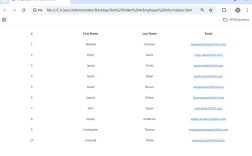
This is the foundation of almost every dynamic website. The Java backend prepares data and embeds it into an HTML template.
How it works:
- User Request: A user navigates to a specific URL in their browser.
- Java Backend: A Java controller (e.g., in Spring MVC or a Jakarta EE servlet) handles the request.
- Data Fetching: It fetches data from a database.
- Template Rendering: It passes this data to a templating engine that combines it with an HTML template.
- Popular Technologies:
- Thymeleaf: A modern server-side Java template engine for web and standalone environments.
- JSP (JavaServer Pages): A older but still used technology that allows embedding Java code directly into HTML.
- Modern Frontend Frameworks (React, Vue): Java can provide a REST API, and the frontend JavaScript framework fetches the data and dynamically renders the HTML in the browser.
- Popular Technologies:
- Response: The fully rendered HTML page is sent to the user's browser for display.
Example Code Snippet (using Thymeleaf):
HTML Template (report.html):
<!DOCTYPE html>
<html xmlns:th="http://www.thymeleaf.org">
<head>Sales Report</title>
</head>
<body>
    <h1>Monthly Sales Report</h1>
    <table border="1">
        <thead>
            <tr>
                <th>Product</th>
                <th>Quantity</th>
                <th>Amount</th>
            </tr>
        </thead>
        <tbody>
            <!-- This loop is processed by Thymeleaf on the server -->
            <tr th:each="sale : ${sales}">
                <td th:text="${sale.product}">Product</td>
                <td th:text="${sale.quantity}">Quantity</td>
                <td th:text="${sale.amount}">Amount</td>
            </tr>
        </tbody>
    </table>
</body>
</html>
Java Controller (Spring Boot):
import org.springframework.stereotype.Controller;
import org.springframework.ui.Model;
import org.springframework.web.bind.annotation.GetMapping;
import java.util.List;
@Controller
public class ReportController {
    @GetMapping("/report")
    public String showReport(Model model) {
        // In a real app, you would fetch this from a service/repository
        List<Sale> sales = List.of(
            new Sale("Laptop", 10, 15000.00),
            new Sale("Mouse", 50, 500.00)
        );
        // Add the data to the model to be used by the template
        model.addAttribute("sales", sales);
        // Return the name of the HTML template to render
        return "report";
    }
}
// A simple POJO (Plain Old Java Object)
class Sale {
    private String product;
    private int quantity;
    private double amount;
    // Constructor, Getters, and Setters...
}
Summary Table: Java, Excel, HTML
| Feature | Java | Excel | HTML |
|---|---|---|---|
| Type | Programming Language | Application / File Format | Markup Language |
| Primary Role | Backend Logic, Business Rules | Data Analysis & Reporting | Web Page Structure |
| Data Handling | Strongly typed, object-oriented, database interaction | Grid-based, formula-driven, pivot tables | Hierarchical, tree-like structure |
| User Interaction | Indirect (via APIs, web UIs) | Direct (desktop application) | Direct (via web browser) |
| Key Integration | The Engine: Generates/manipulates both Excel and HTML. | The Output: A common target for Java-generated reports. | The Output/Presentation: The final view for a web user. |