Of course! These three technologies—Excel, HTML, and Java—are fundamental in the world of software development, but they serve very different purposes. Often, they are used together to create powerful applications.
Let's break down each one and then explore how they interact.
Excel
What is it? Excel is a spreadsheet application developed by Microsoft. It's part of the Microsoft Office suite. Its primary purpose is to organize, analyze, and visualize data in a grid of cells (rows and columns).
Key Features:
- Grid Layout: Data is stored in cells, identified by a letter (column) and number (row) (e.g.,
A1,B2). - Formulas & Functions: Perform calculations on data (e.g.,
=SUM(A1:A10),=VLOOKUP(...)). - Data Analysis: Tools like PivotTables, sorting, and filtering to make sense of large datasets.
- Visualization: Create charts and graphs (bar, pie, line, etc.) from data.
- Macros: Automate repetitive tasks using the Visual Basic for Applications (VBA) scripting language.
Think of it as: A digital ledger, a calculator on steroids, or a simple database for non-technical users. It's excellent for "what-if" analysis and quick data manipulation.
HTML
What is it? HTML (HyperText Markup Language) is the standard markup language for creating web pages. It's not a programming language; it's a set of tags that describe the structure and content of a webpage.
Key Features:
- Markup Language: Uses tags (like
<p>,<h1>,<div>,<a>) to define elements on a page. - Structure: Provides the skeleton of a webpage (headings, paragraphs, lists, links, images).
- Static Content: By itself, HTML only displays static content. It cannot perform logic or calculations.
- Foundation: It's the foundational layer of the web, working with CSS (for styling) and JavaScript (for interactivity).
Think of it as: The blueprint or the skeleton of a house. It defines where the walls, doors, and windows go, but it doesn't paint the walls or turn on the lights.
Java
What is it? Java is a general-purpose, class-based, object-oriented programming language. It's designed to have as few implementation dependencies as possible. It's known for its "write once, run anywhere" (WORA) capability, thanks to the Java Virtual Machine (JVM).

Key Features:
- Programming Language: It's a full-fledged language used to build complex, logic-based applications.
- Platform Independent: Java code is compiled into an intermediate format called "bytecode," which can run on any device with a JVM (Windows, macOS, Linux, Android, etc.).
- Strongly Typed & Object-Oriented: Enforces strict rules and promotes code organization through classes and objects.
- Massive Ecosystem: Has vast libraries for everything from web development (Spring) to mobile (Android) and big data (Hadoop, Spark).
Think of it as: The engine, electrical wiring, and plumbing of a house. It's the powerful, functional core that makes everything work.
How They Work Together (The Synergy)
This is where it gets interesting. While each has a distinct role, they are often combined to solve real-world business problems.
Scenario 1: Generating an Excel Report from a Web Application
This is a very common use case. A user clicks a "Generate Report" button on a website, and the server creates an Excel file for them to download.
Flow:
- User Action: A user clicks a button on an HTML page.
- Frontend Logic: JavaScript (which runs in the browser) might send a request to a server.
- Backend Processing: A Java application (running on a server, perhaps using a framework like Spring Boot) receives the request.
- Data Retrieval: The Java application fetches data from a database.
- Excel File Creation: The Java application uses a library like Apache POI to programmatically create an Excel file. It writes data into cells, formats them, and adds charts.
- File Download: The Java application sends the generated Excel file back to the user's browser as a downloadable file.
Why this combination?
- HTML/Java: Provides a user-friendly interface (HTML/JS) for a powerful backend process (Java).
- Java/Excel: Java is the ideal "workhorse" for server-side processing, and Excel is the familiar and powerful format for business users to view and analyze data.
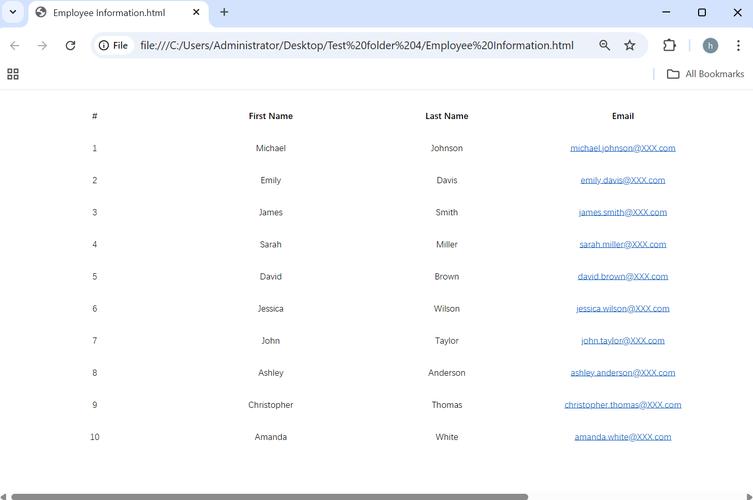
Scenario 2: Displaying Excel Data on a Web Page
Imagine you have a financial report in Excel and you want to display it on your company's intranet.
Flow:
- Data Source: An Excel file (.xlsx, .xls) sits on a server.
- Backend Processing: A Java application reads the Excel file. Again, it would use a library like Apache POI to parse the file and extract the data into a structured format (like a list of objects).
- Data Transformation: The Java application might process this data (e.g., calculate totals, filter rows).
- Frontend Display: The Java application then passes this processed data to the frontend.
- HTML Rendering: The frontend uses JavaScript (and a library like DataTables or AG Grid) to dynamically generate an HTML table to display the data in the user's browser.
Why this combination?
- Java/Excel: Java robustly handles reading and parsing complex Excel files.
- Java/HTML: Java provides the data, and HTML provides the structure to display it in a web browser, which is accessible to anyone.
Scenario 3: Automating Excel with Java
Instead of a web interface, you might have a scheduled task that runs a Java program to update an Excel report every night.
Flow:
- Scheduled Task: A scheduler (like cron on Linux or Windows Task Scheduler) triggers a Java application.
- Java Logic: The Java application connects to a database, pulls the latest sales data.
- Excel Manipulation: Using Apache POI, the Java application opens an existing Excel template file, writes the new data into the appropriate cells, and saves the file.
- Completion: The next morning, the updated Excel report is ready for the team.
Why this combination?
- Java/Excel: This is a perfect match for backend automation. Java is reliable and can handle complex logic, while Excel is the standard for reporting. This is much more robust and maintainable than using VBA macros for complex tasks.
Summary Table
| Feature | Excel | HTML | Java |
|---|---|---|---|
| Type | Spreadsheet Application | Markup Language | Programming Language |
| Primary Use | Data analysis, calculation, reporting | Structuring web content | Building applications & backend logic |
| Interactivity | Limited (VBA Macros) | Static (needs CSS/JS) | Highly interactive & logical |
| Platform | Desktop (Windows, macOS) | Web Browser | Any platform with a JVM |
| Analogy | A digital ledger or calculator | The blueprint of a house | The engine and wiring of a house |
In short, HTML defines the view, Java powers the logic, and Excel serves as a common data format for both input and output. Understanding how to use them together is a highly valuable skill for any developer.