Of course! Calculating the dot product is a fundamental operation in linear algebra and is very easy to do in Python. I'll show you several ways, from the most basic to the most practical.
What is the Dot Product?
The dot product (or scalar product) is an algebraic operation that takes two equal-length sequences of numbers (vectors) and returns a single number.
For two vectors a = [a₁, a₂, ..., aₙ] and b = [b₁, b₂, ..., bₙ], the dot product is calculated as:
a · b = a₁b₁ + a₂b₂ + ... + aₙbₙ
Example:
Let a = [1, 2, 3] and b = [4, 5, 6]
The dot product is: (1 4) + (2 5) + (3 * 6) = 4 + 10 + 18 = 32
Method 1: The Manual "From Scratch" Way
This is great for understanding the concept. You can calculate it using a simple loop and the zip() function.
def dot_product_manual(v1, v2):
    """
    Calculates the dot product of two lists of numbers.
    Raises a ValueError if the vectors are not of the same length.
    """
    if len(v1) != len(v2):
        raise ValueError("Vectors must be of the same length")
    # Use zip to pair up elements (1 with 4, 2 with 5, etc.)
    # and a generator expression to multiply them and sum the result
    return sum(a * b for a, b in zip(v1, v2))
# --- Example Usage ---
vector_a = [1, 2, 3]
vector_b = [4, 5, 6]
result = dot_product_manual(vector_a, vector_b)
print(f"The vectors are: {vector_a} and {vector_b}")
print(f"The dot product is: {result}")  # Output: 32
# Example with different lengths
try:
    dot_product_manual([1, 2], [3, 4, 5])
except ValueError as e:
    print(e) # Output: Vectors must be of the same length
How it works:
zip(v1, v2)creates an iterator of tuples:(1, 4),(2, 5),(3, 6).(a * b for a, b in zip(...))is a generator expression that multiplies the numbers in each tuple:4,10,18.sum(...)adds up all the generated numbers:4 + 10 + 18 = 32.
Method 2: Using the NumPy Library (The Standard)
For any serious numerical, scientific, or machine learning work, you should use the NumPy library. It's highly optimized and much faster than manual loops.
First, you need to install it if you haven't already:
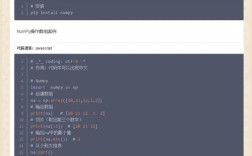
pip install numpy
Then, you can use the numpy.dot() function.
import numpy as np
# --- Example Usage ---
vector_a = [1, 2, 3]
vector_b = [4, 5, 6]
# Convert lists to NumPy arrays (good practice)
a_np = np.array(vector_a)
b_np = np.array(vector_b)
# Use the np.dot() function
result = np.dot(a_np, b_np)
print(f"The NumPy arrays are: {a_np} and {b_np}")
print(f"The dot product is: {result}") # Output: 32
# NumPy also has a shorthand operator @ for dot product (Python 3.5+)
result_operator = a_np @ b_np
print(f"The dot product using @ is: {result_operator}") # Output: 32
Why use NumPy?
- Performance: It's written in C and is extremely fast for large arrays.
- Convenience: It's the standard for numerical computing in Python.
- Functionality: It's part of a massive ecosystem of scientific libraries (SciPy, Pandas, scikit-learn, etc.).
Method 3: Using the math Module (For 1D Vectors)
The Python math module has a dot() function, but it's important to know its limitations.
import math
# --- Example Usage ---
vector_a = [1, 2, 3]
vector_b = [4, 5, 6]
# The math.dot() function directly takes two iterables
result = math.dot(vector_a, vector_b)
print(f"The vectors are: {vector_a} and {vector_b}")
print(f"The dot product is: {result}") # Output: 32
Limitation of math.dot:
This function was added in Python 3.10 and is designed for 1D sequences. It will raise a TypeError if you try to use it with 2D arrays or more complex structures. For multi-dimensional arrays, you must use NumPy.
Summary and When to Use Which
| Method | Best For | Pros | Cons |
|---|---|---|---|
| Manual (Loop) | Learning, simple scripts, no dependencies. | Easy to understand, no external libraries needed. | Slow for large vectors, more code to write. |
NumPy (np.dot or ) |
Data science, machine learning, scientific computing. | Extremely fast, standard industry practice, powerful features. | Requires installing an external library (numpy). |
math.dot |
Quick 1D dot products in simple Python scripts (Python 3.10+). | Built-in, convenient for basic cases. | Limited to 1D vectors, not suitable for complex numerical work. |
Recommendation:
- If you are a beginner and just learning, the manual method is excellent for understanding the math.
- If you are doing anything beyond a simple script (e.g., data analysis, AI, physics simulations), always use NumPy. It's the right tool for the job and will save you time and make your code more efficient.