Of course! Let's break down what "OpenSwitch Python" means. It's a common point of confusion, so I'll clarify it in a few key areas:
- The Core Misconception: OpenSwitch itself is not written in Python.
- The Real Connection: OpenSwitch has a powerful Python API for controlling and automating it.
- Practical Use Cases: How you would use this Python API in the real world.
- Getting Started: Code examples and resources.
The Core Misconception: OpenSwitch is Not Python
OpenSwitch is an open-source Network Operating System (NOS). Its core components, including the kernel, data plane forwarding engine, and control plane daemons, are primarily written in C and C++.
- Why C/C++? For performance, memory efficiency, and direct hardware access (via SDKs like SDK from Broadcom/ Mellanox), which are critical for a high-performance network switch.
- Why not Python? While Python is excellent for automation, it's generally too slow and memory-intensive to run the core, high-throughput functions of a network switch OS.
So, when people talk about "OpenSwitch Python," they are almost always referring to the automation and control capabilities provided by Python, not the OS itself.
The Real Connection: The Python API (RESTCONF)
The primary way to control and automate an OpenSwitch switch is through its RESTCONF API.
- What is RESTCONF? It's a standard protocol (RFC 8040) for accessing and manipulating data defined in YANG models over HTTP/S. It's the modern successor to the older CLI-based SNMP and NETCONF protocols.
- How does Python fit in? Python is the perfect language for making HTTP requests. You can use popular libraries like
requeststo interact with the OpenSwitch RESTCONF API, allowing you to:- Configure interfaces, VLANs, routing protocols (BGP, OSPF), etc.
- Retrieve operational data (interface status, BGP neighbors, MAC tables).
- Monitor the switch's health and performance.
- Automate complex, multi-step network provisioning tasks.
Essentially, OpenSwitch exposes its entire configuration and operational state as a web service, and Python is your tool to interact with that service.
Practical Use Cases for Python with OpenSwitch
Here are common scenarios where Python shines with OpenSwitch:
| Use Case | Description |
|---|---|
| Zero-Touch Provisioning (ZTP) | A new switch is plugged in. Python scripts on a central controller detect the switch via its DHCP request, automatically provision it with the correct configuration (hostname, management IP, VLANs), and add it to a monitoring system. |
| Configuration Management | Use Python to apply a standard configuration template across hundreds of switches. This ensures consistency and reduces human error. For example, a script could loop through a list of switch IPs and configure the same VLAN on each one. |
| Intent-Based Networking | A higher-level Python application defines network "intent" (e.g., "ensure Host A and Host B can communicate"). The Python application then translates this intent into the specific OpenSwitch configurations (VLANs, ACLs, routes) and pushes them via RESTCONF. |
| Troubleshooting & Monitoring | Create a Python script that periodically polls all switches for interface errors or BGP session flaps. If a threshold is crossed, the script can automatically log a ticket, send an alert, or even attempt a basic corrective action. |
| Network Validation | After making a change, run a Python script to automatically verify that the network is in the expected state. For example, it can check if a BGP neighbor is established or if a specific route is in the routing table. |
Getting Started: Code Example
Let's walk through a simple, practical example: using Python to add a new VLAN and assign an access port to that VLAN.
Prerequisites
- An OpenSwitch switch running and accessible on the network.
- Python 3 installed on your machine.
- The
requestslibrary installed:pip install requests - The management IP of your switch, username, and password.
The OpenSwitch Data Model (YANG)
OpenSwitch uses YANG models to define its configuration. For VLANs, the relevant model is ops-vlan.yang. To create a VLAN, you need to make an HTTP POST request to the /data/ops-vlan:vlan endpoint with the VLAN data in JSON format.
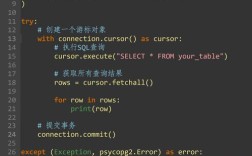
Python Script: create_vlan.py
import requests
import json
import urllib3
# Disable InsecureRequestWarning for self-signed certificates (common in labs)
# In production, use proper certificates.
urllib3.disable_warnings(urllib3.exceptions.InsecureRequestWarning)
# --- Configuration ---
SWITCH_IP = "192.168.1.1"  # Replace with your switch's management IP
USERNAME = "admin"
PASSWORD = "your_password" # Replace with your password
# The VLAN we want to create
VLAN_ID = 100
VLAN_NAME = "Server-VLAN"
# --- API Details ---
BASE_URL = f"https://{SWITCH_IP}/restconf"
API_ENDPOINT = f"{BASE_URL}/data/ops-vlan:vlan=vlan-{VLAN_ID}"
# The payload for creating the VLAN, in JSON format
# This structure is defined by the YANG model 'ops-vlan:vlan'
payload = {
    "ops-vlan:vlan": {
        "name": VLAN_NAME,
        "status": "active"
    }
}
# --- Headers for the RESTCONF request ---
headers = {
    "Content-Type": "application/yang-data+json",
    "Accept": "application/yang-data+json"
}
print(f"Attempting to create VLAN {VLAN_ID} named '{VLAN_NAME}' on {SWITCH_IP}...")
try:
    # Make the HTTP POST request to create the VLAN
    response = requests.post(
        API_ENDPOINT,
        auth=(USERNAME, PASSWORD),
        headers=headers,
        data=json.dumps(payload),
        verify=False  # Set to True or provide a CA cert file in production
    )
    # Check the response status code
    if response.status_code == 201:
        print("SUCCESS: VLAN created successfully!")
        # Print the server's response (usually contains the created object)
        print("Response Body:")
        print(json.dumps(response.json(), indent=2))
    else:
        print(f"ERROR: Failed to create VLAN. Status Code: {response.status_code}")
        print("Response Body:")
        print(response.text)
except requests.exceptions.RequestException as e:
    print(f"An error occurred: {e}")
How to Run the Script
- Save the code above as
create_vlan.py. - Update the
SWITCH_IP,USERNAME,PASSWORD, and VLAN details. - Run it from your terminal:
python create_vlan.py
Expected Output:
Attempting to create VLAN 100 named 'Server-VLAN' on 192.168.1.1...
SUCCESS: VLAN created successfully!
Response Body:
{
  "ops-vlan:vlan": {
    "name": "Server-VLAN",
    "status": "active"
  }
}
If you were to check the switch's configuration after running this script (e.g., via show vlan), you would see VLAN 100 present.
Key Resources
- OpenSwitch GitHub Repository: The source of truth. Look for documentation, YANG models, and examples.
- OpenSwitch Documentation: The official documentation is crucial for understanding the API structure and available YANG models.
- OpenSwitch Docs (Note: This may be a bit dated, but the core RESTCONF principles remain the same).
- YANG Models: To know what you can configure, you need to understand the YANG models. They are usually found in the
modelsdirectory of the OpenSwitch GitHub repo. - Python
requestsLibrary Documentation: The definitive guide for making HTTP requests in Python.
Summary
| Term | Meaning |
|---|---|
| OpenSwitch | A network operating system (NOS) for switches, written in C/C++. |
| OpenSwitch Python | A shorthand for using Python to automate and control an OpenSwitch switch via its RESTCONF API. |
| How it works | Python scripts use the requests library to send HTTP POST/GET/PUT/DELETE requests to the switch's /restconf endpoint, carrying configuration data in JSON format. |
| Why it's powerful | It enables automation, standardization, and programmatic control of network infrastructure at scale. |