Of course! This is an excellent question that gets to the heart of choosing the right tool for the job. Free Pascal and Python are both powerful programming languages, but they are designed for very different purposes and philosophies.
Here’s a detailed comparison, broken down into key areas.
At a Glance: The Core Difference
- Free Pascal (FPC): A compiled, strongly-typed language, primarily used for system-level programming, high-performance applications, and cross-platform native desktop applications. It's the Pascal equivalent of C++.
- Python: An interpreted, dynamically-typed language, primarily used for scripting, data analysis, web development, and rapid application development. It's known for its simplicity and vast ecosystem.
Detailed Comparison Table
| Feature | Free Pascal (FPC) | Python |
|---|---|---|
| Paradigm | Multi-paradigm (Procedural, Object-Oriented) | Multi-paradigm (Primarily Object-Oriented, Procedural, Functional) |
| Type System | Static, Strong. You must declare the type of every variable (e.g., var i: Integer;). This is checked at compile time. |
Dynamic, Strong. You don't declare types (e.g., i = 10). The type is inferred at runtime. Strongly typed means you can't add a string to a number without explicit conversion. |
| Execution Model | Compiled. Source code is translated to machine code (e.g., an .exe or a Linux binary) before it can be run. This makes it very fast. |
Interpreted. Source code is read and executed line-by-line by an interpreter at runtime. This makes it slower but more flexible for scripting. |
| Performance | Very High. Compiling to native machine code means it's significantly faster than Python, often on par with C++. | Slower. Being interpreted adds overhead. While it's fast enough for most tasks, it's not suitable for high-performance computing (HPC) or game engines without using extensions like Cython. |
| Memory Management | Manual (like C/C++). You allocate memory with GetMem and must free it with FreeMem. This gives you full control but also requires discipline to avoid memory leaks. |
Automatic. Uses a garbage collector (GC) that automatically reclaims memory that is no longer in use. This is much safer and easier for beginners. |
| Ecosystem & Libraries | Good, but smaller and more focused. Excellent for GUI frameworks (Lazarus/FPGUI), database access, and low-level systems programming. Lacks a massive, general-purpose library. | Massive & Diverse. The Python Package Index (PyPI) has hundreds of thousands of libraries for almost anything imaginable: web (Django, Flask), data (Pandas, NumPy), AI (TensorFlow, PyTorch), scientific computing, etc. |
| Learning Curve | Moderate to Steep. The strong typing and manual memory management can be challenging for beginners. The syntax is very structured and explicit. | Very Gentle. Known for its clean, readable, and English-like syntax. It's often the first language taught in computer science courses. |
| Primary Use Cases |
|
|
| Cross-Platform | Excellent. The compiler can generate native code for Windows, Linux, macOS, and many other platforms from a single codebase. | Excellent. Python code runs anywhere the Python interpreter is installed (Windows, Linux, macOS, etc.). "Write once, run anywhere" is a reality. |
| Development Speed | Slower. The compile-link cycle can take time, especially for large projects. The need for type declarations adds boilerplate. | Extremely Fast. No compilation step. You can write and run code immediately. The dynamic typing allows for very rapid prototyping. |
Code Example: "Hello, World!"
Seeing the syntax side-by-side is very illustrative.
Free Pascal
program HelloWorld;
begin
  writeln('Hello, World!');
end.
- Structure: You define a
programblock. Thebegin...endblock is the main execution flow. The semicolon is a statement separator.writelnis a procedure that writes a line of text to the console.
Python
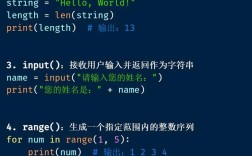
print("Hello, World!")
- Structure: There are no
beginorendkeywords. Code blocks are defined by indentation. Theprint()function is a core built-in. No semicolons are needed to terminate statements (though they can be used to separate statements on the same line).
When to Choose Free Pascal?
Choose Free Pascal when:
- Performance is Critical: You need the speed of a compiled language for a desktop application, a game, or a numerical simulation.
- You Need Native GUI: You want to build a fast, responsive, cross-platform desktop application using the Lazarus IDE, which is a powerful RAD (Rapid Application Development) tool.
- You're Working with Systems: You need low-level access to hardware or memory, or you are writing code for embedded systems.
- You Prefer Structured, Safe Code: The strong typing system catches many errors at compile time, leading to more robust applications.
Analogy: Free Pascal is like a high-performance sports car. It's built for speed, precision, and power, but requires a skilled driver (the programmer) to handle it correctly.
When to Choose Python?
Choose Python when:
- Speed of Development is Key: You need to prototype an idea, write a script to automate a task, or build a web application quickly.
- You're in Data Science or AI: The Python ecosystem (Pandas, NumPy, Scikit-learn, TensorFlow, PyTorch) is the undisputed industry standard.
- You're a Beginner: Its simple and readable syntax makes it the best language to learn programming fundamentals.
- You Need Access to a Massive Library: If there's a task you want to accomplish, there's likely a high-quality Python library for it.
Analogy: Python is like a versatile, reliable SUV. It's not the fastest on a racetrack, but it can handle any terrain (web, data, scripts, AI), is easy to drive, and has a massive community and after-market (libraries) to support it.
Can They Work Together?
Yes, though it's an advanced technique. You can use Python to "glue" together components written in Free Pascal or C. The standard way to do this is by creating a C extension for Python.
- Write your core, performance-critical logic in Free Pascal.
- Compile the Pascal code into a shared library (
.dllon Windows,.soon Linux). - Write a small C "wrapper" that exposes the functions from your Pascal library.
- Compile this C wrapper into another shared library that Python's C API can understand.
- From Python, you can now
importand call your high-performance Pascal functions as if they were Python functions.
This is a complex process but is used in performance-critical Python applications.
Final Verdict
There is no "better" language, only the right tool for the specific job.
| Choose Free Pascal for... | Choose Python for... |
|---|---|
| ⚡ Raw performance | 🚀 Rapid development |
| 🖥️ Native desktop apps | 🌐 Web development |
| 🎮 Game development | 📊 Data Science & AI |
| 🔧 Systems programming | 🤖 Automation & Scripting |
| 🧪 Embedded systems | 📚 Education |