Of course! "Python LightMySQL" isn't a single, official library, but it's a great description for a lightweight, easy-to-use MySQL connector for Python. The most popular and recommended library for this is mysql-connector-python from Oracle.
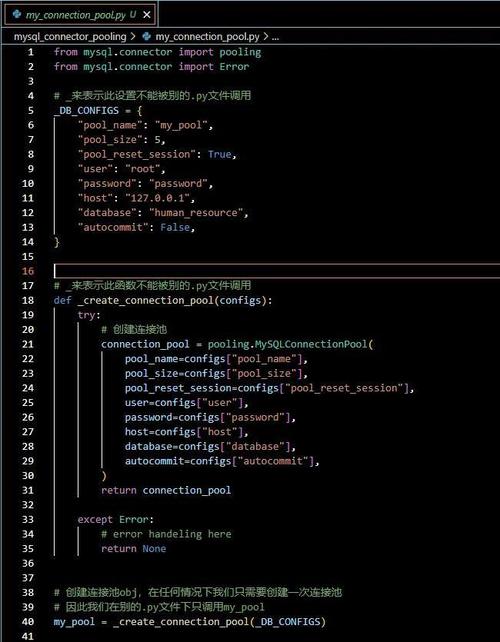
I'll guide you through it, showing why it's a great "light" choice and how to use it effectively.
The Best Choice: mysql-connector-python
This is the official driver from MySQL itself. It's well-maintained, actively supported, and has a straightforward API that makes it perfect for beginners and for applications where you don't need the full power of an Object-Relational Mapper (ORM) like SQLAlchemy.
Why is it "Light"?
- Direct SQL: You write standard SQL queries. There's no ORM layer to learn or configure.
- Simple Installation: Just one package to install via pip.
- Minimal Setup: Connecting to a database is just a few lines of code.
- Good Performance: For most use cases, its performance is excellent.
Installation
First, you need to install the library. Open your terminal or command prompt and run:
pip install mysql-connector-python
Basic Usage: A Complete Example
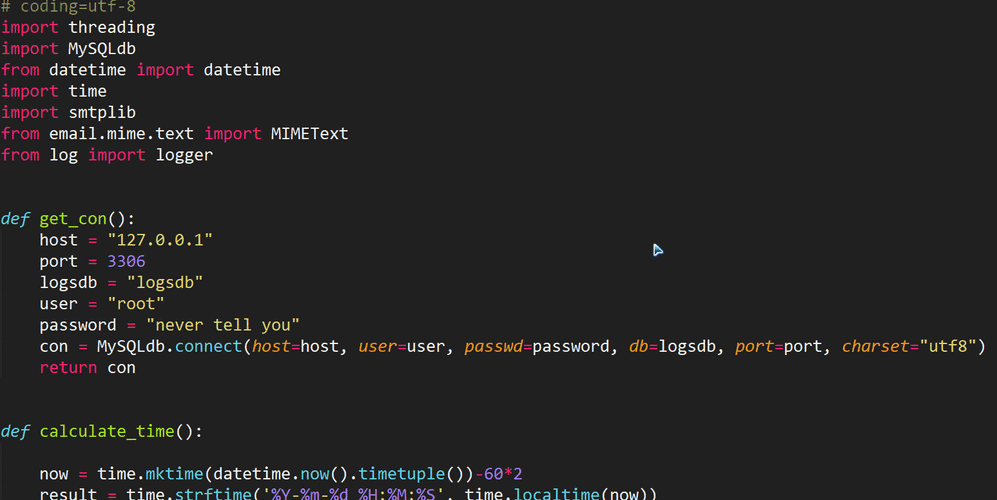
Let's walk through a complete, runnable example. We'll connect to a database, create a table, insert some data, and then query it back.
Prerequisites
You need a MySQL server running. For this example, let's assume you have a database named testdb and a user testuser with the password testpassword. If you don't, you can create them with the following SQL in your MySQL client:
CREATE DATABASE IF NOT EXISTS testdb;
CREATE USER IF NOT EXISTS 'testuser'@'localhost' IDENTIFIED BY 'testpassword';
GRANT ALL PRIVILEGES ON testdb.* TO 'testuser'@'localhost';
FLUSH PRIVILEGES;
The Python Code
Here is a Python script that demonstrates the core operations.
import mysql.connector
from mysql.connector import Error
def create_connection(host_name, user_name, user_password, db_name):
    """Establishes a connection to the MySQL database."""
    connection = None
    try:
        connection = mysql.connector.connect(
            host=host_name,
            user=user_name,
            passwd=user_password,
            database=db_name
        )
        print("Connection to MySQL DB successful")
    except Error as e:
        print(f"The error '{e}' occurred")
    return connection
def create_table(connection):
    """Creates a table if it does not exist."""
    cursor = connection.cursor()
    create_table_query = """
    CREATE TABLE IF NOT EXISTS employees (
        id INT AUTO_INCREMENT PRIMARY KEY,
        name VARCHAR(255) NOT NULL,
        position VARCHAR(100),
        salary DECIMAL(10, 2)
    )
    """
    try:
        cursor.execute(create_table_query)
        print("Table 'employees' created successfully")
    except Error as e:
        print(f"The error '{e}' occurred")
def insert_employee(connection, employee):
    """Inserts a new employee into the employees table."""
    cursor = connection.cursor()
    insert_query = "INSERT INTO employees (name, position, salary) VALUES (%s, %s, %s)"
    try:
        cursor.execute(insert_query, employee)
        connection.commit()  # IMPORTANT: Commit the transaction
        print(f"Employee {employee[0]} inserted successfully")
    except Error as e:
        print(f"The error '{e}' occurred")
def get_employees(connection):
    """Retrieves and prints all employees from the table."""
    cursor = connection.cursor()
    select_query = "SELECT * FROM employees"
    try:
        cursor.execute(select_query)
        # fetchall() retrieves all rows from the last executed statement
        results = cursor.fetchall()
        print("\n--- Current Employees ---")
        for row in results:
            print(f"ID: {row[0]}, Name: {row[1]}, Position: {row[2]}, Salary: {row[3]}")
        print("------------------------\n")
    except Error as e:
        print(f"The error '{e}' occurred")
# --- Main execution ---
if __name__ == "__main__":
    # 1. Connect to the database
    conn = create_connection("localhost", "testuser", "testpassword", "testdb")
    if conn is not None:
        # 2. Create the table (if it doesn't exist)
        create_table(conn)
        # 3. Insert some data
        employees_to_insert = [
            ("Alice", "Software Engineer", 90000.00),
            ("Bob", "Project Manager", 105000.50),
            ("Charlie", "Data Analyst", 75000.00)
        ]
        for employee in employees_to_insert:
            insert_employee(conn, employee)
        # 4. Retrieve and display data
        get_employees(conn)
        # 5. Close the connection
        conn.close()
        print("MySQL connection is closed")
How to Run the Script
- Save the code above as a Python file (e.g.,
manage_db.py). - Make sure your MySQL server is running and you've created the database/user as described in the prerequisites.
- Run the script from your terminal:
python manage_db.py.
Expected Output:
Connection to MySQL DB successful
Table 'employees' created successfully
Employee Alice inserted successfully
Employee Bob inserted successfully
Employee Charlie inserted successfully
--- Current Employees ---
ID: 1, Name: Alice, Position: Software Engineer, Salary: 90000.00
ID: 2, Name: Bob, Position: Project Manager, Salary: 105000.50
ID: 3, Name: Charlie, Position: Data Analyst, Salary: 75000.00
------------------------
MySQL connection is closed
Key Concepts and Best Practices
Using Context Managers (with statement)
Forgetting to close a database connection can lead to resource leaks. The best practice is to use a with statement, which automatically handles closing the connection and cursor.

# Recommended way to handle connections
with mysql.connector.connect(
    host="localhost",
    user="testuser",
    password="testpassword",
    database="testdb"
) as connection:
    with connection.cursor() as cursor:
        cursor.execute("SELECT * FROM employees")
        results = cursor.fetchall()
        for row in results:
            print(row)
# The connection and cursor are automatically closed here
Preventing SQL Injection
Never use string formatting ( or f-strings) to build queries with user input. This is a major security risk called SQL Injection.
BAD (Vulnerable to SQL Injection):
user_id = input("Enter user ID: ")
query = f"SELECT * FROM users WHERE id = {user_id}" # DANGEROUS!
cursor.execute(query)
GOOD (Safe using Parameters):
The mysql-connector library automatically sanitizes parameters, making it safe.
user_id = input("Enter user ID: ")
# Use a placeholder (%s) and pass the value as a tuple or list
query = "SELECT * FROM users WHERE id = %s"
cursor.execute(query, (user_id,)) # Note the comma to make it a tuple
Fetching Data
cursor.fetchone(): Retrieves the next single row. ReturnsNoneif no more rows are available.cursor.fetchall(): Retrieves all remaining rows from the result set. Returns an empty list if there are no rows.cursor.fetchmany(size): Retrieves a specific number of rows (size).
Alternatives to mysql-connector-python
While mysql-connector-python is the official choice, here are two other popular "light" options.
PyMySQL
Another very popular, pure-Python MySQL client. It's a great alternative, often seen as slightly more lightweight.
- Installation:
pip install PyMySQL - Usage: Very similar to
mysql-connector.
import pymysql
connection = pymysql.connect(
    host='localhost',
    user='testuser',
    password='testpassword',
    database='testdb',
    cursorclass=pymysql.cursors.DictCursor # Returns rows as dictionaries
)
with connection:
    with connection.cursor() as cursor:
        sql = "INSERT INTO employees (name, position) VALUES (%s, %s)"
        cursor.execute(sql, ("David", "DevOps Engineer"))
        connection.commit()
        print(f"{cursor.rowcount} record inserted.")
mysqlclient
This is a fork of the old MySQLdb library, which is a wrapper around the native C library libmysqlclient. It's known for being very fast.
- Installation: Can be trickier as it requires C compilation tools.
- On macOS with Homebrew:
brew install mysql-client - On Debian/Ubuntu:
sudo apt-get install libmysqlclient-dev - Then:
pip install mysqlclient
- On macOS with Homebrew:
- Usage: The API is almost identical to
mysql-connector-python.
Summary: Which One Should You Choose?
| Library | Pros | Cons | Best For |
|---|---|---|---|
mysql-connector-python |
Official, easy installation, good documentation, great for beginners. | Can be slightly slower than C-based libraries. | Most use cases. The default, safe, and easy choice. |
PyMySQL |
Pure Python, very popular, similar API, good performance. | Slower than C-based libraries. | When you want a pure-Python solution or prefer its API. |
mysqlclient |
Very fast, stable, mature. | Harder to install (requires C compiler), older API style. | High-performance applications where speed is critical. |
For most projects, start with mysql-connector-python. It's the "light" and "right" choice for straightforward database interactions in Python.