Of course! Here is a comprehensive set of Python worksheets, designed to be progressive. They start from the absolute basics and move up to more complex topics like Object-Oriented Programming and data analysis with Pandas.
Each worksheet includes:
- Topic: The main concept being covered.
- Explanation: A brief overview of the topic.
- Exercises: A mix of simple, medium, and challenging tasks.
- Challenge Problem: A more open-ended problem to apply the concepts creatively.
- Solutions: A separate section with answers and explanations.
How to Use These Worksheets
- Read the Explanation: Understand the core concept before starting the exercises.
- Open a Python Editor: Use a simple editor like IDLE, VS Code, PyCharm, or even an online interpreter like Replit or Google Colab.
- Don't Copy-Paste: Type the code yourself. This is crucial for muscle memory and understanding.
- Experiment: Change the code in the exercises and see what happens. Break things on purpose to learn how to fix them.
- Get Stuck? That's Good! Struggling is part of learning. Try to solve the problem for at least 10-15 minutes before looking at the solution.
Worksheet 1: The Basics - Variables, Data Types, and Operators
Topic: Introduction to Python, variables, basic data types (int, float, str, bool), and arithmetic operators.
Explanation:
- Variables: Containers for storing data values. You assign a value to a variable using (e.g.,
name = "Alice"). - Data Types:
int: Integers (whole numbers) like10,-5.float: Floating-point numbers (decimals) like14,-0.5.str: Strings (text), enclosed in single or double quotes (e.g.,"hello",'world').bool: Booleans, which can only beTrueorFalse.
- Operators:
- , , , : Addition, subtraction, multiplication, division.
- Floor division (gives the whole number part of a division).
- Modulo (gives the remainder of a division).
- Exponentiation (to the power of).
Exercises:
- Variable Creation: Create a variable
my_ageand set it to your age. Create a variablemy_nameand set it to your name. - Type Checking: Print the data type of
my_ageandmy_nameusing thetype()function. - Arithmetic: Create two variables,
x = 10andy = 3. Perform the following operations and print the results:x + yx - yx * yx / yx // yx % yx ** y
- String Concatenation: Create a variable
first_name = "John"andlast_name = "Doe". Create a new variablefull_namethat combines them with a space in between. Printfull_name. - Boolean Logic: Create a variable
is_student = True. Create another variableis_tired = False. Print the result ofis_student and is_tired.
Challenge Problem: Write a program that asks the user for their favorite number. Store this number in a variable. Then, calculate and print the square of that number and the result of dividing it by 2.
Worksheet 2: Control Flow - if, elif, else Statements
Topic: Making decisions in your code using conditional statements.
Explanation:
if: Executes a block of code if a condition isTrue.elif: "else if". Checks a new condition if the previousiforelifwasFalse.else: Catches everything else. Executes if none of the preceding conditions wereTrue.- Comparison Operators: (equal to), (not equal to),
>(greater than),<(less than),>=(greater than or equal to),<=(less than or equal to).
Exercises:
- Simple
if: Write a program that checks if a numbernumis positive. If it is, print "The number is positive." if-else: Modify the above program to also print "The number is not positive" if the condition is false.if-elif-else: Write a program that takes a score (0-100) as input and prints a grade:- 90-100: "A"
- 80-89: "B"
- 70-79: "C"
- 60-69: "D"
- Below 60: "F"
- Nested
if: Write a program that checks if a number is even. If it is, check if it is also greater than 10. Print an appropriate message for each case. - Logical Operators: Write a program that checks if a person is eligible for a discount. They are eligible if they are either over 65 years old OR a student. Use variables
ageandis_student.
Challenge Problem: Create a simple number guessing game. The program should have a secret number (e.g., 7). It should then ask the user to guess a number. If the guess is correct, print "You win!". If the guess is too high, print "Too high!". If it's too low, print "Too low!". The user should get multiple attempts.
Worksheet 3: Data Structures - Lists and Tuples
Topic: Storing and managing collections of items.
Explanation:
- Lists: Ordered, mutable (changeable) collections. Defined with square brackets
[].my_list = [1, "hello", 3.14]- Access items with an index:
my_list[0](first item). - Change items:
my_list[0] = 99 - Add items:
my_list.append("new") - Remove items:
my_list.remove("hello")
- Tuples: Ordered, immutable (unchangeable) collections. Defined with parentheses .
my_tuple = (1, "hello", 3.14)- Access items with an index:
my_tuple[0] - You cannot change, add, or remove items from a tuple.
Exercises:
- List Creation & Access: Create a list of your favorite movies. Print the first movie and the last movie.
- List Modification: Add a new movie to your list. Remove the second movie from the list. Print the updated list.
- List Slicing: Create a list of numbers from 1 to 10. Print a slice of the list containing only the numbers from 4 to 7.
- Tuple Creation: Create a tuple representing a point on a 2D plane, like
coordinates = (10, 20). Try to change the x-coordinate to 15. What happens? - List Length: Write a program that takes a list of words and prints the number of words in the list using the
len()function.
Challenge Problem:
Create a list of numbers. Write a program that iterates through the list and creates a new list containing only the even numbers from the original list. (Hint: Use a for loop and an if statement).
Worksheet 4: Repetition - for and while Loops
Topic: Automating repetitive tasks with loops.
Explanation:
forloop: Iterates over a sequence (like a list or a string). It's great when you know how many times you want to loop.for item in my_list:print(item)
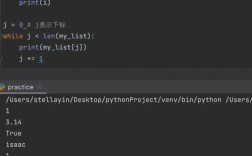
whileloop: Repeats as long as a condition isTrue. Be careful, or you might create an infinite loop!count = 0while count < 5:print(count)count = count + 1(orcount += 1)
Exercises:
forloop with a list: Create a list of fruits. Use aforloop to print each fruit on a new line.forloop withrange(): Use aforloop and therange()function to print the numbers from 1 to 10.whileloop: Use awhileloop to count down from 5 to 1, and then print "Liftoff!".- Looping through a string: Use a
forloop to iterate through the string"Python"and print each character. - Summing with a loop: Create a list of numbers. Use a
forloop to calculate and print the sum of all the numbers in the list.
Challenge Problem:
Write a program that uses a while loop to ask the user to enter numbers. The loop should continue as long as the user enters a positive number. When the user enters a negative number, the loop should stop, and the program should print the sum of all the positive numbers entered.
Worksheet 5: Functions
Topic: Creating reusable blocks of code.
Explanation: A function is a named block of code that performs a specific task. It helps you organize your code and avoid repetition.
- Defining a function: Use the
defkeyword.def greet(name): """This function prints a greeting.""" print(f"Hello, {name}!") - Calling a function: Use the function's name followed by parentheses.
greet("Alice") - Parameters: The variables inside the parentheses (
namein the example above) are parameters. - Return Value: A function can send a value back using the
returnstatement. This is different from justprint().
Exercises:
- Simple Function: Write a function called
say_hellothat takes no arguments and prints "Hello, World!". - Function with a Parameter: Write a function called
squarethat takes one number as a parameter and returns its square. - Function with Multiple Parameters: Write a function called
addthat takes two numbers and returns their sum. - Function with
if/else: Write a function calledis_eventhat takes a number and returnsTrueif it's even andFalseotherwise. - Using a Return Value: Call the
squarefunction from exercise 2, store the result in a variable, and then print that variable.
Challenge Problem:
Write a function called find_max that takes a list of numbers as a parameter and returns the largest number in the list. Do not use the built-in max() function.
Worksheet 6: Dictionaries and Sets
Topic: Storing key-value pairs and unique collections.
Explanation:
- Dictionaries: Unordered collections of
key-valuepairs. Defined with curly braces . Very useful for looking up values.student = {"name": "Bob", "age": 21, "major": "Computer Science"}- Access values by key:
student["name"] - Add a new key-value pair:
student["year"] = "Sophomore"
- Sets: Unordered collections of unique items. Defined with curly braces or the
set()function.my_set = {1, 2, 2, 3}will become{1, 2, 3}(duplicates are removed).- Useful for checking membership (e.g.,
if 2 in my_set:).
Exercises:
- Dictionary Creation & Access: Create a dictionary representing a book with keys like
"title","author", and"year". Print the title of the book. - Dictionary Modification: Add a new key
"genre"to your book dictionary. Change the author to a different name. - Looping through a Dictionary: Write a program that loops through the keys of a dictionary and prints each key and its corresponding value.
- Set Creation: Create a list of numbers with duplicates. Convert this list to a set. Print the set. Notice how the duplicates are gone.
- Set Operations: Create two sets,
set1 = {1, 2, 3, 4}andset2 = {3, 4, 5, 6}. Print the union (all unique elements) and the intersection (common elements) of these two sets.
Challenge Problem: You have a list of students and their grades. Write a program that calculates the average grade for each student. Use a dictionary to store the student names as keys and their grades (as a list) as values. Then, create a new dictionary that maps each student to their average grade.
Worksheet 7: File Handling
Topic: Reading from and writing to files.
Explanation: Python has built-in functions for handling files.
open(filename, mode): Opens a file."r": Read (default)."w": Write (overwrites the file if it exists)."a": Append (adds to the end of the file).
.read(): Reads the entire content of a file..readlines(): Reads all lines into a list..write(): Writes a string to a file.withstatement: The best practice for file handling. It automatically closes the file for you, even if errors occur.
Exercises:
- Writing to a File: Use the
with open(...)statement to create a file namedmy_notes.txt. Write the lines "This is my first note." and "Python is fun." to the file. - Reading from a File: Use the
with open(...)statement to openmy_notes.txtand read its entire content. Print the content to the console. - Reading Line by Line: Open
my_notes.txtagain, but this time use aforloop to read and print each line of the file separately. - Appending to a File: Open
my_notes.txtin append mode ("a"). Add a new line: "This is an appended note.". - Reading Appended Content: Open the file again and read its content to verify that the new line was added.
Challenge Problem:
Create a program that asks the user to enter a journal entry. Ask for the date and the entry text. Then, append this information to a file named journal.txt in the format: [YYYY-MM-DD]: Entry text here. The program should allow the user to enter multiple entries until they type "exit".
Worksheet 8: Object-Oriented Programming (OOP) - Classes and Objects
Topic: Creating blueprints (classes) and instances (objects).
Explanation: OOP is a way to model real-world things in your code.
- Class: A blueprint for creating objects. It defines attributes (data) and methods (functions).
class Dog:def __init__(self, name, breed):(The constructor method)self.name = nameself.breed = breed
- Object: An instance of a class. You create objects from the class blueprint.
my_dog = Dog("Rex", "German Shepherd")
self: A reference to the current instance of the class. It's used to access the object's attributes and methods.
Exercises:
- Simple Class: Create a
Carclass with an__init__method that takesmakeandmodelas parameters. Store these as attributes. Create an object of this class. - Add a Method: Add a method to the
Carclass calleddisplay_infothat prints the car's make and model. - Create Multiple Objects: Create two different
Carobjects (e.g., a Toyota Camry and a Ford Mustang). Call thedisplay_infomethod on both objects. - Class with a Default Value: Modify the
Carclass so that thecolorattribute is optional in the__init__method and defaults to"white". Create a car without specifying a color and see what happens. - Instance Method with Logic: Add a method to the
Carclass calledis_luxurythat returnsTrueif the car's make is "Mercedes" or "BMW", andFalseotherwise.
Challenge Problem:
Create a BankAccount class.
- The
__init__method should take anowner_nameand aninitial_balance(defaulting to 0). - It should have attributes for
owner_nameandbalance. - It should have a method
deposit(amount)that adds to the balance. - It should have a method
withdraw(amount)that subtracts from the balance, but only if the balance is sufficient. If not, it should print an error message. - Create an account, deposit some money, withdraw some money, and try to withdraw more than the balance.
Worksheet 9: Introduction to Pandas
Topic: Working with tabular data (like spreadsheets) using the Pandas library.
Explanation: Pandas is a powerful library for data analysis. It introduces two main data structures:
- Series: A one-dimensional labeled array (like a single column in a spreadsheet).
- DataFrame: A two-dimensional labeled data structure with columns of potentially different types (like a full spreadsheet).
Exercises:
(First, make sure you have pandas installed: pip install pandas)
- Creating a DataFrame: Create a DataFrame from a dictionary of lists. The keys should be column names.
import pandas as pd data = {'Name': ['Alice', 'Bob', 'Charlie'], 'Age': [25, 30, 35], 'City': ['New York', 'London', 'Paris']} df = pd.DataFrame(data) print(df) - Inspecting Data: Print the first 2 rows of the DataFrame using
.head(). Print the last 2 rows using.tail(). Print the column names using.columns. - Selecting Data: Select and print only the
'Name'column. Select and print the rows where the'Age'is greater than 28. - Adding a Column: Add a new column called
'Country'with the value'USA'for all rows. - Filtering with
.loc: Use.locto select the row for 'Bob' and print all his information.
Challenge Problem:
Create a DataFrame to represent a simple sales log. It should have columns: Date, Product, Quantity, and Price.
- Calculate a new column called
Totalwhich isQuantity * Price. - Group the data by
Productand calculate the total quantity sold for each product. - Find the product with the highest total sales amount.
Worksheet 10: Error Handling and Debugging
Topic: Writing robust code that handles errors gracefully.
Explanation: Errors (or exceptions) are problems that occur during program execution. Instead of crashing, you can handle them.
try...exceptblock: You "try" to run a block of code. If an error occurs, you "except" it and run a different block of code instead of crashing.try: result = 10 / 0 except ZeroDivisionError: print("Cannot divide by zero!")
Exercises:
- Handling a ZeroDivisionError: Write a program that asks the user for two numbers. It should then try to divide the first number by the second. Wrap the division in a
try...exceptblock to catch aZeroDivisionErrorand print a friendly error message. - Handling a
ValueError: Modify the program to ask the user to enter a number. Wrap the input conversion in atry...exceptblock to catch aValueError(if the user enters text instead of a number). - Multiple
exceptBlocks: Write a program that tries to open a file nameddata.txt. Usetry...exceptblocks to catchFileNotFoundErrorif the file doesn't exist. - The
finallyBlock: Modify the file-opening exercise to include afinallyblock that prints "File operation finished." regardless of whether the file was found or not. - Raising Your Own Exceptions: Write a function that checks if a user's age is negative. If it is, use the
raisekeyword to raise aValueErrorwith a message like "Age cannot be negative."
Challenge Problem:
Create a function process_data(data) that is supposed to:
- Check if
datais a list. If not, raise aTypeError. - Iterate through the list and try to convert each item to an integer.
- If an item cannot be converted to an integer, catch the
ValueError, print a warning message, and skip that item. - Return a new list containing only the successfully converted integers. Test your function with various inputs, including valid lists, lists with mixed types, and non-list inputs.