Java导出Excel文件的方法
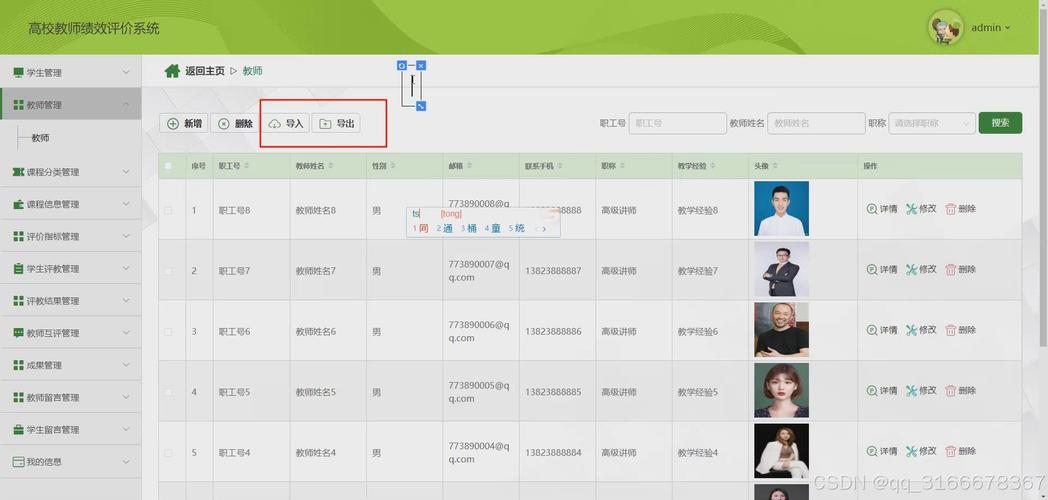
在Java中导出Excel文件有多种方式,以下是几种常用的方法:
(图片来源网络,侵删)
使用Apache POI库
Apache POI是最流行的Java操作Office文档的库,支持Excel的旧版本(.xls)和新版本(.xlsx)。
添加依赖(Maven)
<dependency>
    <groupId>org.apache.poi</groupId>
    <artifactId>poi</artifactId>
    <version>5.2.3</version>
</dependency>
<dependency>
    <groupId>org.apache.poi</groupId>
    <artifactId>poi-ooxml</artifactId>
    <version>5.2.3</version>
</dependency>
示例代码
import org.apache.poi.ss.usermodel.*;
import org.apache.poi.xssf.usermodel.XSSFWorkbook;
import java.io.FileOutputStream;
import java.io.IOException;
import java.util.ArrayList;
import java.util.List;
public class ExcelExportExample {
    public static void main(String[] args) {
        // 创建工作簿
        Workbook workbook = new XSSFWorkbook();
        // 创建工作表
        Sheet sheet = workbook.createSheet("员工信息");
        // 创建表头
        Row headerRow = sheet.createRow(0);
        headerRow.createCell(0).setCellValue("ID");
        headerRow.createCell(1).setCellValue("姓名");
        headerRow.createCell(2).setCellValue("年龄");
        headerRow.createCell(3).setCellValue("部门");
        // 添加数据
        List<Object[]> data = new ArrayList<>();
        data.add(new Object[]{1, "张三", 28, "技术部"});
        data.add(new Object[]{2, "李四", 32, "市场部"});
        data.add(new Object[]{3, "王五", 25, "人事部"});
        int rowNum = 1;
        for (Object[] rowData : data) {
            Row row = sheet.createRow(rowNum++);
            for (int i = 0; i < rowData.length; i++) {
                row.createCell(i).setCellValue(rowData[i].toString());
            }
        }
        // 自动调整列宽
        for (int i = 0; i < 4; i++) {
            sheet.autoSizeColumn(i);
        }
        // 写入文件
        try (FileOutputStream outputStream = new FileOutputStream("employees.xlsx")) {
            workbook.write(outputStream);
            System.out.println("Excel文件已生成");
        } catch (IOException e) {
            e.printStackTrace();
        } finally {
            try {
                workbook.close();
            } catch (IOException e) {
                e.printStackTrace();
            }
        }
    }
}
使用EasyExcel库
EasyExcel是阿里巴巴开源的Excel处理库,性能更好,内存占用更低。
添加依赖(Maven)
<dependency>
    <groupId>com.alibaba</groupId>
    <artifactId>easyexcel</artifactId>
    <version>3.1.1</version>
</dependency>
示例代码
import com.alibaba.excel.EasyExcel;
import com.alibaba.excel.ExcelWriter;
import com.alibaba.excel.write.metadata.WriteSheet;
import com.alibaba.excel.write.metadata.WriteTable;
import com.alibaba.excel.write.metadata.style.WriteCellStyle;
import com.alibaba.excel.write.metadata.style.WriteFont;
import com.alibaba.excel.write.style.HorizontalCellStyleStrategy;
import org.apache.poi.ss.usermodel.*;
import java.io.FileOutputStream;
import java.io.IOException;
import java.util.ArrayList;
import java.util.List;
public class EasyExcelExportExample {
    public static void main(String[] args) {
        // 准备数据
        List<Employee> dataList = new ArrayList<>();
        dataList.add(new Employee(1, "张三", 28, "技术部"));
        dataList.add(new Employee(2, "李四", 32, "市场部"));
        dataList.add(new Employee(3, "王五", 25, "人事部"));
        // 写入文件
        try (ExcelWriter excelWriter = EasyExcel.write("employees_easy.xlsx").build()) {
            WriteSheet writeSheet = EasyExcel.writerSheet("员工信息").build();
            // 设置表头样式
            WriteCellStyle headWriteCellStyle = new WriteCellStyle();
            WriteFont headWriteFont = new WriteFont();
            headWriteFont.setFontHeightInPoints((short) 11);
            headWriteFont.setBold(true);
            headWriteCellStyle.setWriteFont(headWriteFont);
            // 设置内容样式
            WriteCellStyle contentWriteCellStyle = new WriteCellStyle();
            contentWriteCellStyle.setFillForegroundColor(IndexedColors.WHITE.getIndex());
            // 设置样式策略
            HorizontalCellStyleStrategy horizontalCellStyleStrategy =
                new HorizontalCellStyleStrategy(headWriteCellStyle, contentWriteCellStyle);
            // 写入数据
            excelWriter.write(dataList, writeSheet);
            System.out.println("Excel文件已生成");
        } catch (IOException e) {
            e.printStackTrace();
        }
    }
    // 数据模型
    public static class Employee {
        private Integer id;
        private String name;
        private Integer age;
        private String department;
        public Employee(Integer id, String name, Integer age, String department) {
            this.id = id;
            this.name = name;
            this.age = age;
            this.department = department;
        }
        // Getters and Setters
        public Integer getId() { return id; }
        public void setId(Integer id) { this.id = id; }
        public String getName() { return name; }
        public void setName(String name) { this.name = name; }
        public Integer getAge() { return age; }
        public void setAge(Integer age) { this.age = age; }
        public String getDepartment() { return department; }
        public void setDepartment(String department) { this.department = department; }
    }
}
使用JXL库
JXL是一个轻量级的Excel操作库,但只支持旧版本的.xls文件。
添加依赖(Maven)
<dependency>
    <groupId>net.sourceforge.jexcelapi</groupId>
    <artifactId>jxl</artifactId>
    <version>2.6.12</version>
</dependency>
示例代码
import jxl.Workbook;
import jxl.write.Label;
import jxl.write.WritableSheet;
import jxl.write.WritableWorkbook;
import jxl.write.WriteException;
import java.io.File;
import java.io.IOException;
public class JxlExportExample {
    public static void main(String[] args) {
        try {
            // 创建可写工作簿
            WritableWorkbook workbook = Workbook.createWorkbook(new File("employees_jxl.xls"));
            // 创建工作表
            WritableSheet sheet = workbook.createSheet("员工信息", 0);
            // 添加表头
            sheet.addCell(new Label(0, 0, "ID"));
            sheet.addCell(new Label(1, 0, "姓名"));
            sheet.addCell(new Label(2, 0, "年龄"));
            sheet.addCell(new Label(3, 0, "部门"));
            // 添加数据
            sheet.addCell(new Label(0, 1, "1"));
            sheet.addCell(new Label(1, 1, "张三"));
            sheet.addCell(new Label(2, 1, "28"));
            sheet.addCell(new Label(3, 1, "技术部"));
            sheet.addCell(new Label(0, 2, "2"));
            sheet.addCell(new Label(1, 2, "李四"));
            sheet.addCell(new Label(2, 2, "32"));
            sheet.addCell(new Label(3, 2, "市场部"));
            // 写入文件
            workbook.write();
            workbook.close();
            System.out.println("Excel文件已生成");
        } catch (IOException | WriteException e) {
            e.printStackTrace();
        }
    }
}
在Web应用中导出Excel
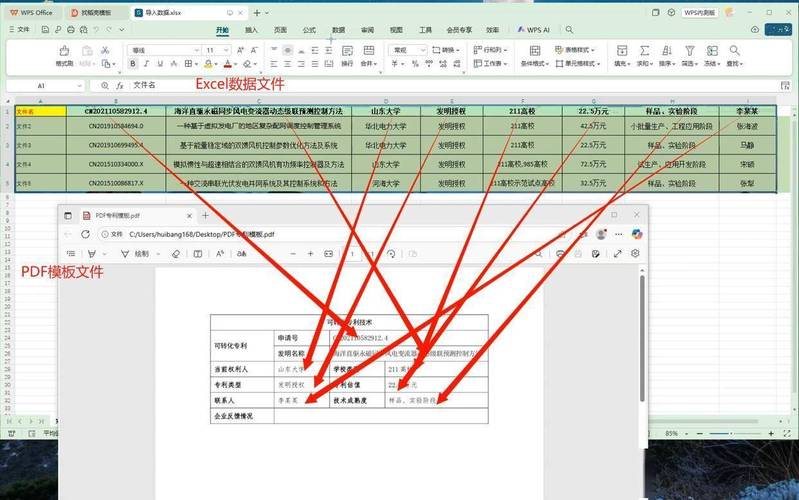
在Spring Boot等Web框架中,可以通过HTTP响应直接导出Excel文件:
(图片来源网络,侵删)
import org.apache.poi.ss.usermodel.*;
import org.apache.poi.xssf.usermodel.XSSFWorkbook;
import org.springframework.web.bind.annotation.GetMapping;
import org.springframework.web.bind.annotation.RestController;
import javax.servlet.http.HttpServletResponse;
import java.io.IOException;
import java.util.ArrayList;
import java.util.List;
@RestController
public class ExcelExportController {
    @GetMapping("/export/excel")
    public void exportExcel(HttpServletResponse response) throws IOException {
        // 设置响应头
        response.setContentType("application/vnd.openxmlformats-officedocument.spreadsheetml.sheet");
        response.setHeader("Content-Disposition", "attachment; filename=employees.xlsx");
        // 创建工作簿
        Workbook workbook = new XSSFWorkbook();
        Sheet sheet = workbook.createSheet("员工信息");
        // 创建表头
        Row headerRow = sheet.createRow(0);
        headerRow.createCell(0).setCellValue("ID");
        headerRow.createCell(1).setCellValue("姓名");
        headerRow.createCell(2).setCellValue("年龄");
        headerRow.createCell(3).setCellValue("部门");
        // 添加数据
        List<Object[]> data = new ArrayList<>();
        data.add(new Object[]{1, "张三", 28, "技术部"});
        data.add(new Object[]{2, "李四", 32, "市场部"});
        data.add(new Object[]{3, "王五", 25, "人事部"});
        int rowNum = 1;
        for (Object[] rowData : data) {
            Row row = sheet.createRow(rowNum++);
            for (int i = 0; i < rowData.length; i++) {
                row.createCell(i).setCellValue(rowData[i].toString());
            }
        }
        // 写入响应流
        workbook.write(response.getOutputStream());
        workbook.close();
    }
}
- Apache POI:功能最全面,支持所有Excel版本,但内存占用较大
- EasyExcel:性能好,内存占用低,适合大数据量导出
- JXL:轻量级,但只支持旧版Excel(.xls)
- Web导出:在Web应用中通过HTTP响应直接下载
根据项目需求选择合适的库,对于大数据量导出推荐使用EasyExcel。
(图片来源网络,侵删)