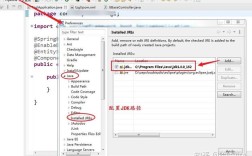
在 Java 中获取 Java 文件(.java 文件)的路径,可以通过多种方式实现,具体取决于你的需求(获取当前类文件的路径、获取源代码路径、获取运行时路径等),以下是几种常见场景的代码示例和说明。
(图片来源网络,侵删)
获取当前类文件的路径(.class 文件路径)
如果你需要获取当前编译后的 .class 文件的路径(通常在 target/classes 或 bin 目录下),可以使用 Class 对象的 getResource() 或 getProtectionDomain() 方法。
方法 1:使用 getResource("")
public class FilePathExample {
    public static void main(String[] args) {
        // 获取当前类文件的目录路径(.class 文件所在目录)
        String classPath = FilePathExample.class.getResource("").getPath();
        System.out.println("Class file directory: " + classPath);
    }
}
输出示例(在 Maven 项目中):
Class file directory: /path/to/your/project/target/classes/com/example/方法 2:使用 getProtectionDomain()
public class FilePathExample {
    public static void main(String[] args) {
        // 获取当前类文件的绝对路径(.class 文件)
        String classPath = FilePathExample.class.getProtectionDomain().getCodeSource().getLocation().getPath();
        System.out.println("Class file path: " + classPath);
    }
}
输出示例:
Class file path: /path/to/your/project/target/classes/获取当前运行的 JAR 文件路径
如果你的程序被打包成 JAR 文件,可以使用以下方法获取 JAR 文件的路径:
(图片来源网络,侵删)
public class JarPathExample {
    public static void main(String[] args) {
        String jarPath = JarPathExample.class.getProtectionDomain().getCodeSource().getLocation().getPath();
        System.out.println("JAR file path: " + jarPath);
    }
}
输出示例:
JAR file path: /path/to/your/app.jar获取 Java 源代码(.java 文件)路径
如果你需要获取未编译的 .java 文件的路径(例如在开发阶段),可以使用以下方法:
方法 1:使用 System.getProperty("user.dir")
public class SourcePathExample {
    public static void main(String[] args) {
        // 获取当前工作目录(通常是项目根目录)
        String projectPath = System.getProperty("user.dir");
        System.out.println("Project root: " + projectPath);
        // 假设你的 .java 文件在 src/main/java 目录下
        String sourcePath = projectPath + "/src/main/java/com/example/FilePathExample.java";
        System.out.println("Java source file path: " + sourcePath);
    }
}
输出示例:
Project root: /path/to/your/project
Java source file path: /path/to/your/project/src/main/java/com/example/FilePathExample.java
方法 2:使用 File 类(适用于 IDE 环境)
如果你在 IDE(如 IntelliJ IDEA 或 Eclipse)中运行,可以直接使用 File 类获取 .java 文件路径:
(图片来源网络,侵删)
import java.io.File;
public class SourcePathExample {
    public static void main(String[] args) {
        // 获取当前类的 .java 文件路径(仅适用于 IDE 环境)
        String sourcePath = new File(FilePathExample.class.getSimpleName() + ".java").getAbsolutePath();
        System.out.println("Java source file path: " + sourcePath);
    }
}
输出示例(在 IDE 中运行):
Java source file path: /path/to/your/project/src/main/java/com/example/FilePathExample.java获取资源文件路径(如 config.properties)
如果你的项目中有资源文件(如 src/main/resources 目录下的文件),可以使用 getResource() 方法:
import java.io.InputStream;
public class ResourcePathExample {
    public static void main(String[] args) {
        // 获取资源文件的输入流
        InputStream inputStream = ResourcePathExample.class.getClassLoader().getResourceAsStream("config.properties");
        if (inputStream != null) {
            System.out.println("Resource file found!");
        } else {
            System.out.println("Resource file not found!");
        }
    }
}
输出示例:
Resource file found!| 需求 | 方法 | 示例代码 |
|---|---|---|
获取 .class 文件路径 |
Class.getResource("") |
FilePathExample.class.getResource("").getPath() |
| 获取 JAR 文件路径 | getProtectionDomain() |
FilePathExample.class.getProtectionDomain().getCodeSource().getLocation().getPath() |
获取 .java 源文件路径 |
System.getProperty("user.dir") |
System.getProperty("user.dir") + "/src/main/java/..." |
| 获取资源文件路径 | getClassLoader().getResourceAsStream() |
ResourcePathExample.class.getClassLoader().getResourceAsStream("config.properties") |
注意事项
- IDE vs. 生产环境:在 IDE 中运行时,路径可能包含
target/classes或bin目录;但在生产环境(JAR 运行)时,路径可能不同。 - 路径分隔符:Windows 使用
\,Linux/macOS 使用 ,建议使用File.separator或Paths.get()来处理跨平台路径。 - 相对路径 vs. 绝对路径:
getResource()返回的是相对于 classpath 的路径,而System.getProperty("user.dir")返回的是当前工作目录。
希望这些方法能帮助你正确获取 Java 文件路径!如果有更具体的需求,可以进一步讨论。 🚀