Of course! textteaser is a Python library designed to automatically generate summaries or "teasers" from a block of text. It's particularly good for creating short, descriptive snippets, which is very useful for things like article previews, search engine result descriptions, or social media posts.
Here's a complete guide on how to use textteaser, including installation, a simple example, and a breakdown of how it works.
Installation
First, you need to install the library. It's available on PyPI, so you can use pip.
pip install textteaser
A Simple Example
This is the most straightforward way to use textteaser. You import the library, create a TextTeaser object, and then call its summarize method.
from textteaser import TextTeaser
# 1. Create a TextTeaser instance
# You can specify language (e.g., 'en' for English) and number of sentences.
tt = TextTeaser(language='en')
# 2. Your source text (a long article, for example)
text = """
Python is an interpreted, high-level, general-purpose programming language.
Created by Guido van Rossum and first released in 1991, Python's design philosophy emphasizes code readability with its notable use of significant whitespace.
Its language constructs and object-oriented approach aim to help programmers write clear, logical code for small and large-scale projects.
Python is dynamically typed and garbage-collected. It supports multiple programming paradigms, including structured (particularly, procedural), object-oriented, and functional programming.
Python is often described as a "batteries included" language due to its comprehensive standard library.
As a general-purpose language, Python is used in many domains, from web development to data science and machine learning.
Major frameworks like Django and Flask are built for Python, making it a popular choice for back-end web services.
In data science, libraries like NumPy, Pandas, and Matplotlib have made Python a cornerstone of the field.
Machine learning and artificial intelligence are heavily reliant on Python, with frameworks like TensorFlow, PyTorch, and scikit-learn providing powerful tools for building and deploying models.
"""
# 3. Generate the summary
# The summarize method takes a title and the text as arguments.
summary_sentences = tt.summarize("Python Programming Language", text)
# 4. Print the result
print("Generated Summary:")
print(" ".join(summary_sentences))
Output:
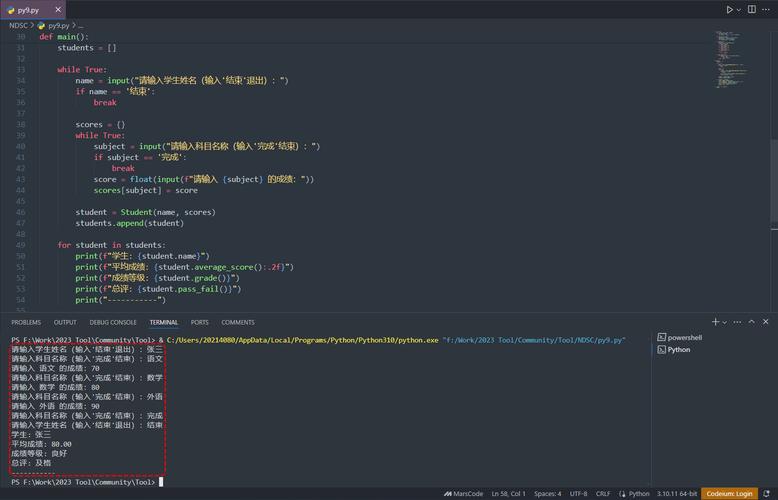
Generated Summary:
Python is an interpreted, high-level, general-purpose programming language. Created by Guido van Rossum and first released in 1991, Python's design philosophy emphasizes code readability with its notable use of significant whitespace. As a general-purpose language, Python is used in many domains, from web development to data science and machine learning.
How textteaser Works (The Core Idea)
textteaser doesn't use complex deep learning models like some modern summarizers. Instead, it relies on a clever and efficient algorithm based on keyword frequency and position. Here's a simplified breakdown of its process:
-
Tokenization and Cleaning: The text is broken down into sentences and words. Stop words (common words like "the", "a", "is", "in") are removed.
-
Keyword Scoring: Each word is given a score based on how frequently it appears in the text. Words that appear more often are considered more important.
-
Sentence Scoring: Each sentence is scored based on the sum of the scores of its keywords. Sentences with higher-scoring keywords are considered more important.
-
Positional Bonus: Sentences that appear earlier in the text are given a slight boost in their score. This helps ensure the summary follows the general flow of the original document.
-
Ranking and Selection: The sentences are ranked by their final scores. The top N sentences (where N is often determined by a target length or a fixed number) are selected to form the summary.
Advanced Usage and Parameters
The TextTeaser constructor and summarize method offer a few options for customization.
Constructor Parameters
When you create the TextTeaser object, you can configure its behavior:
language: The language of the text (e.g.,'en'for English,'es'for Spanish). This affects the list of stop words used.max_sentences: The maximum number of sentences you want in the final summary. This is a key parameter for controlling output length.
# Create a TextTeaser that will generate a summary with a maximum of 2 sentences.
tt_short = TextTeaser(language='en', max_sentences=2)
summary_short = tt_short.summarize("Python Programming Language", text)
print("\nShort Summary (max 2 sentences):")
print(" ".join(summary_short))
Output:
Short Summary (max 2 sentences):
Python is an interpreted, high-level, general-purpose programming language. Created by Guido van Rossum and first released in 1991, Python's design philosophy emphasizes code readability with its notable use of significant whitespace.
summarize Method Parameters
The summarize(title, text) method can also take optional keyword arguments:
: The title of the document. The title's words are often given a higher weight when scoring sentences, as they are usually very relevant to the topic.
max_s: Overrides themax_sentencesset in the constructor for a single call.
# Using the title to influence the summary
# The title "Python in Data Science" will boost the importance of sentences containing those words.= TextTeaser(language='en', max_sentences=3)
summary_with_title = tt_title.summarize("Python in Data Science",
    text=text
)
print("\nSummary with Title Influence:")
print(" ".join(summary_with_title))
Output:
Summary with Title Influence:
As a general-purpose language, Python is used in many domains, from web development to data science and machine learning. In data science, libraries like NumPy, Pandas, and Matplotlib have made Python a cornerstone of the field. Machine learning and artificial intelligence are heavily reliant on Python, with frameworks like TensorFlow, PyTorch, and scikit-learn providing powerful tools for building and deploying models.
Notice how the summary is now heavily focused on the data science and machine learning aspects, directly influenced by the title.
Comparison to Other Summarization Libraries
It's helpful to know where textteaser fits in the broader landscape of text summarization.
| Feature | textteaser |
gensim.summarization |
transformers (Hugging Face) |
|---|---|---|---|
| Type | Extractive | Extractive | Abstractive (can be Extractive) |
| Method | Keyword frequency & position | TextRank algorithm | Pre-trained Neural Networks (e.g., BART, T5) |
| Speed | Very Fast | Fast | Slow (requires GPU for best performance) |
| Quality | Good for short, factual summaries | Good for general-purpose summarization | State-of-the-art, can generate fluent, human-like text |
| Dependencies | Minimal (NLTK) | Minimal (gensim, numpy) | Heavy (PyTorch/TensorFlow, many libraries) |
| Best For | Quick, simple teasers, previews, meta descriptions. | Summarizing documents without heavy setup. | High-quality, human-like summaries, research. |
When to use textteaser:
- You need a very fast, lightweight solution.
- You are generating short summaries (e.g., for a list of search results).
- You don't want to deal with the complexity of deep learning models.
Summary
textteaser is a fantastic, lightweight, and fast Python library for creating extractive summaries. It's perfect for generating article previews, social media snippets, or any other context where you need a concise, fact-based summary of a larger text block. Its simplicity and speed make it a great choice for many practical applications.