Of course! Let's dive deep into the HDEL command in Python using the redis-py library.
What is HDEL?
HDEL is a Redis command that stands for "Hash Delete". Its purpose is to delete one or more fields from a Redis hash.
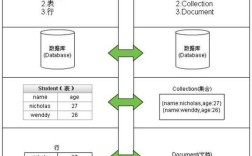
A Redis hash is a mapping between string fields and string values, much like a Python dictionary. HDEL allows you to remove specific key-value pairs from within this hash.
The Command Signature
In Redis, the command is:
HDEL key field1 [field2] [field3] ...
key: The name of the hash you want to modify.field1,field2, ...: One or more field names to delete from the hash.
Return Value: The number of fields that were successfully deleted. If a field doesn't exist, it's simply ignored and doesn't count towards the total.
Using HDEL with Python and redis-py
First, you need to have the redis-py library installed. If you don't, you can install it via pip:
pip install redis
Here's a complete, step-by-step example of how to use hdel in Python.
Step 1: Setup and Connect to Redis
Let's start by connecting to a Redis instance. For this example, we'll assume Redis is running locally on the default port (6379).
import redis
# Connect to your Redis instance
# Replace with your Redis connection details if different
try:
    r = redis.Redis(host='localhost', port=6379, db=0)
    # Test the connection
    r.ping()
    print("Successfully connected to Redis!")
except redis.ConnectionError as e:
    print(f"Could not connect to Redis: {e}")
    exit()
Step 2: Create a Sample Hash
Before we can delete fields, we need a hash to work with. We'll use the hset command to add some data.
# Create a hash named "user:1000" with some fields
hash_name = "user:1000"
r.hset(hash_name, mapping={
    "name": "Alice",
    "email": "alice@example.com",
    "age": "30",
    "city": "New York"
})
print(f"Hash '{hash_name}' created with initial data.")
Step 3: View the Initial Hash
Let's see what our hash looks like before deleting anything.
# Get all fields and values from the hash
all_data = r.hgetall(hash_name)
# hgetall returns bytes, so we decode them for printing
print("\n--- Initial Hash Data ---")
for field, value in all_data.items():
    print(f"{field.decode()}: {value.decode()}")
Expected Output:
--- Initial Hash Data ---
name: Alice
email: alice@example.com
age: 30
city: New York
Example 1: Deleting a Single Field
Now, let's delete the city field from our hash.
field_to_delete = "city"
# Delete the 'city' field
deleted_count = r.hdel(hash_name, field_to_delete)
print(f"\nDeleted field '{field_to_delete}'. Number of fields deleted: {deleted_count}")
Expected Output:
Deleted field 'city'. Number of fields deleted: 1Let's verify the hash again to confirm the deletion.
updated_data = r.hgetall(hash_name)
print("\n--- Hash Data After Deleting 'city' ---")
for field, value in updated_data.items():
    print(f"{field.decode()}: {value.decode()}")
Expected Output:
--- Hash Data After Deleting 'city' ---
name: Alice
email: alice@example.com
age: 30
As you can see, the city field is gone.
Example 2: Deleting Multiple Fields at Once
The HDEL command is powerful because you can delete multiple fields in a single call. Let's remove the email and age fields.
fields_to_delete = ["email", "age"]
# Delete multiple fields in one command
deleted_count = r.hdel(hash_name, *fields_to_delete)
print(f"\nDeleted fields {fields_to_delete}. Number of fields deleted: {deleted_count}")
*Note the `(splat/unpack operator)**. Thehdelmethod expects the fields as separate arguments, so*fields_to_deleteunpacks the list intor.hdel(hash_name, "email", "age")`.
Expected Output:
Deleted fields ['email', 'age']. Number of fields deleted: 2Let's verify the final state of the hash.
final_data = r.hgetall(hash_name)
print("\n--- Final Hash Data ---")
for field, value in final_data.items():
    print(f"{field.decode()}: {value.decode()}")
Expected Output:
--- Final Hash Data ---
name: Alice
Only the name field remains.
Example 3: Deleting a Non-Existent Field
What happens if you try to delete a field that doesn't exist? Redis will simply ignore it, and the command will return 0.
# Try to delete a field that was already deleted or never existed
non_existent_field = "country"
deleted_count = r.hdel(hash_name, non_existent_field)
print(f"\nAttempted to delete '{non_existent_field}'. Number of fields deleted: {deleted_count}")
Expected Output:
Attempted to delete 'country'. Number of fields deleted: 0Complete Runnable Code
Here is the full script with all the examples combined.
import redis
# --- 1. Connection ---
try:
    r = redis.Redis(host='localhost', port=6379, db=0, decode_responses=True)
    r.ping()
    print("Successfully connected to Redis!")
except redis.ConnectionError as e:
    print(f"Could not connect to Redis: {e}")
    exit()
# --- 2. Setup Hash ---
hash_name = "user:1000"
r.hset(hash_name, mapping={
    "name": "Alice",
    "email": "alice@example.com",
    "age": "30",
    "city": "New York"
})
print(f"\nHash '{hash_name}' created.")
# --- 3. Helper Function to Print Hash ---
def print_hash_data(title):
    print(f"\n--- {title} ---")
    all_data = r.hgetall(hash_name)
    if not all_data:
        print("(Hash is empty)")
    for field, value in all_data.items():
        print(f"{field}: {value}")
# --- 4. Initial State ---
print_hash_data("Initial Hash Data")
# --- 5. Example 1: Delete Single Field ---
field_to_delete = "city"
deleted_count = r.hdel(hash_name, field_to_delete)
print(f"\nDeleted field '{field_to_delete}'. Count: {deleted_count}")
print_hash_data("After Deleting 'city'")
# --- 6. Example 2: Delete Multiple Fields ---
fields_to_delete = ["email", "age"]
deleted_count = r.hdel(hash_name, *fields_to_delete)
print(f"\nDeleted fields {fields_to_delete}. Count: {deleted_count}")
print_hash_data("After Deleting 'email' and 'age'")
# --- 7. Example 3: Delete Non-Existent Field ---
non_existent_field = "country"
deleted_count = r.hdel(hash_name, non_existent_field)
print(f"\nAttempted to delete '{non_existent_field}'. Count: {deleted_count}")
print_hash_data("Final Hash Data")
# --- Cleanup (Optional) ---
# r.delete(hash_name)
# print(f"\nCleaned up and deleted the hash '{hash_name}'.")
Important Considerations
- Atomicity:
HDELis an atomic operation. All specified fields are deleted in a single step. This is much more efficient than making multiple separateHDELcalls for each field. - Data Types: Redis keys and hash fields are always strings (or bytes). When you use
decode_responses=Truein theRedisclient,redis-pyautomatically decodes all responses from bytes to strings, which is often more convenient. - Deleting the Entire Hash: If you want to remove the hash and all its fields at once, use the
DELcommand:r.del(hash_name). This is different fromHDEL, which only removes fields from within an existing hash.