Of course! This is a very common and essential task for any developer working with data. Let's break down how to use MySQL with Python on a Linux system.

We'll cover:
- Prerequisites: What you need before you start.
- Installation: Step-by-step instructions for installing the necessary libraries.
- Connecting: How to establish a connection to your MySQL database.
- Executing Queries: How to run
SELECT,INSERT,UPDATE, andDELETEstatements. - Best Practices: Using cursors, handling transactions, and preventing SQL injection.
- Full Example: A complete, runnable script.
- Troubleshooting: Common issues and their solutions.
Prerequisites
Before you can use Python to talk to MySQL, you need two things:
a) A MySQL Server You need a running MySQL or MariaDB server. If you don't have one, you can install it on your Linux machine.
For Debian/Ubuntu:

# Update package lists
sudo apt update
# Install the MySQL server
sudo apt install mysql-server
# Secure your installation (sets root password, removes anonymous users, etc.)
sudo mysql_secure_installation
For RHEL/CentOS/Fedora:
# Install the MySQL server
sudo dnf install mysql-server
# Start and enable the MySQL service
sudo systemctl start mysqld
sudo systemctl enable mysqld
# Run the secure installation script
sudo mysql_secure_installation
b) A Database and User You need a specific database and a user with privileges on that database.
-- Log in to the MySQL server as root
mysql -u root -p
-- Create a new database (e.g., 'myapp_db')
CREATE DATABASE myapp_db;
-- Create a new user (e.g., 'myuser') and set a password (e.g., 'mypassword')
CREATE USER 'myuser'@'localhost' IDENTIFIED BY 'mypassword';
-- Grant all privileges on the new database to the new user
GRANT ALL PRIVILEGES ON myapp_db.* TO 'myuser'@'localhost';
-- Flush the privileges to apply the changes
FLUSH PRIVILEGES;
-- Exit the MySQL shell
EXIT;
Choosing and Installing a Python Library
There are several libraries to connect Python to MySQL. The most popular and recommended one today is mysql-connector-python from Oracle. The older MySQLdb library is outdated and can be difficult to compile on modern systems.
Option A: Recommended - mysql-connector-python
This is a pure Python driver, which means it's easier to install across different systems.

Installation:
Open your terminal and use pip:
pip install mysql-connector-python
If you need to install it for the system-wide Python 3, you might use sudo:
sudo pip3 install mysql-connector-python
Option B: Alternative - PyMySQL
This is another excellent, pure-Python driver. It's very lightweight and easy to use.
Installation:
pip install PyMySQL
For the rest of this guide, we will use mysql-connector-python as the primary example, but the concepts are easily transferable to PyMySQL.
Connecting to the Database
First, you need to import the library and create a connection object. This object holds all the information about your connection.
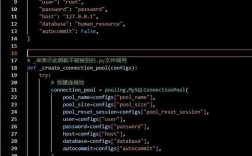
import mysql.connector
from mysql.connector import Error
try:
    # Establish the connection
    connection = mysql.connector.connect(
        host='localhost',        # or your server's IP address
        database='myapp_db',     # The database you created
        user='myuser',           # The user you created
        password='mypassword'    # The user's password
    )
    if connection.is_connected():
        db_info = connection.get_server_info()
        print(f"Successfully connected to MySQL Server version {db_info}")
        cursor = connection.cursor()
        cursor.execute("select database();")
        record = cursor.fetchone()
        print(f"You're connected to database: {record[0]}")
except Error as e:
    print(f"Error while connecting to MySQL: {e}")
finally:
    # Closing the connection
    if 'connection' in locals() and connection.is_connected():
        cursor.close()
        connection.close()
        print("MySQL connection is closed.")
Executing Queries (CRUD Operations)
The key to executing queries is the cursor. Think of it as a control structure that allows you to traverse over the records in the database.
a) Creating a Table and Inserting Data (CREATE, INSERT)
import mysql.connector
# Assume 'connection' and 'cursor' are already established from the previous step
try:
    cursor = connection.cursor()
    # --- Create a table ---
    create_table_query = """
    CREATE TABLE IF NOT EXISTS employees (
        id INT AUTO_INCREMENT PRIMARY KEY,
        name VARCHAR(255) NOT NULL,
        position VARCHAR(100),
        salary DECIMAL(10, 2)
    )
    """
    cursor.execute(create_table_query)
    print("Table 'employees' created successfully.")
    # --- Insert data into the table ---
    insert_query = "INSERT INTO employees (name, position, salary) VALUES (%s, %s, %s)"
    employee_data = ('Alice', 'Software Engineer', 95000.00)
    cursor.execute(insert_query, employee_data)
    # --- Insert multiple rows at once ---
    employees_to_insert = [
        ('Bob', 'Project Manager', 105000.00),
        ('Charlie', 'Data Analyst', 75000.00)
    ]
    cursor.executemany(insert_query, employees_to_insert)
    # Commit the transaction to save the changes
    connection.commit()
    print(f"{cursor.rowcount} records inserted successfully.")
except Error as e:
    print(f"Error while executing query: {e}")
    connection.rollback() # Roll back in case of error
finally:
    if connection.is_connected():
        cursor.close()
        # connection.close() # Keep connection open for other operations
b) Reading Data (SELECT)
select_query = "SELECT id, name, position, salary FROM employees"
try:
    cursor = connection.cursor(dictionary=True) # dictionary=True returns rows as dicts
    cursor.execute(select_query)
    records = cursor.fetchall() # Fetch all rows
    print("\n--- Employee Records ---")
    if records:
        for row in records:
            print(f"ID: {row['id']}, Name: {row['name']}, Position: {row['position']}, Salary: {row['salary']}")
    else:
        print("No records found.")
except Error as e:
    print(f"Error while reading data: {e}")
finally:
    if connection.is_connected():
        cursor.close()
c) Updating Data (UPDATE)
update_query = "UPDATE employees SET salary = %s WHERE name = %s"
try:
    cursor = connection.cursor()
    new_salary = 100000.00
    employee_name = 'Alice'
    cursor.execute(update_query, (new_salary, employee_name))
    connection.commit()
    print(f"{cursor.rowcount} record(s) updated successfully.")
except Error as e:
    print(f"Error while updating data: {e}")
    connection.rollback()
finally:
    if connection.is_connected():
        cursor.close()
d) Deleting Data (DELETE)
delete_query = "DELETE FROM employees WHERE name = %s"
try:
    cursor = connection.cursor()
    employee_to_delete = 'Bob'
    cursor.execute(delete_query, (employee_to_delete,))
    connection.commit()
    print(f"{cursor.rowcount} record(s) deleted successfully.")
except Error as e:
    print(f"Error while deleting data: {e}")
    connection.rollback()
finally:
    if connection.is_connected():
        cursor.close()
Best Practices
-
Use Context Managers (
withstatement): Themysql.connectorlibrary supports context managers, which automatically handle closing the cursor for you.with connection.cursor(dictionary=True) as cursor: cursor.execute("SELECT * FROM employees") results = cursor.fetchall() # cursor is automatically closed here -
Always Commit Transactions: After any
INSERT,UPDATE, orDELETE, you must callconnection.commit()to save the changes. If an error occurs, callconnection.rollback()to undo the changes. -
Prevent SQL Injection: NEVER use Python string formatting (
f-strings, ) to insert variables directly into a query string. This is a major security risk. Always use parameterized queries with%splaceholders.WRONG (Vulnerable to SQL Injection):
user_id = 123
query = f"SELECT * FROM users WHERE id = {user_id}" # DANGEROUS!
RIGHT (Safe):
user_id = 123
query = "SELECT * FROM users WHERE id = %s"
cursor.execute(query, (user_id,)) # Pass the value as a tuple
-
Close Connections: Always close your database connections when you're done to free up resources on the database server. Using
try...finallyblocks is a robust way to ensure this happens.
Complete Runnable Example Script
Here is a full script that puts everything together.
import mysql.connector
from mysql.connector import Error
def create_connection(host_name, user_name, user_password, db_name=None):
    """ Creates a database connection to a MySQL server. """
    connection = None
    try:
        connection = mysql.connector.connect(
            host=host_name,
            user=user_name,
            passwd=user_password,
            database=db_name
        )
        print("Connection to MySQL successful")
    except Error as e:
        print(f"The error '{e}' occurred")
    return connection
def execute_query(connection, query, data=None):
    """ Executes a single query. """
    cursor = connection.cursor()
    try:
        if data:
            cursor.execute(query, data)
        else:
            cursor.execute(query)
        connection.commit()
        print("Query executed successfully")
    except Error as e:
        print(f"The error '{e}' occurred")
def execute_read_query(connection, query):
    """ Executes a read query and returns the results. """
    cursor = connection.cursor(dictionary=True)
    result = None
    try:
        cursor.execute(query)
        result = cursor.fetchall()
        return result
    except Error as e:
        print(f"The error '{e}' occurred")
# --- Main execution ---
if __name__ == "__main__":
    # Replace with your actual MySQL credentials
    db_host = "localhost"
    db_user = "myuser"
    db_pass = "mypassword"
    database = "myapp_db"
    # 1. Create a connection
    conn = create_connection(db_host, db_user, db_pass, database)
    if conn is not None:
        # 2. Create a table
        create_employees_table = """
        CREATE TABLE IF NOT EXISTS employees (
            id INT AUTO_INCREMENT PRIMARY KEY,
            name VARCHAR(255) NOT NULL,
            position VARCHAR(100),
            salary DECIMAL(10, 2)
        )
        """
        execute_query(conn, create_employees_table)
        # 3. Insert data
        employee_to_insert = ('David', 'DevOps Engineer', 110000.00)
        insert_employee_sql = "INSERT INTO employees (name, position, salary) VALUES (%s, %s, %s)"
        execute_query(conn, insert_employee_sql, employee_to_insert)
        # 4. Read data
        select_employees_sql = "SELECT * FROM employees"
        employees = execute_read_query(conn, select_employees_sql)
        for employee in employees:
            print(employee)
        # 5. Update data
        update_employee_sql = "UPDATE employees SET salary = %s WHERE name = %s"
        execute_query(conn, update_employee_sql, (115000.00, 'David'))
        # 6. Read data again to see the update
        updated_employees = execute_read_query(conn, select_employees_sql)
        print("\nAfter update:")
        for employee in updated_employees:
            print(employee)
        # 7. Close the connection
        conn.close()
        print("MySQL connection is closed.")
Troubleshooting Common Issues
-
mysql.connector.errors.ProgrammingError: 1045 (28000): Access denied for user 'user'@'localhost' (using password: YES)- Cause: Incorrect username or password.
- Solution: Double-check your credentials. Log in to MySQL directly with
mysql -u myuser -pto verify.
-
mysql.connector.errors.ProgrammingError: 2002: Can't connect to local MySQL server through socket '/var/run/mysqld/mysqld.sock' (2)- Cause: The MySQL server is not running.
- Solution: Start the service. On Ubuntu/Debian:
sudo systemctl start mysql. On RHEL/CentOS:sudo systemctl start mysqld.
-
mysql.connector.errors.InterfaceError: 2003: Can't connect to MySQL server on 'localhost:3306' (111)- Cause: The MySQL server is not listening on the network port (3306 is the default). It might be configured to only accept local socket connections.
- Solution: You can either connect using the socket path (more complex) or reconfigure MySQL to listen on the network interface. For development, binding to
0.0.0in the MySQL config (/etc/mysql/mysql.conf.d/mysqld.cnf) often works.
-
ImportError: No module named 'mysql.connector'- Cause: The library is not installed in the Python environment you are using.
- Solution: Make sure you are using the correct
pipandpythonexecutables. Check withwhich python3andwhich pip3and install using the full path if needed, e.g.,/usr/bin/pip3 install mysql-connector-python.