判断对象是否为 null (最基本)
这是最基础也是最常见的一步,如果一个变量没有被赋值(即没有指向任何内存地址),那么它的值就是 null。
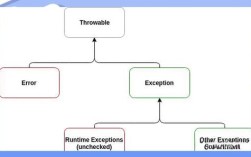
(图片来源网络,侵删)
场景: 检查一个对象引用是否存在。
public class Main {
    public static void main(String[] args) {
        String str1 = null;
        String str2 = "hello";
        // 使用 == 操作符判断
        if (str1 == null) {
            System.out.println("str1 是 null"); // 会执行
        }
        if (str2 == null) {
            System.out.println("str2 是 null"); // 不会执行
        }
        // 最佳实践:总是将 null 放在 == 的左边
        // if (null == str1) { ... } // 这样可以避免手误写成 if (str1 = null) ...
    }
}
要点:
- 用于比较两个对象的引用地址是否相等。
- 对于所有对象,
null都是一个关键字,表示“空引用”。 - 永远不要对一个
null对象调用任何方法或访问任何字段,否则会抛出NullPointerException(空指针异常)。
判断字符串是否为“空” (String 特有)
对于 String 对象,null 和 “空字符串” () 是不同的概念。
null:表示String对象本身不存在。- 表示
String对象存在,但它不包含任何字符(长度为 0)。
判断一个字符串是否“为空”,通常需要同时判断 null 和 。
(图片来源网络,侵删)
手动判断 (基础)
String str = null;
if (str == null || str.isEmpty()) {
    System.out.println("字符串为空或为 null"); // 会执行
}
str = "";
if (str == null || str.isEmpty()) {
    System.out.println("字符串为空或为 null"); // 会执行
}
str = " ";
if (str == null || str.isEmpty()) {
    System.out.println("字符串为空或为 null"); // 不会执行
}
说明:
str.isEmpty()方法内部会先检查str是否为null,"".isEmpty()返回true。- 但是,
str是null,直接调用str.isEmpty()会抛出NullPointerException,必须先用str == null进行判断。
使用 StringUtils (推荐,来自 Apache Commons Lang 或 Spring)
在实际项目中,我们通常使用工具类来简化这些判断,它们更简洁、更健壮。
Apache Commons Lang: org.apache.commons.lang3.StringUtils
// 添加依赖: org.apache.commons:commons-lang3:3.12.0
import org.apache.commons.lang3.StringUtils;
String str = null;
// isBlank() 同时判断 null, "", "   " (纯空格)
if (StringUtils.isBlank(str)) {
    System.out.println("字符串为 null、空或仅包含空白字符"); // 会执行
}
str = "   ";
if (StringUtils.isBlank(str)) {
    System.out.println("字符串为 null、空或仅包含空白字符"); // 会执行
}
// isEmpty() 只判断 null 和 ""
if (StringUtils.isEmpty(str)) {
    System.out.println("字符串为 null 或空"); // 不会执行,因为 str 是 "   "
}
常用方法:
StringUtils.isEmpty(CharSequence cs): 判断是否为null或 。StringUtils.isBlank(CharSequence cs): 判断是否为null、 或只包含空白字符(如\t\n\r\f),这是最常用的方法,因为它能处理用户输入中常见的“全是空格”的情况。
Spring Framework: org.springframework.util.StringUtils
如果你已经在使用 Spring,可以直接使用其提供的工具类。
// 添加依赖: org.springframework:spring-core:...
import org.springframework.util.StringUtils;
String str = "   ";
if (StringUtils.hasText(str)) {
    System.out.println("字符串不为空且包含非空白字符"); // 不会执行
}
if (StringUtils.hasLength(str)) {
    System.out.println("字符串不为空且长度大于0"); // 会执行
}
常用方法:
StringUtils.hasText(String str): 判断是否为null、空或只包含空白字符,功能和commons-lang3的isBlank类似。StringUtils.hasLength(String str): 判断是否为null或长度为 0,功能和commons-lang3的isEmpty类似。
判断集合/数组是否为“空”
对于集合(如 List, Set, Map)和数组,判断“空”通常指:
- 引用是否为
null。 - 如果引用不为
null,其内部是否包含任何元素。
手动判断
import java.util.ArrayList;
import java.util.List;
import java.util.Map;
import java.util.HashMap;
// List 示例
List<String> list = null;
if (list == null || list.isEmpty()) {
    System.out.println("List 为 null 或没有元素"); // 会执行
}
list = new ArrayList<>();
if (list == null || list.isEmpty()) {
    System.out.println("List 为 null 或没有元素"); // 会执行
}
// Map 示例
Map<String, Integer> map = new HashMap<>();
if (map == null || map.isEmpty()) {
    System.out.println("Map 为 null 或没有键值对"); // 会执行
}
使用 Java 8+ Stream API (函数式风格)
对于复杂的判断,Stream API 提供了另一种优雅的方式。
import java.util.Arrays;
import java.util.List;
List<String> list = Arrays.asList("a", "b", null);
// 判断 List 是否为 null 或所有元素都为 null
boolean allNullOrListEmpty = list == null || list.stream().allMatch(Objects::isNull);
System.out.println("List 为 null 或所有元素都为 null: " + allNullOrListEmpty); // false
List<String> emptyList = new ArrayList<>();
boolean isReallyEmpty = emptyList == null || emptyList.stream().allMatch(Objects::isNull);
System.out.println("emptyList 为 null 或所有元素都为 null: " + isReallyEmpty); // true (因为 isEmpty() 为 true)
注意: 对于简单的“是否为空”判断,list.isEmpty() 更直接高效,Stream API 更适合复杂的元素级判断。
判断自定义对象是否为“空”
对于你自己创建的 JavaBean (POJO),"为空"的定义可能更复杂,它可能意味着:
- 对象本身是
null。 - 对象的所有字段都是
null或默认值(0,false)。
手动 equals 方法
你可以在你的类中重写 equals 方法来定义“空”的逻辑。
public class User {
    private Long id;
    private String name;
    private Integer age;
    // 构造函数、getters、setters...
    @Override
    public boolean equals(Object o) {
        if (this == o) return true;
        if (o == null || getClass() != o.getClass()) return false;
        User user = (User) o;
        // 定义 "空" 的逻辑:id 和 name 都为 null
        return (id == null && user.id == null) &&
               (name == null && user.name == null);
    }
    // ... 建议同时重写 hashCode()
}
// 使用
User user1 = new User();
user1.setId(null);
user1.setName(null);
User emptyUser = new User(); // 所有字段都是默认值 null
System.out.println(user1.equals(emptyUser)); // true
缺点: 这种方式会与标准的 equals 语义(对象内容相等)冲突,容易引起混淆。
专门的 isEmpty() 方法 (推荐)
创建一个专门的方法来判断对象是否“业务上为空”,这是更清晰的做法。
public class User {
    private Long id;
    private String name;
    private Integer age;
    // 构造函数、getters、setters...
    /**
     * 判断用户对象是否为空(业务定义)
     */
    public boolean isEmpty() {
        // 业务规则:id 和 name 都为空,则视为空用户
        return this.id == null && (this.name == null || this.name.trim().isEmpty());
    }
}
// 使用
User user = new User();
user.setId(null);
user.setName("  "); // 全是空格
if (user.isEmpty()) {
    System.out.println("这是一个空用户"); // 会执行
}
使用 Lombok @Delegate (高级技巧)
如果你的类是一个简单的数据容器,并且你想委托调用某个内部集合的 isEmpty 方法,可以使用 Lombok。
import lombok.Delegate;
public class ShoppingCart {
    private List<Item> items = new ArrayList<>();
    // @Delegate 会将 List 接口中的所有方法(包括 isEmpty)委托给 items 字段
    @Delegate
    private List<Item> getItems() {
        return items;
    }
}
// 使用
ShoppingCart cart = new ShoppingCart();
System.out.println(cart.isEmpty()); // true,实际调用的是 cart.getItems().isEmpty()
总结与最佳实践
| 场景 | 推荐方法 | 示例 |
|---|---|---|
判断对象引用是否为 null |
if (myObject == null) |
|
判断字符串是否为 null 或 |
StringUtils.isEmpty() |
StringUtils.isEmpty(str) |
判断字符串是否为 null、或纯空格 |
StringUtils.isBlank() |
StringUtils.isBlank(str) |
判断集合/数组是否为 null 或无元素 |
+ isEmpty() |
if (myList == null || myList.isEmpty()) |
| 判断自定义对象是否“业务为空” | 自定义 isEmpty() 方法 |
if (user.isEmpty()) |
核心思想:
- 明确“空”的定义:在你写代码之前,先想清楚你判断的“空”到底是什么意思,是引用为空?内容为空?还是业务逻辑上的空?
- 防御性编程:始终先检查
null,再调用对象的方法,使用工具类(如StringUtils)可以极大地减少出错的可能性。 - 代码可读性:使用像
StringUtils.isBlank(str)这样的方法,比写一长串str == null || str.trim().isEmpty()更清晰、更不易出错。