Of course! Working with Base64 in Java is very common, especially for encoding binary data (like images or files) into a text format, and for decoding it back.
Here’s a comprehensive guide covering the different ways to handle Base64 in Java, from the modern, built-in java.util.Base64 to older methods.
The Modern & Recommended Way: java.util.Base64 (Java 8+)
Since Java 8, the standard library includes a robust and easy-to-use java.util.Base64 class. This is the best approach for any new code.
This class provides three main types of encoders/decoders:
- Basic: Uses the standard Base64 alphabet. Does not add any line separators.
- URL: Uses a URL-safe alphabet (replacing with and with
_). It does not add line separators. - MIME: Uses the standard alphabet but adds line breaks (
\n) at regular intervals (typically every 76 characters). This is useful for embedding data in emails or other text-based protocols.
Example: Encoding a File to a Base64 String
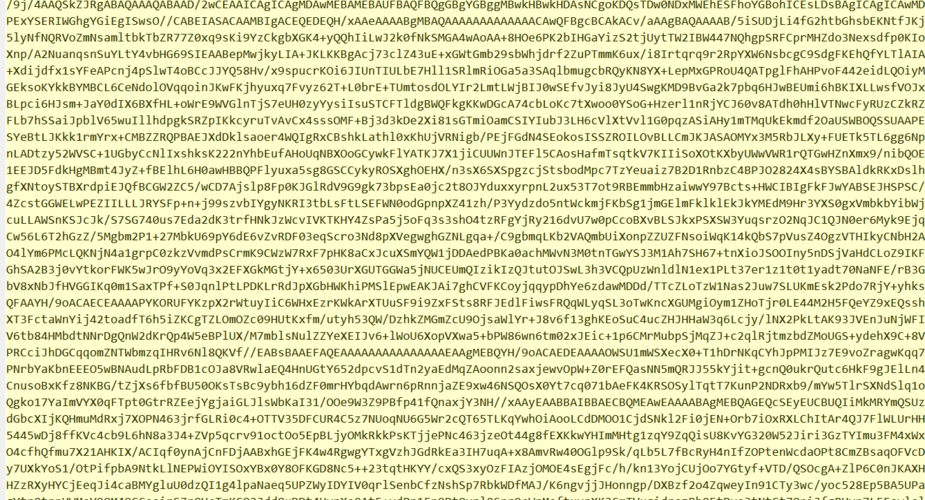
This example reads a file (e.g., an image) and converts it into a Base64 string.

import java.io.IOException;
import java.nio.file.Files;
import java.nio.file.Path;
import java.nio.file.Paths;
import java.util.Base64;
public class FileToBase64Encoder {
    public static void main(String[] args) {
        // 1. Define the path to your file
        Path filePath = Paths.get("path/to/your/image.png");
        try {
            // 2. Read all bytes from the file
            byte[] fileContent = Files.readAllBytes(filePath);
            // 3. Get a Base64 encoder
            Base64.Encoder encoder = Base64.getEncoder();
            // 4. Encode the byte array into a Base64 string
            String encodedString = encoder.encodeToString(fileContent);
            // 5. Print the result (or use it as needed)
            System.out.println("Base64 Encoded String:");
            System.out.println(encodedString);
        } catch (IOException e) {
            System.err.println("Error reading the file: " + e.getMessage());
            e.printStackTrace();
        }
    }
}
Example: Decoding a Base64 String to a File
This example takes a Base64 string and writes it back to a file.
import java.io.IOException;
import java.nio.file.Files;
import java.nio.file.Path;
import java.nio.file.Paths;
import java.util.Base64;
public class Base64ToFileDecoder {
    public static void main(String[] args) {
        // This is the Base64 string you want to decode.
        // For this example, we'll use a dummy one.
        String base64String = "iVBORw0KGgoAAAANSUhEUgAAAAEAAAABCAYAAAAfFcSJAAAADUlEQVR42mNkYPhfDwAChwGA60e6kgAAAABJRU5ErkJggg=="; // A tiny 1x1 pixel PNG
        // 1. Define the output file path
        Path outputPath = Paths.get("output.png");
        try {
            // 2. Get a Base64 decoder
            Base64.Decoder decoder = Base64.getDecoder();
            // 3. Decode the Base64 string back to a byte array
            byte[] decodedBytes = decoder.decode(base64String);
            // 4. Write the byte array to the output file
            Files.write(outputPath, decodedBytes);
            System.out.println("File decoded and saved successfully to: " + outputPath);
        } catch (IOException e) {
            System.err.println("Error writing the file: " + e.getMessage());
            e.printStackTrace();
        } catch (IllegalArgumentException e) {
            System.err.println("Invalid Base64 string: " + e.getMessage());
            e.printStackTrace();
        }
    }
}
The Legacy Way: javax.xml.bind.DatatypeConverter
Before Java 8, the standard way to handle Base64 was through the JAXB API, which was part of the Java EE/SE platform. While not recommended for new projects, you might encounter this in older codebases.
Note: javax.xml.bind module was removed in Java 9 and made an optional module in Java 8. If you're using a modern Java version, you may need to add a dependency if you absolutely must use this.
Example: Encoding with DatatypeConverter
import javax.xml.bind.DatatypeConverter;
import java.nio.file.Files;
import java.nio.file.Paths;
public class LegacyEncoder {
    public static void main(String[] args) throws Exception {
        byte[] fileContent = Files.readAllBytes(Paths.get("path/to/your/image.png"));
        String encodedString = DatatypeConverter.printBase64Binary(fileContent);
        System.out.println(encodedString);
    }
}
Example: Decoding with DatatypeConverter
import javax.xml.bind.DatatypeConverter;
import java.nio.file.Files;
import java.nio.file.Paths;
public class LegacyDecoder {
    public static void main(String[] args) throws Exception {
        String base64String = "iVBORw0KGgoAAAANSUhEUgAAAAEAAAABCAYAAAAfFcSJAAAADUlEQVR42mNkYPhfDwAChwGA60e6kgAAAABJRU5ErkJggg==";
        byte[] decodedBytes = DatatypeConverter.parseBase64Binary(base64String);
        Files.write(Paths.get("output_legacy.png"), decodedBytes);
    }
}
Using External Libraries (Apache Commons Codec)
For projects that already use the Apache Commons library, commons-codec provides a familiar and powerful Base64 class. This is a great alternative if you need features not in the standard library, like streaming.
Maven Dependency
First, add the dependency to your pom.xml:
<dependency>
    <groupId>commons-codec</groupId>
    <artifactId>commons-codec</artifactId>
    <version>1.15</version> <!-- Use the latest version -->
</dependency>
Example: Encoding with Apache Commons Codec
import org.apache.commons.codec.binary.Base64;
import java.nio.file.Files;
import java.nio.file.Paths;
public class ApacheBase64Encoder {
    public static void main(String[] args) throws Exception {
        byte[] fileContent = Files.readAllBytes(Paths.get("path/to/your/image.png"));
        // The encodeBase64String method handles the conversion
        String encodedString = Base64.encodeBase64String(fileContent);
        System.out.println(encodedString);
    }
}
Example: Decoding with Apache Commons Codec
import org.apache.commons.codec.binary.Base64;
import java.nio.file.Files;
import java.nio.file.Paths;
public class ApacheBase64Decoder {
    public static void main(String[] args) throws Exception {
        String base64String = "iVBORw0KGgoAAAANSUhEUgAAAAEAAAABCAYAAAAfFcSJAAAADUlEQVR42mNkYPhfDwAChwGA60e6kgAAAABJRU5ErkJggg==";
        // The decodeBase64 method returns a byte array
        byte[] decodedBytes = Base64.decodeBase64(base64String);
        Files.write(Paths.get("output_apache.png"), decodedBytes);
    }
}
Summary: Which One Should I Use?
| Method | Pros | Cons | Best For |
|---|---|---|---|
java.util.Base64 |
(Recommended) Built-in, no dependencies, modern API, supports Basic/URL/MIME. | Java 8+ required. | All new Java applications. |
javax.xml.bind.DatatypeConverter |
Simple one-line methods. | Legacy, removed from modern Java, requires optional dependencies. | Maintaining old Java 7 or earlier codebases. |
| Apache Commons Codec | Powerful, widely used, familiar to many developers, supports streaming. | Requires an external dependency (commons-codec). |
Projects already using Apache Commons or needing advanced features. |
For any new project in Java 8 or later, always prefer java.util.Base64. It's the standard, it's efficient, and it doesn't require any external libraries.