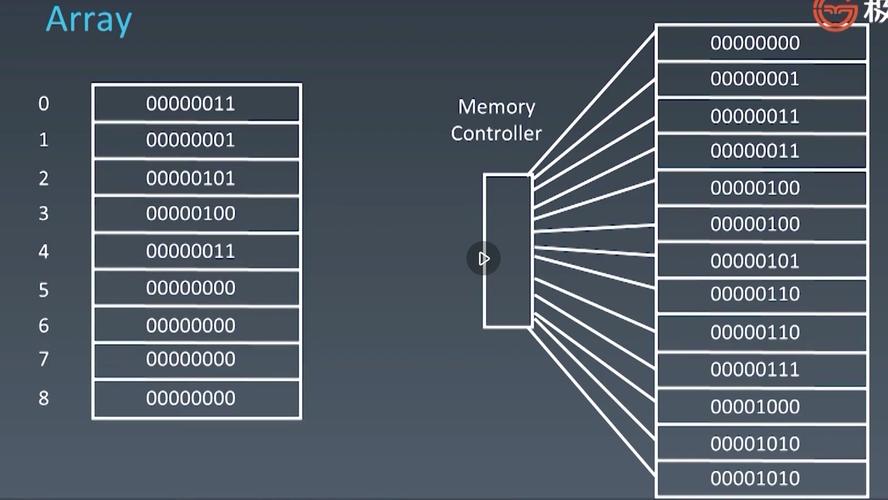
Of course! The term "array" in Python can refer to a few different things. The most common and flexible is the Python list. Other options include the NumPy array and the array module.
I'll cover how to concatenate (join) arrays in all these contexts, starting with the most common one.
Concatenating Python Lists (The Most Common Case)
Python lists are the built-in, go-to solution for sequences of data. Concatenation means joining two or more lists together.
Method 1: Using the Operator (Recommended for simple cases)
This is the most straightforward and readable way to combine two lists. It creates a new list containing all elements from the original lists.
list1 = [1, 2, 3]
list2 = [4, 5, 6]
# Use the + operator to concatenate
combined_list = list1 + list2
print(f"List 1: {list1}")
print(f"List 2: {list2}")
print(f"Combined List: {combined_list}")
Output:
List 1: [1, 2, 3]
List 2: [4, 5, 6]
Combined List: [1, 2, 3, 4, 5, 6]
Method 2: Using the extend() Method
The extend() method adds all items from an iterable (like another list) to the end of an existing list. It modifies the list in-place and returns None.
This is useful when you want to modify the first list directly instead of creating a new one.
list1 = [1, 2, 3]
list2 = [4, 5, 6]
print(f"List 1 before extend: {list1}")
# extend() modifies list1 in-place
list1.extend(list2)
print(f"List 1 after extend: {list1}")
print(f"List 2 remains unchanged: {list2}")
Output:
List 1 before extend: [1, 2, 3]
List 1 after extend: [1, 2, 3, 4, 5, 6]
List 2 remains unchanged: [4, 5, 6]
Method 3: Using the Operator for Repetition
You can also use the operator to repeat a list a certain number of times, which is a form of concatenation.
my_list = [1, 2]
repeated_list = my_list * 3
print(f"Original list: {my_list}")
print(f"Repeated list: {repeated_list}")
Output:
Original list: [1, 2]
Repeated list: [1, 2, 1, 2, 1, 2]
Concatenating NumPy Arrays (For Numerical Computing)
When you're working with numerical, scientific, or multi-dimensional data, the NumPy library is the standard. Its arrays (ndarray) are more efficient and powerful than Python lists.
Method 1: numpy.concatenate()
This is the primary function for joining NumPy arrays. It's very flexible and can join arrays along any axis.
Important: The arrays must have the same shape, except for the dimension along which they are being joined.
import numpy as np
# 1D Arrays
a1d = np.array([1, 2, 3])
b1d = np.array([4, 5, 6])
# Concatenate along the default axis (axis=0 for 1D)
combined_1d = np.concatenate((a1d, b1d))
print("Combined 1D Array:")
print(combined_1d)
# 2D Arrays
a2d = np.array([[1, 2], [3, 4]])
b2d = np.array([[5, 6], [7, 8]])
# Concatenate along axis 0 (stacking rows)
combined_axis0 = np.concatenate((a2d, b2d), axis=0)
print("\nCombined 2D Array (axis=0):")
print(combined_axis0)
# Concatenate along axis 1 (stacking columns)
combined_axis1 = np.concatenate((a2d, b2d), axis=1)
print("\nCombined 2D Array (axis=1):")
print(combined_axis1)
Output:
Combined 1D Array:
[1 2 3 4 5 6]
Combined 2D Array (axis=0):
[[1 2]
 [3 4]
 [5 6]
 [7 8]]
Combined 2D Array (axis=1):
[[1 2 5 6]
 [3 4 7 8]]
Method 2: numpy.stack(), numpy.hstack(), numpy.vstack()
NumPy also provides convenient shortcuts for common concatenation scenarios.
np.vstack()(Vertical Stack): Stacks arrays vertically (likeconcatenatewithaxis=0).np.hstack()(Horizontal Stack): Stacks arrays horizontally (likeconcatenatewithaxis=1).np.stack()(Stack): Creates a new dimension by stacking arrays.
import numpy as np
a2d = np.array([[1, 2], [3, 4]])
b2d = np.array([[5, 6], [7, 8]])
# Vertical Stack
v_stacked = np.vstack((a2d, b2d))
print("vStacked Array:")
print(v_stacked)
# Horizontal Stack
h_stacked = np.hstack((a2d, b2d))
print("\nhStacked Array:")
print(h_stacked)
Output:
vStacked Array:
[[1 2]
 [3 4]
 [5 6]
 [7 8]]
hStacked Array:
[[1 2 5 6]
 [3 4 7 8]]
Concatenating Arrays from the array Module
Python has a built-in array module that creates more memory-efficient arrays than lists, but they are less flexible (all elements must be of the same type). The syntax is similar to lists.
import array
# Create two arrays of integers (type code 'i')
arr1 = array.array('i', [1, 2, 3])
arr2 = array.array('i', [4, 5, 6])
# The '+' operator works just like with lists
combined_arr = arr1 + arr2
print(f"Array 1: {arr1}")
print(f"Array 2: {arr2}")
print(f"Combined Array: {combined_arr}")
# You can also use the fromlist() method
arr3 = array.array('i')
arr3.fromlist([7, 8, 9])
print(f"\nArray 3 after fromlist: {arr3}")
Output:
Array 1: array('i', [1, 2, 3])
Array 2: array('i', [4, 5, 6])
Combined Array: array('i', [1, 2, 3, 4, 5, 6])
Array 3 after fromlist: array('i', [7, 8, 9])
Summary and When to Use What
| Method | Data Type | How it Works | Best For |
|---|---|---|---|
| Operator | list |
Creates a new list. | Simple, readable joining of lists when you need a new combined list. |
.extend() |
list |
Modifies the first list in-place. | Modifying an existing list efficiently without creating a new one. |
np.concatenate() |
NumPy array |
Joins arrays along a specified axis. | General-purpose, flexible joining of NumPy arrays of any dimension. |
np.vstack() / np.hstack() |
NumPy array |
Convenient shortcuts for vertical/horizontal stacking. | Quick, readable stacking of 2D NumPy arrays. |
| Operator | array module |
Creates a new array. | When you need memory-efficient arrays and simple concatenation. |
Quick Guide:
- For general-purpose programming: Use Python
listwith the operator. - For data science, machine learning, or numerical calculations: Use NumPy arrays with
np.concatenate(),np.vstack(), ornp.hstack(). - For memory-critical applications with a single data type: Consider the
arraymodule.