Of course! The OpenStack Python SDK is the primary, officially supported way to interact with OpenStack services programmatically. It's a powerful and flexible tool for automating cloud infrastructure.

Here's a comprehensive guide covering what it is, how to install it, how to use it, and best practices.
What is the OpenStack Python SDK?
The OpenStack Python SDK is a collection of libraries that allow you to control and automate OpenStack cloud environments. It's essentially a Python wrapper around the OpenStack API (which is a RESTful API).
Key characteristics:
- Official: It's maintained by the OpenStack community and is the recommended method for programmatic access.
- Service-Specific: It's not a single monolithic library. Instead, it's composed of separate libraries for each OpenStack service (e.g.,
novafor compute,glancefor images,neutronfor networking). - Pythonic: The libraries are designed to feel natural to Python developers, using objects, methods, and idioms common in the Python ecosystem.
- Asynchronous Support: Modern versions of the SDK have excellent support for asynchronous operations using
asyncio, which is crucial for writing high-performance, non-blocking applications.
Installation
The most common way to install the SDK is using pip. You typically install only the libraries for the services you need.

Install for Specific Services
This is the recommended approach to keep your environment clean.
# Install libraries for Compute (Nova), Networking (Neutron), and Identity (Keystone)
pip install python-novaclient python-neutronclient python-openstackclient
# Or, for a more modern approach using the 'openstacksdk' (see section 5)
pip install openstacksdk
Install for All Services
You can install a meta-package that includes all known service clients.
pip install python-openstackclient
Authentication and Connection
Before you can do anything, you need to authenticate with the OpenStack Identity service (Keystone) and get a token. The SDK makes this process straightforward.
The most common method is using environment variables. This is highly recommended as it separates your credentials from your code.

Environment Variables
Set these variables in your shell or in a .env file that your script can load.
export OS_AUTH_URL=http://your-openstack-api:5000/v3
export OS_PROJECT_ID=<your-project-id>
export OS_PROJECT_NAME="<your-project-name>"
export OS_USER_DOMAIN_NAME="<your-domain-name>"
export OS_USERNAME="<your-username>"
export OS_PASSWORD="<your-password>"
export OS_REGION_NAME="<your-region>"
export OS_IDENTITY_API_VERSION=3
Creating a Connection Object
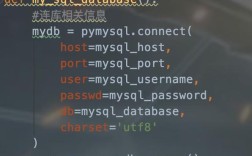
The SDK uses a Connection object that manages the session, authentication, and provides access to all service clients.
import openstack
# The connection object will automatically use environment variables
# to authenticate and configure itself.
conn = openstack.connect()
# You can also pass credentials directly (less secure for production)
# conn = openstack.connect(
#     auth_url='http://your-openstack-api:5000/v3',
#     project_name='my-project',
#     username='my-user',
#     password='my-secret-password',
#     user_domain_name='Default',
#     project_domain_name='Default'
# )
print("Authenticated successfully!")
print(f"User: {conn.current_user_name}")
print(f"Project: {conn.current_project_name}")
Common Usage Examples
Once you have a conn object, you can access clients for each service via attributes (e.g., conn.compute, conn.network).
Example 1: Listing Servers (Compute)
import openstack
conn = openstack.connect()
print("Listing servers:")
for server in conn.compute.servers():
    print(f"- {server.name} (ID: {server.id}, Status: {server.status})")
Example 2: Creating a New Server (Compute)
This is a more complex example showing how to find an image and a flavor, then boot a new server.
import openstack
import time
conn = openstack.connect()
# Find a public image (e.g., Ubuntu 22.04)
image = conn.compute.find_image("ubuntu-22.04")
if not image:
    print("Image not found, exiting.")
    exit()
# Find a flavor (e.g., m1.small)
flavor = conn.compute.find_flavor("m1.small")
if not flavor:
    print("Flavor not found, exiting.")
    exit()
# Create a server
server_name = "my-test-server"
print(f"Creating server '{server_name}'...")
server = conn.compute.create_server(
    name=server_name,
    image_id=image.id,
    flavor_id=flavor.id,
    # You can also specify a network by name or ID
    # networks=[{"uuid": "your-network-id"}]
)
# Wait for the server to become active
print("Waiting for server to become active...")
conn.compute.wait_for_server(server, status='ACTIVE', interval=5, wait=120)
print(f"Server '{server.name}' created successfully with IP: {server.access_ipv4}")
Example 3: Listing Networks (Networking)
import openstack
conn = openstack.connect()
print("Listing networks:")
for network in conn.network.networks():
    print(f"- {network.name} (ID: {network.id}, Is Shared: {network.is_shared})")
Example 4: Creating a Floating IP and Associating it
import openstack
conn = openstack.connect()
# 1. Find a public network to assign the floating IP to
public_network = conn.network.find_network("public")
if not public_network:
    print("Public network not found, exiting.")
    exit()
# 2. Create a floating IP
fip = conn.network.create_ip(floating_network_id=public_network.id)
print(f"Created Floating IP: {fip.floating_ip_address}")
# 3. Find the server to associate it with (using the one from the previous example)
server = conn.compute.find_server("my-test-server")
if not server:
    print("Server not found, exiting.")
    exit()
# 4. Associate the floating IP with the server
conn.network.create_port(
    network_id=server['addresses']['your-private-network-name'][0]['network_id'], # Get the port ID from the server's addresses
    fixed_ips=[{'subnet_id': 'your-subnet-id'}], # You might need to find the port ID differently
    name=f"port-for-{server.name}"
)
# A simpler way to associate is often through the compute client:
# conn.compute.add_floating_ip(server, fip.floating_ip_address)
print(f"Associated Floating IP {fip.floating_ip_address} with server {server.name}")
The openstacksdk (High-Level Wrapper)
While the service-specific clients (like novaclient) are powerful, the openstacksdk library provides a higher-level, more abstracted, and unified interface. It's often easier to use and is the recommended choice for new projects.
Key advantages of openstacksdk:
- Unified API: You often don't need to worry about which service an action belongs to. For example,
conn.find_server()is more intuitive thanconn.compute.find_server(). - Resource-Oriented: It works with resources (like
Server,Network) and their methods, which can simplify code. - Better Asynchronous Support: It has first-class
asynciosupport.
Example with openstacksdk
The openstacksdk is often installed as part of python-openstackclient.
import openstack
# The connection is the same
conn = openstack.connect()
# The interface is often simpler and more unified
print("\n--- Using openstacksdk (High-Level) ---")
# List servers
print("Listing servers (high-level):")
for server in conn.compute.servers():
    print(f"- {server.name}")
# Find and create a server is also streamlined
# image = conn.get_image('ubuntu-22.04') # Note the different method
# flavor = conn.get_flavor('m1.small')
# server = conn.create_server(name='my-sdk-server', image=image, flavor=flavor)
Best Practices
-
Use Environment Variables: Never hardcode credentials in your scripts. Use environment variables or a configuration file (like a
.envfile loaded bypython-dotenv). -
Error Handling: OpenStack API calls can fail (e.g., resource not found, permission denied). Always wrap your code in
try...exceptblocks.from openstack import exceptions as sdk_exceptions try: server = conn.compute.find_server("non-existent-server") except sdk_exceptions.ResourceNotFound: print("Server not found, which is expected in this example.") -
Asynchronous Operations for Performance: If you need to perform many operations (e.g., creating 100 servers), use the
asyncversion of the SDK to do them concurrently instead of sequentially. This can drastically reduce execution time. -
Idempotency: Write your scripts so they can be run multiple times without causing errors. For example, before creating a server,