Of course! Here is a comprehensive guide to using the configparser module in Python, complete with explanations, code examples, and best practices.

What is configparser?
configparser is a standard Python module (since Python 3.2) that allows you to create, read, modify, and write configuration files. These files are structured in a way that is human-readable and organized into sections with key-value pairs.
This is perfect for:
- Storing application settings (e.g., database credentials, API keys).
- Managing user preferences.
- Separating configuration from code logic.
The standard format it uses is the INI file format.
A Basic INI File Example
Let's start with a sample configuration file named config.ini. This is the kind of file configparser works with.

# config.ini
[DEFAULT]
# This section provides default values for all other sections.
ServerAliveInterval = 45
Compression = yes
CompressionLevel = 6
ForwardX11 = yes
[bitbucket.org]
User = hg
[topsecret.server.com]
Port = 50022
ForwardX11 = no
Key Concepts:
[DEFAULT]: A special section. Any key-value pair here acts as a default. If another section doesn't define a key,configparserwill look for it inDEFAULT.[section_name]: Sections are defined by a name in square brackets.key = value: The settings within a section are key-value pairs. Values are always stored as strings.
How to Use configparser in Python
Here's a step-by-step guide with code.
Reading a Configuration File
First, you need to import the module and create a ConfigParser object.
import configparser
# Create a ConfigParser object
config = configparser.ConfigParser()
# Read the configuration file
# It's good practice to handle potential file errors
try:
    config.read('config.ini')
except FileNotFoundError:
    print("Error: config.ini not found.")
    exit()
Accessing Values
You can access values using the section name and the key. The syntax is config['section_name']['key'].
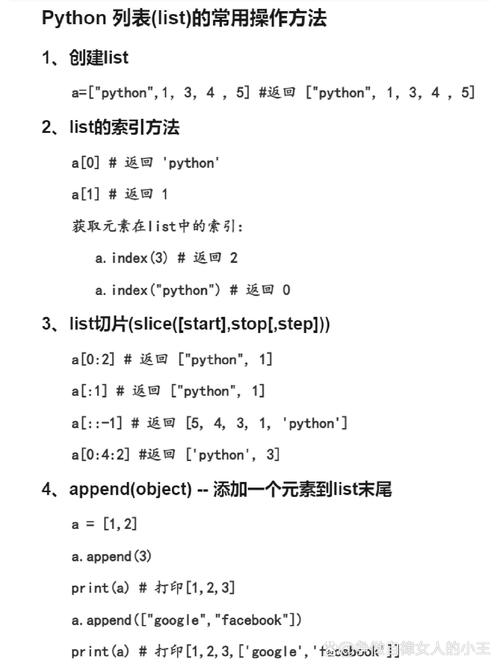
Important: configparser always reads values as strings. You must convert them to the correct data type (e.g., int, bool) manually.
# --- Accessing values from a specific section ---
# Accessing a value from the 'topsecret.server.com' section
port_str = config['topsecret.server.com']['Port']
print(f"Port (as string): {port_str}")
print(f"Port (as int): {int(port_str)}")
# Accessing a value that also exists in [DEFAULT]
compression = config['topsecret.server.com']['Compression']
print(f"Compression: {compression}") # Output: yes
# --- Accessing values from the [DEFAULT] section ---
# You can access defaults directly from the main config object
server_alive_interval = config['DEFAULT']['ServerAliveInterval']
print(f"ServerAliveInterval: {server_alive_interval}") # Output: 45
# --- Handling Missing Keys ---
# It's safer to use the .get() method to avoid KeyError exceptions
# .get() returns None (or a default value you provide) if the key is not found
user = config.get('topsecret.server.com', 'User', fallback='anonymous')
print(f"User: {user}") # Output: anonymous (because 'User' is not in this section)
# Checking if a section or option exists
if 'bitbucket.org' in config:
    print("The 'bitbucket.org' section exists.")
if config.has_option('bitbucket.org', 'User'):
    print("The 'User' option exists in 'bitbucket.org'.")
Modifying Values
You can easily modify values. Just assign a new string to the key.
# Modify an existing value
config['topsecret.server.com']['Port'] = '8080'
# Add a new key-value pair to an existing section
config['topsecret.server.com']['Timeout'] = '30'
# Add a completely new section
config['new_section'] = {
    'key_A': 'value_A',
    'key_B': 'value_B'
}
print("\n--- After Modification ---")
print(config['topsecret.server.com']['Port']) # Output: 8080
print(config['new_section']['key_A'])       # Output: value_A
Writing to a File
To save your changes, use the write() method. Crucially, you must open the file in write mode ('w').
# Open the file in write mode
with open('config.ini', 'w') as configfile:
    config.write(configfile)
print("\nConfiguration file updated successfully.")
After running this, your config.ini file will be updated with the new values and the new_section.
Handling Different Data Types
As mentioned, configparser stores everything as strings. Here are some common patterns for conversion.
# A sample config section for data types
config['data_types'] = {
    'is_enabled': 'true',
    'max_connections': '10',
    'retry_attempts': '3.5'
}
# Get values and convert them
# For booleans
is_enabled = config.getboolean('data_types', 'is_enabled')
print(f"Is Enabled: {is_enabled} (type: {type(is_enabled)})")
# For integers
max_connections = config.getint('data_types', 'max_connections')
print(f"Max Connections: {max_connections} (type: {type(max_connections)})")
# For floats
retry_attempts = config.getfloat('data_types', 'retry_attempts')
print(f"Retry Attempts: {retry_attempts} (type: {type(retry_attempts)})")
Advanced Features
Interpolation (Using Values from Other Sections)
configparser can automatically substitute values from one section into another using a special syntax. This is useful for avoiding repetition.
Let's create a new config_with_interpolation.ini:
[common]
host = my_server.com
port = 8080
[service_a]
url = http://%(host)s:%(port)s/api/v1
[service_b]
url = https://%(host)s:%(port)s/api/v2
Now, let's read it:
config = configparser.ConfigParser()
config.read('config_with_interpolation.ini')
# The value of 'url' is dynamically created
service_a_url = config['service_a']['url']
service_b_url = config['service_b']['url']
print(f"Service A URL: {service_a_url}") # Output: http://my_server.com:8080/api/v1
print(f"Service B URL: {service_b_url}") # Output: https://my_server.com:8080/api/v2
Case-Sensitivity
By default, section and option names are case-insensitive. config['SECTION']['KEY'] is the same as config['section']['key'].
You can change this behavior to make them case-sensitive:
# Case-sensitive config
sensitive_config = configparser.ConfigParser(empty_lines_in_values=False, strict=True)
sensitive_config.read_dict({
    'SectionOne': {'KeyOne': 'value1'},
    'sectionone': {'keyone': 'value2'}
})
# This will now raise a NoSectionError or NoOptionError if the case doesn't match
try:
    print(sensitive_config['SectionOne']['KeyOne'])
except configparser.NoSectionError:
    print("Section not found due to case mismatch.")
Best Practices and Common Pitfalls
-
Always Handle
FileNotFoundError: Configuration files might not exist, especially on the first run. Wrapconfig.read()in atry...exceptblock or check if the file exists first. -
Use
.get()for Safe Access: Instead ofconfig['section']['key']which raises aKeyError, useconfig.get('section', 'key', fallback='default_value'). This makes your code more robust. -
Validate and Convert Data Types: Don't assume your
portis an integer or youryesis a boolean. Always usegetint(),getfloat(), orgetboolean()to ensure you have the correct data type. -
Store Secrets Securely: Never commit configuration files containing passwords, API keys, or other secrets to version control (e.g., Git).
- Solution: Create a
config.ini.examplefile with placeholder values (e.g.,password = YOUR_PASSWORD_HERE). - Add
config.inito your.gitignorefile. - Instruct users to copy
config.ini.exampletoconfig.iniand fill in their own values.
- Solution: Create a
-
Use
with open(...): Always use awithstatement when writing to a file. It ensures the file is properly closed even if errors occur.
Summary of Key Methods
| Method | Description |
|---|---|
config.read(filename) |
Reads one or more configuration files. |
config.sections() |
Returns a list of all section names (excluding DEFAULT). |
config.has_section(section) |
Returns True if a section exists. |
config.options(section) |
Returns a list of all keys (options) in a section. |
config.has_option(section, option) |
Returns True if an option exists in a section. |
config.get(section, option) |
Gets an option's value as a string. |
config.getint(section, option) |
Gets an option's value as an integer. |
config.getfloat(section, option) |
Gets an option's value as a float. |
config.getboolean(section, option) |
Gets an option's value as a boolean (accepts 1/0, yes/no, true/false, on/off). |
config.set(section, option, value) |
Sets an option's value. The value is converted to a string. |
config.remove_section(section) |
Deletes a section. |
config.remove_option(section, option) |
Deletes an option from a section. |
config.write(file_object) |
Writes the configuration to an open file object. |