Of course! This is a classic and powerful combination for building modern web applications. Let's break down each component and then see how they work together in a typical flow.
The Big Picture: A Three-Layered Architecture
Think of these three technologies as working in different layers of a web application:
- jQuery (The Front-End "Helper"): Runs in the user's web browser. It makes it much easier to manipulate the HTML page (the DOM), handle user events (like clicks), and communicate with a server.
- Java (The Back-End "Engine"): Runs on a server. It's the powerhouse that handles business logic, database interactions, and security. It's responsible for creating the data that the front-end needs.
- JSON (The "Language" for Communication): It's a lightweight, text-based format for exchanging data. It's the universal language that the browser (jQuery) and the server (Java) use to talk to each other.
jQuery (The Front-End)
jQuery is a fast, small, and feature-rich JavaScript library. Its main purpose is to simplify things like HTML document traversal and manipulation, event handling, and animation.
Why use it?
- Simplicity: Writing
$("#myButton").click(...);is much easier than the raw JavaScriptdocument.getElementById("myButton").addEventListener("click", ...);. - Cross-browser Compatibility: It handles many of the annoying differences between web browsers for you.
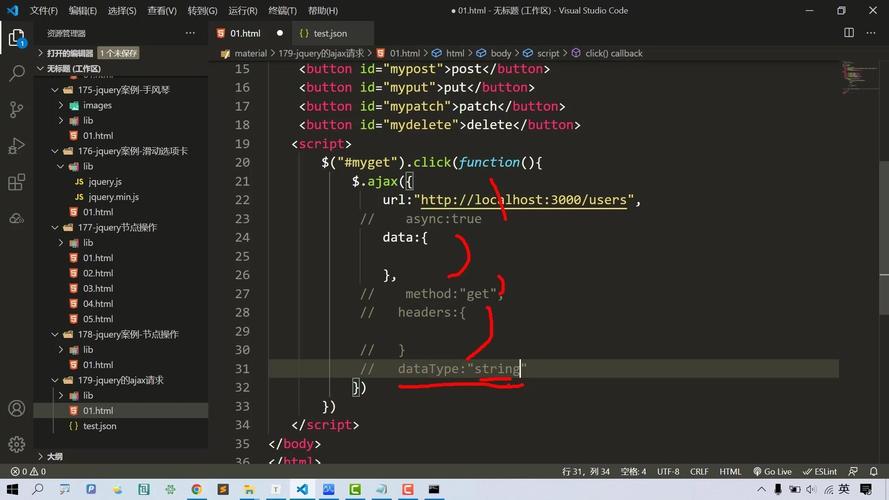
- AJAX Made Easy: This is the key part for our discussion. jQuery has a powerful and simple
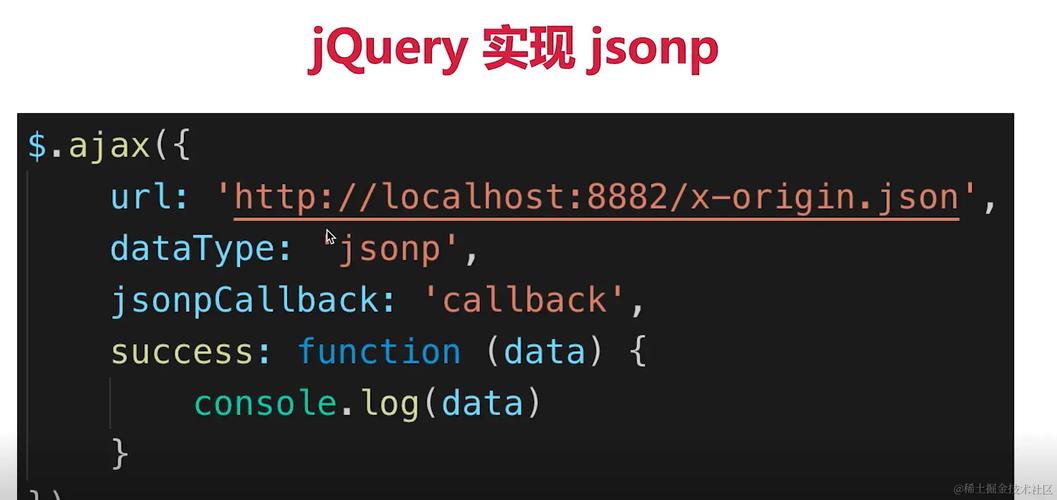
$.ajax()function (and its shorthand methods like$.get()and$.post()) for fetching data from a server without reloading the page.
Key jQuery Concept: AJAX AJAX (Asynchronous JavaScript and XML) allows web pages to be updated asynchronously by exchanging data with a web server behind the scenes. In modern development, we almost always use JSON instead of XML for this data exchange.
Java (The Back-End)
Java is a robust, object-oriented programming language commonly used to build server-side applications. In this context, the Java application is often called a "backend" or an "API".
Why use it?
- Scalability: Java is excellent for building large, high-traffic applications.
- Robustness: Strong typing and mature frameworks help prevent common errors.
- Ecosystem: A massive ecosystem of libraries (like for connecting to databases) and frameworks (like Spring Boot) make development faster.
Key Java Concept: RESTful API A modern Java backend typically exposes its functionality through a RESTful API. An API (Application Programming Interface) is a set of rules and definitions that allows different software components to communicate. A RESTful API uses standard HTTP methods (GET, POST, PUT, DELETE) to perform operations.
- GET
/api/users: Retrieves a list of users. - GET
/api/users/123: Retrieves a single user with ID 123. - POST
/api/users: Creates a new user.
When a client (like our jQuery code) requests data from one of these endpoints, the Java code processes the request (e.g., queries a database) and sends back a response.
JSON (The Data Format)
JSON (JavaScript Object Notation) is a lightweight data-interchange format. It's easy for humans to read and write, and it's easy for machines to parse and generate.
Why use it?
- Lightweight: It uses less data than XML, making it faster to transfer.
- Native to JavaScript: JSON can be directly converted into a native JavaScript object with a single line of code, which is incredibly convenient for front-end development.
Example JSON: This JSON object represents a user.
{
  "id": 123,
  "name": "John Doe",
  "email": "john.doe@example.com",
  "isActive": true,
  "roles": ["USER", "ADMIN"]
}
Putting It All Together: A Practical Example
Let's build a simple "User Search" feature.
Scenario: A user types a name into a search box on a webpage. As they type, we want to send the query to a Java server, get back a list of matching users in JSON format, and display them on the page without ever reloading it.
Step 1: The Front-End (HTML & jQuery)
We have an HTML file with an input field and a place to display results.
<!DOCTYPE html>
<html lang="en">
<head>
    <meta charset="UTF-8">User Search</title>
    <!-- Include jQuery from a CDN -->
    <script src="https://code.jquery.com/jquery-3.6.0.min.js"></script>
</head>
<body>
    <h1>User Search</h1>
    <input type="text" id="searchInput" placeholder="Type a name...">
    <button id="searchButton">Search</button>
    <hr>
    <h2>Results:</h2>
    <ul id="resultsList">
        <!-- Search results will be inserted here by jQuery -->
    </ul>
    <script>
        // Wait for the document to be fully loaded before running our code
        $(document).ready(function() {
            // When the search button is clicked...
            $("#searchButton").on("click", function() {
                // 1. Get the value from the search input
                let query = $("#searchInput").val();
                // 2. Use jQuery's AJAX function to call the Java backend
                $.ajax({
                    // The URL of our Java API endpoint
                    url: "http://localhost:8080/api/users/search?name=" + encodeURIComponent(query),
                    // The type of HTTP request
                    type: "GET",
                    // We expect the server to send back JSON data
                    dataType: "json",
                    // This function is called if the request is successful
                    success: function(data) {
                        console.log("Success! Data received:", data);
                        // Clear previous results
                        $("#resultsList").empty();
                        // Loop through the array of users returned from the server
                        data.forEach(function(user) {
                            // Create a new list item for each user
                            let listItem = `<li>ID: ${user.id}, Name: ${user.name}, Email: ${user.email}</li>`;
                            // Append the new list item to our results list
                            $("#resultsList").append(listItem);
                        });
                        // If no users were found
                        if (data.length === 0) {
                            $("#resultsList").append("<li>No users found.</li>");
                        }
                    },
                    // This function is called if the request fails
                    error: function(jqXHR, textStatus, errorThrown) {
                        console.error("Error fetching data:", textStatus, errorThrown);
                        $("#resultsList").html("<li>An error occurred. Please try again.</li>");
                    }
                });
            });
        });
    </script>
</body>
</html>
Step 2: The Back-End (Java with Spring Boot)
This is a simplified example of a Java controller using the popular Spring Boot framework. This code would run on your server.
import org.springframework.web.bind.annotation.*;
import java.util.*;
import java.util.stream.Collectors;
// This annotation marks this class as a REST controller
@RestController
// This annotation defines a base path for all endpoints in this controller
@RequestMapping("/api/users")
public class UserController {
    // A fake "database" for our example
    private List<User> users = Arrays.asList(
        new User(1, "Alice", "alice@example.com"),
        new User(2, "Bob", "bob@example.com"),
        new User(3, "Charlie", "charlie@example.com"),
        new User(4, "Alice Smith", "alice.smith@example.com")
    );
    // This method handles GET requests to /api/users/search
    @GetMapping("/search")
    public List<User> searchUsers(@RequestParam("name") String name) {
        // Use Java Streams to filter the user list based on the query
        // The query is case-insensitive
        return users.stream()
                    .filter(user -> user.getName().toLowerCase().contains(name.toLowerCase()))
                    .collect(Collectors.toList());
    }
}
// A simple POJO (Plain Old Java Object) to represent a User
class User {
    private int id;
    private String name;
    private String email;
    public User(int id, String name, String email) {
        this.id = id;
        this.name = name;
        this.email = email;
    }
    // Getters are crucial for JSON serialization (Jackson library converts this to JSON)
    public int getId() { return id; }
    public String getName() { return name; }
    public String getEmail() { return email; }
}
The Flow of Data
- User Action: The user types "Alice" and clicks the "Search" button.
- jQuery AJAX Call: The jQuery
$.ajax()function fires. It sends an HTTP GET request tohttp://localhost:8080/api/users/search?name=Alice. - Java Server Receives Request: The Spring Boot application receives the request. The
UserController.searchUsers()method is called with the parametername = "Alice". - Java Processes Request: The Java code filters its list of users and finds two matches: "Alice" and "Alice Smith".
- Java Sends JSON Response: The Spring framework automatically converts the returned
List<User>object into a JSON array using a library like Jackson. The server sends this JSON back over the network:[ { "id": 1, "name": "Alice", "email": "alice@example.com" }, { "id": 4, "name": "Alice Smith", "email": "alice.smith@example.com" } ] - jQuery Receives Response: The jQuery
successfunction is automatically executed. Thedataparameter is a native JavaScript array of objects, created from the JSON response. - jQuery Updates Page: The jQuery code loops through the
dataarray, dynamically creates HTML<li>elements for each user, and appends them to the<ul id="resultsList">on the page. The user sees the results instantly.