Java 读取 Properties 文件的几种方法
在 Java 中,读取 properties 文件有几种常见的方法,以下是详细说明:

(图片来源网络,侵删)
使用 java.util.Properties 类
这是最基本也是最常用的方法:
import java.io.FileInputStream;
import java.io.IOException;
import java.util.Properties;
public class PropertiesExample {
    public static void main(String[] args) {
        Properties prop = new Properties();
        try (FileInputStream fis = new FileInputStream("config.properties")) {
            prop.load(fis);
            // 获取属性值
            String dbUrl = prop.getProperty("database.url");
            String username = prop.getProperty("database.username");
            String password = prop.getProperty("database.password");
            System.out.println("DB URL: " + dbUrl);
            System.out.println("Username: " + username);
            System.out.println("Password: " + password);
            // 获取属性值,如果不存在则返回默认值
            String timeout = prop.getProperty("connection.timeout", "30");
            System.out.println("Timeout: " + timeout);
        } catch (IOException e) {
            e.printStackTrace();
        }
    }
}
使用 ResourceBundle 类(适合国际化)
import java.util.ResourceBundle;
public class ResourceBundleExample {
    public static void main(String[] args) {
        // 不需要扩展名,也不需要路径(在类路径下)
        ResourceBundle bundle = ResourceBundle.getBundle("messages");
        String greeting = bundle.getString("greeting");
        String farewell = bundle.getString("farewell");
        System.out.println(greeting);  // 输出 messages.properties 中的 greeting 值
        System.out.println(farewell); // 输出 messages.properties 中的 farewell 值
    }
}
使用 ClassLoader 读取(Maven/Gradle 项目中)
import java.io.InputStream;
import java.util.Properties;
public class ClassLoaderExample {
    public static void main(String[] args) {
        Properties prop = new Properties();
        try (InputStream input = ClassLoaderExample.class.getClassLoader()
                .getResourceAsStream("config.properties")) {
            if (input == null) {
                System.out.println("Sorry, unable to find config.properties");
                return;
            }
            prop.load(input);
            // 获取属性值
            System.out.println(prop.getProperty("app.name"));
            System.out.println(prop.getProperty("app.version"));
        } catch (IOException e) {
            e.printStackTrace();
        }
    }
}
使用 Spring Framework 的 @Value 注解(Spring 项目中)
import org.springframework.beans.factory.annotation.Value;
import org.springframework.stereotype.Component;
@Component
public class AppConfig {
    @Value("${database.url}")
    private String dbUrl;
    @Value("${database.username}")
    private String username;
    @Value("${database.password}")
    private String password;
    // getters and setters
    public void printConfig() {
        System.out.println("DB URL: " + dbUrl);
        System.out.println("Username: " + username);
        System.out.println("Password: " + password);
    }
}
使用 Spring Boot 的 @ConfigurationProperties
import org.springframework.boot.context.properties.ConfigurationProperties;
import org.springframework.stereotype.Component;
@Component
@ConfigurationProperties(prefix = "database")
public class DatabaseProperties {
    private String url;
    private String username;
    private String password;
    // getters and setters
    public String getUrl() { return url; }
    public void setUrl(String url) { this.url = url; }
    public String getUsername() { return username; }
    public void setUsername(String username) { this.username = username; }
    public String getPassword() { return password; }
    public void setPassword(String password) { this.password = password; }
}
注意事项
-
文件路径:
- 使用
FileInputStream时需要提供完整路径或相对于工作目录的路径 - 使用
ClassLoader时,文件需要放在类路径(classpath)下
- 使用
-
文件格式:
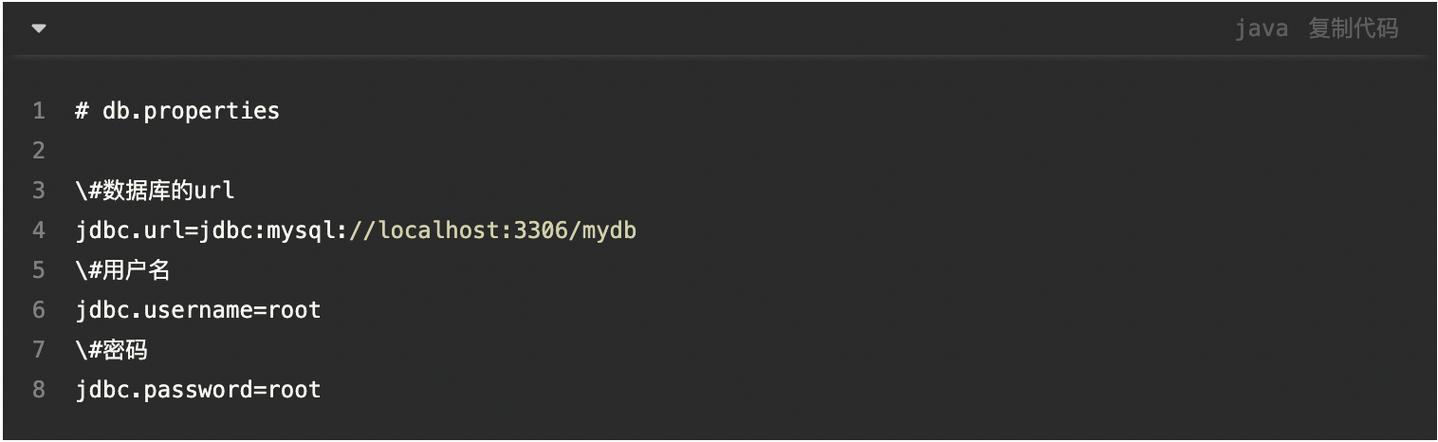
- properties 文件使用
key=value格式 - 支持 Unicode 转义序列(如
\u4e2d\u6587表示中文)
- properties 文件使用
-
编码问题:
 (图片来源网络,侵删)
- properties 文件包含非 ASCII 字符,建议使用
InputStreamReader指定编码:try (InputStreamReader isr = new InputStreamReader( new FileInputStream("config.properties"), "UTF-8")) { prop.load(isr); }
- properties 文件包含非 ASCII 字符,建议使用
-
多环境配置:
在实际项目中,通常会有不同环境的配置文件(如 dev.properties, prod.properties)
选择哪种方法取决于你的项目需求和框架使用情况,对于简单的 Java 项目,Properties 类是最直接的选择;对于 Spring 项目,推荐使用 @Value 或 @ConfigurationProperties。

(图片来源网络,侵删)