Of course! Using qBittorrent with Python is a powerful way to automate your torrent management. The most common and recommended method is to use the qBittorrent Web API, which is a built-in, feature-rich REST API.
Here’s a comprehensive guide covering everything you need to know.
The Core Concept: The Web API
qBittorrent has a web interface that you can access in your browser (e.g., http://localhost:8080). This interface is not just for humans; it's a fully functional API. We can use Python to send HTTP requests to this API to perform actions like adding torrents, checking status, and more.
Prerequisites
- qBittorrent Installed and Running: Make sure qBittorrent is installed and running on your machine.
- Web UI Enabled: In the qBittorrent preferences (
Tools -> Options...orqbittorrent --preferenceson the command line), go to the Web UI tab.- Web UI: Enable it.
- Listening Port: The default is
8080. You can change it, but remember to use the correct port in your Python script. - Authentication: The default is "Username =
admin, Password =adminadmin". It is highly recommended to change this!
- Python and a
requestslibrary: We'll use therequestslibrary to make HTTP calls. If you don't have it, install it:pip install requests
The Python Workflow: A Step-by-Step Guide
Any interaction with the qBittorrent API follows a general pattern:
- Login: Send a POST request to the
/api/v2/auth/loginendpoint with your username and password. This gets you aSIDcookie, which acts as your session token for all future requests. - Make API Calls: Use the
SIDcookie to send GET or POST requests to other API endpoints (e.g.,/api/v2/torrents/info). - Logout (Optional): Send a GET request to
/api/v2/auth/logoutto end the session. This is good practice but often not strictly necessary as the session expires.
Full Python Example Script
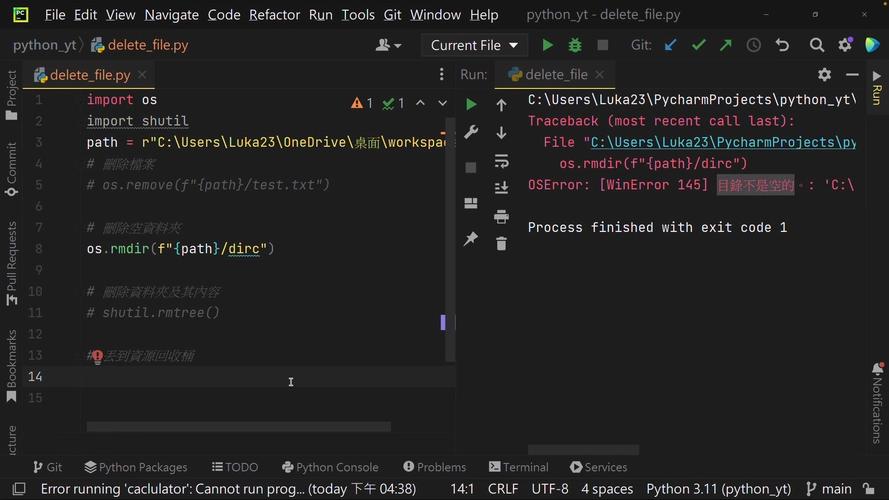
This script demonstrates the entire workflow: logging in, fetching all torrents, adding a new one, and logging out.
import requests
import time
# --- Configuration ---
# IMPORTANT: Change these to match your qBittorrent setup
QB_URL = 'http://localhost:8080'
USERNAME = 'admin'
PASSWORD = 'your_strong_password' # CHANGE THIS!
def main():
    """
    Main function to demonstrate qBittorrent API usage.
    """
    session = requests.Session()
    # The SID cookie will be stored in the session object after login
    login_data = {'username': USERNAME, 'password': PASSWORD}
    # 1. Login
    print("Attempting to log in...")
    try:
        response = session.post(f'{QB_URL}/api/v2/auth/login', data=login_data)
        # Check if login was successful
        # A successful login returns a 200 OK status but no content
        if response.status_code != 200 or response.text != 'Ok.':
            print("Login failed. Check your username and password.")
            print(f"Response: {response.status_code} - {response.text}")
            return
        print("Login successful!")
    except requests.exceptions.ConnectionError:
        print("Connection failed. Is qBittorrent running? Is the port correct?")
        return
    # 2. Get a list of all torrents
    print("\nFetching list of torrents...")
    try:
        response = session.get(f'{QB_URL}/api/v2/torrents/info')
        response.raise_for_status()  # Raise an exception for bad status codes
        torrents = response.json()
        print(f"Found {len(torrents)} torrents:")
        for torrent in torrents:
            print(f"  - Name: {torrent['name']}, State: {torrent['state']}")
    except requests.exceptions.RequestException as e:
        print(f"Failed to fetch torrent list: {e}")
        return
    # 3. Add a new torrent (by URL)
    # You can also add by .torrent file using 'torrents' parameter
    print("\nAdding a new torrent...")
    torrent_url = 'https://releases.ubuntu.com/22.04.3/ubuntu-22.04.3-desktop-amd64.iso.torrent'
    add_params = {'urls': torrent_url}
    try:
        response = session.get(f'{QB_URL}/api/v2/torrents/add', params=add_params)
        response.raise_for_status()
        print(f"Successfully added torrent: {torrent_url}")
    except requests.exceptions.RequestException as e:
        print(f"Failed to add torrent: {e}")
    # Optional: Wait a moment to see the torrent appear
    time.sleep(2)
    # 4. Pause a specific torrent (using its hash)
    # Let's pause the first torrent in the list if it exists and is running
    if torrents:
        torrent_hash = torrents[0]['hash']
        torrent_name = torrents[0]['name']
        print(f"\nPausing torrent: {torrent_name}")
        try:
            pause_params = {'hashes': torrent_hash}
            response = session.get(f'{QB_URL}/api/v2/torrents/pause', params=pause_params)
            response.raise_for_status()
            print(f"Successfully paused torrent with hash: {torrent_hash}")
        except requests.exceptions.RequestException as e:
            print(f"Failed to pause torrent: {e}")
    # 5. Logout
    print("\nLogging out...")
    try:
        response = session.get(f'{QB_URL}/api/v2/auth/logout')
        response.raise_for_status()
        print("Logout successful.")
    except requests.exceptions.RequestException as e:
        print(f"Logout failed: {e}")
if __name__ == '__main__':
    main()
Essential API Endpoints
Here is a quick reference for the most useful endpoints. You can find the full, official API documentation in qBittorrent under Help -> Web API.
| Action | Method | Endpoint | Description | Example Parameters |
|---|---|---|---|---|
| Login | POST |
/api/v2/auth/login |
Authenticates the user. | username, password (form data) |
| Logout | GET |
/api/v2/auth/logout |
Logs out the current user. | None |
| Get Torrents | GET |
/api/v2/torrents/info |
Gets a list of torrents. | category, filter (e.g., paused, downloading) |
| Add Torrent (URL) | GET |
/api/v2/torrents/add |
Adds a torrent from a URL. | urls (a single or comma-separated list) |
| Add Torrent (File) | POST |
/api/v2/torrents/add |
Adds a torrent from a .torrent file. |
torrents (file data), savepath |
| Pause | GET |
/api/v2/torrents/pause |
Pauses one or more torrents. | hashes (a single or comma-separated list of hashes) |
| Resume | GET |
/api/v2/torrents/resume |
Resumes one or more torrents. | hashes |
| Delete | GET |
/api/v2/torrents/delete |
Deletes one or more torrents. | hashes, deleteFiles (true/false) |
| Set Category | POST |
/api/v2/torrents/setCategory |
Sets a category for one or more torrents. | hashes, category |
| Get Categories | GET |
/api/v2/torrents/categories |
Gets a list of all categories. | None |
Best Practices and Tips
-
Use a Library for Stability: The
requestslibrary is great, but it doesn't handle API quirks. The qBittorrent API can sometimes be a bit finicky with special characters in torrent names or URLs. For a more robust solution, consider using a dedicated library likepython-qbittorrent. It wraps the API calls in a more user-friendly way.pip install python-qbittorrent
Example with
python-qbittorrent:from qbittorrent import Client # Create a client instance client = Client(host='localhost:8080', username='admin', password='your_strong_password') # Login is handled automatically by the library client.auth_log_in() # Add a torrent client.download_from_link('magnet:?xt=urn:btih:...') # Get all torrents torrents = client.torrents() for torrent in torrents: print(f"{torrent['name']}: {torrent['state']}") # Logout client.auth_log_out() -
Error Handling: Always check the status of your HTTP responses. A 200 status code doesn't always mean success in the API world. For example, adding a duplicate torrent might return a 200 but with an error message in the body.
 (图片来源网络,侵删)
 -
Be Respectful: Don't flood the API with rapid, consecutive requests. Add a small
time.sleep()between calls if you're performing many operations to avoid overwhelming the qBittorrent process. -
Security: Never hardcode your password in a script if you plan to share it or commit it to a repository. Use environment variables or a configuration file that is not tracked by Git.
import os
PASSWORD = os.environ.get('QB_PASSWORD')