Of course! Using Python with Kafka is a common and powerful combination. The most popular and well-maintained client library for this is kafka-python.
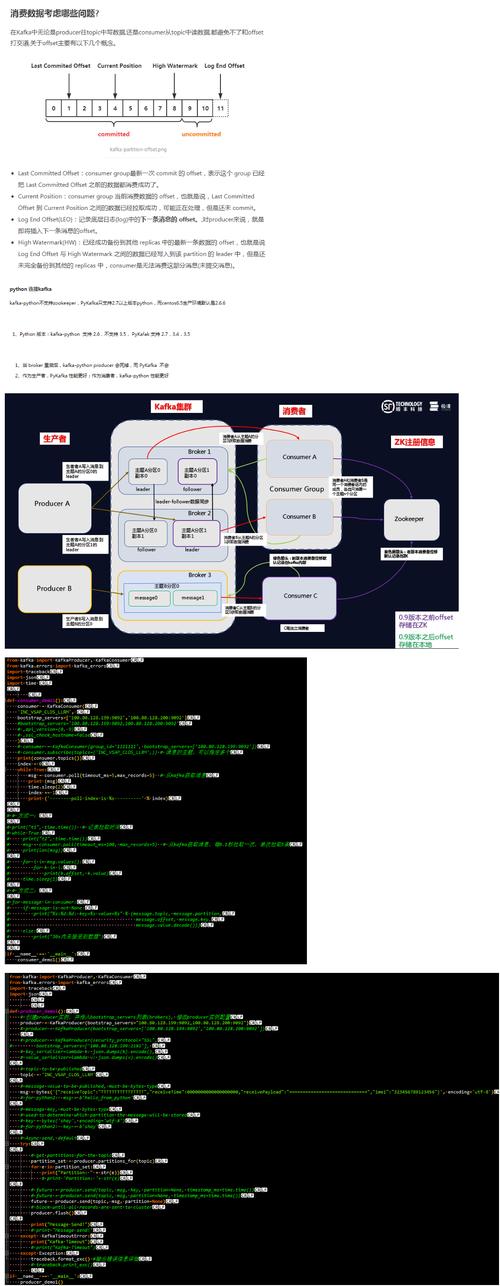
Here’s a comprehensive guide covering everything from installation to writing a simple producer and consumer.
Installation
First, you need to install the kafka-python library. It's recommended to use a virtual environment.
# Create a virtual environment (optional but good practice)
python -m venv kafka-env
# Activate the virtual environment
# On macOS/Linux:
source kafka-env/bin/activate
# On Windows:
.\kafka-env\Scripts\activate
# Install the library
pip install kafka-python
Prerequisites: A Running Kafka Broker
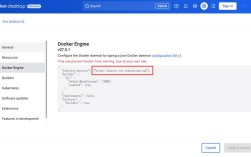
This guide assumes you have a Kafka instance running. If you don't, the easiest way to get one started is with Docker.
# This command will download and start a single-node Kafka cluster
docker run -p 9092:9092 -p 2181:2181 --name my-kafka -d confluentinc/cp-kafka:latest
This will expose Kafka on localhost:9092 and Zookeeper on localhost:2181.
Core Concepts
- Producer: A client that writes (publishes) messages to Kafka topics.
- Consumer: A client that reads (subscribes to and consumes) messages from Kafka topics.
- Topic: A category or feed name to which records are published. Think of it like a table in a database or a folder in a file system.
- Broker: A Kafka server. A cluster consists of one or more brokers.
- Consumer Group: A group of consumers that work together to consume a topic. Messages are delivered to only one consumer in a group for a given partition, allowing for horizontal scaling and load balancing.
Example 1: A Simple Producer
This producer will send a few messages to a topic named test-topic.
# producer.py
from kafka import KafkaProducer
import json
import time
# Kafka broker address
bootstrap_servers = ['localhost:9092']
# Create a Kafka producer
# - value_serializer: Converts the message value to bytes before sending.
#   Using json.dumps to serialize the dictionary to a JSON string, then encode to UTF-8.
producer = KafkaProducer(
    bootstrap_servers=bootstrap_servers,
    value_serializer=lambda v: json.dumps(v).encode('utf-8')
)
# Define the topic name
topic_name = 'test-topic'
# Send a few messages
for i in range(5):
    message = {'key': f'key-{i}', 'message': f'This is message number {i}'}
    print(f"Sending message: {message}")
    # The send() method is asynchronous. It returns a future object.
    future = producer.send(topic_name, value=message)
    # You can block to wait for the message to be sent and check for errors
    try:
        record_metadata = future.get(timeout=10)
        print(f"Message sent successfully to partition {record_metadata.partition} at offset {record_metadata.offset}")
    except Exception as e:
        print(f"Error sending message: {e}")
# Ensure all messages are sent before closing the producer
producer.flush()
# Close the producer
producer.close()
To run this:
python producer.py
Example 2: A Simple Consumer
This consumer will read messages from the test-topic we just created.
# consumer.py
from kafka import KafkaConsumer
import json
# Kafka broker address
bootstrap_servers = ['localhost:9092']
# Create a Kafka consumer
# - auto_offset_reset='earliest': If no offset is stored, start reading from the beginning of the topic.
# - enable_auto_commit=True: Automatically commit offsets after processing a message.
#   For production, you might want to set this to False and commit manually after successful processing.
# - value_deserializer: Converts the bytes received from Kafka back to a Python object.
#   We decode from UTF-8 and then load the JSON string.
consumer = KafkaConsumer(
    'test-topic',
    bootstrap_servers=bootstrap_servers,
    auto_offset_reset='earliest',
    enable_auto_commit=True,
    value_deserializer=lambda m: json.loads(m.decode('utf-8'))
)
print("Consumer started. Waiting for messages...")
# The consumer loop will block and wait for messages
for message in consumer:
    # The message object contains metadata
    print(f"Received message on partition {message.partition} at offset {message.offset}:")
    print(f"  -> Value: {message.value}")
    print(f"  -> Key: {message.key.decode('utf-8') if message.key else 'None'}")
    print("-" * 20)
To run this:
Open a new terminal, activate your virtual environment, and run:
python consumer.py
You should see the messages that the producer sent.
Advanced Example: Producer with Keys and Consumer Groups
This example shows how to send messages with keys and how consumer groups work.
The Producer (Sends Messages with Keys)
Messages with the same key are guaranteed to go to the same partition. This is useful for maintaining order for a specific entity (e.g., all messages for user-123).
# producer_keyed.py
from kafka import KafkaProducer
import json
bootstrap_servers = ['localhost:9092']
producer = KafkaProducer(
    bootstrap_servers=bootstrap_servers,
    value_serializer=lambda v: json.dumps(v).encode('utf-8')
)
topic_name = 'user-events'
# Simulate events for two different users
for user_id in ['user-123', 'user-456', 'user-123', 'user-456', 'user-123']:
    event = {'user_id': user_id, 'action': 'login', 'timestamp': time.time()}
    print(f"Sending event for {user_id}: {event}")
    # The key is used to determine the partition
    producer.send(topic_name, key=user_id.encode('utf-8'), value=event)
producer.flush()
producer.close()
The Consumer (as part of a Consumer Group)
Run two instances of this consumer. You'll notice that each consumer reads messages for only one of the users, demonstrating load balancing.
# consumer_group.py
from kafka import KafkaConsumer
import json
bootstrap_servers = ['localhost:9092']
topic_name = 'user-events'
group_id = 'my-consumer-group'
consumer = KafkaConsumer(
    topic_name,
    bootstrap_servers=bootstrap_servers,
    group_id=group_id,
    auto_offset_reset='earliest',
    enable_auto_commit=True,
    value_deserializer=lambda m: json.loads(m.decode('utf-8'))
)
print(f"Consumer in group '{group_id}' started. Waiting for messages...")
for message in consumer:
    print(f"Consumer in group '{group_id}' received message on partition {message.partition}:")
    print(f"  -> Key: {message.key.decode('utf-8')}")
    print(f"  -> Value: {message.value}")
    print("-" * 20)
How to run it:
- Run the producer:
python producer_keyed.py - Open two new terminals.
- In both terminals, activate the environment and run the consumer:
python consumer_group.py
Observation:
You will see that the messages for user-123 are consistently consumed by one consumer, and the messages for user-456 are consistently consumed by the other. This is because they have different keys and land in different partitions, and the consumer group assigns partitions to its members.
kafka-python vs. confluent-kafka-python
While kafka-python is excellent, there's another very popular library called confluent-kafka-python, which is the official client from Confluent (the company behind Kafka).
| Feature | kafka-python |
confluent-kafka-python |
|---|---|---|
| Maintainer | Community | Confluent (Official) |
| Performance | Good (pure Python) | Excellent (C/C++ librdkafka binding) |
| Features | Core features, async support | Full feature set, advanced monitoring, schema registry support |
| API | More "Pythonic" | Can feel closer to the C API, but very powerful |
| Ease of Use | Very easy to start | Slightly steeper learning curve for advanced features |
Recommendation:
- For learning and simple applications,
kafka-pythonis fantastic and very easy to use. - For production systems, high-throughput applications, or when you need advanced features,
confluent-kafka-pythonis the recommended choice due to its superior performance and support.
To install confluent-kafka-python:
pip install confluent-kafka
Its usage is similar but with a different API structure. For example, a simple producer looks like this:
# confluent-kafka producer example
from confluent_kafka import Producer
import json
conf = {'bootstrap.servers': 'localhost:9092'}
producer = Producer(conf)
def delivery_report(err, msg):
    """ Called once for each message produced to indicate delivery result.
        Triggered by poll() or flush(). """
    if err is not None:
        print(f'Message delivery failed: {err}')
    else:
        print(f'Message delivered to {msg.topic()} [{msg.partition()}] at offset {msg.offset()}')
topic = 'test-topic'
for i in range(5):
    message = {'key': f'key-{i}', 'message': f'Confluent message {i}'}
    # Asynchronous produce, delivery callback will be triggered on delivery
    producer.produce(topic, key=str(i).encode('utf-8'), value=json.dumps(message).encode('utf-8'), callback=delivery_report)
# Wait for any outstanding messages to be delivered and delivery report callbacks to be triggered
producer.flush()