Of course! "Linux, MySQL, and Java" is a classic and incredibly powerful combination for building robust, scalable, and high-performance applications, especially in the enterprise world. Let's break down each component and then see how they work together.
Linux: The Foundation
Linux is the operating system. It's the foundation upon which everything else runs. Think of it as the solid ground and the building for your application.
Why Linux for this stack?
- Stability & Reliability: Linux servers are famously stable and can run for years without needing a reboot.
- Performance: It's lightweight and highly efficient, making full use of hardware resources.
- Security: Its permission model and open-source nature allow for rigorous security auditing and customization.
- Cost-Effective: Most popular server distributions (like Ubuntu Server, CentOS Stream) are free.
- Command-Line Power & Automation: The Linux shell (bash, zsh) is incredibly powerful for scripting, automation, and remote administration (using SSH), which is essential for managing servers.
- Industry Standard: The vast majority of web servers, databases, and cloud infrastructure run on Linux.
Key Commands to Know:
ssh user@server: Securely connect to your remote Linux server.sudo apt update && sudo apt upgrade: Update system packages (on Debian/Ubuntu).systemctl start mysql: Start a service like the MySQL database.ps aux | grep java: Find running Java processes.tail -f /var/log/mysql/error.log: Monitor a log file in real-time.
MySQL: The Data Store
MySQL is a Relational Database Management System (RDBMS). It's responsible for storing, organizing, and retrieving your application's data in a structured way. Think of it as the highly organized, secure filing cabinet for your application.
Why MySQL?
- Open Source: The core community version is free and widely used.
- ACID Compliant: Guarantees that transactions are processed reliably, which is critical for financial and e-commerce applications.
- Performance: Highly optimized for read-heavy workloads and is very fast.
- Mature & Well-Supported: It's been around for decades, has a huge community, and extensive documentation.
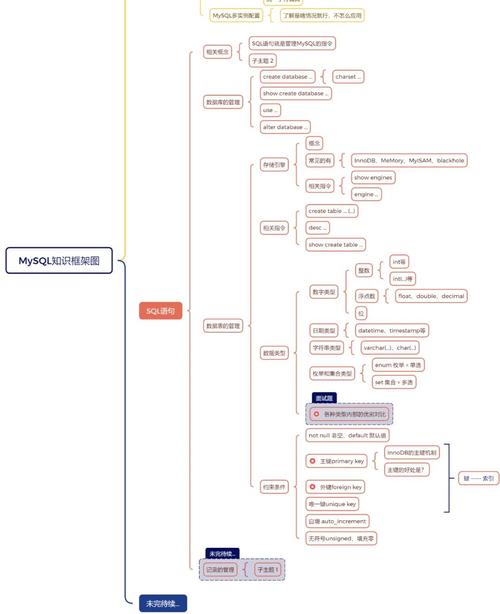
- SQL: It uses the standard Structured Query Language (SQL), making it easy to learn and use for developers.
Key Concepts & Commands:
- SQL (Structured Query Language): The language you use to interact with the database.
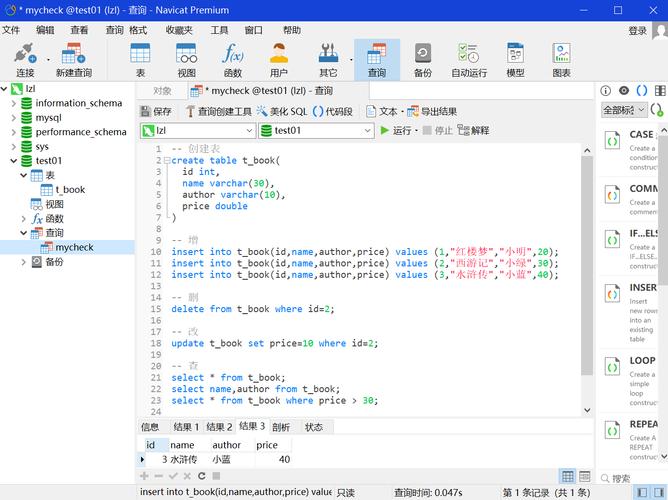
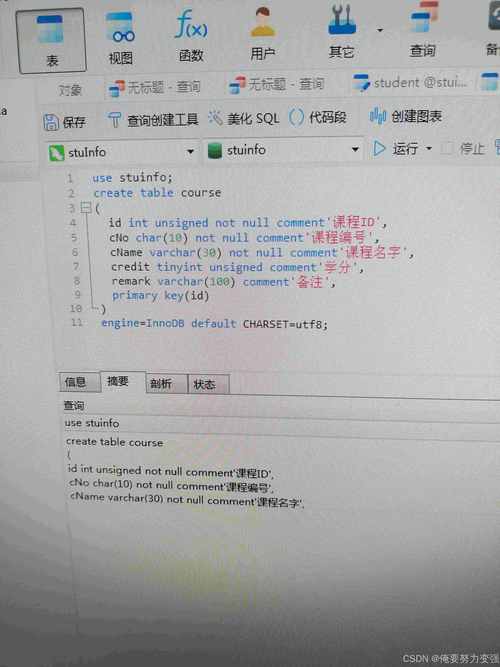
CREATE DATABASE my_app;: Creates a new database.USE my_app;: Selects the database to work on.CREATE TABLE users (id INT PRIMARY KEY AUTO_INCREMENT, name VARCHAR(100), email VARCHAR(100) UNIQUE);: Creates a table.INSERT INTO users (name, email) VALUES ('Alice', 'alice@example.com');: Adds a new row.SELECT * FROM users WHERE name = 'Bob';: Retrieves data.UPDATE users SET email = 'bob.new@example.com' WHERE id = 2;: Modifies data.DELETE FROM users WHERE id = 3;: Removes data.
Java: The Application Logic
Java is a high-level, class-based, object-oriented programming language. It's the brain of your operation. The Java code contains the business logic, processes user requests, and interacts with the database to store and fetch data. Think of it as the office staff that uses the filing cabinet (MySQL) to do work.
Why Java?
- "Write Once, Run Anywhere" (WORA): Java code is compiled into an intermediate form called bytecode, which can run on any device with a Java Virtual Machine (JVM). This makes it highly portable.
- Robust & Secure: Features like strong typing, automatic memory management (garbage collection), and a comprehensive security model make it very reliable.
- Scalability: Java is excellent for building large, complex, and scalable systems. Frameworks like Spring Boot make this even easier.
- Huge Ecosystem: There's a vast ecosystem of libraries (like JDBC for database access), frameworks (Spring, Jakarta EE), and tools (Maven, Gradle) for almost any task imaginable.
- Performance: Modern JVMs are incredibly fast, with advanced just-in-time (JIT) compilation.
Key Concepts & Tools:
- JDK (Java Development Kit): The software needed to develop Java applications (includes the compiler
javacand the JVMjava). - JDBC (Java Database Connectivity): The API that allows Java applications to connect to databases like MySQL.
- Maven / Gradle: Build automation tools that manage project dependencies (like the MySQL driver) and build the final application package (a JAR or WAR file).
- Spring Boot: A very popular framework that simplifies building production-ready Java applications by providing auto-configuration and a starter dependency for almost everything, including MySQL.
How They All Work Together: A Typical Flow
Here’s a step-by-step example of how these three technologies interact in a simple web application.
Scenario: A user wants to sign up on a website.
-
User Action: The user fills out a registration form on their web browser (client-side) and clicks "Submit".
-
Web Server (Linux): The request is sent to a web server (like Nginx or Apache) running on a Linux machine. The server forwards the request to the Java application.
-
Java Application (The Brain):
- A Java controller (e.g., in a Spring Boot app) receives the request data (username, password).
- It performs validation (e.g., is the email format correct?).
- It prepares an SQL
INSERTstatement to save the new user.
-
Database Connection (The Bridge):
- The Java application uses the JDBC API to establish a connection to the MySQL database.
- To do this, it needs the MySQL Connector/J driver, which is a library that translates JDBC calls into the specific protocol MySQL understands. This driver is usually managed by Maven or Gradle.
-
MySQL (The Filing Cabinet):
- The MySQL server, running on the same Linux machine or another one, receives the
INSERTcommand. - It validates the command, checks permissions, and writes the new user's data into the
userstable on the disk. - It sends a success or failure message back to the Java application.
- The MySQL server, running on the same Linux machine or another one, receives the
-
Response:
- The Java application receives the response from MySQL.
- If successful, it generates a "Registration Successful!" message.
- It sends this response back through the web server to the user's browser.
A Practical "Hello World" Example: Java connecting to MySQL on Linux
Step 1: Install the necessary software on your Linux machine.
- Install Java (
sudo apt install openjdk-17-jdk) - Install MySQL (
sudo apt install mysql-server) - Start MySQL (
sudo systemctl start mysql) - Secure your installation and create a user (
sudo mysql_secure_installation)
Step 2: Create a database and table in MySQL.
mysql -u root -p
-- Enter your root password
CREATE DATABASE test_app;
USE test_app;
CREATE TABLE messages (id INT AUTO_INCREMENT PRIMARY KEY, content VARCHAR(255));
INSERT INTO messages (content) VALUES ('Hello from Java!');
EXIT;
Step 3: Write the Java code.
You'll need the MySQL JDBC driver. If using Maven, add this to your pom.xml:
<dependency>
    <groupId>com.mysql</groupId>
    <artifactId>mysql-connector-j</artifactId>
    <version>8.0.33</version> <!-- Use the latest version -->
</dependency>
Here's a simple Java class (DatabaseApp.java):
import java.sql.Connection;
import java.sql.DriverManager;
import java.sql.ResultSet;
import java.sql.Statement;
public class DatabaseApp {
    // Replace with your actual database details
    private static final String DB_URL = "jdbc:mysql://localhost:3306/test_app";
    private static final String USER = "root";
    private static final String PASS = "your_mysql_password"; // The password you set for root
    public static void main(String[] args) {
        // The try-with-resources statement ensures the connection is closed automatically
        try (Connection conn = DriverManager.getConnection(DB_URL, USER, PASS)) {
            System.out.println("Connection to MySQL successful!");
            // Create a statement
            Statement stmt = conn.createStatement();
            // Execute a query
            String sql = "SELECT id, content FROM messages";
            ResultSet rs = stmt.executeQuery(sql);
            // Process the result set
            System.out.println("--- Messages from Database ---");
            while (rs.next()) {
                int id = rs.getInt("id");
                String content = rs.getString("content");
                System.out.println("ID: " + id + ", Content: " + content);
            }
        } catch (Exception e) {
            System.err.println("Connection failed or query error!");
            e.printStackTrace();
        }
    }
}
Step 4: Compile and Run on Linux.
# Compile the Java file
javac -cp ".:/usr/share/java/mysql-connector-j.jar" DatabaseApp.java
# Note: The classpath separator is ':' on Linux. The path to the jar may vary.
# Run the compiled class
java -cp ".:/usr/share/java/mysql-connector-j.jar" DatabaseApp
Expected Output:
Connection to MySQL successful!
--- Messages from Database ---
ID: 1, Content: Hello from Java!
This simple example demonstrates the core interaction: a Java process on a Linux machine successfully connects to a MySQL database and retrieves data. This is the fundamental pattern behind countless enterprise applications, from small web services to massive financial platforms.