Of course! The term reduceByKey is most famously associated with Apache Spark, but the concept it represents—a powerful, distributed "group by key and then aggregate"—is a fundamental pattern in data processing.
Let's break it down in three parts:
- The Core Concept: What
reduceByKeyactually does. - The Apache Spark Implementation: The most common and powerful way to use it.
- Python Alternatives: How to achieve the same result in standard Python (Pandas) and why you might not want to.
The Core Concept of reduceByKey
Imagine you have a large list of key-value pairs, like sales transactions per product:
# (Product, Sale Amount)
sales = [("product1", 100), ("product2", 200), ("product1", 50), ("product3", 75), ("product2", 150)]
Your goal is to calculate the total sales for each product. A naive approach would be:
- Group all values by their key (e.g., create a list
[100, 50]for "product1"). - Reduce each list of values into a single value using a function (e.g., sum the list
[100, 50]to get150).
reduceByKey does this, but with a crucial optimization:

The Shuffling Optimization
In a distributed system (like Spark), data is spread across many computers. To group all "product1" sales together, you'd have to send all related data to a single machine. This is called a "shuffle" and is very expensive.
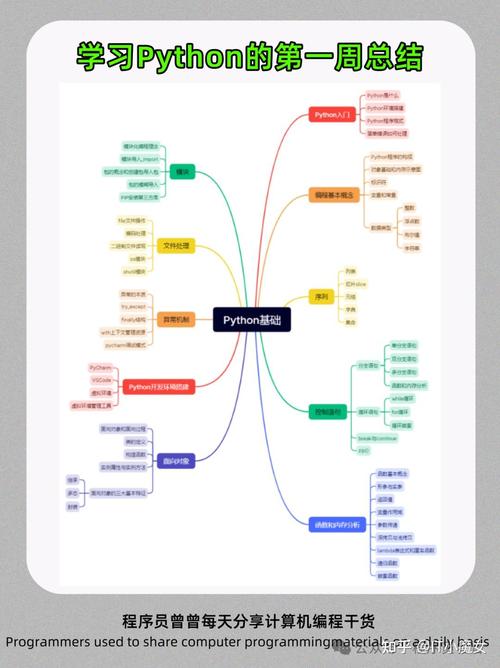
reduceByKey is smart. It performs a local reduction before the shuffle. Here's how it works on our sales data:
-
Local Reduction on Each Machine:
 (图片来源网络,侵删)
- Machine 1 might have
[("product1", 100), ("product2", 200)]. It locally combines these to[("product1", 100), ("product2", 200)]. (No change here, but if it had two "product1" entries, it would sum them first). - Machine 2 might have
[("product1", 50), ("product3", 75), ("product2", 150)]. It locally combines these to[("product1", 50), ("product3", 75), ("product2", 150)].
- Machine 1 might have
-
The Shuffle:
- Now, instead of sending every single record, the machines send their locally reduced results to the appropriate destination machine.
- Machine 1 sends
("product1", 100)and("product2", 200). - Machine 2 sends
("product1", 50),("product3", 75), and("product2", 150).
-
Final Reduction:
- The machine responsible for "product1" receives
(100)and(50). It performs the final reduction:100 + 50 = 150. - The machine for "product2" receives
(200)and(150). It performs:200 + 150 = 350. - The machine for "product3" receives
(75). It's already the final value.
- The machine responsible for "product1" receives
Result: [("product1", 150), ("product2", 350), ("product3", 75)]
This drastically reduces the amount of data being shuffled over the network, making it incredibly efficient.
reduceByKey in Apache Spark (PySpark)
This is the most common context for reduceByKey. You use it on a RDD (Resilient Distributed Dataset).
Key Components
RDD(Resilient Distributed Dataset): The core data structure in Spark. It's an immutable, partitioned collection of records that can be operated on in parallel.Key-Value Pair RDD: An RDD where each element is a tuple, like(key, value).reduceByKeyonly works on these.- The
reduceFunction: A function that takes two values of the same type and returns a single value of that same type. It must be associative (e.g.,(a + b) + cis the same asa + (b + c)) and commutative (a + bis the same asb + a). Sum, multiplication, and min/max are good examples. String concatenation is associative but not commutative.
Code Example
First, make sure you have Spark installed (pip install pyspark).
from pyspark import SparkContext
# It's best practice to use a SparkContext within a "with" statement
# or to stop it manually when you're done.
sc = SparkContext("local", "ReduceByKeyExample")
# 1. Create an RDD of key-value pairs
# In a real app, you'd load this from a file (e.g., sc.textFile(...))
data = [("product1", 100), ("product2", 200), ("product1", 50),
        ("product3", 75), ("product2", 150), ("product1", 25)]
rdd = sc.parallelize(data)
# 2. Define the reduce function (a lambda is perfect for simple operations)
# This function takes two values (v1 and v2) and returns their sum.
sum_function = lambda v1, v2: v1 + v2
# 3. Apply reduceByKey
# Spark groups by the key (the first element of the tuple) and applies
# sum_function to the values (the second element) for each group.
total_sales_rdd = rdd.reduceByKey(sum_function)
# 4. Collect the results
# .collect() gathers the data from all the worker nodes back to the driver.
# Use with caution on large datasets!
results = total_sales_rdd.collect()
# Print the results
print("Total sales per product:")
for product, total in results:
    print(f"- {product}: {total}")
# Expected Output:
# Total sales per product:
# - product1: 175  (100 + 50 + 25)
# - product2: 350  (200 + 150)
# - product3: 75   (75)
# Stop the SparkContext to free up resources
sc.stop()
Other Common reduce Functions
# To find the maximum value for each key
max_sales_rdd = rdd.reduceByKey(lambda v1, v2: max(v1, v2))
# To find the minimum value for each key
min_sales_rdd = rdd.reduceByKey(lambda v1, v2: min(v1, v2))
# To concatenate strings (note: this is not commutative, but associative)
words = [("a", "hello"), ("b", "world"), ("a", "spark")]
concatenated_rdd = words.reduceByKey(lambda v1, v2: v1 + " " + v2)
# Result: [('a', 'hello spark'), ('b', 'world')]
Python Alternatives (Standard Python & Pandas)
You can achieve the outcome of reduceByKey in standard Python, but you lose the distributed, parallel processing benefits.
Using collections.defaultdict
This is a very efficient and "Pythonic" way to do it on a single machine.
from collections import defaultdict
sales = [("product1", 100), ("product2", 200), ("product1", 50),
         ("product3", 75), ("product2", 150), ("product1", 25)]
# Create a defaultdict that will automatically initialize new keys with a value of 0
totals = defaultdict(int)
# Iterate and sum
for product, amount in sales:
    totals[product] += amount
# The result is a regular dictionary
print(dict(totals))
# Output: {'product1': 175, 'product2': 350, 'product3': 75}
Using pandas.DataFrame.groupby().sum()
If your data is already in a Pandas DataFrame (which is very common in data science), groupby().agg() is the idiomatic way to do this.
import pandas as pd
sales_data = {
    'product': ['product1', 'product2', 'product1', 'product3', 'product2', 'product1'],
    'amount': [100, 200, 50, 75, 150, 25]
}
df = pd.DataFrame(sales_data)
# Group by the 'product' column and then sum the 'amount' column for each group
totals_df = df.groupby('product')['amount'].sum().reset_index()
print(totals_df)
Output:
   product  amount
0  product1     175
1  product2     350
2  product3      75
Summary: When to Use What
| Method | Best For | Key Advantage | Key Disadvantage |
|---|---|---|---|
reduceByKey (Spark) |
Big Data (terabytes of data distributed across a cluster). | Performance and Scalability. Handles data larger than a single machine's memory. | Requires a Spark cluster, more complex setup. Overkill for small data. |
pandas.groupby() |
Medium Data (data that fits comfortably in RAM on a single machine). | Ease of Use and Rich API. Extremely fast for in-memory operations and integrates with the Python data science stack. | Limited by the memory of a single machine. Not distributed. |
collections.defaultdict |
Small Data / Simple Scripts (when you just need a quick aggregation in pure Python). | Simplicity. No external libraries needed, very clear for basic summing. | Manual implementation, less flexible than Pandas, not for large datasets. |
Conclusion: While the pattern of "group by key and reduce" is universal, the function reduceByKey specifically refers to the highly optimized, distributed implementation in Apache Spark. For most data analysis tasks on a single machine, Pandas' groupby is the tool you're looking for.