org.bson.Document: 表示 MongoDB 中的一个文档,类似于 JSON 对象。com.mongodb.client.MongoCollection<Document>: 代表 MongoDB 集合,提供了各种查询方法,如find(),insertOne()等。
我们将从最基础的查询开始,逐步深入到复杂的条件组合。
环境准备
确保你的项目中已经添加了 MongoDB Java Driver 的依赖。
Maven (pom.xml):
<dependency>
    <groupId>org.mongodb</groupId>
    <artifactId>mongodb-driver-sync</artifactId>
    <version>4.11.1</version> <!-- 请使用最新稳定版 -->
</dependency>
Gradle (build.gradle):
implementation 'org.mongodb:mongodb-driver-sync:4.11.1' // 请使用最新稳定版
基础查询:查询所有文档
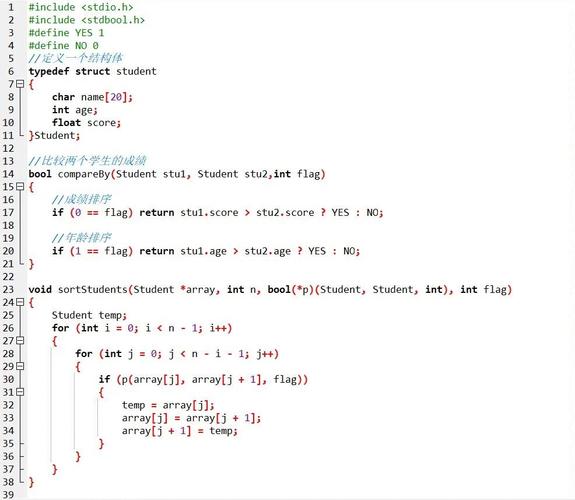
使用 find() 方法不带任何参数,会返回集合中的所有文档。
import com.mongodb.client.*;
import org.bson.Document;
public class BasicQueryExample {
    public static void main(String[] args) {
        // 1. 建立连接
        String uri = "mongodb://localhost:27017";
        try (MongoClient mongoClient = MongoClients.create(uri)) {
            MongoDatabase database = mongoClient.getDatabase("testDB"); // 获取数据库
            MongoCollection<Document> collection = database.getCollection("users"); // 获取集合
            // 2. 执行查询 (查询所有)
            FindIterable<Document> findIterable = collection.find();
            // 3. 遍历结果
            System.out.println("--- 所有用户 ---");
            for (Document doc : findIterable) {
                System.out.println(doc.toJson());
            }
        }
    }
}
核心部分:条件查询
条件查询的关键在于构建一个 查询过滤器,这个过滤器是一个 Document 对象,其中包含了查询条件,我们将它作为参数传递给 find() 方法。
1 等于 ($eq)
这是最常用的条件,如果只写 key: value,MongoDB Java Driver 会自动将其转换为 { key: { $eq: value } }。
示例:查询年龄为 30 的所有用户
// 构建查询条件
Document query = new Document("age", 30); // 等同于 new Document("age", new Document("$eq", 30));
// 执行查询
FindIterable<Document> findIterable = collection.find(query);
// 遍历结果
System.out.println("--- 年龄为 30 的用户 ---");
for (Document doc : findIterable) {
    System.out.println(doc.toJson());
}
2 比较操作符
比较操作符用于数值、日期或字符串的比较。
| 操作符 | 含义 | Java 示例 |
|---|---|---|
$gt |
大于 | new Document("age", new Document("$gt", 25)) |
$gte |
大于等于 | new Document("age", new Document("$gte", 25)) |
$lt |
小于 | new Document("age", new Document("$lt", 60)) |
$lte |
小于等于 | new Document("age", new Document("$lte", 60)) |
$ne |
不等于 | new Document("age", new Document("$ne", 30)) |
示例:查询年龄大于 25 且小于 60 的用户
Document query = new Document("age", new Document("$gt", 25).append("$lt", 60));
// 或者使用链式调用,更清晰
Document query = new Document();
query.append("age", new Document("$gt", 25).append("$lt", 60));
3 逻辑操作符
逻辑操作符用于组合多个条件。
| 操作符 | 含义 | Java 示例 |
|---|---|---|
$and |
逻辑与 | new Document("$and", Arrays.asList(...)) |
$or |
逻辑或 | new Document("$or", Arrays.asList(...)) |
$not |
逻辑非 | new Document("age", new Document("$not", new Document("$gt", 60))) |
示例:使用 $and 查询年龄大于 25 并且 城市是 "Beijing" 的用户
Document ageCondition = new Document("age", new Document("$gt", 25));
Document cityCondition = new Document("city", "Beijing");
Document andQuery = new Document("$and", Arrays.asList(ageCondition, cityCondition));
FindIterable<Document> findIterable = collection.find(andQuery);
示例:使用 $or 查询年龄小于 18 或者 职位是 "manager" 的用户
Document ageCondition = new Document("age", new Document("$lt", 18));
Document jobCondition = new Document("job", "manager");
Document orQuery = new Document("$or", Arrays.asList(ageCondition, jobCondition));
FindIterable<Document> findIterable = collection.find(orQuery);
4 其他常用操作符
| 操作符 | 含义 | Java 示例 |
|---|---|---|
$in |
在指定数组中匹配任一值 | new Document("city", new Document("$in", Arrays.asList("Beijing", "Shanghai"))) |
$nin |
不在指定数组中匹配任一值 | new Document("city", new Document("$nin", Arrays.asList("Guangzhou", "Shenzhen"))) |
$regex |
正则表达式匹配 | new Document("name", new Document("$regex", "张").append("$options", "i")) |
$exists |
字段是否存在 | new Document("phone", new Document("$exists", true)) |
$size |
数组长度 | new Document("tags", new Document("$size", 3)) |
$elemMatch |
数组元素匹配 | 复杂,用于匹配数组中至少有一个元素满足所有条件 |
示例:使用 $in 查询城市为 "Beijing" 或 "Shanghai" 的用户
List<String> cities = Arrays.asList("Beijing", "Shanghai");
Document query = new Document("city", new Document("$in", cities));
示例:使用 $regex 进行模糊查询(查询名字以 "张" 开头的用户,不区分大小写)
// $options: "i" 表示忽略大小写
Document query = new Document("name", new Document("$regex", "^张").append("$options", "i"));
完整示例:综合查询
假设我们的 users 集合中有如下数据:
[
  { "_id": 1, "name": "Alice", "age": 28, "city": "Beijing", "job": "engineer", "interests": ["coding", "reading"] },
  { "_id": 2, "name": "Bob", "age": 35, "city": "Shanghai", "job": "manager", "interests": ["gaming", "sports"] },
  { "_id": 3, "name": "Charlie", "age": 22, "city": "Beijing", "job": "intern", "interests": ["coding", "music"] },
  { "_id": 4, "name": "David", "age": 40, "city": "Guangzhou", "job": "manager", "interests": ["reading", "travel"] }
]
查询目标:找出 年龄在 25 到 35 岁之间(包含),城市是 "Beijing" 或 "Shanghai" 的用户。
import com.mongodb.client.*;
import org.bson.Document;
import java.util.Arrays;
public class ComplexQueryExample {
    public static void main(String[] args) {
        String uri = "mongodb://localhost:27017";
        try (MongoClient mongoClient = MongoClients.create(uri)) {
            MongoDatabase database = mongoClient.getDatabase("testDB");
            MongoCollection<Document> collection = database.getCollection("users");
            // 1. 构建条件一:年龄在 25 到 35 之间
            Document ageCondition = new Document("age", new Document("$gte", 25).append("$lte", 35));
            // 2. 构建条件二:城市是 "Beijing" 或 "Shanghai"
            Document cityCondition = new Document("city", new Document("$in", Arrays.asList("Beijing", "Shanghai")));
            // 3. 使用 $and 组合两个条件
            Document query = new Document("$and", Arrays.asList(ageCondition, cityCondition));
            // 4. 执行查询并打印结果
            System.out.println("--- 查询结果 ---");
            for (Document doc : collection.find(query)) {
                System.out.println(doc.toJson());
            }
            // 预期输出:
            // { "_id" : 1, "name" : "Alice", "age" : 28, "city" : "Beijing", "job" : "engineer", "interests" : [ "coding", "reading" ] }
            // { "_id" : 2, "name" : "Bob", "age" : 35, "city" : "Shanghai", "job" : "manager", "interests" : [ "gaming", "sports" ] }
            // { "_id" : 3, "name" : "Charlie", "age" : 22, "city" : "Beijing", "job" : "intern", "interests" : [ "coding", "music" ] }  <-- 年龄不符合,不应出现
            // { "_id" : 4, "name" : "David", "age" : 40, "city" : "Guangzhou", "job" : "manager", "interests" : [ "reading", "travel" ] } <-- 城市不符合,不应出现
        }
    }
}
进阶:投影、排序和分页
查询时,你还可以指定 投影、排序 和 分页。
投影 (projection)
只返回你需要的字段,而不是整个文档。
// 查询年龄大于 25 的用户,但只返回 name 和 city 字段,_id 默认返回
Document query = new Document("age", new Document("$gt", 25));
Document projection = new Document("name", 1).append("city", 1);
// find(query, projection) 的第二个参数是投影
for (Document doc : collection.find(query).projection(projection)) {
    System.out.println(doc.toJson());
    // 输出类似: { "_id" : ..., "name" : "Alice", "city" : "Beijing" }
}
排序 (sort)
对结果进行排序。1 表示升序,-1 表示降序。
// 按年龄降序排序
for (Document doc : collection.find().sort(new Document("age", -1))) {
    System.out.println(doc.toJson());
    // David (40) 会最先被打印
}
分页 (skip 和 limit)
skip(n) 跳过前 n 条记录,limit(m) 限制返回 m 条记录,常用于实现分页。
// 查询第二页,每页 2 条记录
// 先跳过 2 条,再取 2 条
for (Document doc : collection.find().skip(2).limit(2)) {
    System.out.println(doc.toJson());
    // 会输出 Charlie 和 David 的信息
}
| 操作 | Java 代码示例 |
|---|---|
| 查询所有 | collection.find() |
| 等于 | collection.find(new Document("field", "value")) |
| 大于 | collection.find(new Document("field", new Document("$gt", value))) |
| 小于 | collection.find(new Document("field", new Document("$lt", value))) |
| 大于等于 | collection.find(new Document("field", new Document("$gte", value))) |
| 小于等于 | collection.find(new Document("field", new Document("$lte", value))) |
| 不等于 | collection.find(new Document("field", new Document("$ne", value))) |
| AND | collection.find(new Document("$and", Arrays.asList(cond1, cond2))) |
| OR | collection.find(new Document("$or", Arrays.asList(cond1, cond2))) |
| IN | collection.find(new Document("field", new Document("$in", Arrays.asList(v1, v2)))) |
| 正则 | collection.find(new Document("field", new Document("$regex", "pattern").append("$options", "i"))) |
| 投影 | collection.find(query).projection(new Document("field1", 1)) |
| 排序 | collection.find().sort(new Document("field", 1)) |
| 分页 | collection.find().skip(n).limit(m) |
掌握这些基本模式,你就可以应对绝大多数 MongoDB 的 Java 条件查询场景了。