Of course! In Java, the String class is fundamental, but for handling sequences of characters that can change, the StringBuilder and StringBuffer classes are essential. Let's break down all three, focusing on their use cases, differences, and performance.
The String Class: Immutable
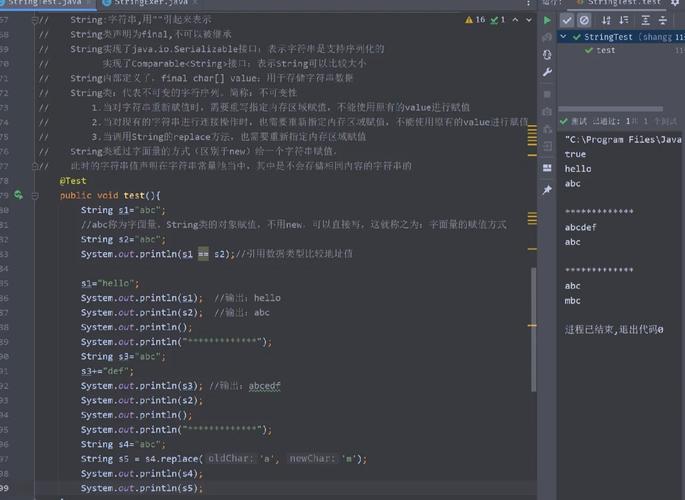
The most important thing to know about Java String is that it is immutable. This means that once a String object is created, its value cannot be changed.
What happens when you try to "change" a String?
public class StringExample {
    public static void main(String[] args) {
        String str = "Hello";
        System.out.println("Original String: " + str);
        System.out.println("Hash Code: " + str.hashCode());
        // This looks like you're changing the string, but you're not!
        // 1. A new String object "World" is created.
        // 2. The variable 'str' is updated to point to this new object.
        // 3. The original "Hello" object is now "orphaned" and will be garbage collected.
        str = str + " World";
        System.out.println("Modified String: " + str);
        System.out.println("Hash Code: " + str.hashCode());
    }
}
Output:
Original String: Hello
Hash Code: 69609650
Modified String: Hello World
Hash Code: -798673724
Notice that the hash code changed, proving that a completely new object was created in memory.
Implications of Immutability:
- Performance: Modifying a
Stringin a loop (e.g., concatenation) is very inefficient because it creates a new object in each iteration, leading to excessive memory allocation and garbage collection. - Thread-Safety: Immutability makes
Stringobjects inherently thread-safe. Since they can't be changed, multiple threads can access them without risk of corruption. - Security: Strings are often used to hold sensitive data (passwords, URLs). Immutability ensures this data cannot be accidentally or maliciously modified after creation.
StringBuilder: The Mutable Workhorse
For situations where you need to build or modify a string dynamically, StringBuilder is the go-to choice. It is mutable, meaning you can change its contents without creating a new object each time.
Key Characteristics:
- Mutable: Its content can be changed.
- Not Thread-Safe: Its methods are not synchronized. This means it's faster than
StringBufferbut can lead to race conditions if used by multiple threads without external synchronization. - Performance: Generally the fastest option for string manipulation in a single-threaded environment.
Common Methods:
| Method | Description |
|---|---|
append(String str) |
Adds the specified string to the end of the current sequence. |
insert(int offset, String str) |
Inserts the specified string at the specified position. |
delete(int start, int end) |
Removes characters from start to end-1. |
reverse() |
Reverses the character sequence. |
toString() |
Returns the String representation of the current sequence. |
Example:
public class StringBuilderExample {
    public static void main(String[] args) {
        // Start with an empty StringBuilder
        StringBuilder sb = new StringBuilder();
        // Append strings efficiently
        sb.append("Java");
        sb.append(" is ");
        sb.append("awesome!");
        // The original sb object is modified, no new objects are created.
        System.out.println(sb.toString()); // Output: Java is awesome!
        // Modify the existing string
        sb.insert(5, " really"); // Inserts " really" at index 5
        System.out.println(sb.toString()); // Output: Java really is awesome!
        // Reverse it
        sb.reverse();
        System.out.println(sb.toString()); // Output: !emosewa si yllaer avaJ
    }
}
StringBuffer: The Thread-Safe Alternative
StringBuffer was the original mutable string class in Java (since JDK 1.0). StringBuilder was added later (in JDK 5.0) as a non-synchronized, higher-performance alternative.
Key Characteristics:
- Mutable: Just like
StringBuilder. - Thread-Safe: All its public methods are
synchronized. This ensures that only one thread can execute a method on aStringBufferobject at a time. - Performance: Slower than
StringBuilderdue to the overhead of synchronization.
When to use StringBuffer?
You should only use StringBuffer if you need to perform string manipulation in a multi-threaded environment and require the operations to be atomic. In almost all single-threaded scenarios, StringBuilder is the better choice.
Comparison Table: String vs. StringBuilder vs. StringBuffer
| Feature | String |
StringBuilder |
StringBuffer |
|---|---|---|---|
| Mutability | Immutable | Mutable | Mutable |
| Thread Safety | Yes (inherently) | No | Yes (methods are synchronized) |
| Performance | Slow for modifications | Fastest | Slower than StringBuilder |
| Memory Usage | High (creates new objects on modification) | Low (modifies existing object) | Low (modifies existing object) |
| Primary Use Case | Storing fixed, constant text. | Building/modifying strings in a single-threaded context. | Building/modifying strings in a multi-threaded context. |
Performance Example: Concatenation in a Loop
This classic example perfectly illustrates why you should use StringBuilder for building strings in a loop.
public class PerformanceComparison {
    public static void main(String[] args) {
        int iterations = 100_000;
        // --- Using String Concatenation (BAD for loops) ---
        long startTime = System.nanoTime();
        String strResult = "";
        for (int i = 0; i < iterations; i++) {
            strResult += "a"; // Creates a new String object in each iteration
        }
        long endTime = System.nanoTime();
        System.out.println("String Concatenation Time: " + (endTime - startTime) / 1_000_000 + " ms");
        // --- Using StringBuilder (GOOD) ---
        startTime = System.nanoTime();
        StringBuilder sbResult = new StringBuilder();
        for (int i = 0; i < iterations; i++) {
            sbResult.append("a"); // Modifies the existing object
        }
        String finalString = sbResult.toString();
        endTime = System.nanoTime();
        System.out.println("StringBuilder Time: " + (endTime - startTime) / 1_000_000 + " ms");
    }
}
Typical Output:
String Concatenation Time: 842 ms
StringBuilder Time: 5 ms
As you can see, StringBuilder is orders of magnitude faster for this task.
Summary and Best Practices
-
Use
Stringwhen:- The value of the string will not change.
- You need to pass a string as a constant.
- Thread safety is a concern (though immutability handles this for you).
-
Use
StringBuilderwhen:- You are performing string concatenation or manipulation, especially in loops.
- You are working in a single-threaded environment. This is the default choice for mutable strings in modern Java.
-
Use
StringBufferwhen:- You are performing string manipulation in a multi-threaded environment and you need to ensure that every operation is atomic and thread-safe without using external locks.
Java 8+ Bonus: String.join()
For simple joining of an array or list of strings with a delimiter, the static String.join() method is very clean and readable.
String[] words = {"Java", "is", "fun"};
String sentence = String.join(" ", words);
System.out.println(sentence); // Output: Java is fun