Of course! The term "indentblock" isn't a standard Python keyword or built-in function. It's a descriptive term that refers to the fundamental concept of how Python uses indentation to define code blocks.
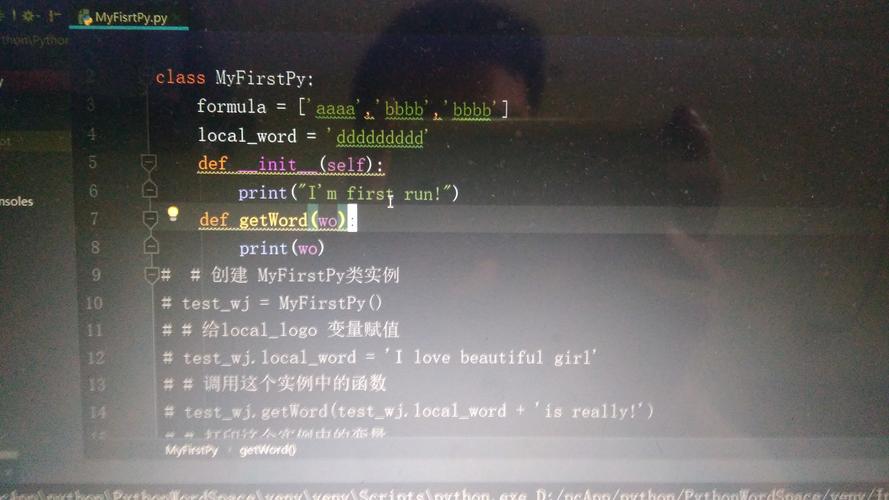
Let's break down what that means, why it's so important, and how to use it correctly.
What is an "Indentblock"?
In most programming languages (like C++, Java, or JavaScript), code blocks are defined using curly braces . Python is unique in that it uses indentation to define blocks of code.
An "indentblock" is simply a group of lines of code that are indented by the same amount and belong together logically. This indentation signals to the Python interpreter that these lines are part of the same block.
The Core Rule: Whitespace is Significant
In Python, leading whitespace (spaces and tabs) at the beginning of a line is not just for readability—it's syntactically significant. The interpreter uses it to understand the structure of your code.
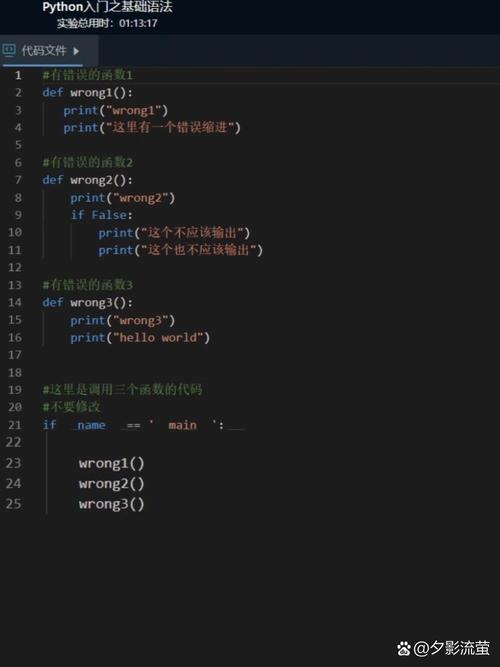
- Correct Indentation: Defines the block.
- Incorrect Indentation: Results in an
IndentationError.
How to Indent (Best Practices)
While you can use spaces or tabs, the official Python style guide (PEP 8) has a strong recommendation:
Use 4 spaces per indentation level.
This is the universal standard in the Python community. It makes your code readable and consistent.
The Tab vs. Space Debate
- Spaces (Recommended): Using 4 spaces is the safest and most compatible choice. Every editor can display spaces correctly.
- Tabs: Can be problematic because different editors and systems may display tabs with different widths (e.g., 2, 4, or 8 spaces), which can break your code's visual structure.
Modern Python editors and IDEs (like VS Code, PyCharm, etc.) are smart. If you start using spaces, they will automatically insert 4 spaces when you press the Tab key. If you mix tabs and spaces, you will likely get a warning or an error.
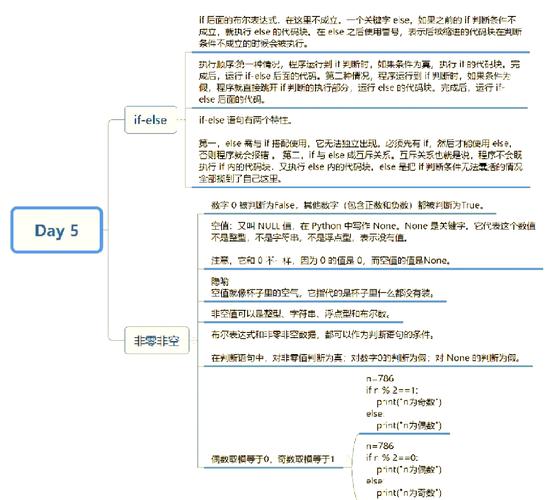
Examples of Indentation in Action
Let's see how indentation defines blocks in common Python constructs.
Example 1: if / elif / else Statements
The indented block under an if statement only runs if the condition is True.
age = 20
if age >= 18:
    print("You are an adult.")
    print("You can vote.") # This line is part of the same block
else:
    print("You are a minor.")
    print("You cannot vote yet.") # This line is part of the 'else' block
print("This line is outside the if/else block.")
Output:
You are an adult.
You can vote.
This line is outside the if/else block.
Example 2: Loops (for, while)
The code inside the loop is indented. It runs repeatedly as long as the loop condition is true.
fruits = ["apple", "banana", "cherry"]
for fruit in fruits:
    print(f"I love {fruit}!")
    print("It's so delicious.") # Part of the loop block
print("All done!") # This line is outside the loop
Output:
I love apple!
It's so delicious.
I love banana!
It's so delicious.
I love cherry!
It's so delicious.
All done!
Example 3: Function Definitions (def)
The body of a function is an indented block. It only runs when the function is called.
def greet(name):
    print(f"Hello, {name}!")
    print("Welcome to our program.") # Part of the function body
print("Calling the function now...")
greet("Alice")
print("Function call finished.")
Output:
Calling the function now...
Hello, Alice!
Welcome to our program.
Function call finished.
Common Indentation Errors and How to Fix Them
Error 1: IndentationError: expected an indented block
This happens when a line of code needs to be indented but isn't.
# --- WRONG ---
def say_hello():
print("Hello, world!") # This line must be indented
Fix: Add the required indentation (4 spaces).
# --- CORRECT ---
def say_hello():
    print("Hello, world!")
Error 2: IndentationError: unexpected indent
This happens when a line is indented when it doesn't need to be.
# --- WRONG ---
x = 10
    print(x) # This line should not be indented
Fix: Remove the extra spaces.
# --- CORRECT ---
x = 10
print(x)
Error 3: IndentationError: unindent does not match any outer indentation level
This is the most common error. It happens when you change indentation levels but don't do it consistently for a whole block.
# --- WRONG ---
def check_number(n):
    if n > 0:
        print("Positive")
   else: # This line is indented less than the 'if' block, but not at the top level.
        print("Zero or Negative")
Fix: Make sure the else block is indented to the same level as its corresponding if block.
# --- CORRECT ---
def check_number(n):
    if n > 0:
        print("Positive")
    else: # Now the indentation is correct
        print("Zero or Negative")
Summary: Key Takeaways
- Python's Rule: Code blocks are defined by indentation, not curly braces.
- The Standard: Use 4 spaces for each level of indentation (PEP 8).
- Consistency is Key: All lines within a single block must have the same indentation.
- Blocks are Nested: If you have a block inside another block (e.g., a loop inside an
ifstatement), you indent further (e.g., 8 spaces). - IDEs are Your Friend: Modern editors will automatically handle indentation for you, making it much easier to avoid errors.
Mastering indentation is one of the first and most important steps to writing clean, readable, and correct Python code.