Of course! Converting HTML to PDF in Java is a common requirement for generating reports, invoices, and other documents. There are several excellent libraries available, each with its own strengths.

Here’s a comprehensive guide covering the most popular and effective methods.
Summary of Top Libraries
| Library | Key Feature | Best For | Ease of Use | License |
|---|---|---|---|---|
| Flying Saucer (xhtmlrenderer) | Renders HTML/CSS using a real browser engine. | Fidelity to modern CSS (Flexbox, Grid). | Medium | MPL 2.0 (open source) |
| iText 7 | Powerful PDF manipulation library. | Complex PDFs, digital signatures, forms. | Medium | AGPL (commercial license needed for closed source) |
| OpenPDF | Fork of the original iText 5. | Simpler PDF generation, legacy projects. | Easy | LGPL (commercial friendly) |
| Apache PDFBox | Pure Java PDF library. | Modifying existing PDFs, text extraction. | Hard for HTML | Apache 2.0 (very permissive) |
| wkhtmltopdf | Uses a real WebKit engine (external tool). | Perfect pixel-perfect rendering of complex web pages. | Easy (but setup required) | LGPL (commercial friendly) |
Flying Saucer (xhtmlrenderer)
This is the most popular pure Java solution. It uses a headless version of the Batik browser engine to render HTML and CSS directly to a PDF. It's excellent for generating reports from well-structured HTML and CSS.
How it works: You provide an HTML file (or string) and a FileOutputStream, and Flying Saucer parses the HTML/CSS and draws it onto a PDF canvas.
Step 1: Add Dependency (Maven)
<dependency>
    <groupId>org.xhtmlrenderer</groupId>
    <artifactId>flying-saucer-pdf</artifactId>
    <version>9.1.22</version> <!-- Check for the latest version -->
</dependency>
Step 2: Java Code Example
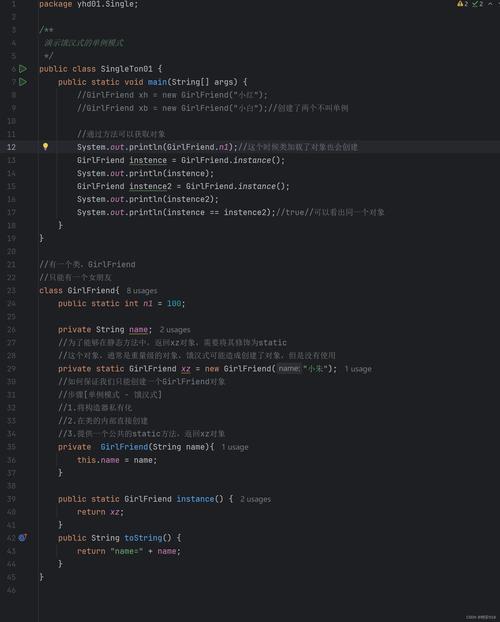
This example converts a simple HTML string to a PDF file.
import org.xhtmlrenderer.pdf.ITextRenderer;
import java.io.File;
import java.io.FileOutputStream;
import java.io.IOException;
import java.io.OutputStream;
public class FlyingSaucerExample {
    public static void main(String[] args) {
        // 1. Create an output stream for the PDF file
        try (OutputStream os = new FileOutputStream("output.pdf")) {
            // 2. Create a Flying Saucer renderer instance
            ITextRenderer renderer = new ITextRenderer();
            // 3. Set the HTML content to be rendered
            // You can load from a file: renderer.setDocument(new File("my-page.html"));
            String html = "<html><head><style>" +
                          "body { font-family: Arial, sans-serif; }" +
                          "h1 { color: #0056b3; }" +
                          "table { border-collapse: collapse; width: 100%; }" +
                          "th, td { border: 1px solid #dddddd; text-align: left; padding: 8px; }" +
                          "tr:nth-child(even) { background-color: #f2f2f2; }" +
                          "</style></head>" +
                          "<body>" +
                          "<h1>My First PDF Report</h1>" +
                          "<p>This PDF was generated using Flying Saucer in Java.</p>" +
                          "<table>" +
                          "<tr><th>Product</th><th>Quantity</th><th>Price</th></tr>" +
                          "<tr><td>Laptop</td><td>1</td><td>$1200</td></tr>" +
                          "<tr><td>Mouse</td><td>2</td><td>$25</td></tr>" +
                          "</table>" +
                          "</body></html>";
            renderer.setDocumentFromString(html);
            // 4. Render the HTML to PDF
            renderer.layout();
            renderer.createPDF(os);
            System.out.println("PDF generated successfully!");
        } catch (IOException e) {
            e.printStackTrace();
        }
    }
}
Pros:
- Pure Java (no external dependencies).
- Good support for standard CSS.
- Actively maintained.
Cons:
- Does not support JavaScript.
- CSS support, while good, can lag behind modern browsers (e.g., complex Flexbox/Grid might be tricky).
- Can be slower than native solutions.
iText 7
iText is a powerful, feature-rich library for creating and manipulating PDFs. It has a dedicated module for converting HTML to PDF.
How it works: iText parses the HTML and maps its elements to PDF building blocks (paragraphs, tables, images, etc.). It's less about "rendering" and more about "converting" the structure.

Step 1: Add Dependency (Maven)
<dependency>
    <groupId>com.itextpdf</groupId>
    <artifactId>html2pdf</artifactId>
    <version>5.0.5</version> <!-- Check for the latest version -->
</dependency>
Step 2: Java Code Example
import com.itextpdf.html2pdf.HtmlConverter;
import java.io.File;
import java.io.IOException;
import java.io.OutputStream;
public class ITextExample {
    public static void main(String[] args) {
        // The HTML content
        String html = "<h1>iText HTML to PDF</h1>" +
                      "<p>This is a paragraph converted using iText 7.</p>" +
                      "<ul><li>List item 1</li><li>List item 2</li></ul>";
        // The output file
        File pdfFile = new File("itext-output.pdf");
        try (OutputStream os = new FileOutputStream(pdfFile)) {
            // The core conversion method
            HtmlConverter.convertToPdf(html, os);
            System.out.println("PDF generated successfully with iText!");
        } catch (IOException e) {
            e.printStackTrace();
        }
    }
}
Pros:
- Extremely powerful for complex PDF layouts, forms, and digital signatures.
- Good commercial support available.
- Mature and stable.
Cons:
- The AGPL license can be problematic for closed-source commercial applications (you must purchase a license).
- The HTML-to-PDF conversion logic is different from a browser's, so complex styling might not translate perfectly.
OpenPDF
OpenPDF is a fork of the original iText 5, which was very popular and had a very permissive LGPL license. It's a great choice if you need a simple, commercial-friendly PDF generation library.
How it works: Similar to iText, it provides a set of classes to build PDFs programmatically. It does not have a built-in HTML-to-PDF converter like iText 7. You would typically use a third-party add-on or a templating engine (like Thymeleaf/FreeMarker) to generate the HTML string first, and then you'd need a library to parse that HTML (like Flying Saucer or a custom parser).
Example Workflow with OpenPDF + Flying Saucer:
- Use OpenPDF to create a basic PDF document.
- Use Flying Saucer to render your HTML content.
- Embed the Flying Saucer-generated content into the OpenPDF document.
This is more complex but gives you the best of both worlds.
Apache PDFBox
PDFBox is a pure Java tool from the Apache Software Foundation for working with PDF documents. Its primary strength is reading and manipulating existing PDFs. While it can create PDFs from scratch, it does not have a built-in HTML rendering engine.
Use Case: You would use PDFBox if you have an existing PDF and need to add a header, footer, or some text to it. For HTML-to-PDF, you would need to combine it with another library like Flying Saucer.
wkhtmltopdf (The External Tool Approach)
This is not a Java library but a command-line tool that uses a real WebKit rendering engine (the same one used in older versions of Chrome and Safari). It produces extremely high-fidelity PDFs that look exactly like the web page.
How it works: Your Java code executes the wkhtmltopdf command, passing the input HTML URL and output PDF file path as arguments.
Step 1: Download and Install wkhtmltopdf
- Go to the wkhtmltopdf download page.
- Download and install the appropriate version for your operating system.
- Make sure the
wkhtmltopdfexecutable is in your system's PATH, or provide the full path to it in your Java code.
Step 2: Java Code Example (using ProcessBuilder)
import java.io.File;
import java.io.IOException;
public class WkHtmlToPdfExample {
    public static void main(String[] args) {
        String htmlFilePath = "my-report.html"; // Path to your HTML file
        String pdfFilePath = "wkhtmltopdf-output.pdf"; // Desired output PDF path
        String wkhtmltopdfPath = "wkhtmltopdf"; // Assumes it's in the system PATH
        // If not in PATH, provide the full path, e.g., "C:/Program Files/wkhtmltopdf/bin/wkhtmltopdf.exe"
        ProcessBuilder pb = new ProcessBuilder(wkhtmltopdfPath, htmlFilePath, pdfFilePath);
        try {
            System.out.println("Starting conversion...");
            Process p = pb.start();
            int exitCode = p.waitFor();
            if (exitCode == 0) {
                System.out.println("PDF generated successfully using wkhtmltopdf!");
            } else {
                System.err.println("Error converting HTML to PDF. Exit code: " + exitCode);
                // You might want to read the error stream here
            }
        } catch (IOException | InterruptedException e) {
            e.printStackTrace();
        }
    }
}
Pros:
- Highest fidelity: Renders CSS, JavaScript, and complex layouts perfectly.
- Very easy to use from Java.
Cons:
- Not pure Java: Requires an external executable to be installed on the server/machine.
- Can be slower than pure Java libraries.
- Headless mode can sometimes be tricky to configure on some systems.
Which One Should I Choose?
- For best CSS/HTML fidelity and you can install an external tool: Use wkhtmltopdf. It's the most reliable for complex, modern web pages.
- For a pure Java solution with good CSS support: Use Flying Saucer. It's the standard choice for server-side HTML-to-PDF in Java.
- For generating complex PDFs with forms, signatures, or if you need a commercial license: Evaluate iText 7 (be mindful of the AGPL license) or OpenPDF.
- For modifying existing PDFs or simple text-based reports: Apache PDFBox is a great tool, but you'll need a companion for HTML rendering.