Python测试MySQL数据库连接
在Python中测试MySQL数据库连接,你可以使用mysql-connector-python库或PyMySQL库,以下是两种方法的示例代码:
(图片来源网络,侵删)
方法1:使用mysql-connector-python
首先安装必要的库:
pip install mysql-connector-python
然后使用以下代码测试连接:
import mysql.connector
from mysql.connector import Error
def test_mysql_connection():
    try:
        # 创建数据库连接
        connection = mysql.connector.connect(
            host='localhost',       # 数据库主机地址
            database='your_database',  # 数据库名称
            user='your_username',   # 数据库用户名
            password='your_password'  # 数据库密码
        )
        if connection.is_connected():
            db_info = connection.get_server_info()
            print(f"成功连接到MySQL服务器,版本: {db_info}")
            # 创建游标对象
            cursor = connection.cursor()
            # 执行简单查询
            cursor.execute("SELECT database();")
            record = cursor.fetchone()
            print(f"连接到数据库: {record}")
    except Error as e:
        print(f"连接MySQL时出错: {e}")
    finally:
        # 关闭连接
        if 'connection' in locals() and connection.is_connected():
            cursor.close()
            connection.close()
            print("MySQL连接已关闭")
if __name__ == "__main__":
    test_mysql_connection()
方法2:使用PyMySQL
首先安装必要的库:
pip install pymysql
然后使用以下代码测试连接:
(图片来源网络,侵删)
import pymysql
from pymysql import MySQLError
def test_mysql_connection_pymysql():
    try:
        # 创建数据库连接
        connection = pymysql.connect(
            host='localhost',       # 数据库主机地址
            database='your_database',  # 数据库名称
            user='your_username',   # 数据库用户名
            password='your_password',  # 数据库密码
            charset='utf8mb4',
            cursorclass=pymysql.cursors.DictCursor
        )
        print("成功连接到MySQL数据库")
        with connection.cursor() as cursor:
            # 执行简单查询
            cursor.execute("SELECT VERSION() AS version;")
            result = cursor.fetchone()
            print(f"MySQL版本: {result['version']}")
    except MySQLError as e:
        print(f"连接MySQL时出错: {e}")
    finally:
        # 关闭连接
        if 'connection' in locals():
            connection.close()
            print("MySQL连接已关闭")
if __name__ == "__main__":
    test_mysql_connection_pymysql()
注意事项
-
替换连接参数:将代码中的
localhost、your_database、your_username和your_password替换为你的实际数据库连接信息。 -
错误处理:两种方法都包含了基本的错误处理,会捕获并显示连接过程中的错误。
-
连接关闭:确保在
finally块中关闭连接,以释放资源。 -
SSL连接:如果需要SSL连接,可以在连接参数中添加
ssl配置。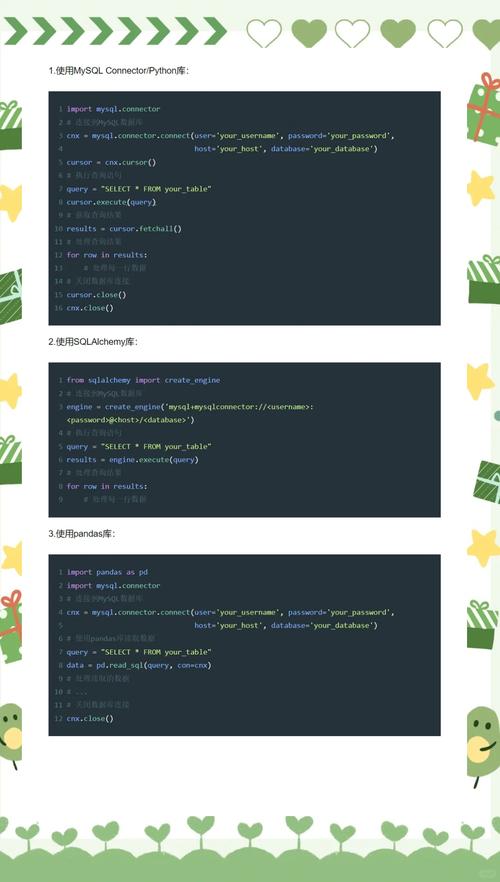 (图片来源网络,侵删)
 -
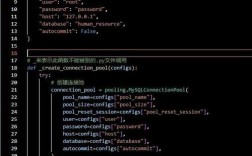
连接池:对于生产环境,考虑使用连接池来管理数据库连接。
-
环境变量:为了安全,建议从环境变量中读取敏感信息(如密码),而不是硬编码在代码中。
如果连接测试失败,请检查:
- MySQL服务是否正在运行
- 连接参数是否正确
- 用户是否有足够的权限
- 防火墙设置是否阻止了连接