Of course! This is a very common and important topic in Java, especially when dealing with network programming, file I/O, and cryptography.
Let's break down the relationship between byte, String, and byte[] (byte array) in Java.
The Core Concepts
-
byte: This is a primitive data type in Java. It's an 8-bit signed integer, meaning it can hold values from -128 to 127. It's the fundamental building block for binary data. -
String: This is a class in Java that represents a sequence of characters. In modern Java (UTF-16), each character is represented by two bytes.Stringis designed for text, not raw binary data. -
byte[](byte array): This is an array ofbyteprimitive types. It's the standard way to represent a block of binary data in Java—like the contents of a file, an image, or data being sent over a network.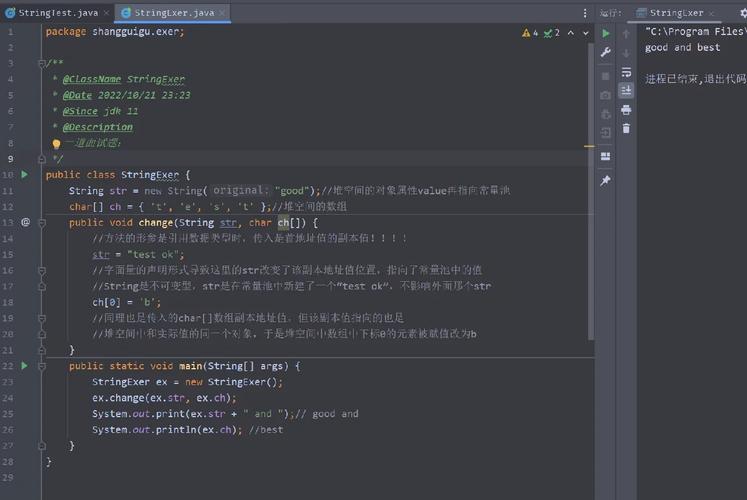 (图片来源网络,侵删)
The key takeaway is that String is for text, and byte[] is for binary data. You need to convert between them when you want to treat binary data as text (e.g., sending it as a JSON payload) or when you want to store text as binary data (e.g., writing it to a file).
Converting byte[] to String
You need to specify a character encoding when converting from byte[] to String. The encoding defines how the raw bytes should be interpreted as characters.
Why is encoding critical?
Imagine you have the byte 0xE4. This could be:
- The letter in ISO-8859-1 (Latin-1) encoding.
- The first byte of the two-byte sequence for the Chinese character
马in UTF-8 encoding. - The first byte of the two-byte sequence for the letter in UTF-16 encoding.
Without specifying the encoding, Java will use the platform's default charset, which can lead to bugs and data corruption on different machines (e.g., Windows vs. Linux).
The Best Practice: Use StandardCharsets
The java.nio.charset.StandardCharsets class provides predefined constants for common encodings, which is safer and more readable than using a string name.
import java.nio.charset.StandardCharsets;
public class ByteArrayToString {
    public static void main(String[] args) {
        // A byte array representing the text "Hello" in UTF-8
        byte[] utf8Bytes = {72, 101, 108, 108, 111}; // H, e, l, l, o
        // Convert byte array to String using UTF-8 encoding
        String strFromUtf8 = new String(utf8Bytes, StandardCharsets.UTF_8);
        System.out.println("From UTF-8: " + strFromUtf8); // Output: From UTF-8: Hello
        // A byte array representing the text "café" in ISO-8859-1
        byte[] latin1Bytes = {99, 97, 102, 233}; // c, a, f, é
        // Convert using ISO-8859-1 encoding
        String strFromLatin1 = new String(latin1Bytes, StandardCharsets.ISO_8859_1);
        System.out.println("From ISO-8859-1: " + strFromLatin1); // Output: From ISO-8859-1: café
        // --- The Danger of Default Encoding ---
        // On a system where the default is UTF-8, this works.
        // On a system where the default is something else, it can fail or produce wrong characters.
        String strWithDefault = new String(latin1Bytes); // No charset specified!
        System.out.println("With Default Charset: " + strWithDefault); // Might be 'caf�' (mojibake)
    }
}
Converting String to byte[]
Again, you must specify the character encoding. This time, you're converting the characters of the String into a sequence of bytes.
import java.nio.charset.StandardCharsets;
public class StringToByteArray {
    public static void main(String[] args) {
        String text = "Hello, 世界!"; // A string with English and Chinese characters
        // Convert String to byte array using UTF-8 encoding
        byte[] utf8Bytes = text.getBytes(StandardCharsets.UTF_8);
        System.out.println("UTF-8 Bytes: " + java.util.Arrays.toString(utf8Bytes));
        // Output: [72, 101, 108, 108, 111, 44, 32, -28, -72, -83, -27, -101, -67, 33]
        // Convert String to byte array using ISO-8859-1 encoding
        // Note: This will fail for characters not in the ISO-8859-1 set, like '世'
        try {
            byte[] latin1Bytes = text.getBytes(StandardCharsets.ISO_8859_1);
            System.out.println("ISO-8859-1 Bytes: " + java.util.Arrays.toString(latin1Bytes));
        } catch (Exception e) {
            System.out.println("Cannot encode '世界' with ISO-8859-1.");
        }
        // --- The Danger of Default Encoding ---
        byte[] defaultBytes = text.getBytes(); // Uses platform's default charset
        System.out.println("Default Charset Bytes: " + java.util.Arrays.toString(defaultBytes));
        // These bytes are only valid for the platform that created them!
    }
}
Handling a Single byte
A single byte is a primitive. If you want to represent it as a String (e.g., to print its decimal or hexadecimal value), you can't just use new String(myByte). That will throw an IllegalArgumentException.
You have to convert it to a more usable form first.
Option A: Convert to a number (Decimal or Hexadecimal) String
public class ByteToString {
    public static void main(String[] args) {
        byte myByte = (byte) 0xE4; // A negative number in decimal: -28
        // Convert to a String representing its decimal value
        String decimalString = String.valueOf(myByte);
        System.out.println("As Decimal String: " + decimalString); // Output: As Decimal String: -28
        // Convert to a String representing its hexadecimal value
        String hexString = String.format("%02X", myByte);
        System.out.println("As Hex String: " + hexString); // Output: As Hex String: E4
    }
}
Option B: Convert to a character
If you are certain the byte represents a character from a specific encoding (like ASCII or ISO-8859-1), you can create a String from it.
public class ByteToCharString {
    public static void main(String[] args) {
        byte myByte = 0x41; // ASCII code for 'A'
        // This works because the byte is within the ASCII range
        String charString = new String(new byte[]{myByte}, StandardCharsets.US_ASCII);
        System.out.println("As Character String: " + charString); // Output: As Character String: A
    }
}
Summary Table
| Conversion | Method | Key Consideration |
|---|---|---|
byte[] to String |
new String(byteArray, StandardCharsets.UTF_8) |
Always specify a character encoding. |
String to byte[] |
myString.getBytes(StandardCharsets.UTF_8) |
Always specify a character encoding. |
**byte to String (as a number) |
String.valueOf(myByte) or String.format("%02X", myByte) |
Useful for logging or debugging binary data. |
**byte to String (as a character) |
new String(new byte[]{myByte}, StandardCharsets.ISO_8859_1) |
Only safe if you know the byte represents a character. |
String to byte |
Casting: byte myByte = (byte) myString.charAt(0); |
DANGEROUS. Only works for characters that fit in one byte. |
Best Practices
- Always Be Explicit with Encoding: Never rely on the platform's default charset. Always pass
StandardCharsets.UTF_8(or another known encoding) toStringconstructors andgetBytes()methods. UTF-8 is the recommended standard for almost all applications. - Use
byte[]for Binary Data: If you are reading from a file, a network socket, or a database, store the data in abyte[]. Only convert it to aStringif you need to process it as text. - Validate Encoding Compatibility: When converting from
byte[]toString, be aware that some encodings (like ISO-8859-1) can only represent a limited set of characters. If your binary data contains characters outside that set, the conversion will produce incorrect results (often a or a "replacement character" ).