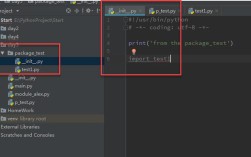
Excellent question. The expression name == in Python is a piece of code you'll often see in test files, but it's technically incomplete on its own.
Let's break down what it means, why it's used, and how it works.
The Short Answer
name == is the beginning of a comparison. It's used to check if the variable name is equal to some other value. The code is incomplete because the value to compare against is missing.
You will almost always see it followed by a string literal, like this:
if __name__ == "__main__":
    # ... some code ...
This is the most common context where you'll see this pattern.
The Detailed Breakdown
The Operator: Equality Comparison
In Python, is the equality operator. It checks if the values on its left and right are equal, and it returns True or False.
5 == 5->True"hello" == "world"->Falsemy_variable == 10-> Checks if the value stored inmy_variableis 10.
The name Variable: A Special String
The variable name is a special built-in variable in Python. It's a string that holds the name of the current module (i.e., the current .py file).
- If you run a file directly (e.g.,
python my_script.py), its__name__is set to"__main__". - If you import a file as a module (e.g.,
import my_script), its__name__is set to the module's name (e.g.,"my_script").
Important: The variable is actually __name__ (with double underscores on each side). This is a convention in Python called a "dunder" (double underscore) name, used for special attributes and methods. People often refer to it conversationally as "name".
The if Statement: Conditional Logic
The if statement executes a block of code only if its condition is True.
When you combine these pieces, you get the most common and important use case:
The Main Use Case: The if __name__ == "__main__": Guard Clause
This is a fundamental and idiomatic pattern in Python. It's often called a "guard clause" or "entry point check".
What it does: It allows a Python script to be used in two ways:
- As a standalone program that you run directly.
- As a module that you import into other scripts.
How it Works
Let's say you have a file named math_helpers.py:
# math_helpers.py
def add(a, b):
    """This function adds two numbers."""
    print(f"Running the 'add' function from the '{__name__}' module.")
    return a + b
def subtract(a, b):
    """This function subtracts two numbers."""
    print(f"Running the 'subtract' function from the '{__name__}' module.")
    return a - b
# --- The Guard Clause ---
if __name__ == "__main__":
    print("This script is being run directly.")
    print(f"The __name__ variable is currently: '{__name__}'")
    # You can put code here that you only want to run
    # when the script is executed directly.
    result = add(10, 5)
    print(f"The result of the direct run is: {result}")
Scenario 1: Running the Script Directly
If you open your terminal and run:
python math_helpers.py
Output:
This script is being run directly.
The __name__ variable is currently: '__main__'
Running the 'add' function from the '__main__' module.
The result of the direct run is: 15
Explanation:
Because you ran math_helpers.py directly, Python set its __name__ to "__main__". The condition __name__ == "__main__" evaluates to True, so the code inside the if block is executed.
Scenario 2: Importing the Script as a Module
Now, let's create another file, main_app.py, in the same directory:
# main_app.py
# Import the functions from our other file
from math_helpers import add, subtract
print("This is the main_app.py script.")
print(f"The __name__ variable here is: '{__name__}'")
print("\n--- Now, let's use the imported functions ---")
add(20, 8)
subtract(20, 8)
If you run this script:
python main_app.py
Output:
This is the main_app.py script.
The __name__ variable here is: '__main__'
--- Now, let's use the imported functions ---
Running the 'add' function from the 'math_helpers' module.
Running the 'subtract' function from the 'math_helpers' module.
Explanation:
When main_app.py imports math_helpers, Python loads math_helpers.py. However, because it's being imported and not run directly, its __name__ is set to its filename, "math_helpers". The condition __name__ == "__main__" in math_helpers.py now evaluates to False (since "math_helpers" != "__main__"). Therefore, the code inside the if block is skipped.
This is incredibly useful because it separates reusable code (the functions) from the script's test/demo code (the part inside the if block).
Other (Less Common) Uses
While if __name__ == "__main__": is the king, the pattern variable == value can be used in other testing contexts.
Example 1: Checking an Expected Value in a Test
In a simple test script, you might do this:
def test_addition():
    result = 2 + 2
    expected = 4
    # This is an assertion. It will raise an error if the condition is False.
    assert result == expected
def test_subtraction():
    result = 5 - 3
    expected = 3
    assert result == expected # This will fail!
# You could run these tests manually like this:
if __name__ == "__main__":
    print("Running simple tests...")
    test_addition()
    print("Test 1 passed.")
    test_subtraction()
    print("Test 2 passed.") # This line will never be reached.
When you run this, the second test will fail and raise an AssertionError.
Example 2: Matching a String (e.g., in a match statement)
Python 3.10 introduced the match statement, which is like a more powerful if/elif/else for matching values.
user_role = "admin"
match user_role:
    case "admin":
        print("Granting full access.")
    case "editor":
        print("Granting editing access.")
    case "viewer":
        print("Granting read-only access.")
    case _:
        print("Unknown role. Denying access.")
Here, user_role == "admin" (conceptually) is what the first case is checking.
Summary
| Expression | Meaning | Context | Purpose |
|---|---|---|---|
name == |
Incomplete. The start of an equality comparison. | Anywhere. | A syntax error until completed. |
if __name__ == "__main__": |
The Idiomatic Guard Clause. Checks if the current file is being run directly. | At the bottom of a .py file. |
To separate reusable code from code that should only run when the script is executed directly. This is the most important meaning to understand. |
assert result == expected |
An Assertion. Checks if a test passed. | In test scripts. | To automatically verify that a piece of code behaves as expected. If the check fails, the program stops with an error. |