Of course! Here is a comprehensive guide to using xmemcached, a popular and powerful Java client for the Memcached distributed in-memory caching system.
What is xmemcached?
xmemcached is a high-performance, thread-safe Java client for Memcached. It was developed by the Chinese company "dangdang.com" (当当网) and is known for its stability and rich feature set.
Key characteristics of xmemcached:
- High Performance: Uses a non-blocking I/O model (NIO) for efficient network communication.
- Thread-Safe: You can use a single instance of the client across your entire application.
- Feature-Rich: Supports many advanced Memcached features like binary protocol, consistent hashing, and distributed locking.
- Easy to Use: Provides a simple and intuitive API for common operations.
Prerequisites
- Java Development Kit (JDK): Version 8 or newer.
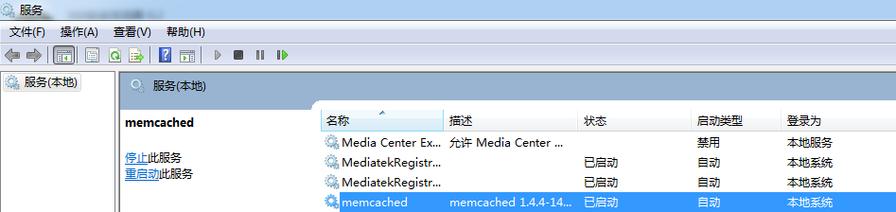
- Memcached Server: You need a running Memcached server. You can easily install it on Linux, macOS, or even run it in a Docker container.
# Example: Running Memcached in Docker
docker run -d -p 11211:11211 --name my-memcached memcached
Step-by-Step Guide to Using xmemcached
Here’s how to get started with xmemcached in a Java project.
Step 1: Add the Dependency
You need to add the xmemcached library to your project. Choose the method that fits your build tool.
Using Maven (pom.xml):
<dependency>
    <groupId>com.googlecode.xmemcached</groupId>
    <artifactId>xmemcached</artifactId>
    <version>2.4.7</version> <!-- Check for the latest version on Maven Central -->
</dependency>
Using Gradle (build.gradle):
implementation 'com.googlecode.xmemcached:xmemcached:2.4.7' // Check for the latest version
Step 2: Create and Configure the Memcached Client
The primary class is XMemcachedClient. You typically create a single instance of this client in your application (e.g., using a singleton pattern or dependency injection).
The best way to create a client is by using the XMemcachedClientBuilder.
import net.rubyeye.xmemcached.MemcachedClient;
import net.rubyeye.xmemcached.MemcachedClientBuilder;
import net.rubyeye.xmemcached.XMemcachedClientBuilder;
import net.rubyeye.xmemcached.auth.AuthInfo;
import net.rubyeye.xmemcached.config.IConfig;
import net.rubyeye.xmemcached.utils.AddrUtil;
public class MemcachedConfig {
    public static MemcachedClient getMemcachedClient() throws Exception {
        // Define the address of your Memcached server(s)
        // For multiple servers, separate them with a space: "host1:port1 host2:port2"
        String serverAddress = "localhost:11211";
        // Create a builder
        MemcachedClientBuilder builder = new XMemcachedClientBuilder(
                AddrUtil.getAddresses(serverAddress)
        );
        // Optional: Configure connection pool settings
        builder.setConnectionPoolSize(10); // Number of connections to keep open
        // Optional: If your Memcached server requires authentication
        // builder.addAuthInfo("localhost", AuthInfo.plain("username", "password"));
        // Optional: Set the operation timeout (in milliseconds)
        builder.setOpTimeout(1000); // 1 second
        // Build and return the client
        return builder.build();
    }
}
Step 3: Basic Operations (CRUD)
Now you can use the client to perform operations on your Memcached server.
import net.rubyeye.xmemcached.MemcachedClient;
import net.rubyeye.xmemcached.exception.MemcachedException;
import java.util.concurrent.TimeoutException;
public class MemcachedExample {
    public static void main(String[] args) {
        MemcachedClient memcachedClient = null;
        try {
            // 1. Get a configured client
            memcachedClient = MemcachedConfig.getMemcachedClient();
            // 2. SET: Store a key-value pair with an expiration time
            // set(key, expirationTimeInSeconds, value)
            System.out.println("Setting key 'user:1001'...");
            boolean setSuccess = memcachedClient.set("user:1001", 3600, "Alice");
            System.out.println("Set operation successful: " + setSuccess);
            // 3. GET: Retrieve a value by its key
            System.out.println("Getting value for key 'user:1001'...");
            String value = memcachedClient.get("user:1001");
            System.out.println("Retrieved value: " + value);
            // 4. REPLACE: Update an existing key
            System.out.println("Replacing value for key 'user:1001'...");
            boolean replaceSuccess = memcachedClient.replace("user:1001", 3600, "Alice Smith");
            System.out.println("Replace operation successful: " + replaceSuccess);
            System.out.println("New value after replace: " + memcachedClient.get("user:1001"));
            // 5. DELETE: Remove a key-value pair
            System.out.println("Deleting key 'user:1001'...");
            boolean deleteSuccess = memcachedClient.delete("user:1001");
            System.out.println("Delete operation successful: " + deleteSuccess);
            // 6. GET after DELETE
            System.out.println("Getting value for key 'user:1001' after deletion...");
            String deletedValue = memcachedClient.get("user:1001");
            System.out.println("Retrieved value (should be null): " + deletedValue);
        } catch (Exception e) {
            e.printStackTrace();
        } finally {
            // 7. Shutdown the client gracefully
            if (memcachedClient != null) {
                try {
                    memcachedClient.shutdown();
                } catch (Exception e) {
                    e.printStackTrace();
                }
            }
        }
    }
}
Step 4: Working with Expiration Times
The expiration time is a crucial parameter in Memcached.
- 0: Never expire. The item will be evicted only when memory is needed.
- N (where N < 30 days): The item will expire in N seconds.
- Unix Timestamp: The item will expire at a specific point in time (e.g.,
System.currentTimeMillis() / 1000 + 3600for one hour from now).
Step 5: Advanced Operations
a) Counter (Atomic Increment/Decrement)
xmemcached provides atomic operations for counters, which are perfect for tracking likes, views, etc.
// Set an initial counter value
memcachedClient.set("counter:product:42", 0, 100);
// Increment the counter by 5
long newCount = memcachedClient.incr("counter:product:42", 5);
System.out.println("Counter after increment: " + newCount); // Should be 105
// Decrement the counter by 2
long newCount2 = memcachedClient.decr("counter:product:42", 2);
System.out.println("Counter after decrement: " + newCount2); // Should be 103
b) CAS (Check-And-Set) for Optimistic Locking
CAS allows you to update a value only if it hasn't been changed by another process since you last read it. This prevents race conditions.
// 1. Get the value and its CAS token
CASValue<Object> casValue = memcachedClient.getWithCAS("user:1001");
Object currentValue = casValue.getValue();
long casUniqueToken = casValue.getCas();
System.out.println("Current value: " + currentValue + " with CAS token: " + casUniqueToken);
// 2. Modify the value locally
String newValue = "Alice Updated";
// 3. Try to set the new value, but only if the CAS token is still valid
// CAS operation returns the new CAS token on success, or 0 on failure.
long newCasToken = memcachedClient.cas("user:1001", 3600, newValue, casUniqueToken);
if (newCasToken != 0) {
    System.out.println("CAS update successful. New CAS token: " + newCasToken);
} else {
    System.out.println("CAS update failed. The value was modified by another client.");
}
c) Bulk Operations (Gets and Sets)
For performance, you can get or set multiple keys in a single network round-trip.
// Bulk GET
Map<String, Object> values = memcachedClient.get(new String[]{"key1", "key2", "key3"});
System.out.println("Bulk GET results: " + values);
// Bulk SET (using a map)
Map<String, Object> dataToSet = new HashMap<>();
dataToSet.put("session:abc123", "user_data_for_session_abc");
dataToSet.put("session:def456", "user_data_for_session_def");
memcachedClient.set(dataToSet);
Best Practices
- Use a Singleton Client: Creating and destroying
MemcachedClientinstances is expensive. Create one instance at application startup and reuse it throughout your application. - Handle Exceptions Gracefully: The client can throw
MemcachedException,InterruptedException, andTimeoutException. Always wrap your calls in atry-catchblock. - Set Timeouts: Configure a reasonable operation timeout (
builder.setOpTimeout()) to prevent your application from hanging if the Memcached server is unresponsive. - Choose the Right Data Types: Memcached stores everything as a
byte[]. xmemcached handles serialization for you for basic types (String, Integer, etc.). For complex objects, ensure they areSerializable. - Use Consistent Hashing: When connecting to multiple Memcached servers, the default Ketama consistent hashing in xmemcached provides excellent distribution and minimal cache shuffling when a server is added or removed.
xmemcached vs. SpyMemcached
Another popular Java client is SpyMemcached.
| Feature | xmemcached | SpyMemcached |
|---|---|---|
| Performance | Generally considered faster due to its NIO implementation. | Good, but can be slower under high load due to blocking I/O in older versions. |
| Features | Richer feature set, including better support for binary protocol, CAS, and connection pooling. | Solid, basic feature set. |
| API | Often praised for being cleaner and more intuitive. | API can feel a bit more verbose. |
| Maintenance | Actively maintained by the original author. | Less actively maintained in recent years. |
Conclusion: For most new projects, xmemcached is often the recommended choice due to its performance, feature set, and active maintenance. However, both are capable clients.