Of course! Let's dive into using Twisted for TCP networking in Python. Twisted is a powerful event-driven networking engine, and understanding its core concepts is key to using it effectively.

This guide will cover:
- The Core Philosophy: Why Twisted is different.
- The Basic Building Blocks:
Protocol,Factory,reactor. - A Complete Echo Server Example: The "Hello, World!" of networking.
- A Complete Echo Client Example: How to connect to the server.
- Key Concepts Explained: Deferreds, Protocols, and the Reactor.
- Next Steps: Where to go from here.
The Core Philosophy: Event-Driven & Asynchronous
Unlike traditional, synchronous networking where you call socket.accept() or socket.recv() and your program blocks (waits) for data, Twisted is event-driven.
Think of it like a restaurant:
- Synchronous (Blocking): A waiter takes an order, stands at the kitchen counter, and waits for the food to be ready before taking the next order. All other customers are ignored.
- Asynchronous (Event-Driven, Twisted): A waiter takes an order, gives it to the kitchen, and immediately moves to the next table. When the kitchen is ready with the food, a "food is ready" event occurs, and the waiter (who is now free) can deliver it.
In Twisted, you don't wait. You define what to do when an event happens (e.g., "when data is received," "when a new client connects"). The reactor is the central manager that waits for these events and dispatches them to the correct code.
The Basic Building Blocks
Twisted has three main concepts you need to know:
-
Protocol: This defines how to handle a network connection. It's a class whose methods are called by the reactor when specific events happen on a connection.connectionMade(): Called when a connection is successfully established.dataReceived(data): Called when some data is received from the peer.connectionLost(reason): Called when the connection is lost or closed.
-
Factory: A factory is responsible for buildingProtocolinstances. When a new client connects, the factory'sbuildProtocol()method is called to create a newProtocolobject to handle that specific connection. This is useful if you want to configure each connection differently (e.g., keep track of which client is which). -
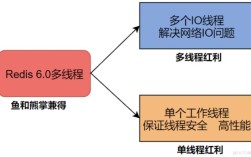
reactor: This is the heart of Twisted. It's the main loop that waits for I/O events (like new data arriving on a socket) and dispatches them to the appropriateProtocolmethods. You start your Twisted application by callingreactor.run()and stop it withreactor.stop(). (图片来源网络,侵删)
Complete Example 1: The Echo Server
An echo server is the simplest possible server: it listens for connections, and anything a client sends it, it sends right back.
This code will be in a file named echo_server.py.
# echo_server.py
from twisted.internet.protocol import Factory
from twisted.protocols.basic import LineReceiver
from twisted.internet import reactor
# 1. Define the Protocol
class EchoProtocol(LineReceiver):
    """
    This protocol handles each connection. It's a line-based protocol,
    meaning it will wait for a full line of text (ending in \r\n) before
    triggering the `lineReceived` method.
    """
    def connectionMade(self):
        """Called when a client connects."""
        peer = self.transport.getPeer()
        print(f"New connection from: {peer.host}:{peer.port}")
        self.transport.write(b"Welcome to the Echo Server!\n")
    def lineReceived(self, line):
        """
        Called when a full line of data is received from the client.
        The 'line' argument is the data without the trailing \r\n.
        """
        print(f"Received: {line.decode('utf-8')}")
        # Echo the line back to the client, with a newline.
        self.transport.write(line + b"\n")
    def connectionLost(self, reason):
        """Called when the connection is lost."""
        print(f"Connection lost: {reason.getErrorMessage()}")
# 2. Define the Factory
class EchoFactory(Factory):
    """
    This factory will create an instance of EchoProtocol for each new
    connection that arrives.
    """
    def buildProtocol(self, addr):
        """Build an instance of our protocol."""
        print(f"Building protocol for: {addr.host}:{addr.port}")
        return EchoProtocol()
# 3. Start the Server
if __name__ == '__main__':
    # This tells the reactor to listen on port 8000.
    # The `EchoFactory` will be used to handle any new connections.
    port = 8000
    print(f"Starting echo server on port {port}...")
    reactor.listenTCP(port, EchoFactory())
    # This starts the Twisted event loop. The script will now block here
    # and wait for network events.
    reactor.run()
    print("Server stopped.")
To run the server:
python echo_server.py
You'll see: Starting echo server on port 8000... and it will wait.
Complete Example 2: The Echo Client
Now, let's create a client to connect to our server. This client will let you type messages and see them echoed back.
This code will be in a file named echo_client.py.
# echo_client.py
from twisted.internet.protocol import Protocol, Factory
from twisted.internet import reactor, stdio
from twisted.protocols.basic import LineReceiver
# 1. Define the Client Protocol
class EchoClientProtocol(LineReceiver):
    """
    This protocol handles communication with the server.
    """
    def connectionMade(self):
        """Called when the connection to the server is established."""
        print("Connected to server. Type a message and press Enter.")
        # We can send an initial message
        # self.sendLine(b"Hello, Server!")
    def lineReceived(self, line):
        """
        Called when a line is received from the server.
        """
        print(f"Server echoed: {line.decode('utf-8')}")
    def sendLine(self, line):
        """
        Override to add a prefix for clarity.
        """
        print(f"Sending: {line.decode('utf-8')}")
        super().sendLine(line)
# 2. Define the Client Factory
class EchoClientFactory(Factory):
    """
    This factory creates the client protocol instance.
    """
    def buildProtocol(self, addr):
        return EchoClientProtocol()
# 3. Connect to the Server and Start the Reactor
if __name__ == '__main__':
    host = '127.0.0.1'  # localhost
    port = 8000
    print(f"Connecting to echo server at {host}:{port}...")
    # This tells the reactor to connect to the server.
    # The `EchoClientFactory` will be used to create the protocol.
    reactor.connectTCP(host, port, EchoClientFactory())
    # This starts the reactor. The script will now run, handling both
    # network I/O and user input from the console.
    reactor.run()
    print("Client stopped.")
How to run the client:
- Make sure your
echo_server.pyis running in one terminal. - In a second terminal, run the client:
python echo_client.py
- You'll see
Connected to server.... Now, type any message and press Enter. You'll see it sent to the server, and the server will echo it back to you, which the client will print.
Key Concepts Explained
Deferreds: The "Promise" of Asynchronous Results
Twisted's most powerful feature is Deferred. A Deferred is an object that represents a result that doesn't exist yet. It's like a promise or a placeholder for a value that will be available in the future.
When you call a function that might take a long time (like a network request), instead of blocking, it immediately returns a Deferred. You then attach "callbacks" (functions to run on success) and "errbacks" (functions to run on failure) to this Deferred.
Example:
from twisted.internet import defer
def fetch_data_from_database():
    # This is a mock function that "simulates" a database call
    # and returns a Deferred immediately.
    d = defer.Deferred()
    reactor.callLater(2, d.callback, "Here is your data!")
    # After 2 seconds, d.callback will be called with the result.
    return d
def print_data(data):
    print(f"Got data: {data}")
def print_error(failure):
    print(f"An error occurred: {failure.getErrorMessage()}")
# Get the deferred
my_deferred = fetch_data_from_database()
# Add callbacks
my_deferred.addCallback(print_data)
my_deferred.addErrback(print_error)
# You can do other work here while waiting for the 2-second delay...
print("Request sent, waiting for result...")
reactor.run()
This pattern is fundamental for writing non-blocking code, especially for things like database queries or complex multi-step network operations.
The Reactor is Not a Web Server
The reactor is a general-purpose event loop. You don't just run reactor.run() by itself in a web application. Instead, you use a framework like Tornado, FAPWS, or Twisted Web (which is part of Twisted itself). These frameworks build on top of the reactor to provide the high-level features of a web server (routing, request objects, etc.).
Next Steps
- Twisted Web: To build an actual HTTP server, explore
twisted.web.serverandtwisted.web.resource. - Concurrency: Learn about Twisted's
threadandprocesspools to run blocking code (like database calls) without stalling the entire reactor. - Clients: Practice writing clients for different protocols (HTTP, SSH, DNS) using Twisted's built-in clients.
- Logging: Use Twisted's robust logging system (
from twisted.python import log) instead ofprint()for real applications. - Official Documentation: The Twisted documentation is excellent and comprehensive.