Here are two ways to create a Python MySQL class.
(图片来源网络,侵删)
Option 1: The "Modern" Approach (Recommended)
This uses the official mysql-connector-python library. It is the standard, object-oriented way to interact with MySQL in Python without third-party ORMs.
Prerequisites:
pip install mysql-connector-python
The Code (mysql_db.py):
import mysql.connector
from mysql.connector import Error
class MySQLDatabase:
    def __init__(self, host, database, user, password):
        self.host = host
        self.database = database
        self.user = user
        self.password = password
        self.connection = None
    def connect(self):
        """Establishes a connection to the database."""
        try:
            self.connection = mysql.connector.connect(
                host=self.host,
                database=self.database,
                user=self.user,
                password=self.password
            )
            if self.connection.is_connected():
                print(f"Connected to MySQL database '{self.database}'")
                return True
        except Error as e:
            print(f"Error while connecting to MySQL: {e}")
            return False
    def disconnect(self):
        """Closes the database connection."""
        if self.connection and self.connection.is_connected():
            self.connection.close()
            print("MySQL connection closed.")
    def execute_read_query(self, query, params=None):
        """
        Executes a SELECT query and returns the results.
        :param query: SQL query string
        :param params: Tuple of parameters (optional)
        """
        cursor = None
        result = None
        try:
            cursor = self.connection.cursor(dictionary=True) # dictionary=True returns rows as dicts
            if params:
                cursor.execute(query, params)
            else:
                cursor.execute(query)
            result = cursor.fetchall()
            return result
        except Error as e:
            print(f"Error reading query: {e}")
            return None
        finally:
            if cursor:
                cursor.close()
    def execute_write_query(self, query, params=None):
        """
        Executes INSERT, UPDATE, DELETE queries.
        Automatically commits changes.
        """
        cursor = None
        try:
            cursor = self.connection.cursor()
            if params:
                cursor.execute(query, params)
            else:
                cursor.execute(query)
            self.connection.commit()
            print("Query executed successfully")
            return cursor.lastrowid # Returns the ID of the inserted row (if applicable)
        except Error as e:
            print(f"Error writing query: {e}")
            self.connection.rollback() # Rollback in case of error
            return None
        finally:
            if cursor:
                cursor.close()
# --- Usage Example ---
if __name__ == "__main__":
    # 1. Initialize
    db = MySQLDatabase(
        host="localhost",
        user="root",
        password="your_password",
        database="your_db_name"
    )
    # 2. Connect
    if db.connect():
        # Example: Create Table (Write)
        create_table_query = """
        CREATE TABLE IF NOT EXISTS users (
            id INT AUTO_INCREMENT PRIMARY KEY,
            name VARCHAR(100),
            email VARCHAR(100)
        )
        """
        db.execute_write_query(create_table_query)
        # Example: Insert Data (Write with params)
        insert_query = "INSERT INTO users (name, email) VALUES (%s, %s)"
        db.execute_write_query(insert_query, ("John Doe", "john@example.com"))
        # Example: Select Data (Read)
        select_query = "SELECT * FROM users"
        users = db.execute_read_query(select_query)
        if users:
            for user in users:
                print(user) # Prints dictionary: {'id': 1, 'name': 'John Doe', ...}
        # 3. Disconnect
        db.disconnect()
Option 2: The "Raw" Approach (using pymysql)
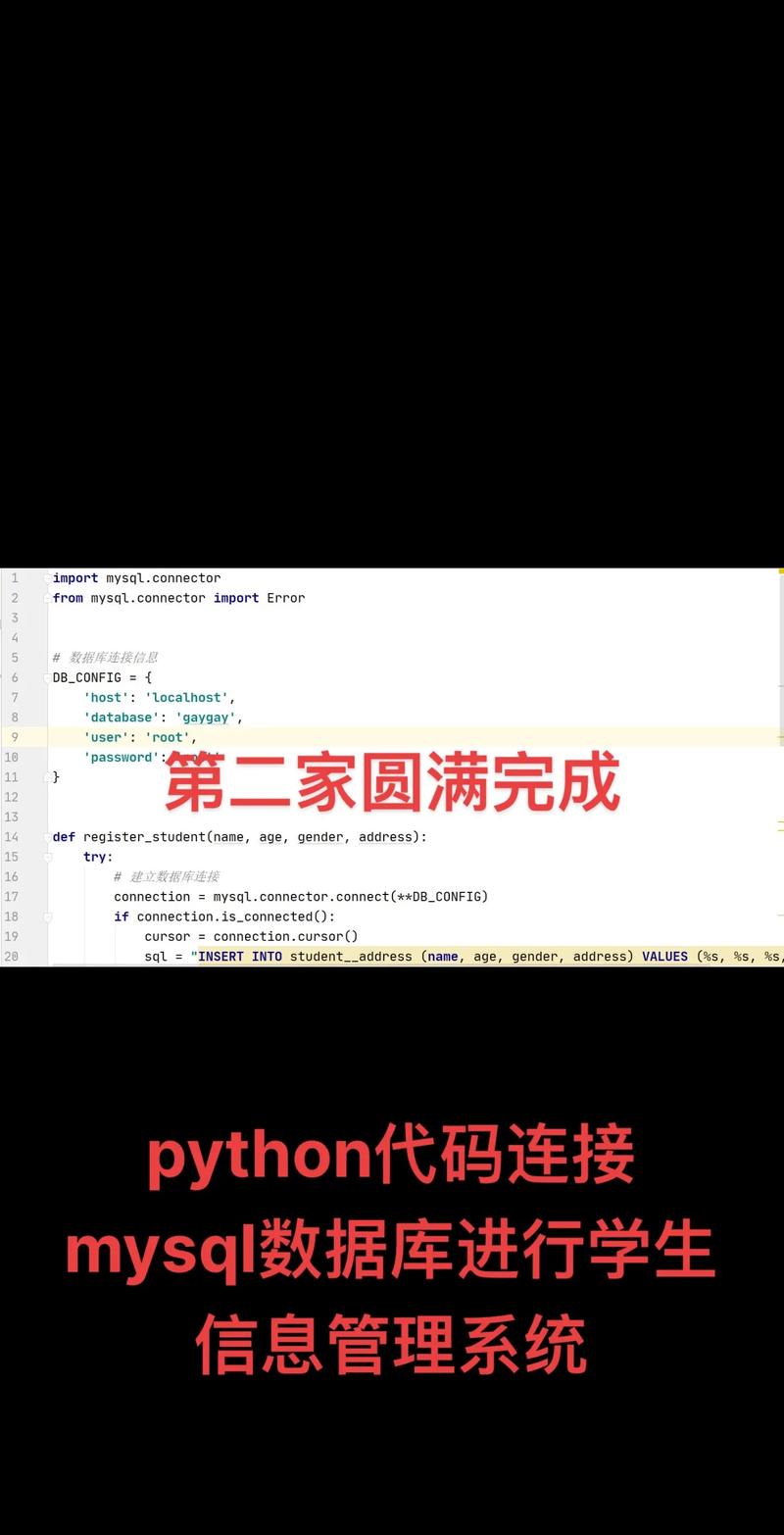
If you prefer a lighter library or cannot use the official connector, pymysql is a pure-Python driver.
(图片来源网络,侵删)
Prerequisites:
pip install pymysql
The Code:
import pymysql
from pymysql import Error
class PyMySQLWrapper:
    def __init__(self, host, db, user, password):
        self.host = host
        self.db = db
        self.user = user
        self.password = password
        self.conn = None
    def __enter__(self):
        """
        Allows usage with the 'with' statement.
        Example: with PyMySQLWrapper(...) as db:
        """
        self.connect()
        return self
    def __exit__(self, exc_type, exc_val, exc_tb):
        self.disconnect()
    def connect(self):
        try:
            self.conn = pymysql.connect(
                host=self.host,
                user=self.user,
                password=self.password,
                database=self.db,
                cursorclass=pymysql.cursors.DictCursor
            )
            print("Connected via PyMySQL")
        except Error as e:
            print(e)
    def disconnect(self):
        if self.conn:
            self.conn.close()
            print("Disconnected")
    def run(self, sql, args=None, mode='read'):
        """
        Generic runner.
        mode='read' -> fetchall
        mode='write' -> commit
        """
        try:
            with self.conn.cursor() as cursor:
                cursor.execute(sql, args)
                if mode == 'read':
                    return cursor.fetchall()
                else:
                    self.conn.commit()
                    return cursor.lastrowid
        except Error as e:
            print(f"Error: {e}")
            return None
# Usage
if __name__ == "__main__":
    # Using Context Manager (cleaner syntax)
    with PyMySQLWrapper(host="localhost", user="root", password="pass", db="testdb") as db:
        # Write
        db.run("INSERT INTO users (name) VALUES (%s)", ("Alice",), mode='write')
        # Read
        rows = db.run("SELECT * FROM users")
        print(rows)
Key Concepts in these Classes
- Parameterized Queries (
%s):- Never use f-strings (e.g.,
f"INSERT... {name}") for SQL. This causes SQL Injection vulnerabilities. - Always pass variables as a separate tuple (e.g.,
(name, email)) to theexecutemethod. The library handles escaping safely.
- Never use f-strings (e.g.,
cursor(dictionary=True):- By default, MySQL returns data as a list of lists:
[(1, 'John')]. - Setting
dictionary=True(orDictCursorin PyMySQL) returns lists of dictionaries:[{'id': 1, 'name': 'John'}]. This makes your code much more readable.
- By default, MySQL returns data as a list of lists:
finallyblock:Always ensure cursors are closed to prevent memory leaks, even if the query crashes.
commit():- MySQL does not save (INSERT/UPDATE/DELETE) changes permanently until you run
connection.commit().
- MySQL does not save (INSERT/UPDATE/DELETE) changes permanently until you run
(图片来源网络,侵删)