Of course! This is a very popular question. The short answer is:
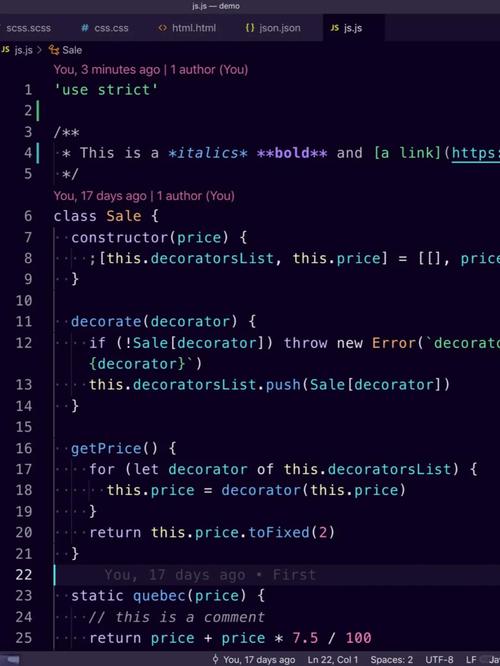
Yes, you can use Python for Android development, but it's not the standard, primary method like Java/Kotlin.
It's a fantastic choice for specific types of apps, especially those that are heavy on data processing, AI, or scripting. Let's break down the main ways to do it, their pros and cons, and who they're for.
The Main Ways to Use Python for Android
There are three primary approaches to run Python code on an Android device. Each has a different purpose and level of integration with the Android OS.
Kivy (Framework for Building Native-UI Apps)
This is the most popular and complete solution for building traditional, graphical Android apps (like games, calculators, social media apps) entirely in Python.
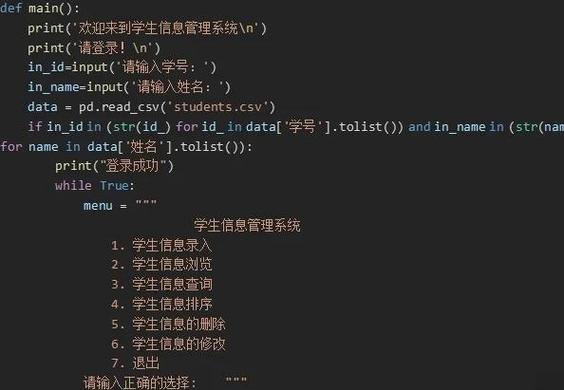
How it Works: Kivy provides its own set of UI widgets and a graphics engine. It doesn't use the native Android UI components (like buttons and text fields from Android). Instead, it draws its own UI on the screen. This gives your app a consistent look and feel across all platforms (Android, iOS, Windows, Linux, macOS).
Key Features:
- Cross-Platform: Write once, deploy to Android, iOS, desktop, etc.
- Modern UI: Supports multitouch, gestures, and animations.
- OpenGL ES Acceleration: Built for high performance, making it great for games.
- Pythonic: The entire API is designed for Python developers.
Example Use Cases:
- Mobile Games
- Educational Apps
- Prototyping tools
- Any app where a unique, custom UI is more important than blending in with the native OS.
Pros:

- Full control over the UI and graphics.
- True Python development experience for a complete app.
- Large and active community.
Cons:
- The UI doesn't look like a standard Android app. It can feel "out of place" on some devices.
- Can be larger in size than a native app.
- Some native Android features might be harder to access.
Getting Started:
pip install kivy
pip install buildozer # For packaging the app for Android
You write your Python code, then use buildozer to package it into an APK (Android application package).
BeeWare (Tool Suite for Native-UI Apps)
BeeWare is a suite of tools and libraries that takes a different approach than Kivy. Its goal is to let you write your app's logic in Python while using the native UI components of the platform it's running on.
How it Works: BeeWare uses a library called Toga to provide a Pythonic wrapper around the native UI widgets of each OS. On Android, your app will use actual Android buttons, text fields, and layouts. On iOS, it will use native iOS components. This makes your app feel like it was built with the platform's native tools.
Key Features:
- Native Look and Feel: Your app blends in perfectly with the OS.
- Write Once, Deploy Anywhere: The Python logic is shared; only the UI layer adapts.
- Rich Ecosystem: Includes tools for everything from the GUI (Toga) to command-line interfaces (Briefcase).
Example Use Cases:
- Business apps
- Productivity tools
- Any app where users expect it to look and feel like a normal Android app.
Pros:
- The app looks and feels 100% native.
- Great for reusing Python business logic across platforms.
- Active project with a strong focus on developer experience.
Cons:
- The UI might be less flexible or customizable than Kivy's.
- The project is younger than Kivy, so the ecosystem might be slightly less mature for some niche features.
Getting Started:
pip install briefcase
You use the briefcase command-line tool to create a new project and build it for Android.
Chaquopy (Plugin for Native-UI Apps)
This is a completely different approach. Instead of building a pure Python app, Chaquopy allows you to embed Python directly into a standard Android Studio project (which uses Java or Kotlin).
How it Works: You create a normal Android app using Java/Kotlin for the UI. Then, you use the Chaquopy plugin to add Python code to the same project. Your Java/Kotlin code can call Python functions, and your Python code can use Java libraries. This is true hybrid development.
Key Features:
- Seamless Integration: Call Python from Java/Kotlin and vice-versa.
- Access to Native APIs: Since the UI is native, you have full, easy access to all Android SDK features.
- Leverage Existing Libraries: Use any Python library that can be compiled for Android (including NumPy, Pandas, TensorFlow, etc.).
Example Use Cases:
- An Android app that needs to run a complex machine learning model (written in Python/TensorFlow).
- An app that processes large datasets using Pandas/NumPy.
- Adding a scripting engine to an existing native app.
Pros:
- The best of both worlds: native UI and the power of Python.
- Unrestricted access to the entire Android SDK.
- Excellent for integrating existing Python codebases.
Cons:
- Requires knowledge of Java/Kotlin. You can't avoid them entirely.
- The setup is more complex, as you need to use Android Studio.
- It's a commercial product (though a free version is available for non-commercial use).
Getting Started:
- Install Android Studio.
- Create a new project.
- Follow the Chaquopy documentation to add the plugin and configure your Python modules.
Summary Table
| Feature | Kivy | BeeWare | Chaquopy |
|---|---|---|---|
| UI Type | Custom (Cross-Platform) | Native (Platform-Specific) | Native (Platform-Specific) |
| Ease of Use | Easiest (for Python devs) | Easy (for Python devs) | Hardest (needs Java/Kotlin) |
| Native API Access | Limited | Good | Excellent |
| Best For | Games, Custom UI Apps | Business/Productivity Apps | ML/Data Science, Hybrid Apps |
| Key Tool | buildozer |
briefcase |
Android Studio + Plugin |
Which One Should You Choose?
-
Choose Kivy if: You are a Python developer who wants to build a complete app (especially a game or one with a unique UI) without touching any Java or Kotlin. You value a consistent look across all platforms over a native Android feel.
-
Choose BeeWare if: You are a Python developer who wants your app to look and feel like it was built by Google. You want a "Python-first" experience but with a native UI.
-
Choose Chaquopy if: You are already a developer (or willing to learn) Java/Kotlin. You need to integrate powerful Python libraries (like for data science or AI) into a standard, high-performance native Android app.
Important Consideration: Performance
For most tasks, Python's performance on Android is perfectly fine, especially with the PyPy interpreter or with libraries that use C/C++ under the hood (like NumPy).
However, for high-performance tasks like 3D graphics or complex real-time calculations, a native Java/Kotlin or C++ solution will always be faster. Python is generally not the right choice for performance-critical game engines or complex physics simulations.