Of course! The "Python print error" is a very common issue. It can mean several different things, from a simple typo in your code to a more complex problem with how you're using the print() function.
Let's break down the most common types of print errors and how to fix them.
SyntaxError (The Most Common "Not a Print" Error)
This isn't an error with the print() function itself, but an error in your code that prevents Python from even running it. The interpreter stops and points out the line with the problem.
Common Causes & Solutions:
a) Missing Parentheses
You must call print with parentheses.
- Error Code:
print "Hello, World!" # Incorrect
- Error Message:
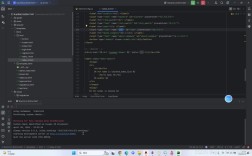
File "your_script.py", line 1 print "Hello, World!" ^^^^^^^^^^^^^^^ SyntaxError: Missing parentheses in call to 'print'. Did you mean print("Hello, World!")? - Solution: Always use parentheses.
print("Hello, World!") # Correct
b) Missing a Colon
Forgetting the colon at the end of an if, for, while, or def statement.
- Error Code:
if True print("This will cause an error") - Error Message:
File "your_script.py", line 2 print("This will cause an error") ^^^^^^^^^^^^^^^^^^^^^^^^^^^^^^^ SyntaxError: expected ':' - Solution: Add the colon.
if True: # Correct
    print("This will work")
c) Mismatched Indentation
Python uses indentation (spaces or tabs) to define code blocks. If they are not consistent, you'll get a SyntaxError.
- Error Code:
def my_function(): print("This line is not indented") # Incorrect indentation - Error Message:
File "your_script.py", line 3 print("This line is not indented") ^^^^^^^^^^^^^^^^^^^^^^^^^^^^^^^ IndentationError: expected an indented block - Solution: Use consistent indentation (usually 4 spaces).
def my_function():
    print("This line is correctly indented") # Correct
TypeError (When print() Gets the Wrong Kind of Data)
This error happens when you try to combine different data types in a way that doesn't make sense. This is very common when trying to print strings and numbers together.
Common Causes & Solutions:
a) Trying to Concatenate String and Integer You cannot use the operator to join a string and a number directly.
-
Error Code:
age = 25 print("My age is " + age) # Incorrect -
Error Message:
TypeError: can only concatenate str (not "int") to str
-
Solutions:
-
Convert the number to a string using
str():age = 25 print("My age is " + str(age)) # Correct -
Use an f-string (Modern & Recommended): This is the cleanest and most readable way.
age = 25 print(f"My age is {age}") # Correct and easy to read -
Use a comma to separate arguments: The
print()function can take multiple arguments and will automatically convert them to strings and add a space between them.age = 25 print("My age is", age) # Correct
-
NameError (When a Variable Doesn't Exist)
This error occurs if you try to use a variable that has not been defined yet.
- Error Code:
print(my_variable) # my_variable was never created
- Error Message:
NameError: name 'my_variable' is not defined
- Solution: Make sure the variable is defined before you try to print it.
my_variable = "Hello, Python!"
print(my_variable) # Correct
Encoding Errors (Printing Special Characters)
Sometimes, when printing text with special characters (like emojis or accented letters), you might get an encoding error, especially in older versions of Python or on certain operating systems.
- Error Code (on Python 2 or a misconfigured terminal):
# This might cause an error in some environments print("This is an emoji: 🚀") - Error Message:
UnicodeEncodeError: 'ascii' codec can't encode character '\U0001f680' in position 23: ordinal not in range(128)
- Solution:
- For Python 3: This is rarely an issue as Python 3 handles Unicode by default. Make sure your terminal/editor is set to use UTF-8.
- Explicitly specify encoding: You can tell Python to encode the string for the console.
# A more robust way to handle it
print("This is an emoji: 🚀".encode('utf-8').decode('utf-8'))
# Or even simpler, just print it. Python 3 usually handles it.
print("This is an emoji: 🚀")
Printing to stderr vs. stdout
By default, print() writes to "standard output" (stdout). However, errors are often sent to "standard error" (stderr). If you're redirecting output, this can be confusing.
-
Difference:
stdout(defaultprint): For normal program output.stderr: For error messages and diagnostics.
-
Why it matters: If you run
python my_script.py > output.log, the normalprintstatements will go intooutput.log, but any error messages from the Python interpreter will still appear on your screen. -
How to print to
stderrmanually:import sys print("This is a normal message.") # Goes to stdout print("This is an error message.", file=sys.stderr) # Goes to stderr
Summary Table
| Error Type | Common Cause | Example | Solution |
|---|---|---|---|
| SyntaxError | Missing or | print "hello" |
Use print("hello") and check for colons in if/for blocks. |
| TypeError | Mixing types in | print("Age: " + 25) |
Use f-strings: print(f"Age: {25}") or str(). |
| NameError | Undefined variable | print(undefined_var) |
Define the variable before using it. |
| UnicodeEncodeError | Special characters | print("🚀") (in old envs) |
Ensure your environment supports UTF-8. |
When you get a print error, read the error message carefully! It tells you the type of error, the file name, the line number, and often a helpful hint. This information is your best friend for debugging.