Of course! Let's break down the relationship between pip, MySQL, and MySQLdb in Python. This is a common point of confusion for developers new to Python database connectivity.
The Short Answer
You cannot simply pip install MySQLdb anymore. The original MySQLdb library is outdated and difficult to install on modern systems (especially Windows and macOS with Python 3).
Instead, you should use one of its modern, well-maintained replacements. The most popular and recommended choice is mysql-connector-python from Oracle.
The Detailed Explanation: pip, MySQL, and MySQLdb
Let's clarify what each part is:
-
pip: This is the Package Installer for Python. It's a tool used to install and manage software packages (libraries) written in Python. You use it to download code from the Python Package Index (PyPI) and add it to your Python environment. (图片来源网络,侵删)
 -
MySQL: This is the actual database server. It's a separate piece of software (like Microsoft SQL Server, PostgreSQL, or SQLite) that runs on a server, stores your data in tables, and manages access to that data.pipdoes not install the MySQL server itself. -
MySQLdb: This is the Python library (a "driver" or "connector") that allows your Python code to talk to a MySQL database. It translates your Python commands (likecursor.execute("SELECT * FROM users")) into the language the MySQL database understands.
The Problem with the Old MySQLdb
The original MySQLdb package has several issues:
- Outdated: It hasn't been updated in years and doesn't support modern Python versions (like Python 3.8+).
- Hard to Install: It requires a C compiler and MySQL development headers (
mysql_config). This makes installation on Windows or macOS with Python 3 a nightmare. - Abandoned: The project is no longer actively maintained.
The Modern Solution: Use mysql-connector-python
Oracle, the company behind MySQL, provides the official and most reliable Python connector. It's pure Python, easy to install with pip, and is actively maintained.
Step 1: Install the Connector
Open your terminal or command prompt and run:
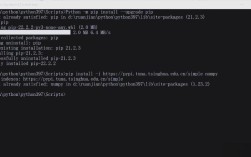
pip install mysql-connector-python
If you are using a virtual environment (which is highly recommended), make sure it's activated first.
Step 2: Connect to Your MySQL Database
Here is a complete, commented example of how to connect to a MySQL database, execute a query, and fetch the results.
Prerequisites:
- You have a MySQL server running.
- You know the host, user, password, and database name you want to connect to.
Example Code (app.py):
import mysql.connector
from mysql.connector import Error
def connect_to_mysql():
    """Connects to a MySQL database and performs a simple query."""
    connection = None
    cursor = None
    try:
        # Replace with your actual database connection details
        connection = mysql.connector.connect(
            host='localhost',          # Or your database server's IP
            database='your_database',  # The name of your database
            user='your_username',      # Your MySQL username
            password='your_password'   # Your MySQL password
        )
        if connection.is_connected():
            db_info = connection.get_server_info()
            print(f"Successfully connected to MySQL Server version {db_info}")
            cursor = connection.cursor()
            # Replace 'your_table' with the name of your table
            cursor.execute("SELECT * FROM your_table LIMIT 10")
            # Fetch one result
            # record = cursor.fetchone()
            # print(f"Fetched record: {record}")
            # Fetch all results
            records = cursor.fetchall()
            print(f"Total number of rows returned: {cursor.rowcount}\n")
            print("Records:")
            for row in records:
                print(row)
    except Error as e:
        print(f"Error while connecting to MySQL or executing query: {e}")
    finally:
        # Closing the database connection.
        if connection and connection.is_connected():
            if cursor:
                cursor.close()
            connection.close()
            print("MySQL connection is closed.")
# Run the function
if __name__ == "__main__":
    connect_to_mysql()
To run this script, save it as app.py and execute:
python app.py
Other Popular Alternatives
While mysql-connector-python is the official choice, two other excellent libraries are very popular, especially in the Django framework community.
mysqlclient
This is a fork of the original MySQLdb that has been updated to support Python 3. It's very fast because it's a C extension, but it still requires the C compiler and MySQL development headers to install.
-
When to use it: If you need the absolute best performance and are comfortable with the installation requirements (common on Linux servers).
-
Installation:
# On Debian/Ubuntu:
sudo apt-get install python3-dev default-libmysqlclient-dev build-essential
pip install mysqlclient
# On macOS (with Homebrew):
brew install mysql
pip install mysqlclient
PyMySQL
This is a pure Python implementation of the MySQL client. It's very easy to install (no compiler needed) and is a great alternative if mysql-connector-python doesn't work for you. It's also the recommended driver for Django if you don't want to use mysqlclient.
- When to use it: A great, easy-to-install alternative. It's the default choice for many projects that aren't using Django.
- Installation:
pip install PyMySQL
- Usage: The API is very similar to
mysql-connector-python.
Summary and Recommendation
| Library | Type | Installation | Recommendation |
|---|---|---|---|
mysql-connector-python |
Pure Python | pip install (Easy) |
Best for most users. Official, reliable, and easy to get started. |
mysqlclient |
C Extension | pip install + Compiler (Hard) |
For high-performance needs. Fast, but can be tricky to install. |
PyMySQL |
Pure Python | pip install (Easy) |
Excellent alternative. Pure Python, very similar API. |
Final Recommendation:
For any new project, start by installing and using
mysql-connector-python.pip install mysql-connector-python